The peculiarity of the iPhone and iPad is not only
Set the charge display as a percentage
The ability to monitor the dynamics of charge consumption -The key point is to start charging your gadget much less often. We recommend setting the charge percentage display to analyze the operation of the device and choose a further strategy. To do this, openSettings → Battery → Charge percentage.Select an option.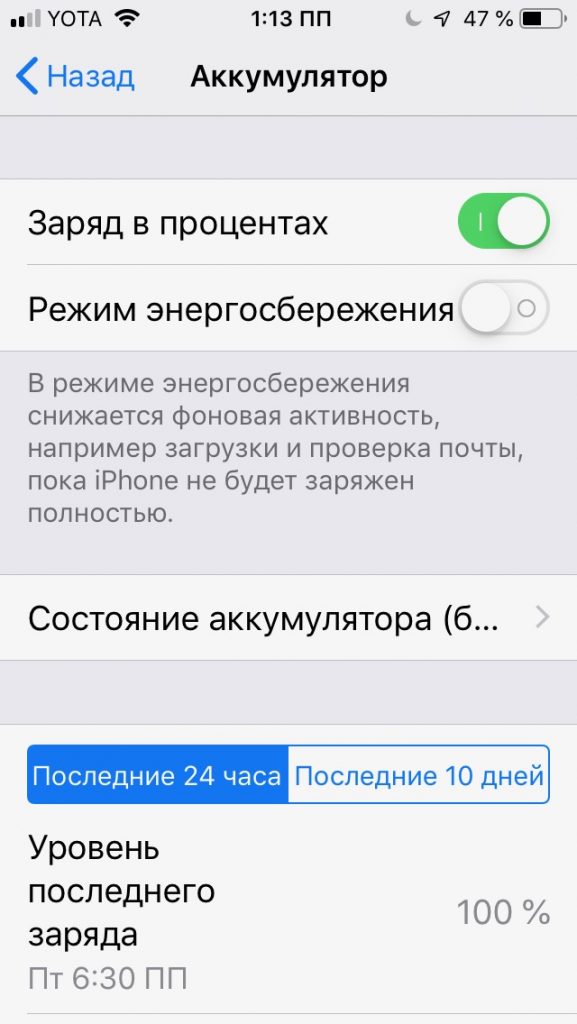

Section with statistics of the latest full chargesmay be especially useful to you. Here you can track application launches, mail checks, calls, browser activity and much more. Moreover, you should pay attention to the background music playback.
As for the "sleeping" mode, it is not at all like that. The device does not sleep, but continues to work, consuming battery power.
Adjust screen brightness
Reducing energy consumption is one of thethe most important aspects for saving the charge of devices on the iOS platform, and this does not in any way affect the comfort of their use. To do this, set the following display parameters:Settings → Display and brightness.

Next, move the arrow left and right until you find the optimal brightness level. Apple developers officially recommend doing this to keep energy consumption to a minimum.
Turn off your wireless connection
Remember that wireless communication is not always for youneeded. Bluetooth and Wi-Fi waste the most energy, so we recommend turning them on only when you really need them. Turn it off the rest of the time. Disabled Bluetooth or Wi-Fi should not cause you to panic, because even without these options you will not be left without communication.
Don't play games
Gaming applications consume energy literallycouple of hours. Popular mobile online casinos today are installed on literally every fifth smartphone. If you are an avid gamer and at the same time want your smartphone battery to last you as long as possible, switch to a computer or tablet purchased specifically for gaming. Install only the necessary applications on your gadget. Remember that everyday gaming can drain your device's battery.
Disable Push Notifications
Of course, Push notifications are a verycomfortable. But we must admit that it is not so necessary as to sacrifice the quality of work of your newfangled gadget. The essence of this function is only to inform you about updates without launching the application. Most often, Push notifications are installed on email, but this is just the tip of the iceberg. There are many other applications that independently send notifications to the user's device. To save energy, you should turn off the sound signal, icon display, or even block the application from sending you notifications. Don't forget also aboutDo Not Disturb.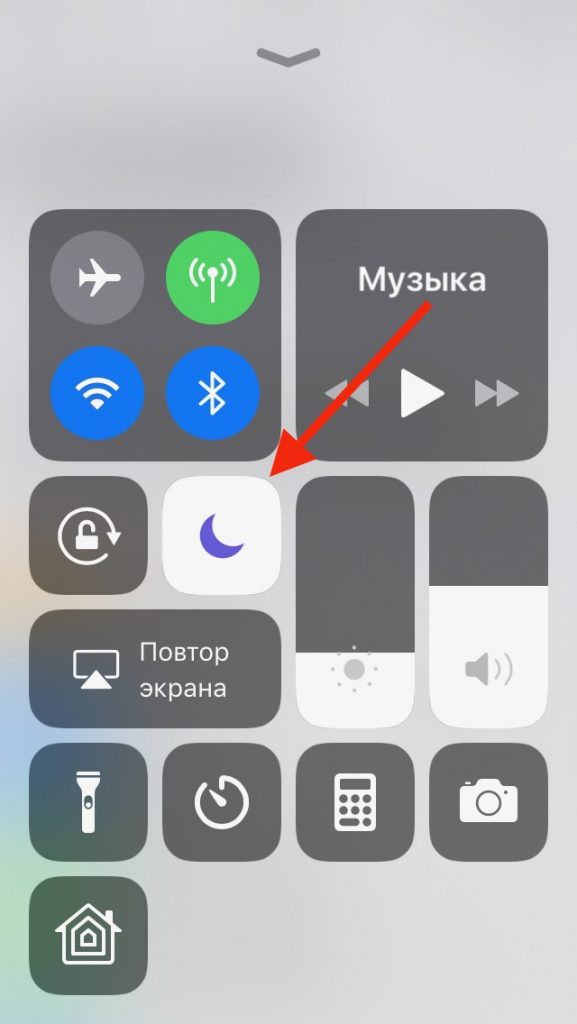

Disable geolocation
You can, of course, completely disable the location service by following these sequential steps:Settings → Privacy → Location Services → Disable Location Services. However, in some cases, it will be more rational to disable only the less important and more annoying services, leaving only the necessary ones, for example, a taxi application, a navigator, etc.



Conclusion
Many users are convinced that such trifles,like turning off geolocation, adjusting screen brightness and limiting time for leisure, will not be able to extend battery life. In fact, even as they can! Try all these steps and you will charge your gadget much less often.