There are many reasons why it's more convenient to take calls from iPhone to other devices.Maybe that's how it is for you
Calls withiphone on other devices
one)Go to the appSettingsand selectPhone.
2)SelectOn other devices.
3)Click on the toggle next toAllow Calls.
four)Select the devices on which you want to receive calls.
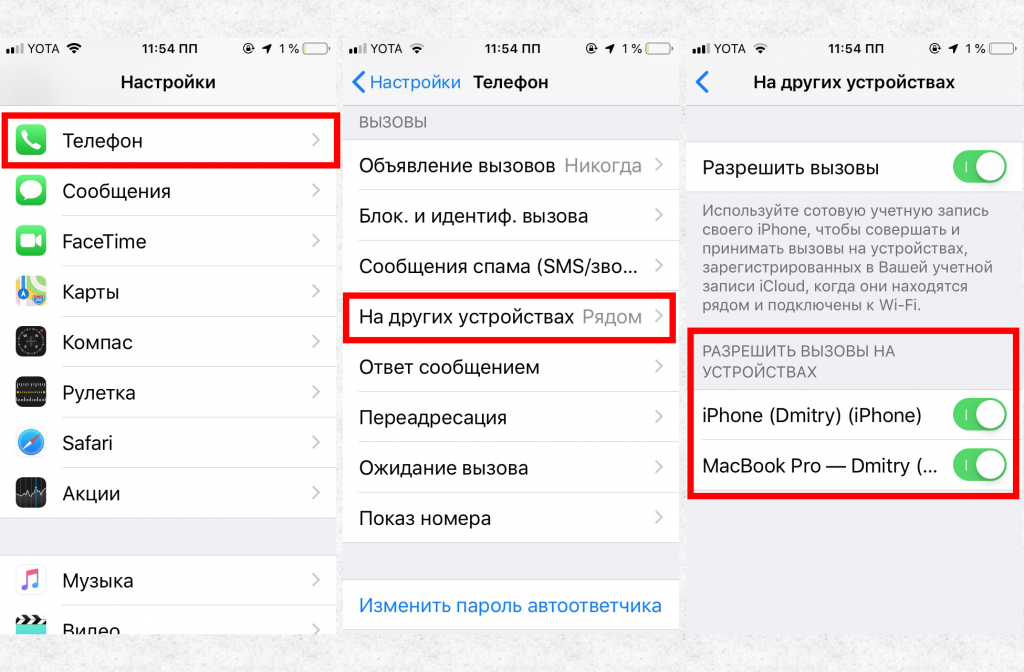

Now you can easily answer the call via iPad or Mac if the iPhone is far away.