It would be really cool if there was some way to quickly trigger the power saving mode.
As a result, you get the opportunity to extendthe device’s operating time is approximately three hours. Due to the extreme usefulness of this feature, I would like to learn how to run it faster. This article discusses two ways to do this.
Advertising
Advertising
How to quickly switch to power saving mode on iPhone
Firstly, the mode switch is located in Settings. To enable it, go toSettings>Battery>Mode energy saving. The battery indicator, whatever color it may be, will turn yellow, so at any moment it is clear whether the power saving mode is on or not.
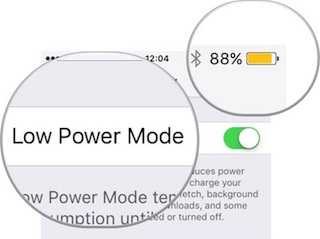

So the power saving mode starts in a standard way. However, this can be done faster.
Using Siri
The voice assistant can launch very quicklyenergy-saving mode, if asked correctly. If you have "Hey Siri" turned on, launch Siri with this phrase, and then simply ask: "Turn on low power mode." If “Hey Siri” disabled or not supported, launch Siri as usual by holding down the Home button.
Advertising
Advertising
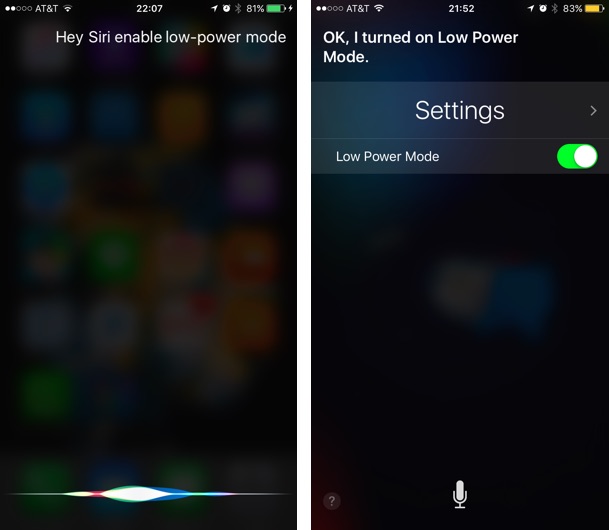

Also, if you have a jailbreak, a quick start of the energy saving mode can be arranged through the Control Center using tweaks like CCSettings.
Via Workflow App
Although Siri can make everything easy and fast, there areand more advanced methods. Graham Spencer, an Apple fan and Macstories contributor, has created a widget for Notification Center that gives you quick access to the Power Mode button. He writes: “I created a widget in Workflow that tells me the current battery level and then prompts me to go to the Battery page in Settings. And from there I just launch the power saving mode.
Anyone can use this widget, however, they will have to spend 230 rubles on the Workflow application itself and go through a quick tutorial in this application.
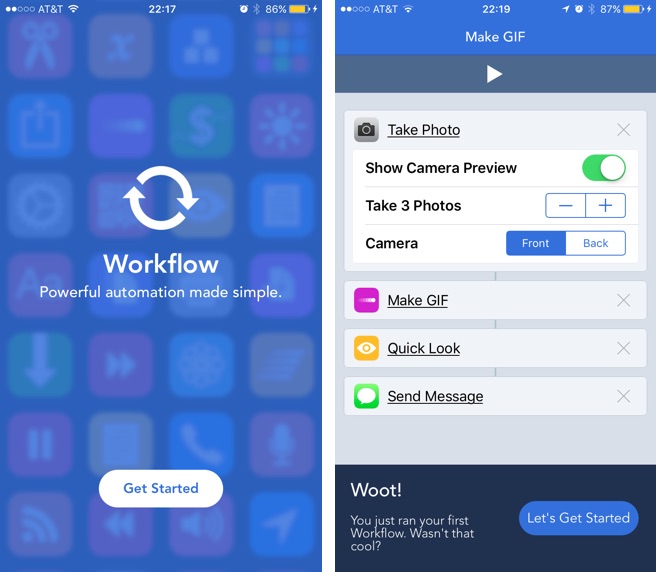

Once you are done with the tutorial, follow this link on your device. Open Graham's workflow by clicking the buttonOPENin an external link, so it will open inWorkflow application. Wait until the download completes. By clicking on the play button, you can figure out how the workflow you downloaded works and modify it if necessary. PressDone, and then -Run workflow.
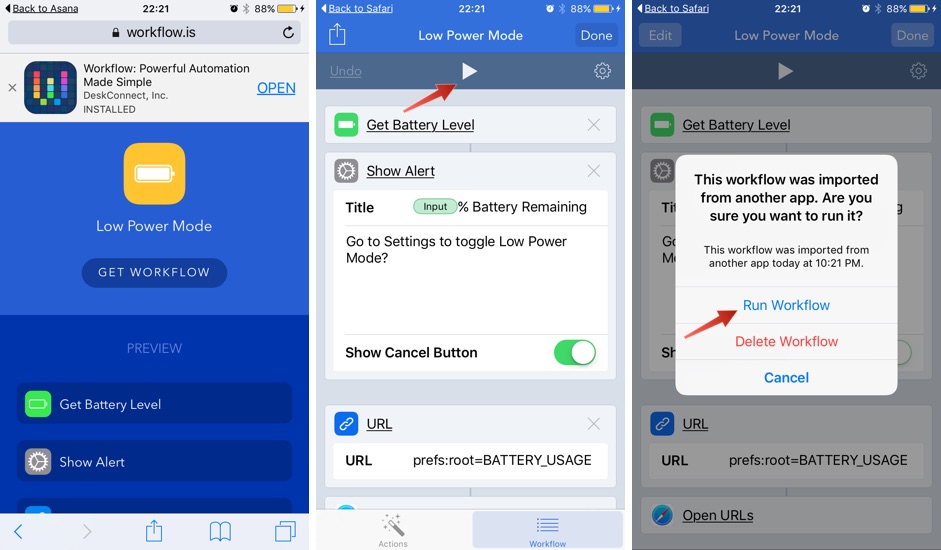

The downloaded workflow will be added to the listMy workflows. To enable it, double-tap its icon.
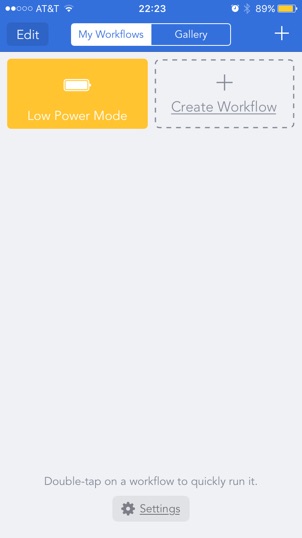

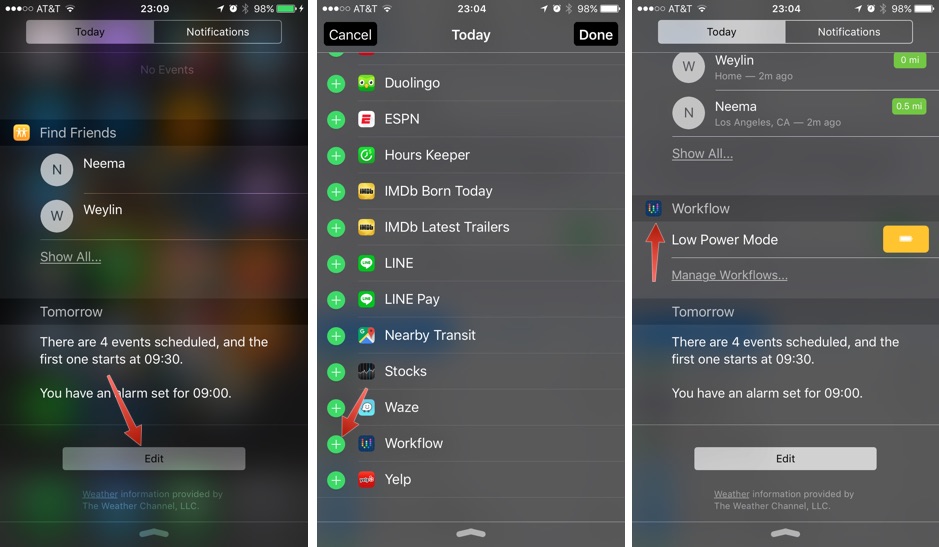
Next, we want to be able to access it in the Notification Center. Open Center, go to the tabTodayand add the Workflow app to the list of widgets.

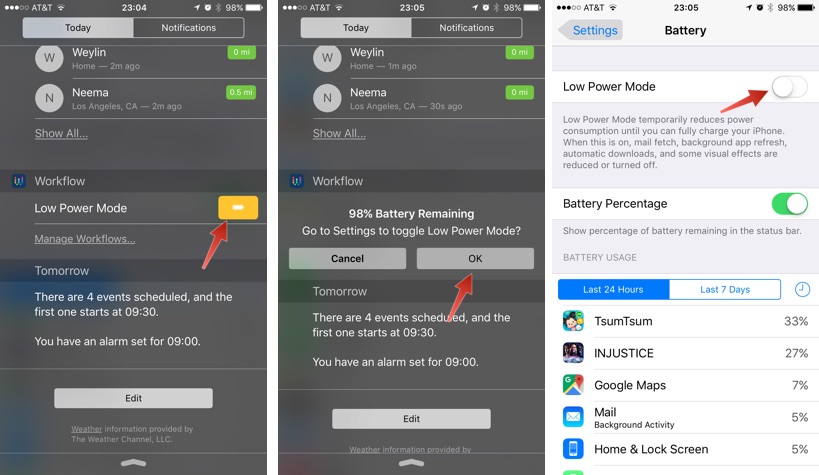
All is ready! Now, to quickly launch the energy saving mode, just do the following: on the Today tab, tap on the Low Power Mode widget, then click OK, and you will be redirected to the Battery window in Settings, from where you can enable the mode.
Advertising
Advertising

Tell us in the comments which method is more convenient for you!