On iPhone 7 and iPhone 7 Plus, the physical Home button has been replaced by a touch button with the new Taptic Engine technology
Taptic Engine now performs feedbackdevice (in the form of vibration) depending on the actions you perform and how you press the button. Due to this, the method used to put your iPhone 7 or iPhone 7 Plus into DFU mode and recovery mode is now different from previous models.
Advertising
Advertising
In this tutorial, we will show you how to enter DFU mode and recovery mode on the new flagship iPhone models.
How to put iPhone 7 or iPhone 7 Plus in DFU mode
Step 1:Make sure you have the latest versioniTunes.
Step 2:Connect your iPhone 7 or iPhone 7 Plus to your computer using a USB to Lightning cable.
Advertising
Advertising
Step 3:Thenturn offiPhone
Step 4:Now press and hold the buttonLockson the right side of your iPhone for3 seconds.
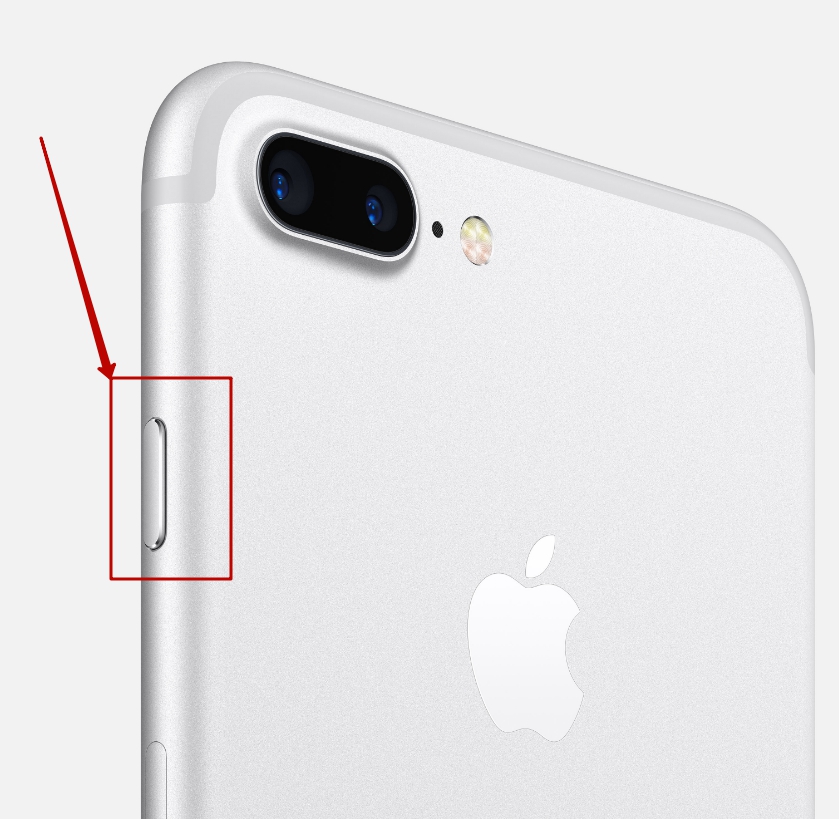

Step 5:At the same time, press and hold the buttonvolume downon the left side of your iPhone while continuing to hold the Lock button. Hold both buttons for10 Seconds.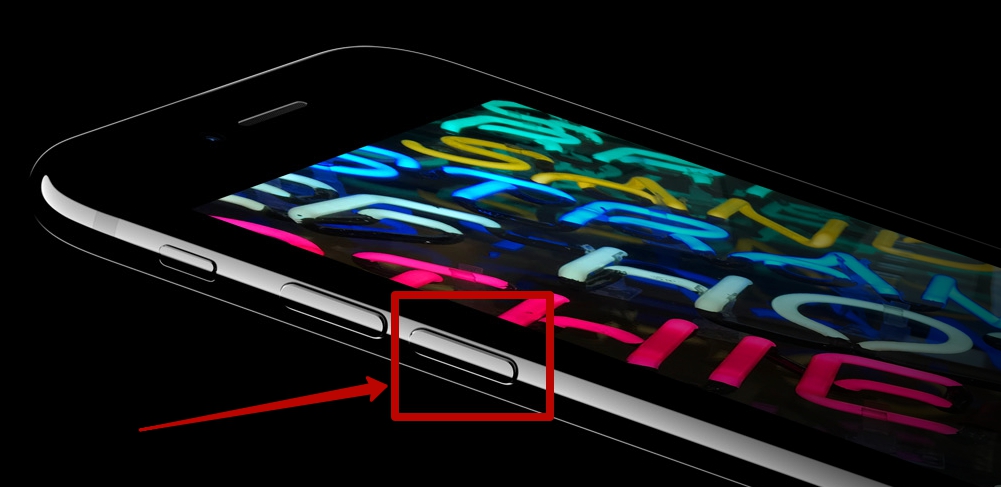

Step 6:If the Apple logo appears on the screen, then you must start over because you have been holding the buttons for too long. Otherwise, follow the instructions below.
Step 7:Then release the buttonblocking, but keep holding the buttonvolume down yetwithin 5 seconds. If the message “Connect to iTunes” appears, then you have held it too long – start all over again.
Step 8:If the screen remains black, it means you have successfully entered DFU mode!
Congratulations! iTunes should display a message that it has detected your iPhone 7 or iPhone 7 Plus in DFU mode.


Putting iPhone 7 or iPhone 7 Plus into recovery mode
- Turn off the iPhone 7 as usual by holding the side button
- We are waiting for some time, for a complete shutdown
- Press the buttonVolume down
- Then press and holdSide button while still holding the volume button.
- Hold until you see the recovery screen and the iTunes icon.
If the iTunes icon appears, the iPhone has entered recovery mode. Now you can open iTunes.
Although the new method requires a little more effort,than on older iPhone models, it’s still a matter of time and you’ll quickly get used to it. Write in the comments, have you already had to transfer your device to DFU or Recovery Mode?