One way to improve the security of the Google Chrome browser is to enable the "strict site isolation" feature, thanks to
In theory, this should protect you from variousrisks like the exploits of Meltdown and Specter, but that doesn’t mean you don’t have to update your browser regularly. Newer versions often contain fixes for various security bugs.
Advertising
Advertising
The site isolation function is still an experimental mode. It is quite easy to include, but there are some nuances associated with resource consumption.
How to enable site isolation inGoogle Chrome
The Strict Site Isolation feature can be enabled on Google Chrome for Mac OS, Windows, Linux, Chrome OS, and Android.
- Open the Google Chrome browser.
- Enter the following link in the address bar and click on it:
chrome: // flags / # enable-site-per-process
Advertising
Advertising
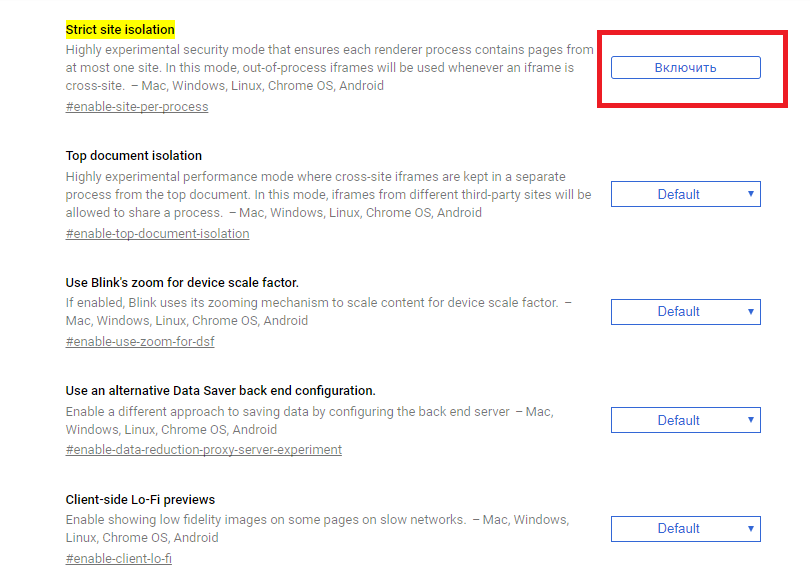
- Scroll down to "Strict site isolation" and click Enable.

- Click Restart at the bottom of the screen to apply the changes.
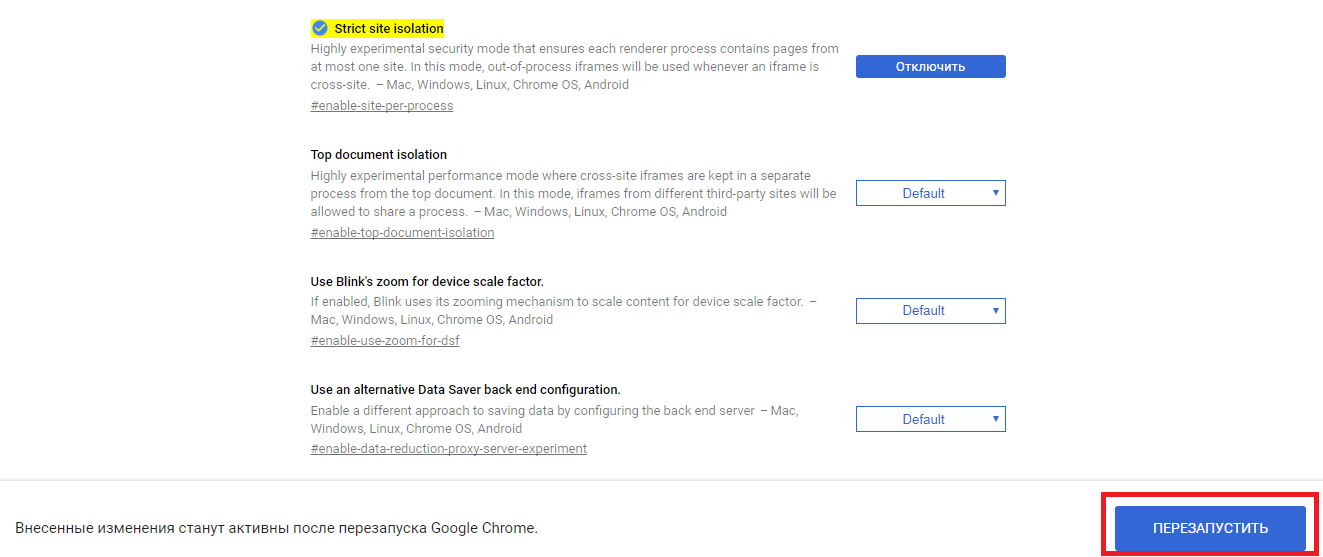

When Chrome restarts, the site isolation feature will be active, and each site’s processes will be protected individually.
Here's an explanation of the Strict Site Isolation feature in Chrome’s settings:
An experimental security mode, thanks to which each process can process pages of only one site.
And here is a more detailed explanation:
"Site Isolation" is an experimental security feature of the Chrome browser that providesIt makes it harder for untrustworthy sites to access your account information and even steal it.
Typically sites cannot access othersites inside the browser, but sometimes bugs appear in the code that allow you to bypass this protection and carry out an attack. The Chrome team always tries to fix such bugs as quickly as possible.
Site isolation provides additionalprotection against such attacks. It separates the page processes of each site and protects them individually. It also blocks the access of some sites to the information of others. As a result, it will be more difficult for a site with a virus to steal data from another site, even if it manages to circumvent basic protection.
What are the disadvantages of the function "Site Isolation» inChrome?
One of the main disadvantages is the large consumption of memory and resources, especially when you have many tabs or windows open.
The function is experimental, so there may be other problems. However, tests showed only one thing - an increase in memory consumption.
The Chrome team warns that some tools may not work perfectly, but this should not be a problem for more users.