The iPhone X has a new feature that prevents notification previews from appearing on the lock screen.
Sometimes Face ID does not work right away. While you wait and try to change position, on the machine you swipe the screen, and the main screen opens. You have to re-open notifications. It is not clear why such a problem arises. Perhaps Apple is trying to save battery in this way. Or is it just a bug that will be fixed in future updates.
Advertising
Advertising
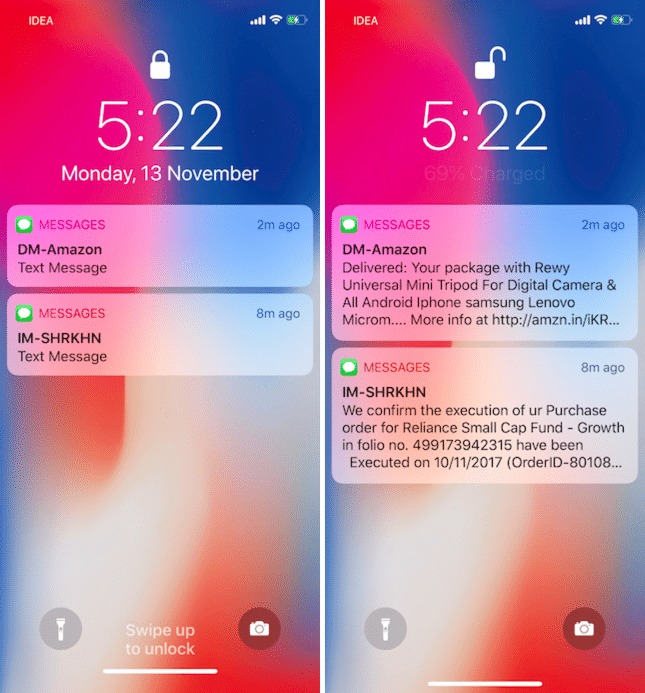

If you also encounter this problem or just don’t worry that someone will see your messages, follow the steps below.
How to enable notification previews oniphone X
Step 1: OpenSettings.
Step 2: SelectNotifications.
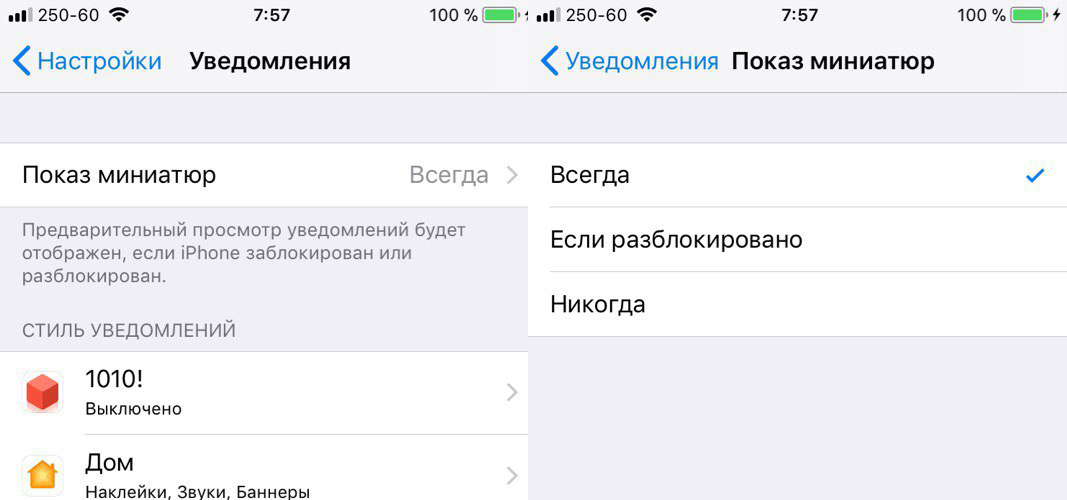

Step 3: Then pressThumbnail display.
Step 4: Select hereIs always.
Now you will always see a preview of notifications on the screen of your iPhone X, even when it is locked.