In macOS Sierra, Apple introduced Picture-in-Picture mode for the Safari browser. Usefulness of this feature
Advertising
Advertising
Unfortunately, for now, support for the regimeThere is no “Picture-in-Picture” in Chrome, but the company is already working on a feature for all platforms at once. The mode is currently under development, but you can already experience it.
To do this, you need to install the version of ChromeCanary, which contains some bugs and problems, but then you get access to all the possible functions of the browser. Below we’ll show you in more detail how to enable the “Picture in Picture” mode in Chrome.
how turn on mode"Picture-in-Picture"atGoogle Chrome
Step 1:Download and install the latest version of Chrome Canary for Macfrom here.
Advertising
Advertising
Step 2:Now you need to make some settings in the browser.
Step 3:Paste the following links one by one into your browser's address bar and enable all options.
Link 1:
chrome: // flags / # enable-experimental-web-platform-features
This link activates experimental browser features that are under development.


Link 2:
chrome: // flags / # enable-surfaces-for-videos
Changes the VideoLayer platform to Surface, which is necessary to activate the mode.
Link 3:
chrome: // flags / # enable-picture-in-picture
This link activates the mode.
When all the links are pasted, restart the browser to apply the changes.
Advertising
Advertising
Step 4:That's not all. Now go to GitHub and downloadthis extension is forChrome. After that, go to the Chrome page with extensions at the link below and enable the "Developer mode" option.
chrome: // extensions


Step 5:Install the previously downloaded extension by clickingLoad Unpacked.
Now select the folder to which you extractedthe contents of the zip file with the extension. After installing it, you can play any video using the “Picture-in-Picture” mode by pressing the special button next to the address bar while this video is running on the tab. The player will automatically appear in a small size in the corner of the screen.
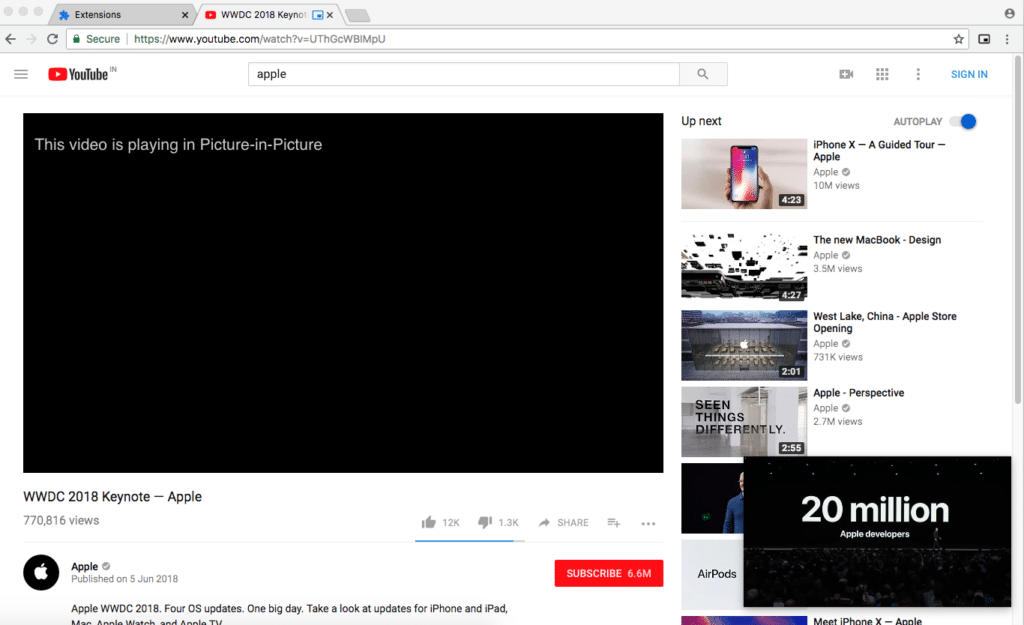

On popular sites like YouTube, Facebook,Vimeo, etc., the PiP player will work automatically, but there may be exceptions. Since the mode is still in development, problems may arise with it. The biggest minus at the moment is that the mode can play only the first video on the tab.
All subsequent videos will be played in the main browser window. In addition, if you leave this window, the video will turn off.
The PiP player itself is also limited: You cannot resize it or move it around the screen. However, the function is still in development, and Google will probably fix all the problems before releasing it publicly.
Google will also open access to the PiP API fordevelopers so they can add mode support to their sites. Most likely, the function will be publicly released only in August this year along with the beta version of Chrome 68 or the public version of Chrome 69.