With the introduction of the iPhone X, Apple has created a whole problem for those who use apps for which updates are not updated.
The same thing happened when the iPhone Plus first came out. Developers had to update their applications in order to get rid of black frames on the big screen.
Advertising
Advertising
If you bought an iPhone X and now see these ugly black frames in some applications, you are out of luck - they have not been updated to its resolution. Fortunately, jailbreaking makes a difference.
If you’re tired of seeing ugly and inconvenient applications on your smartphone with an excellent OLED display, FullScreenX tweak will help you.
It can be downloaded for free from Cydia. The only purpose of this tweak is to add iPhone X resolution support to applications that have not been updated for it.
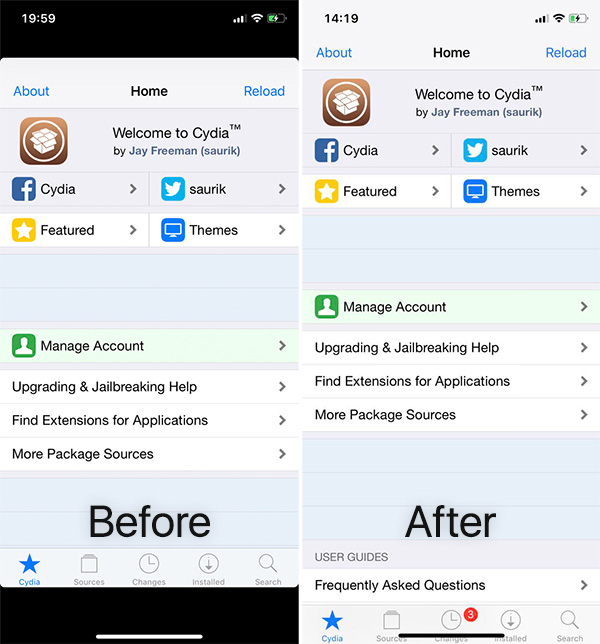

Having installed FullScreenX, you just need itactivate by pressing the switch, and then do respring. After that, absolutely all your applications will look beautiful on the big screen of your smartphone.
If you have not installed jailbreak on your iPhone X, you will have to wait for updates to be released. It is likely that some applications will never be updated for iPhone X.