Have you ever wanted to add links to Instagram stories? Well, now you can do it! IN
This is a very important event, since earlier inInstagram had to add links to the profile description. It's very easy to add links to Instagram Stories, but you need to do it right in order to get noticed. Below, we'll show you how to add links to Instagram Stories.
Advertising
Step # 1: Click the link icon
Before adding a link to a story ininsta, you need to take a photo or video or upload a ready-made one into the story. Now you can add a link. Add stickers, filters, and text first, then click on the link icon at the top of the screen.


Step#2:Type or PasteUrl
When you click on the link icon, a screen will open where you will need to enter or paste your link. When done, click Finish. After that, you can publish the story as usual.
Advertising
Advertising
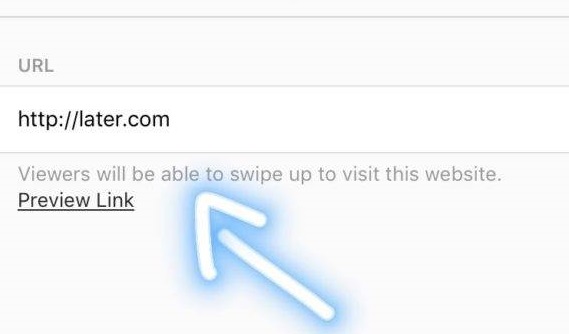

Step # 3: make the link visible
If you really want your followers to pull your story up and open your link, you need to draw attention to it. If you just add a link, many will not notice it.
The link icon in the finished story is not very visible,so you have to use additional elements like in regular stories. You can specify in text what the link is leading to, as well as encourage users to swipe up. In case they don't know how to swipe, you can even draw an upward arrow in the story.