Apple devices have a useful feature that remembers the Wi-Fi networks you connect to and
Advertising
Advertising
In this case, Wi-Fi networks on the iPhone, iPad and Mac can be forgotten. Below we will tell you how.
How to Forget Wi-Fi Network on iPhone and iPad
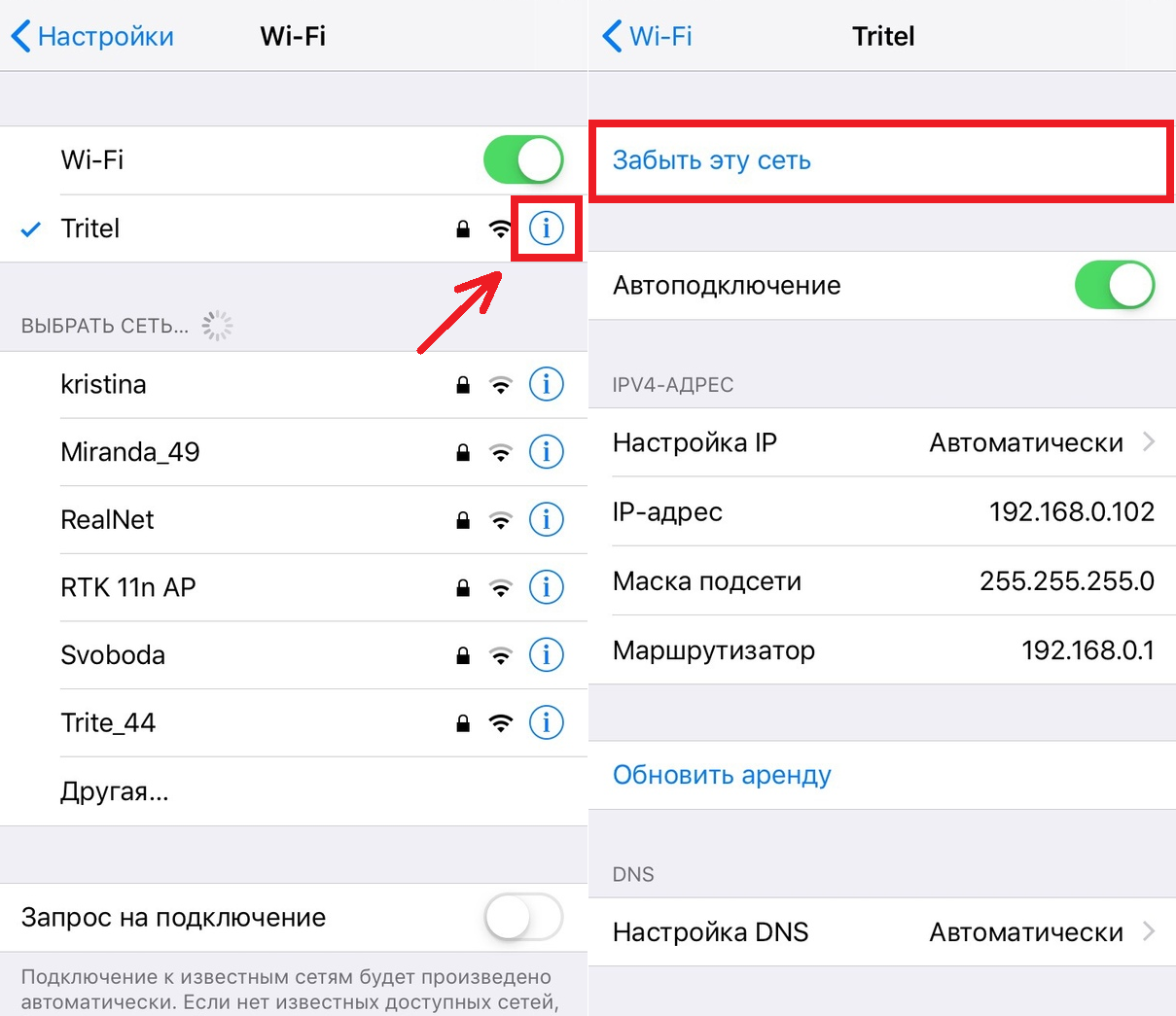
one)Open the appSettingson your device and select a sectionWi-Fi.
2)Pressicon "i"close to the desired network.
3)ClickForget this network.

How to Forget Wi-Fi Network on Mac
To begin, select the icon from the menu barApple>System settingsand follow the steps below.
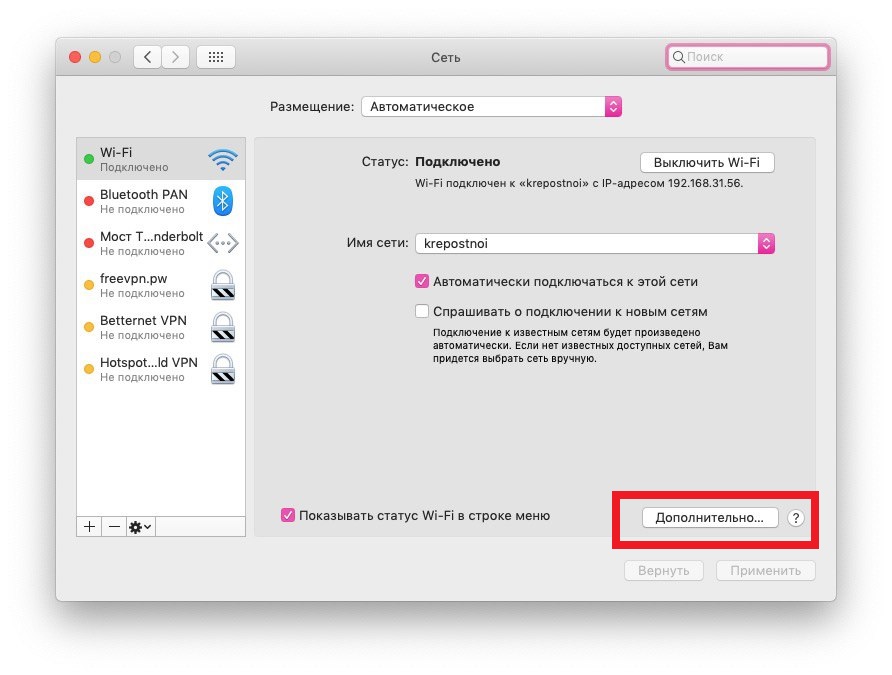
one)Select and open a sectionNetwork.
2)Select the desired Wi-Fi network on the left and click the buttonAdditionally.

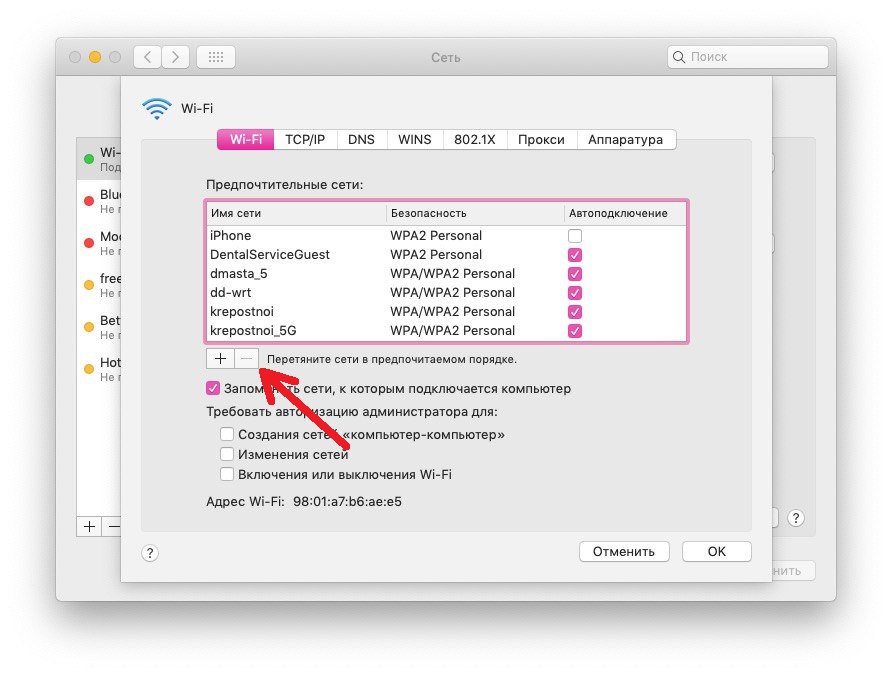
3)Make sure the Wi-Fi tab is selected at the top. Select a network and clickminus icon.
four)Confirm deleting the network.

It’s very convenient that Apple devices remember networks and automatically connect to them. And now you know how to forget them.