One of the advantages of Apple Watch in combination with wireless headphones is the ability to listen to added music
In the article - how to synchronize music between iPhone and Apple Watch to listen to the tracks on the watch without an iPhone and the Internet.
Advertising
Advertising
- Add music to Apple Watch
- Disable automatic downloading of playlists from Apple Music
- Create an Apple Watch workout playlist
- See how much space music takes up on Apple Watch
- On iphone
- On apple watch
- Delete music from Apple Watch
Add music to Apple Watch
You can add albums and playlists to the Apple Watch (you cannot upload individual tracks).
Advertising
Advertising
Before you start syncing your music, charge your Apple Watch and turn on Bluetooth on your iPhone.
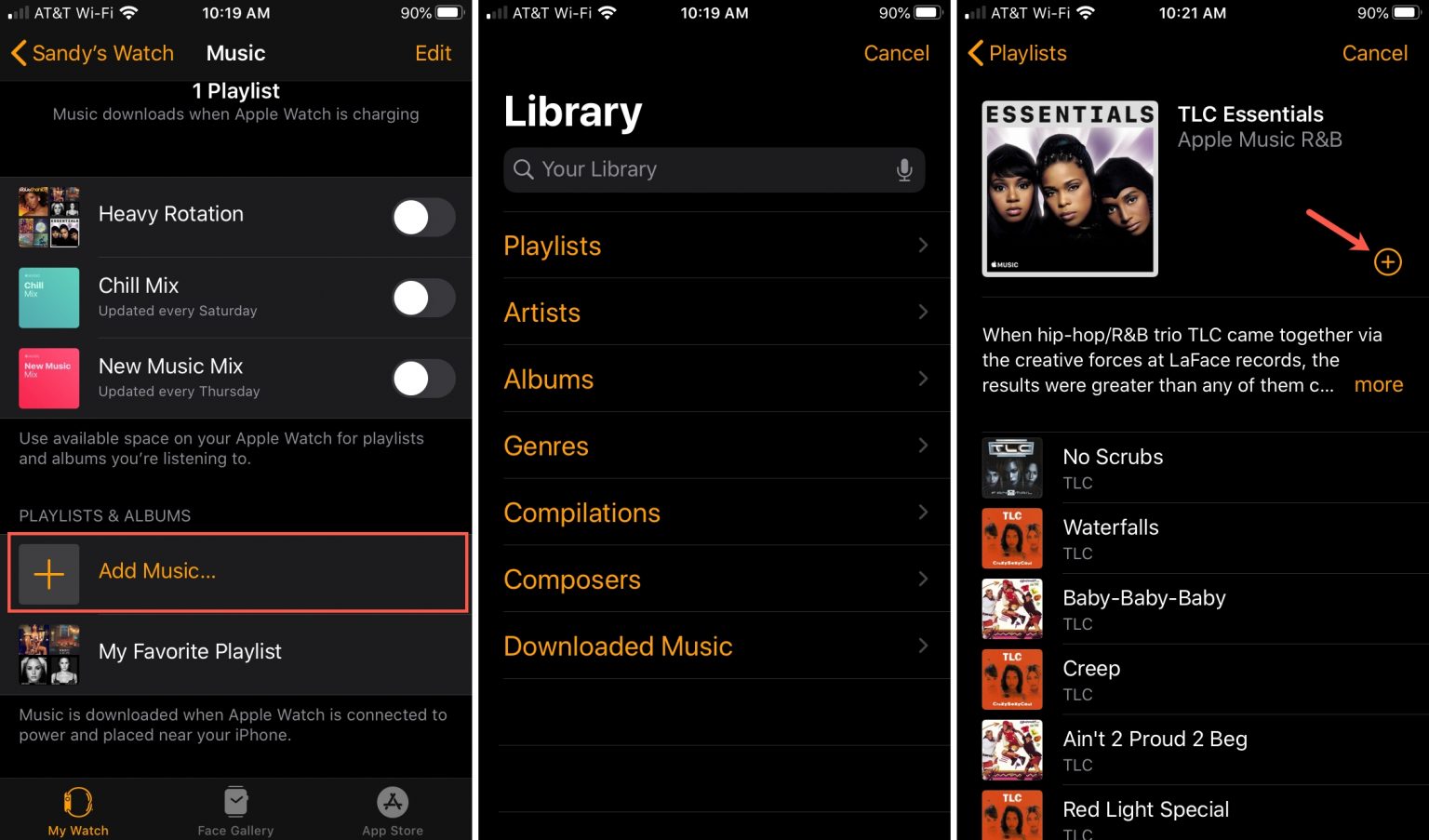
1) Open the applicationApple Watchon iPhone and select sectionMy watch.
2) ClickMusic.
3) At the bottom, select the itemAdd music.
4) Select the desired playlist or album from your library and clicka plus.
The added element will appear at the bottom of the screen in the sectionPlaylists and albums.

Disable automatic downloading of playlists from Apple Music
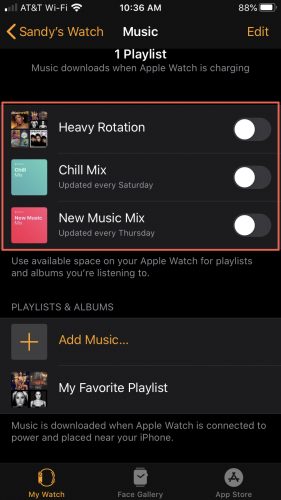
If you subscribe to Apple Music, some playlists are automatically downloaded to Apple Watch while the watch is charging. Downloaded playlists are available at the top of the sectionMy watch>Music.
Remove the toggle switch from the playlists - and then the watch will not load them while charging.

Create an Apple Watch workout playlist
If you exercise or run on the Apple Watch,You can create a separate playlist that will automatically start as soon as you start training (if no other music is playing at the same time).
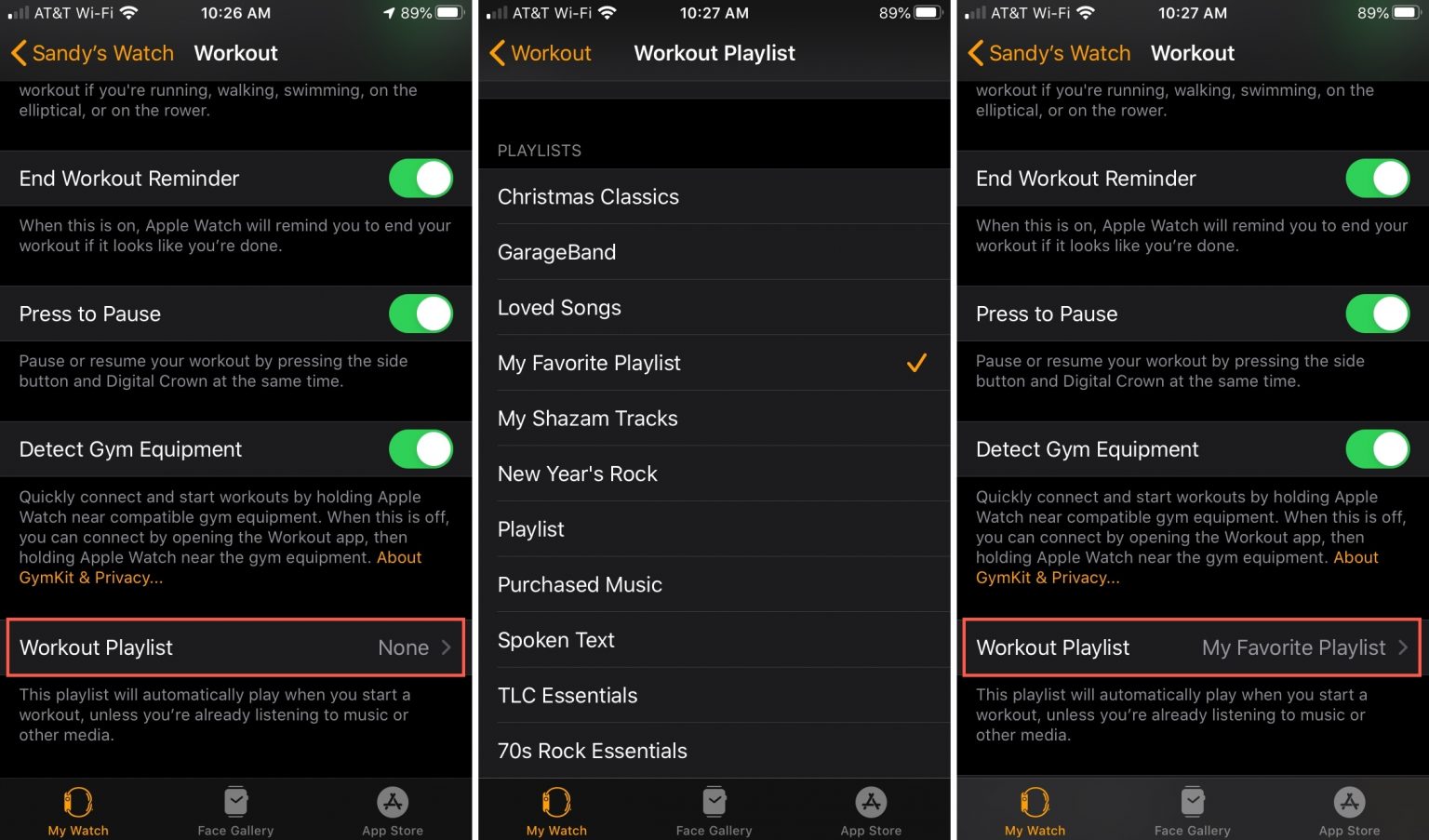
1) Open the applicationApple Watchon iPhone and select sectionMy watch.
2) ClickTraining>Workout playlist.
3) Select the playlist you want to listen to while running or training, press the arrow to return.
4m) The desired playlist will appear inPlaylist for training.

See how much music your Apple Watch takes.
On iphone
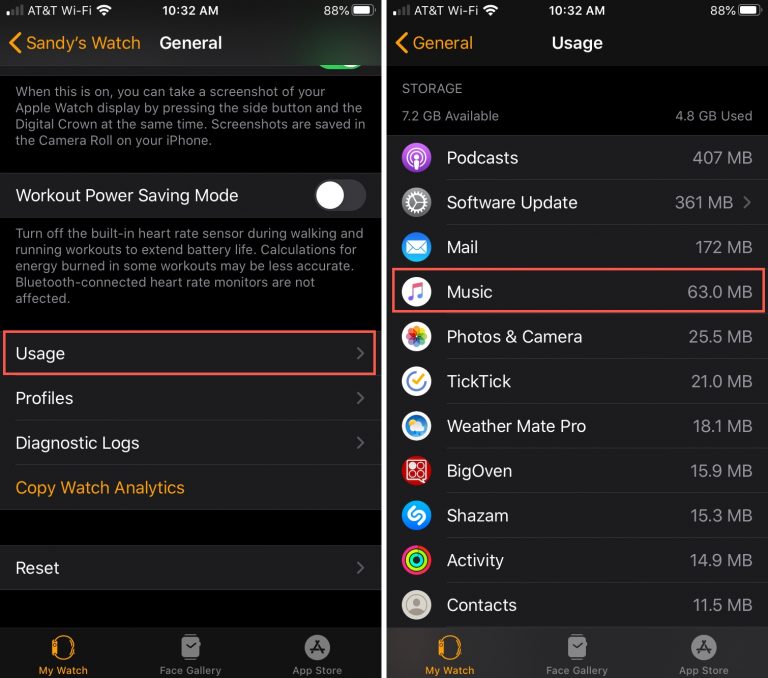
1) Open the applicationApple Watchon iPhone and select sectionMy watch.
2) SelectBasic> ANDuse.
The memory occupied by the music will be indicated in the corresponding section.

On apple watch
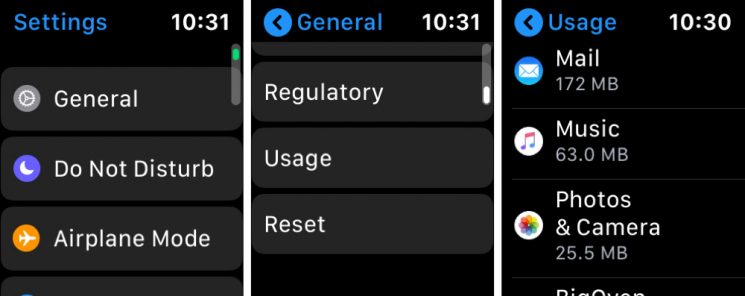
1) OpenSettingson Apple Watch.
2) SelectBasic> ANDuse.
Roll the wheel to the music section.

Delete music from Apple Watch
To delete an album or playlist from Apple Watch:
1) Open the applicationApple Watchon iPhone and select sectionMy watch.
2) Click on the tabMusic> in the upper right corner selectChange.
3) Click on the minus sign for the item you want to delete.
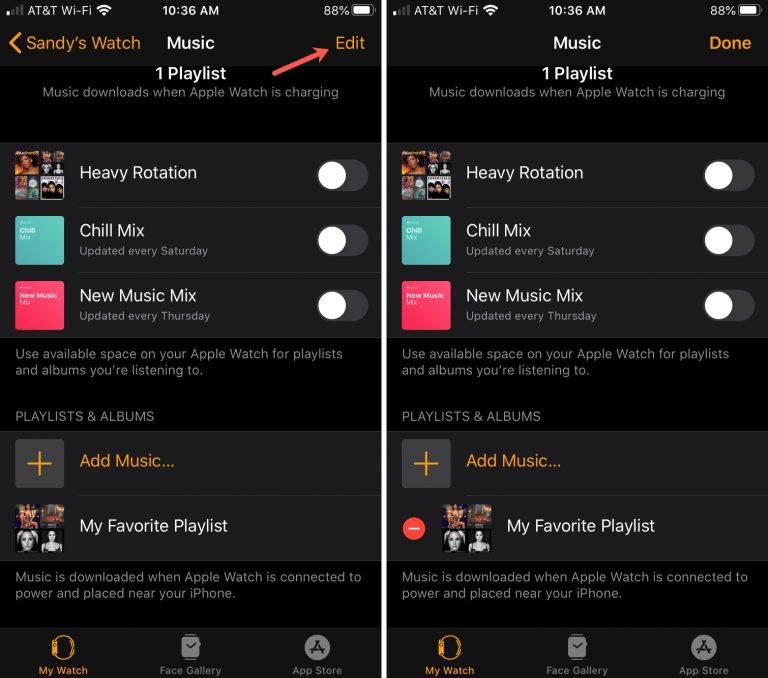

4) ClickDelete, then confirm the deletion.
Music deleted from the Apple Watch will remain on the iPhone.