The 16-inch MacBook Pro is Apple's first laptop with a customizable display refresh rate.This is very convenient for
Advertising
Advertising
Recall that the refresh rate is the numberdisplay update times per second. It is measured in hertz. Most laptops have a refresh rate of 60 hertz. Retina display allows you to change the refresh rate.


Apple advises choosing a refresh rate forviewable content. For example, if you are watching a video with a refresh rate of 24 frames per second, then you need to select a display refresh rate of 48 hertz. Then the display will update as much as twice in one frame of content.
How to Change the MacBook Pro Display Refresh Rate
one)SelectSystem settingson the Apple menu bar.
2)Select sectionMonitors.
3)ClampKeyOptionand select an optionScaled.
four)The Refresh Rate menu appears. Select the desired frequency there.
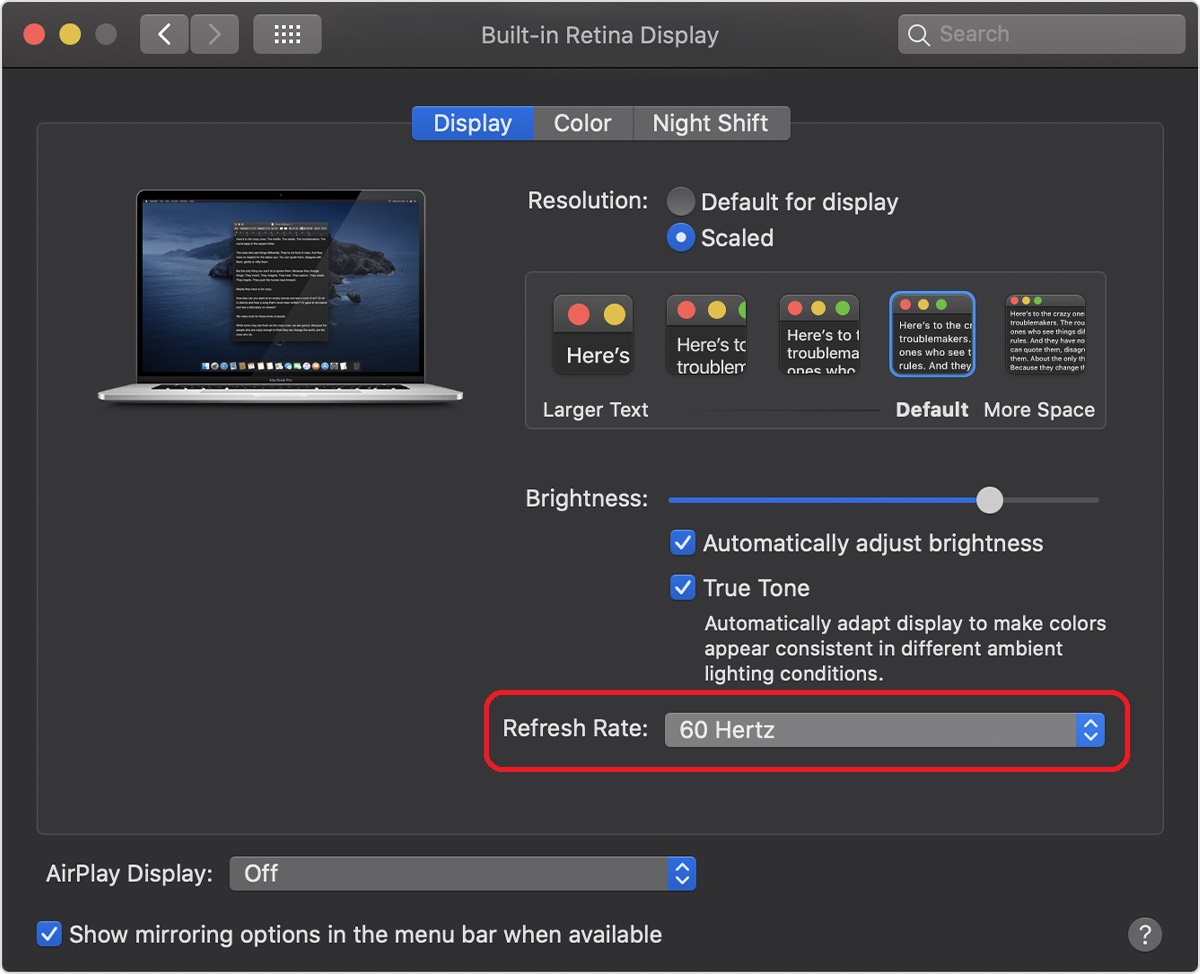

The following options are available:
- 60 hertz
- 94 hertz
- 50 hertz
- 48 hertz
- 95 hertz
The higher the refresh rate of the display, the better the picture looks on it. However, the high refresh rate also charges faster.