If you often use the Safari browser on your iOS device, then you probably have very
Advertising
Advertising
Fortunately, Safari has tab search, and we will teach you how to use it below.
Search by tabsSafari
Open Safari on your iPhone or iPad, then tap theTabsin the lower right corner of the screen.
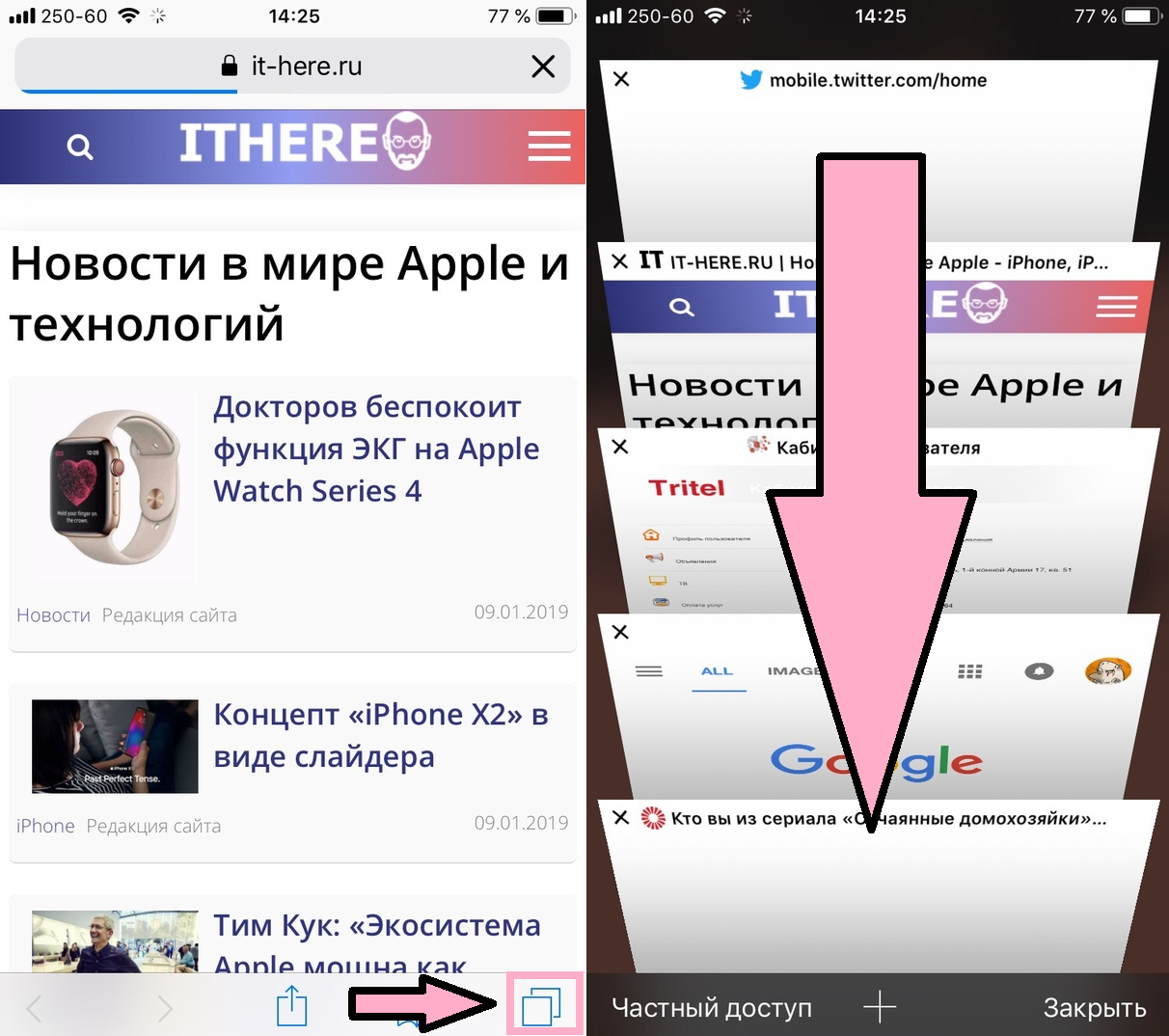

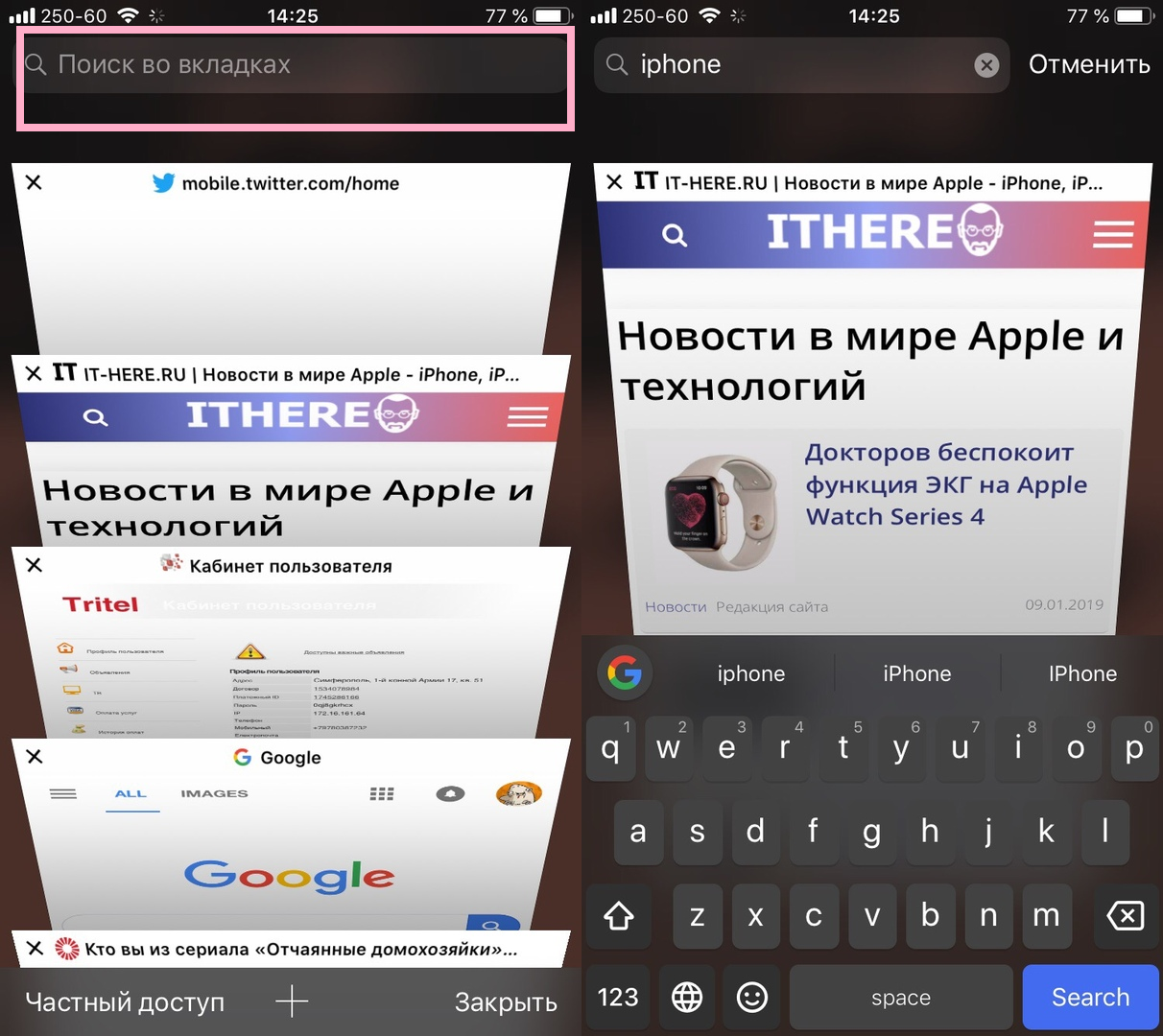
To open a tab search, swipe down the screen and a search bar appears at the top. Enter a keyword or phrase, and all the extra tabs that don't have it will disappear.
When you start typing, the results will bebecome smaller and smaller. In most cases, you don’t even have time to finish it. When you see the desired tab, simply tap it to open.

With this little useful trick, using Safari is easier and more convenient.