On April 15, Apple introduced the iPhone SE 2 with a 4.7-inch diagonal and a Touch ID fingerprint sensor built into the button.
Advertising
Advertising
High prices on the second iPhone SEgenerations in Russia is no reason to refuse to buy a phone. Buy an iPhone in America is cheaper than in Russia. The main way to buy an iPhone in the USA is to place an order on the official American website www.apple.com. Alternatives include monitoring and buying an iPhone on Amazon or eBay.
Buy iPhone SE 2 on the official websiteApple
For Americans, low prices for Apple technologydue to the contract with the service provider when buying a phone. In this case, the cost of the iPhone is really low, but even then it will be supplemented by monthly payments for using communication services. This option does not suit us - we buy a SIM-free iPhone for a full price, compatible with SIM cards of any mobile operators (iPhone SE 2020 will work with any Russian operator). It’s easy to place an order for iPhone SE 2 and pay for your purchase on Apple’s website. The main problem is that Apple, like most US online stores, does not deliver goods to Russia. Intermediary mail services will provide you with a small address in America and deliver the order to Russia. Pochtoy.com, Shipito, Polar Express, ShipShopAmerica, Parcel - these are some of the services.
Choose an intermediary
We will use the Parcel Box, which has a warehouse in the tax-free state of Delaware. There is no sales tax in this state.
Advertising
Advertising
We go to the website of the Parcel Post and register: specify the name and surname, email address. You do not need to confirm registration, you will immediately receive the address and enter your personal account.
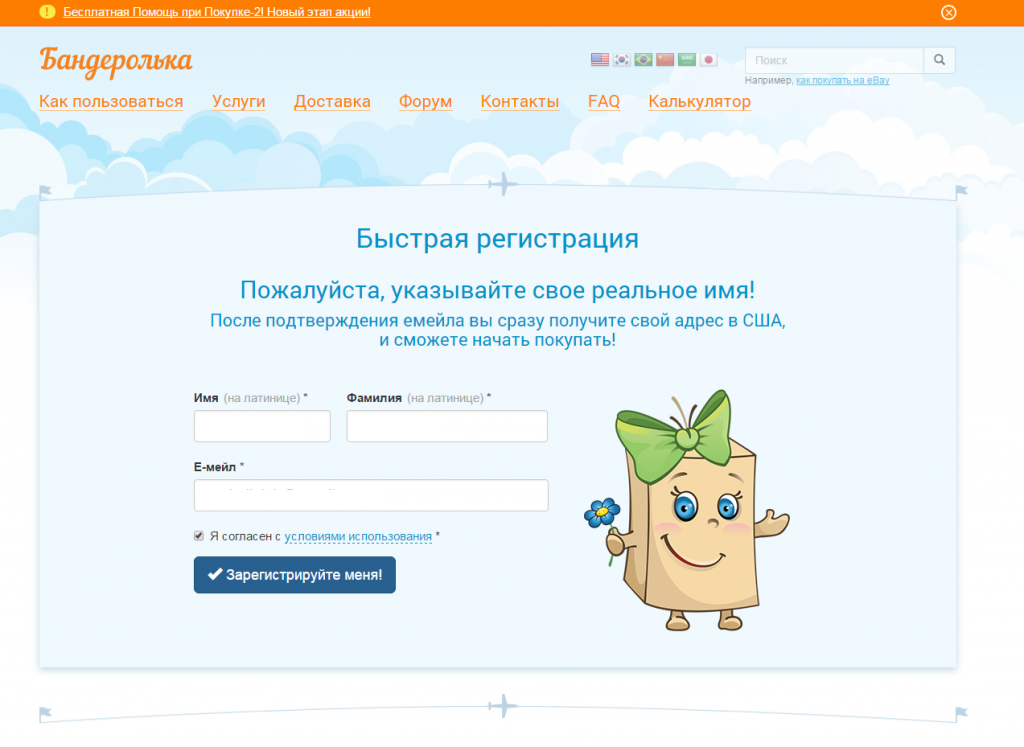
 Registration on the Parcel Post
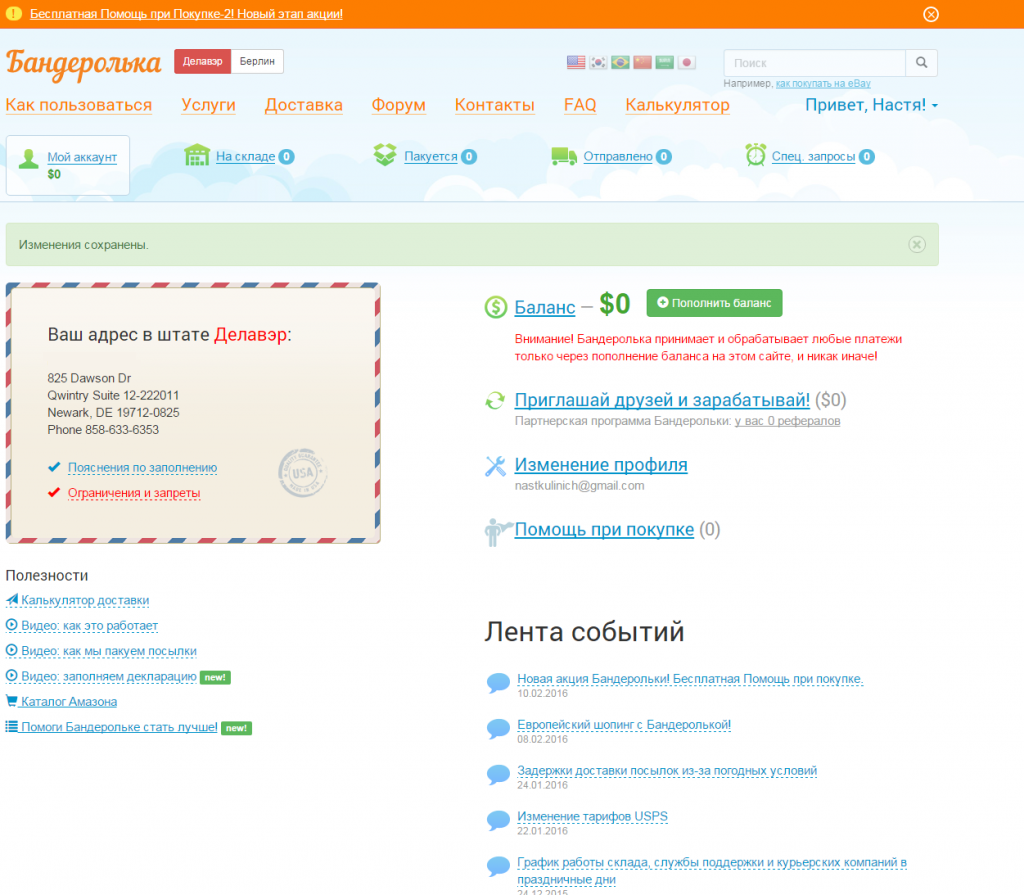
After registering in your account, your Delaware delivery address will appear. In the future, you specify it on the Apple Store website.

Advertising
Advertising
Read the explanation on filling out your address, restrictions and prohibitions.
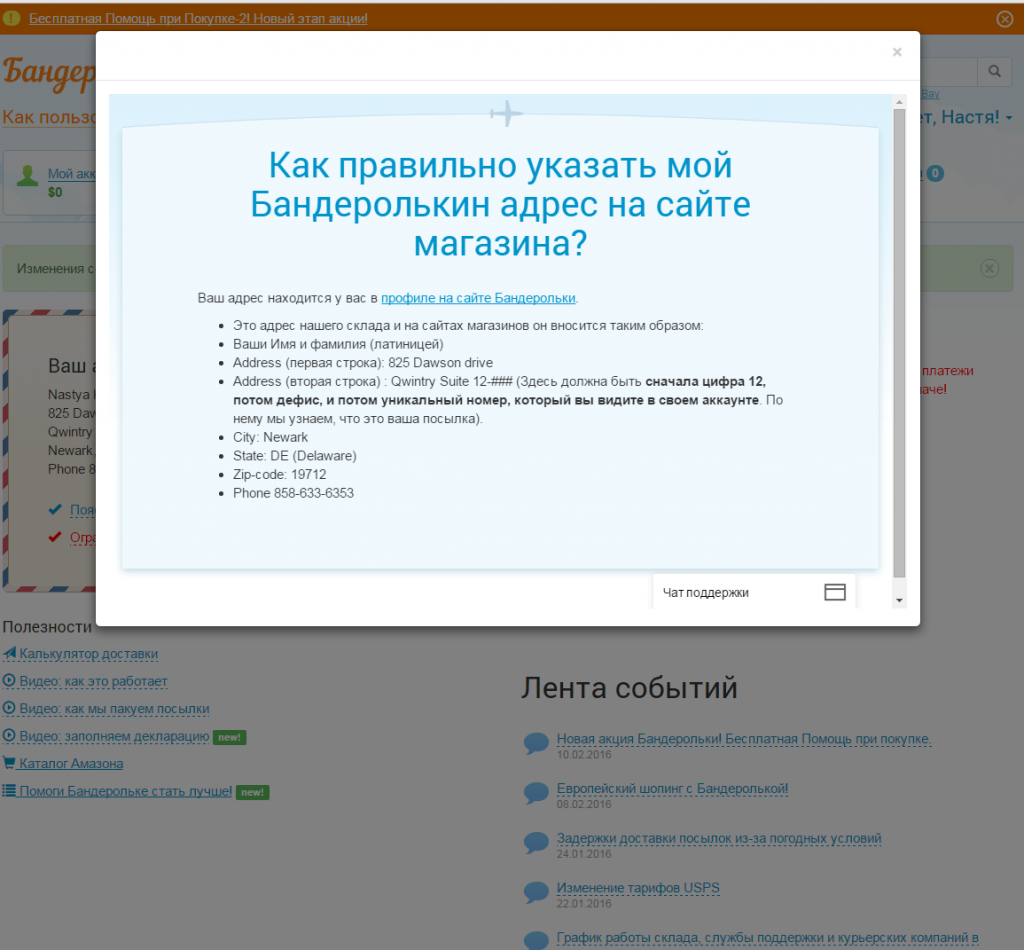
 How to correctly indicate the address on the store’s website using the Parcel
Place an order on Apple.com
Go to the iPhone SE 2 page on the official American Apple website and click Buy.
To increase the chances of successfully placing an order before entering the site, change your ip-address using a VPN service or Proxy server.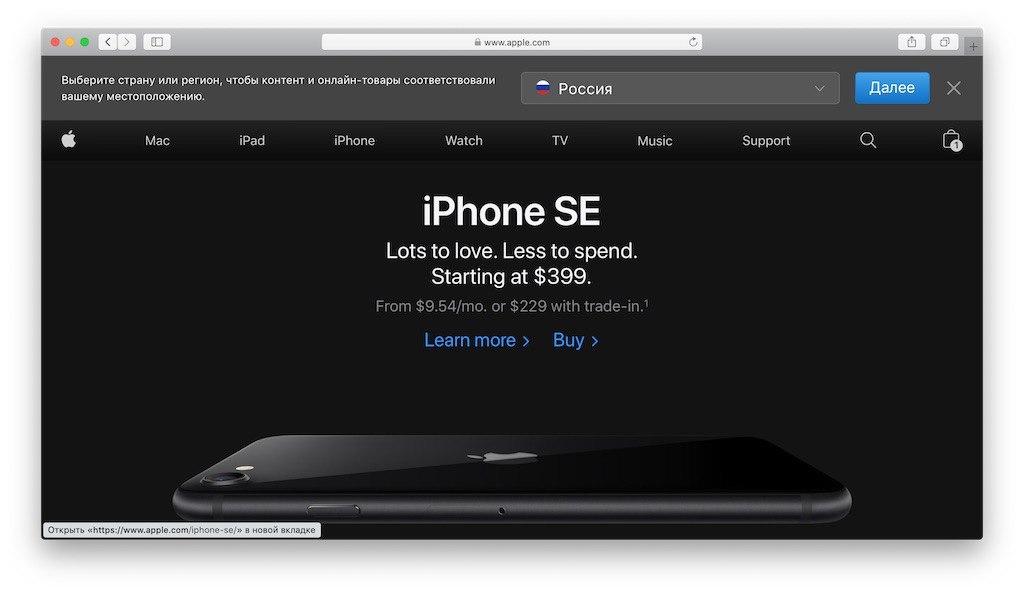

- Trade in.ChooseNo. We are not going to give up our old iPhone in exchange for iPhone SE 2.
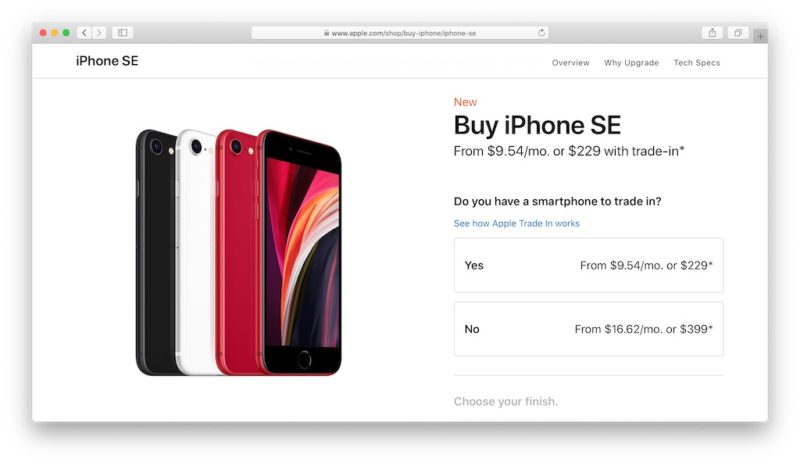

- Color(Choose your finish). Select the color of the iPhone SE 2, for example, Product Red (red).
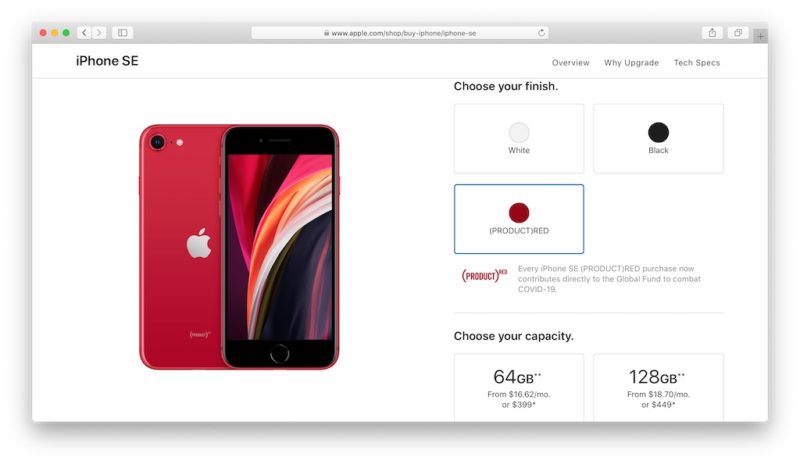

- Memory Capacity (Choose your capacity): 64, 128 or 256 GB. We choose an iPhone with a capacity of 64 GB. If you will be actively using your smartphone to shoot video in 4K, it makes sense to take a larger amount, given the size of the clips recorded in 4K format.
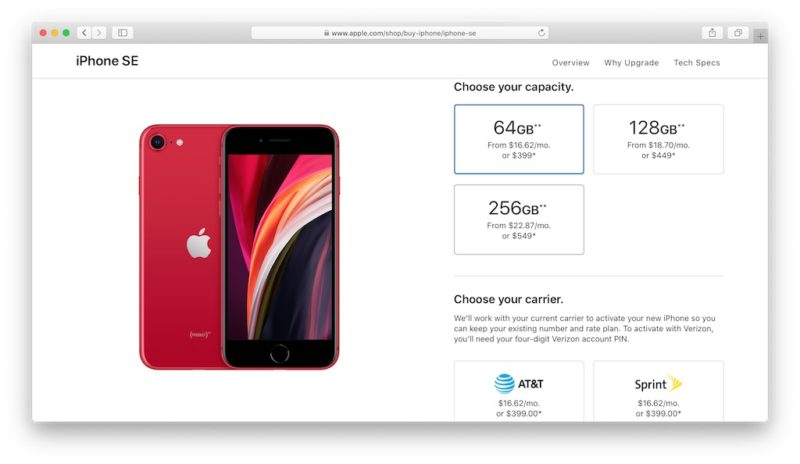

- Mobile operator (Choose your carrier). We are not going to use an American cellular operator, so we select the itemSIM–free(without SIM card).
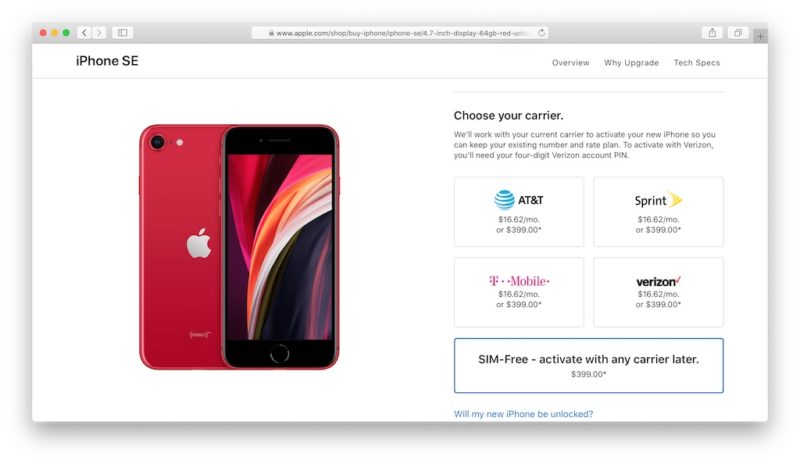

- Next, you can supplement your purchase with a two-year warranty (AppleCare+) worth $79, but for the Russian Federation this insurance is not valid, so we choose the optionNo AppleCare + coverage.


- ClickAdd to Bag.You'll be asked to purchase additional cases for $35 and $45, as well as AirPods Pro for $249. If accessories and headphones are not needed, skip and clickReview bagat the top of the screen.


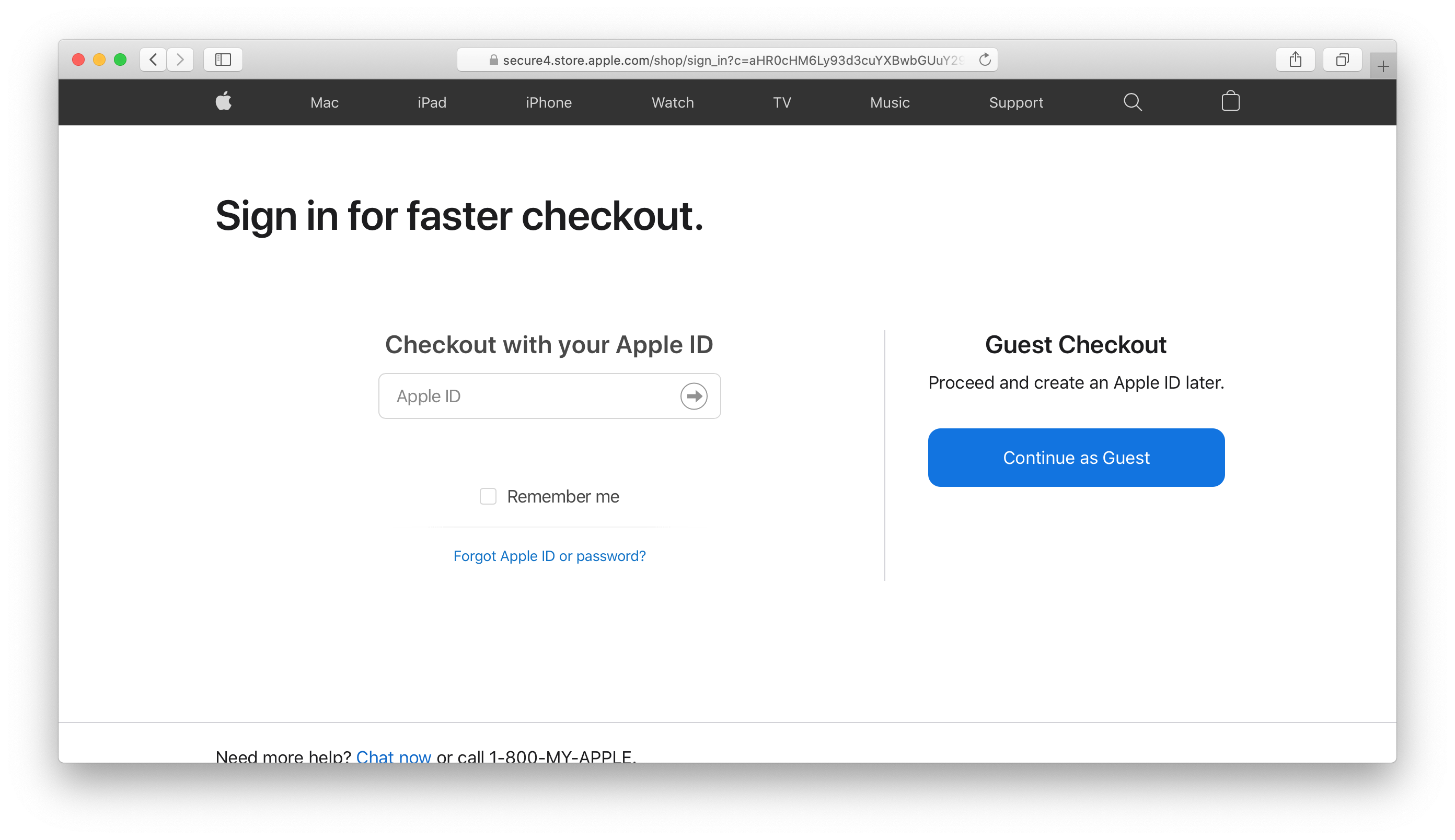
- The next step Apple will offer youlog in or enter in guest format. The moment is controversial and partly depends on the purchase history: if you have already made an order under your Apple ID and have not confirmed it, go in as a guest. To increase the chances of successful order confirmation, logging in to the site is still not recommended: when the site offers you authorization options, select the guest (Continue as Guest).

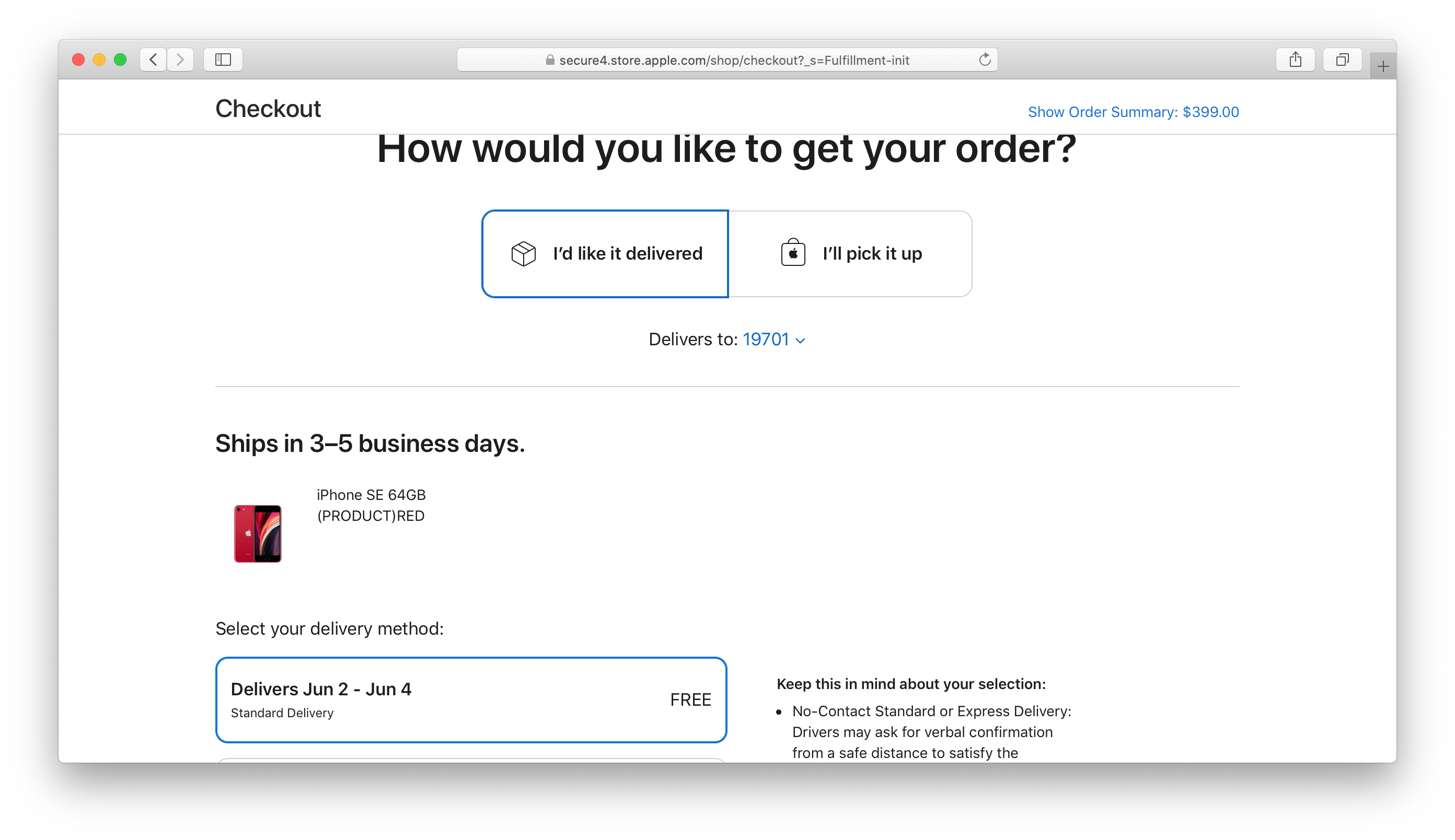
- Next, Apple offers delivery or pick up the order yourself. Choose a delivery (I’d like it delivered). We indicate the index in the paragraphDelivers to(from the address in Parcel), if not already added at the previous stage. We see the type of delivery, cost (free) and date. ClickContinue to Shipping Address– that is, we proceed to entering the address.

- We fill in the proposed cells, copying the relevant information from your address in the parcel.
Advertising
Advertising
- First Name:enter your name in Latin letters (copy from address)
- Full Name:enter your last name in Latin letters (copy from the address)
- Streer Address:copy the corresponding line from Street Address (line 1)
- Apt, Suite, Blding (Optional):copy the second line from Street Address (line 2). This field is optional.
- Zip Code:Since we specified the index earlier, it will appear here automatically and the city, state and country will be determined.
- Do not tickThis is a business address.
- In the contact information we indicate the current email - Apple will send notifications about the status of the order to it. Copy the phone number from your address in the Parcel Post.
The address must not be from the domain zone ru! Use mail at gmail.com.
Check again the data that you entered and proceed to payment (Continue to Payment).
Advertising
Advertising
Select a payment method (bank card or PayPal). For a bank card, indicate the card number, the secret code indicated on the back of the card, the month and year the card expires.
By default, the first and last name and delivery address you entered earlier are generated: this data will be indicated on the check.
To pay by PayPal you will need authorization.
After placing the order, the money from the specifieda credit card or PayPal account will freeze. They will withdraw funds only when the order is successfully processed and sent to the Parcel warehouse. Money for the purchase is withdrawn in rubles at the dollar rate in your bank. If the order is not confirmed, money is returned.
After order payment
To the specified email withinIn a few days you will receive a letter confirming the order or refusal. If your order has been confirmed, the email will contain a tracking code so you can track the stages of order processing.
Once your order arrives at the warehouse inparcel, you will receive a notification and in your personal account you will be able to arrange delivery to Russia - select the delivery method, insurance, packaging. You will also need to fill out a customs declaration.
After choosing a delivery method replenish receivebalance in the parcel for the indicated amount. After sending the parcel from the warehouse, a tracking number for tracking it will appear in your account. The average delivery time is 10-30 days and depends on the service you have chosen and the delivery parameters.
You can calculate the estimated cost of delivery to your city and customs duty using the online calculator.
Pay attention
- If not, get an email in the com domain zone, for example gmail. Do not specify mail with a domain address ru.
- If your order is not confirmed the first time, try using a different address. A heated discussion of this topic takes place on the first pages of the 4PDA forum.
- Money for the purchase is withdrawn in rubles at the dollar rate in your bank. If the order is not confirmed, money is returned.
- It’s important to understand that when buying an iPhone from America orin any other country, you only receive Apple's official limited warranty for one year. Apple's global warranty is country-independent and is activated when checking the serial number on the official website. When you buy a smartphone in Russia (verified by Rostest) from an authorized distributor, another year of warranty is added in accordance with the legislation of the Russian Federation.
Underwater rocks
- Apple Store blocks many addresses of intermediary services. Often the order is confirmed from the third to fourth time. The main reason for the refusal is the American address of the warehouse of intermediaries.
- When choosing a mail broker, consider in which states he has warehouses. The amount of sales tax in a particular state.
- Despite the high level of service andthe reliability of modern postal services, we still recommend including insurance when placing an order. The total cost of the order will increase, but you will be calmer.
- Compare the services of intermediary services and specify how much the delivery of an iPhone will cost you in the end. Weigh the pros and cons of this way of buying an iPhone. Expectations may not coincide with reality.
- Often, postal services offer iPhone delivery to Russia for $ 10 or refund you some of the money on your first order.
- To increase the chances of your order being confirmed the first time, you can change your IP address using a free VPN service or Proxy server and log in under a US one.
We summarize: what is cheaper - buy iPhone SE 2 in Russia or America
Is it so profitable to buy an iPhone in America?
The main point of buying an iPhone in the USA is to save money. Even taking into account delivery and insurance of the parcel, the final cost of an iPhone is usually lower than the Russian price of a smartphone (by how much depends on the dollar exchange rate).
Cost iPhone SE 2 in Russia with a minimumcapacity (64 GB) is 39,990 rubles. In the United States, a similar iPhone SE 2 costs $ 399, or about 30 thousand rubles at the Central Bank rate at the time of this writing). Taking into account the cost of an iPhone, delivery to Russia, customs duty and insurance, you can still save from 2 to 5 thousand rubles - depending on the dollar exchange rate at the time of your purchase and delivery parameters.
Even if you now buy an iPhone in America it seems to you a dubious undertaking, it is a classic alternative, relevant at different times to a greater or lesser extent.