Have you ever needed to change the format of something on your Mac for work or other reasons? It may
Advertising
Advertising
If so, we will help you. Below we’ll show you how to change the date, time, units, and currency format on a Mac.
Change formats
When you change the format of something, you'll notice changes in Finder windows and programs like Mail. If you need to change the time format in the menu, click the iconApple>System settings>date and time.
To access more advanced settings, in System Preferences, selectLanguage and Regionand then click the buttonAdditionally.
Advertising
Advertising


Date format
Select a tabDatesand see what format is currently in use. Here you can customize everything to your taste.
Using drag and drop, you can change the years, months, and days in places, and also select in the menu how they will be displayed.
When you're done, clickOk.
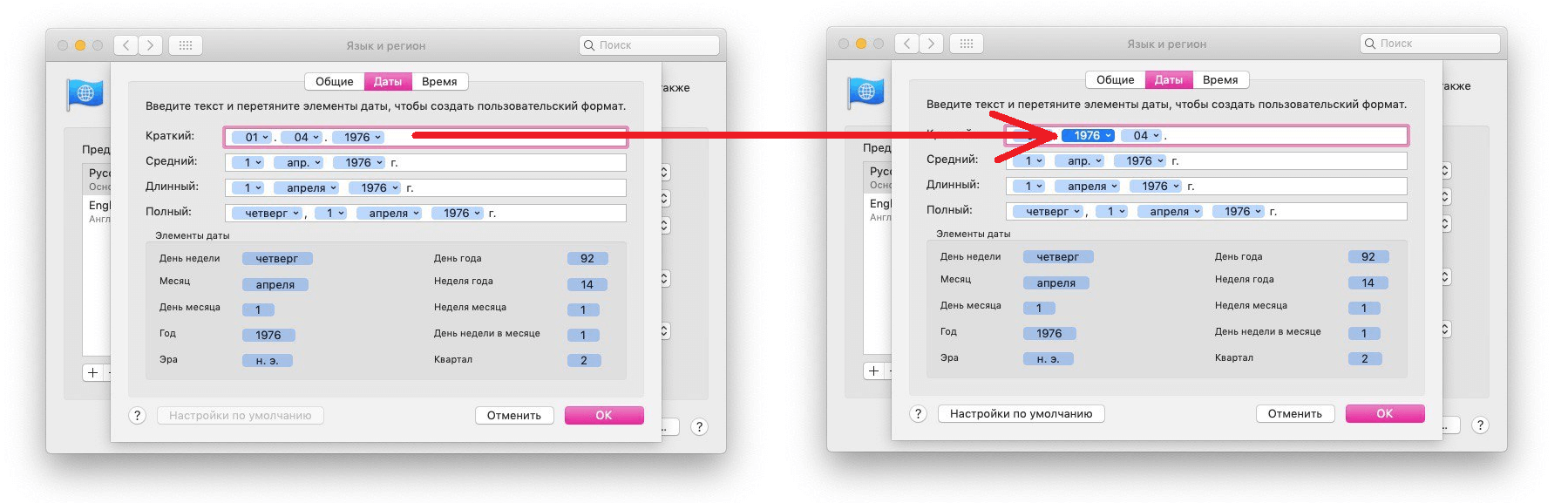

Make sure you configure everything the way you want. Pay attention to punctuation between date components. In the menu of each indicator you will find many options.
Format of time
Select a tabTimeand you will see the same thing.
By clicking on the menu, you can select a 12- or 24-hour time format. You can also remove zeros in front of numbers. In addition, you can change how time zones are displayed.
When you're done configuring everything, clickOk.


Format units measuring and currencies
Select a tabMainon which you can change the format of numbers, currency, and units.
- Number separators: Here you can configure the display of the comma in fractional numbers.
- Currency: You can select the default currency from the many available.
- System of measures: Here you can select the units of measure for different countries.
ClickOkto save changes.
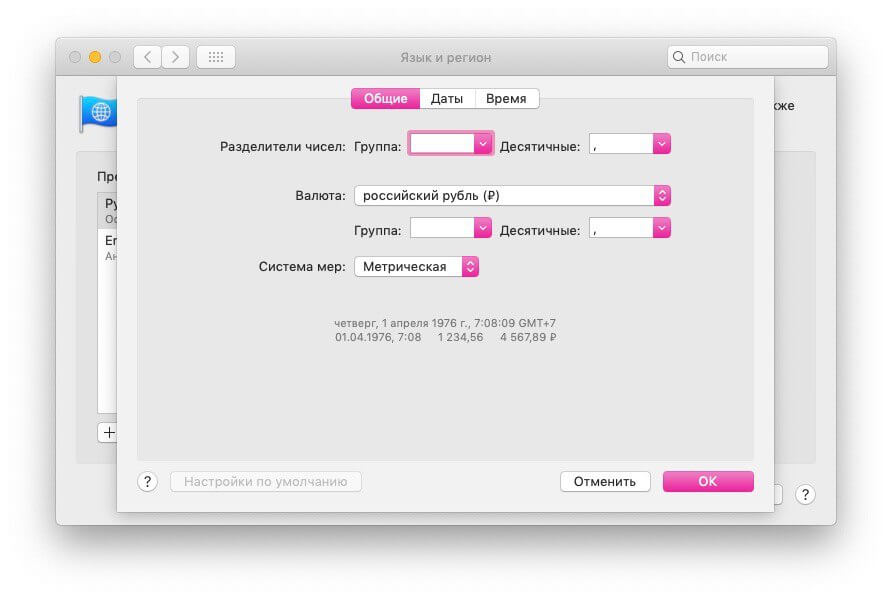

To undo your changes, you can go back to settings and click the buttonDefault settingson the corresponding tab.
By changing several options, you will make working on a Mac much more convenient for yourself.