In iOS 13, there are more uses for the Haptic Touch function, and now you can also adjust the duration of the press,
Advertising
This feature was not told during the presentation of iOS 13, and it appeared only in the third beta version of iOS 13.
The new feature is in the settings.universal access along with other 3D Touch features. iOS 13 combined 3D Touch and Haptic Touch into one settings section. Below we will tell you how to adjust the duration of pressing.
How to set the duration of 3D Touch and Haptic Touch
one)Open the appSettingson your iPhone, iPad or iPod touch with iOS 13 or later.
2)Select sectionUniversal accessfrom the main list.
3)ClickPressingunder the headingMotor-motor apparatus.
four)Select3D & Haptic Touch.


five)SelectFastorSlowlyunder the headingTouch duration.
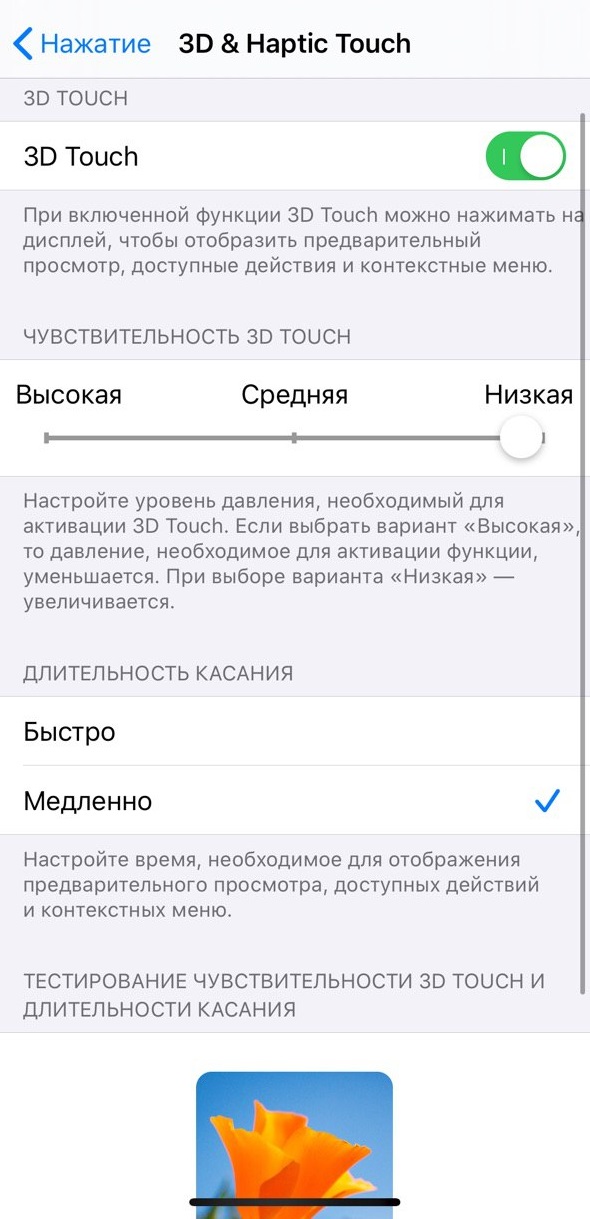

By changing this option, you will change the opening time:
- Content Preview
- Available actions
- Menu with options
To test the function in action, you can test it on the flower image at the bottom of the settings.