In iOS 12, you can restrict access to your device's information via USB after it has been
Advertising
Advertising
For security reasons, iOS 12 cuts off access todata through the Lightning connector if the device has not been active for an hour. In this regard, you will need to unlock your device in order to connect it to a Mac, PC with Windows, or some other accessories.
Those who use iTunes synchronization should allow access via USB even with a locked device.
Problems withiTunes?
Although the new USB limitation improves security, the inconvenience increases with it.
Advertising
Advertising
To prevent iTunes synchronization when connecting the device to the computer every hour, you will need to unlock the device by entering a password or using Touch ID and Face ID.
Problems with charging?
If you use USB accessories (iAP), the system may require you to unlock the device before providing access to data.
This applies to the following types of devices:
- Carplay
- Accessory accessories
- Charging device
- External memory
For example, a locked device will not be able to charge via iAP charging. Fortunately, this does not apply to standard power adapters.
New limitationsUSB
In beta versions of iOS 11.3, USB connection security was improved using re-authentication after a week without activity. The function was removed from the final version of iOS 11.3, but was returned to iOS 11.4 again.
To protect devices from hacker attacks and hacking using special devices, Apple further strengthened protection in iOS 12, reducing the inactivity period from 7 days to 1 hour.
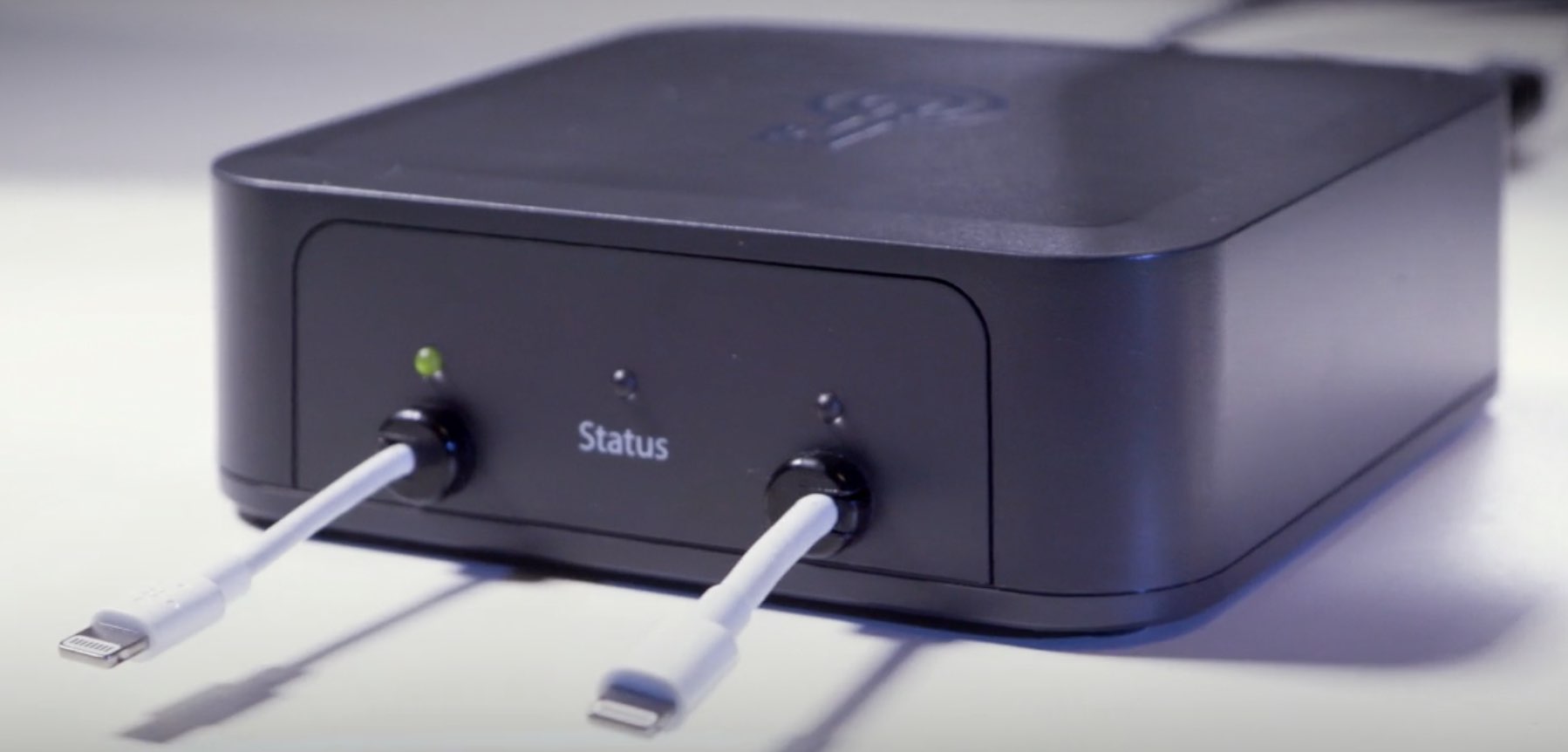

Now hackers have only an hour to connect your device to a hacking machine and execute it. This will reduce the probability of hacking by 90%, according to security experts.
What forAppleadded restriction
Apple is trying to protect users in countries where hacking using hacker devices is common, as well as where these devices are used by authorities.
Hacking devices like GrayKey canpick up a password of 6 characters in less than 24 hours. The new protection means that now they can work no more than an hour. It is for this that a new function has been added.
Below we will tell you how to configure it.
How to configure data accessiphone throughUSB
By default, iOS 12 interrupts access to data via USB after 1 hour without activity, but the settings can be changed.
one)OpenSettingson iPhone or iPad with iOS 12 or later.
2)Depending on your device model, selectTouch ID and passcodeorFace ID and passcode, and then enter your password.

Advertising
Advertising
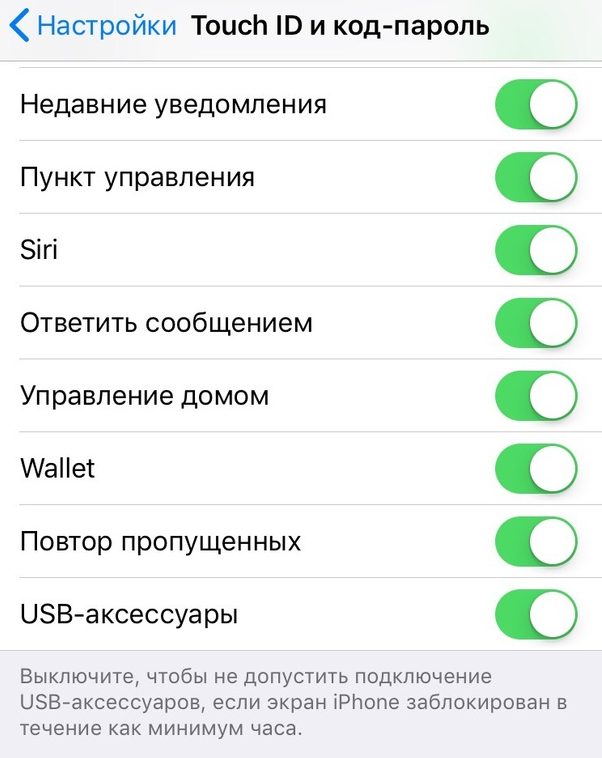
3)Scroll down the screen and tap the switch next toUSBaccessories:
- When the function is active -USB accessories are allowed to connect to the device at any time, even if an hour has passed without activity.
- When the feature is disabled -Accessory access via USB ends after 1 hour without activity.
If the device is unlocked, access will always be open. If the accessory does not connect to the device after unlocking, disconnect it, unlock the device, and then connect the accessory.
Why use the function?
Permanent access to data via USB should be included for people with disabilities.
Advertising
Advertising
If you use accessories even to enter the password on the device, then access will need to be fully allowed.
This also applies to those who use accessories based on iAP. Among them:
- Carplay
- Accessory accessories
- Charging device
- External memory
Some third-party iAP charges may stop charging the device if it has been blocked for more than an hour until you log in. Fortunately, this does not apply to standard Apple charges.