Signal is an encrypted messenger that allows you to send and receive fully secure messages on different
If you have a Mac or Windows PC, today we’ll show you how to configure Signal on it.
Advertising
Advertising
For this you need a smartphone witha valid number, the Signal mobile application, and the Signal program for the computer. Of course, you will also need access to the Internet from all devices.
How to setupSignal onMac
We will talk about the process of setting up a program on a Mac, but in essence it will be the same on a PC with Windows or Linux, so the instructions are also relevant for these platforms.
- To startdownloadSignal Foriphone orAndroidand set up the application using your number, which can be verified.
- After thatdownload the programSignal ForMac.
- Install Signal by dragging the program file into the program folder, and then run the program.
- When you start Signal, you will see a QR code. Take your smartphone to complete the setup.
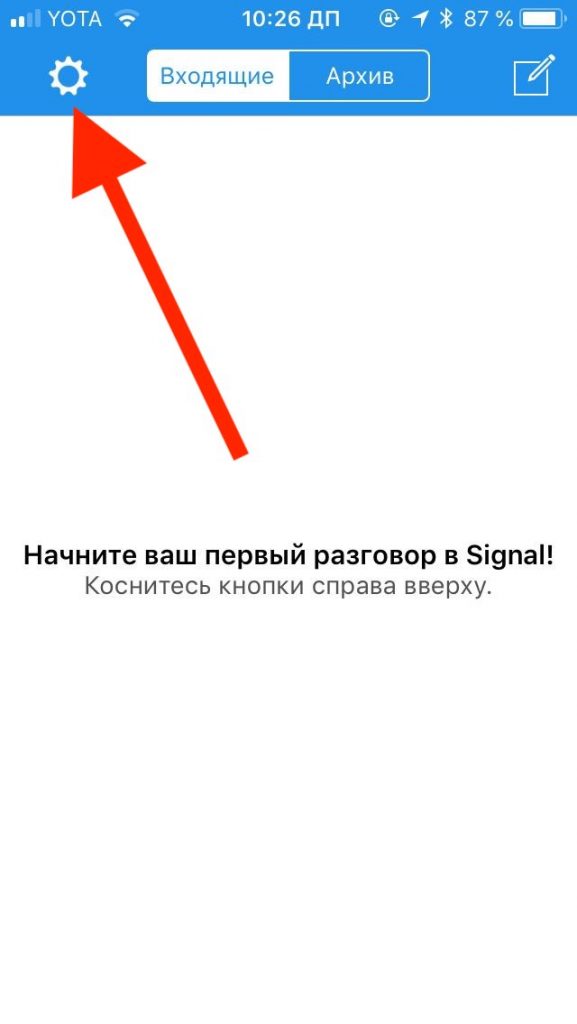
- Open the Signal app on iPhone or Android and go to settings (the gear icon in the corner of the screen).

- Select “Linked Devices”.
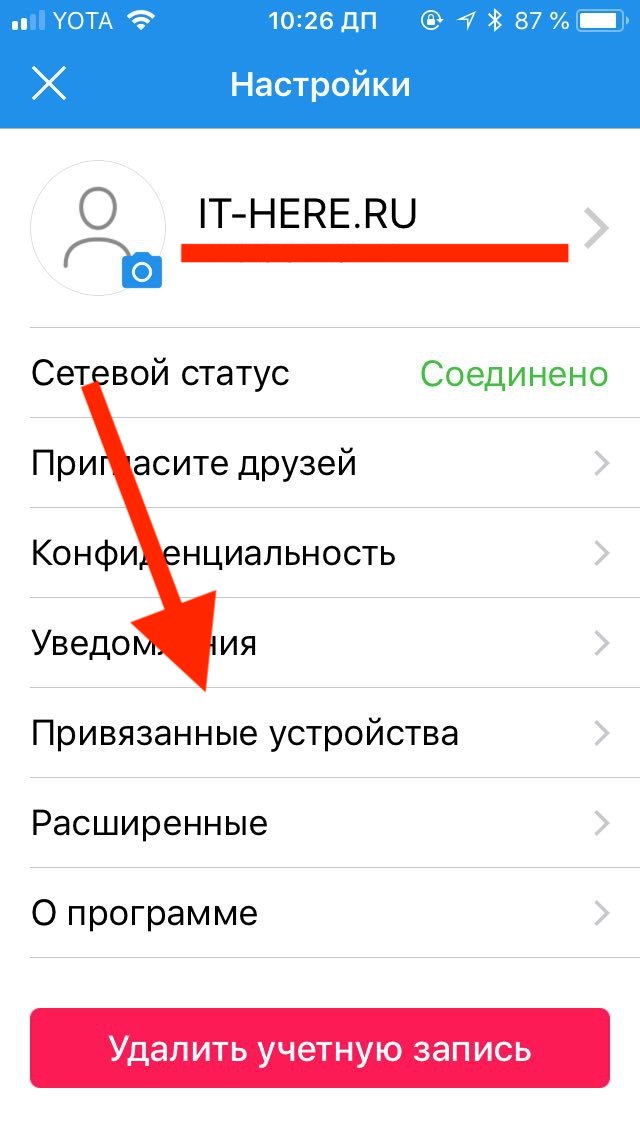

- Then select “Device Binding - Scan QR Code” and point the smartphone’s camera at the QR code on the Mac screen.


- When the QR code is scanned, select the name for Mac, and this completes the setup.
Now you can use Signal messenger on Mac! Well, or a PC with Windows.
Advertising
Advertising
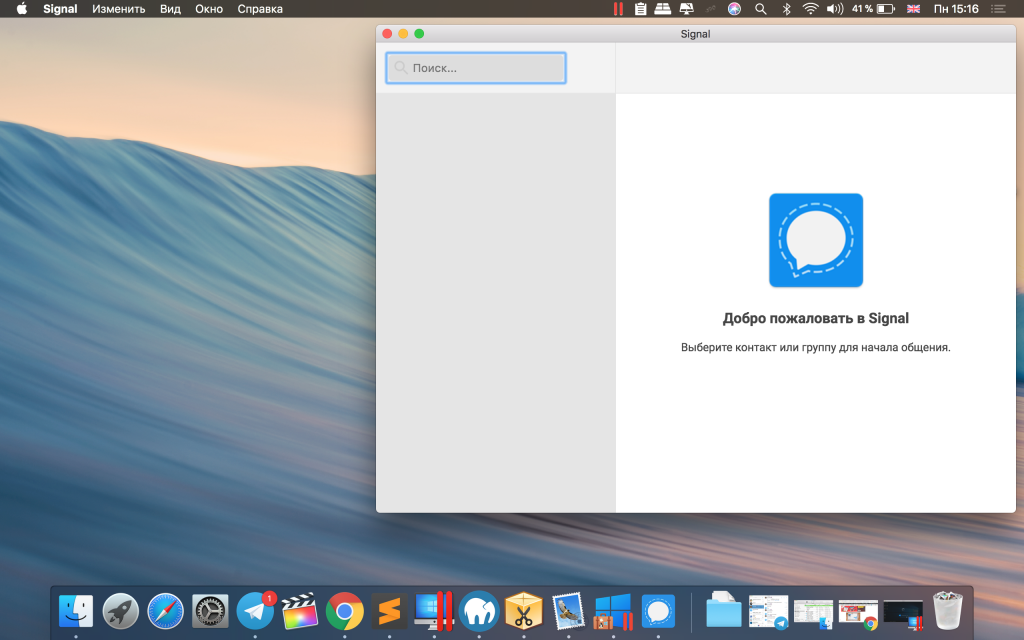

Naturally, Signal will be usefulonly if your friends or acquaintances use it. If you like this messenger, you should tell friends, colleagues, family, etc. about it. Signal cannot send SMS or iMessage messages. You can interact only with users who also have the program installed.
When setting up the Signal app on iOS and Android, you will need to allow access to your contacts and other information, but this is not necessary, since numbers can be added manually.