There is a time in everyone's life when they need to temporarily cut themselves off from the outside world, conversations and correspondence.
Here's how to set up automatic text responses to all incoming calls and messages.
Advertising
Setting up automatic replies in modeDo not disturb driver
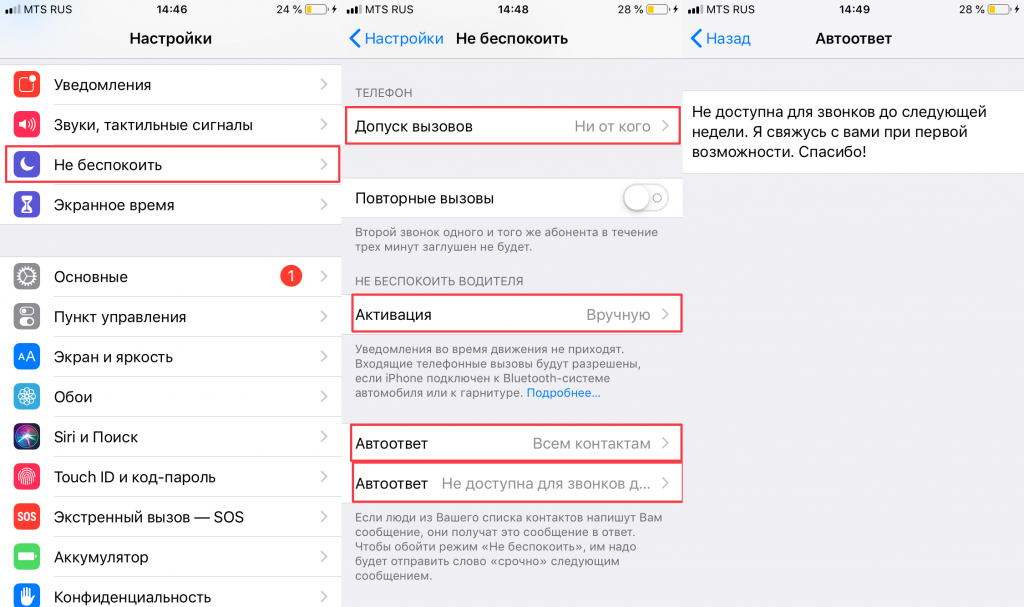
FunctionDo not disturb drivercan be useful not only in a situation where you are driving and cannot answer. It can also be used to set up a text autoresponder. OpenSettingson your iPhone or iPad, then:
- Go to the tabDo not disturb.
- Scroll down about a screen. InstallCall tolerance(tabPhone) onFrom no one.
- Set the mode activation method toManuallyif you want to use the function outside the car.
- Translate the parameter valueAuto AnsweronTo all contacts.
- Click on the second itemAuto Answerto change the message that everyone who calls and writes you will receive.

How to add Do Not Disturb the Driver to the Control Center
Activating the Do Not Disturb the Driver mode is much more convenient viaControl pointI am. It’s easy to add an icon to this panel:
Advertising
Advertising
- OpenSettingsand select a sectionCommand centre.
- SelectCustomize controls.
- Find the purple iconDo not disturb driverand click on the green plus sign to the left of it. This will move the icon to the listEnable. If necessary, drag the icon higher in the list to change its position in the panel.
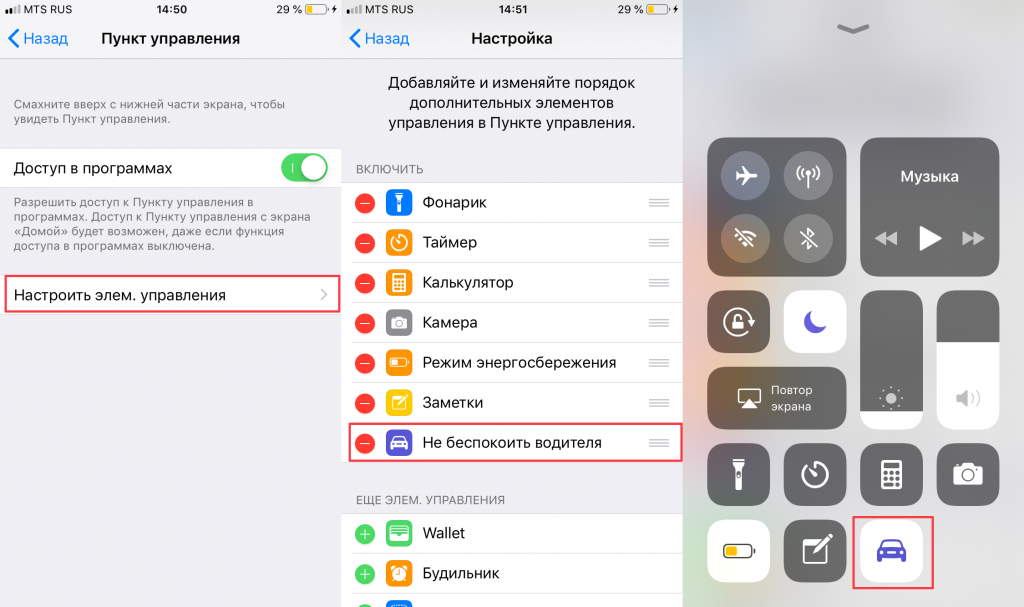

Ready! Now, to turn on the mode and transfer incoming calls and messages to a text answering machine, just click on the corresponding icon inControl room.