Due to the lack of expandable memory, iOS users are experiencing big problems. This is especially true
Dropbox discontinued Dropbox Carousel app support
Carousel has recently been updated and a new feature has been added to help you easily free up space on your iPhone.
Instructions on how to free up space on your iPhone using Dropbox Carousel:
Advertising
Advertising
- Download the application and install it on your device.
- If you are registered with Dropbox, then simply log in with your account, but if not, register directly in the application.
- When you first launch it, a short tutorial will be shown, and at the last stage you will see the option to backup photos and videos. Install it.
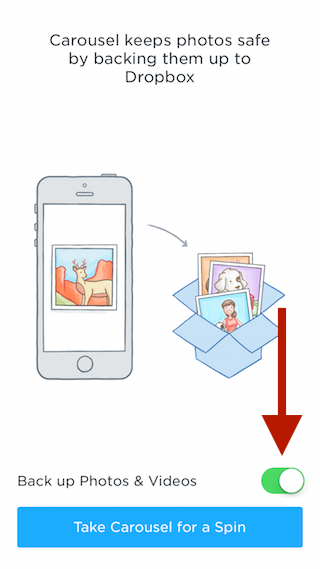
 Enable photo and video backup
 - The app will start making a copy of your photos and videos. After everything is finished, go to the settings tabMore>Settings>Free up space on iPhone
- From here, you'll only be shown how much space you can free up by deleting photos and videos that were previously copied. Click the buttonRelease … place.
- Your photos have not yet been deleted, but have only been moved to a folderRecently Deleted.To permanently delete them, select all the files and click delete.
- Select unwanted photos and clickdelete everything.
It is worth noting that this method only works oniOS 8 will not delete edited pictures or series of photos, as well as videos shot in Slow-Mo. This method is useful not only for deleting photos, but also for conveniently transferring your photos to your computer.