As a Mac owner, you can allow your friends or family to use your computer through
Advertising
Advertising
Below we describe how this is done.
How to disable a guest account onMac
From the menu bar at the top, select the iconApple>System settings. Now follow the steps below.
one)SelectUsers and groups.
2)PressCastlein the lower left corner if it is closed and enter your password. If the lock is open, proceed to the next step.
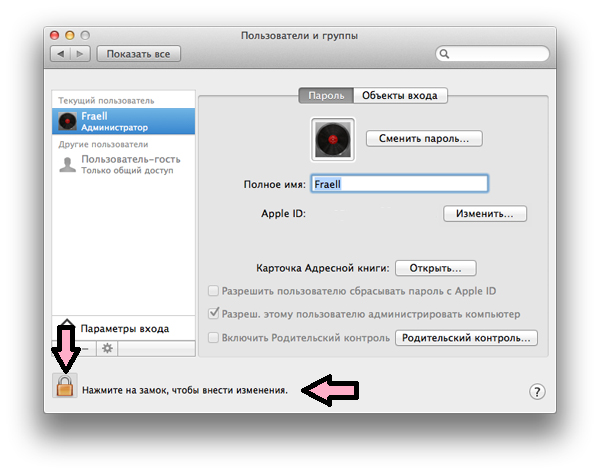

3)On the left, in the “Other Users” section, selectGuest User.
four)Uncheck the box next toAllow guests to log on to this computer.


five)PressCastlein the lower left corner of the window to prevent subsequent changes to settings without a password.
Now you know that disabling a guest account on a Mac takes just a minute.