Safari for Mac makes it easy to open accidentally closed windows or tabs from your last session, but did you know?
Several sites in one Safari window can be viewed at the same time by opening several tabs.
Advertising
Advertising
Each tab is a separate process for whichprocessor performance, RAM and other system resources are wasted. Therefore, you need to close the tabs in order to reduce the load on the system.
Safari on Mac allows you to open recently closed tabs in three different ways.
Method # 1: keyboard shortcut
You can use the standard keyboard shortcut for the “undo” commandCommand(⌘) –Zor chooseCancel Close tabon the menuEdit. If you need to return several closed tabs of the current session, use the keyboard shortcut several times to open each one individually.
Advertising
Advertising
However, the combination will not work if you did something else after closing the tabs. In this case, selectOpen last closed tabin the browser menuStoryor hold down the keysShift(⇧) –Command(⌘) –T.
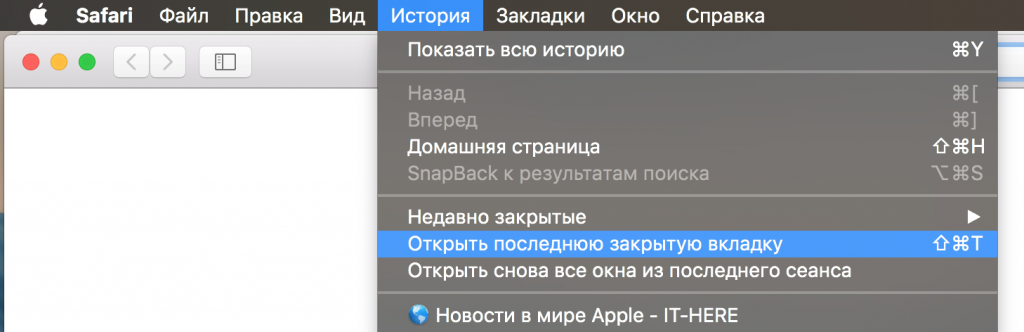

As with the “undo” action, this combination can bepress several times in a row to open all closed tabs, which is very convenient. If you accidentally closed not a tab, but a window, the option in the menu will be calledOpen last closed window.
Method # 2: new tab icon
Safari's "new tab" icon has a little secret - it allows you not only to create a new tab, but also to restore recently closed ones. To open a list of recently closed tabs, long-press+on the right edge of the tabs.
A menu opens with all the tabs that were closed during the current session.
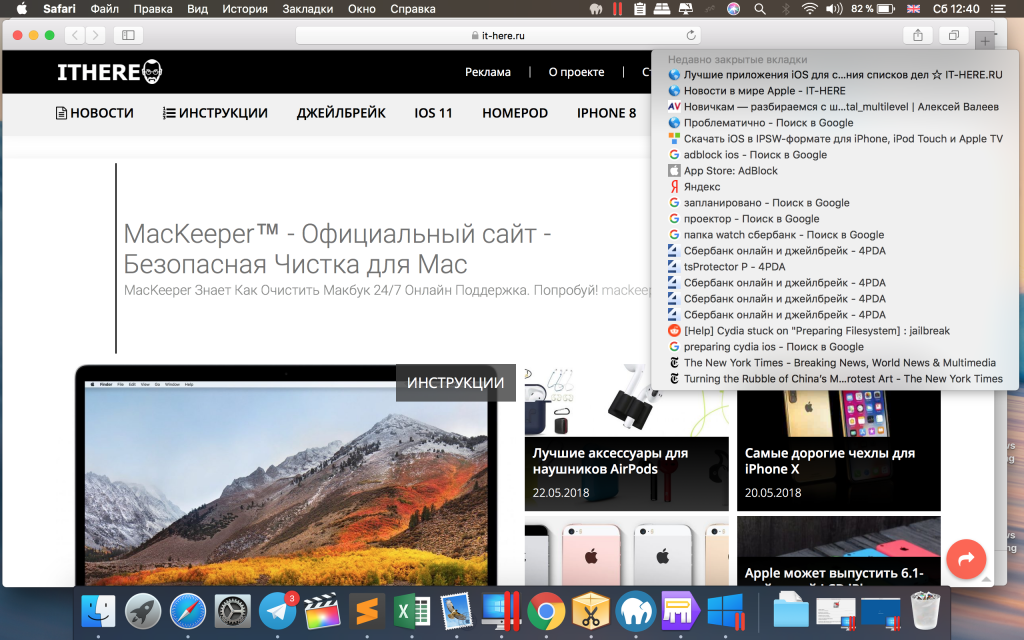

Select the desired tab and click on it to open.
This is the most convenient way, since the tab will open in the same place where it was before closing. However, the list will be cleared when you close Safari.
Method # 3: Safari story
You can also find recently closed sites by selecting the optionRecently closedon the menuStory. After that, select the desired site and open it. You can also use the optionReopen all windows from the last session againto open a randomly closed window with all its tabs.
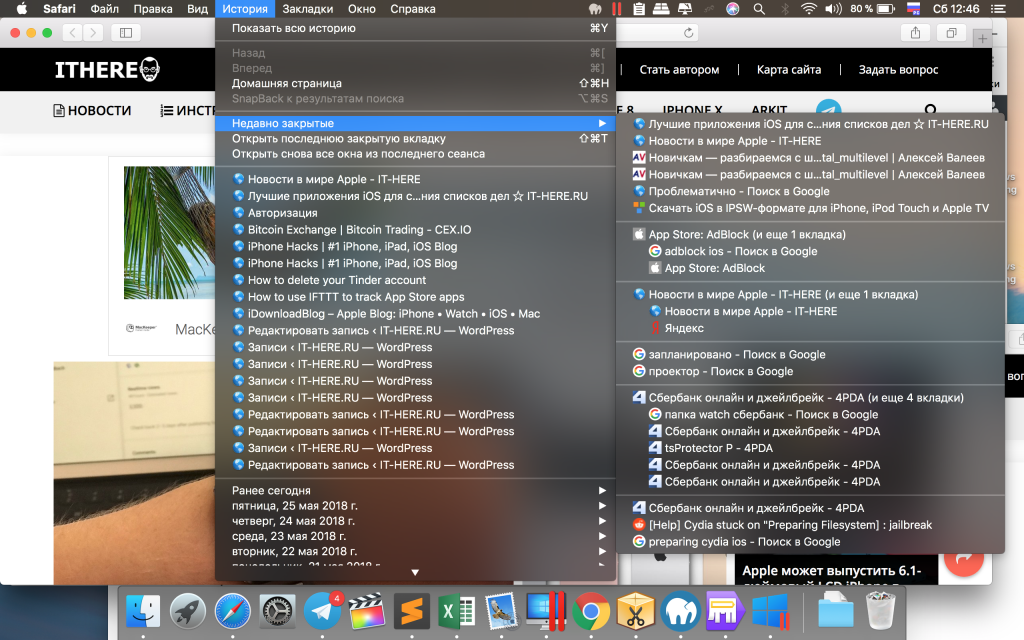

The list in the history does not clear even after closing the browser, which cannot be said about the method with a new tab. In this regard, this method is the most reliable.
Don't forget that you can quickly turn all Safari windows into tabs by selectingMerge All Windowson the menuWindow.