Quick Look is a useful feature of Mac OS that allows you to select a file in the file system and retrieve it
Clearing the quick view cache is also recommended for security reasons, but without good reason, it’s better not to do this at all.
Advertising
Advertising
how clear cacheQuick view
- Open the Terminal program from the utility folder.
- Enter the following command:
qlmanage -r cache - Press Return (Enter) to clear the Quick Look cache.
You will see the following result if you did everything correctly:
$ qlmanage -r cache
qlmanage: call reset on cache
The size of the Quick Look cache depends on whichMac model, what files are stored on the device, how often do you use Quick View, etc. You can disable the quick view cache with the qlmanage -r disablecache command, but we strongly discourage this.
Advertising
Advertising
Where inMac OS There is a Quick View cache (Quick Look)
The quick view cache is located at the following address:
$ TMPDIR /../ C / com.apple.QuickLook.thumbnailcache /
You can open a folder in Finder using this program:
open $ TMPDIR /../ C / com.apple.QuickLook.thumbnailcache /
This will open the “com.apple.QuickLook.thumbnailcache” folder in a new Finder window:
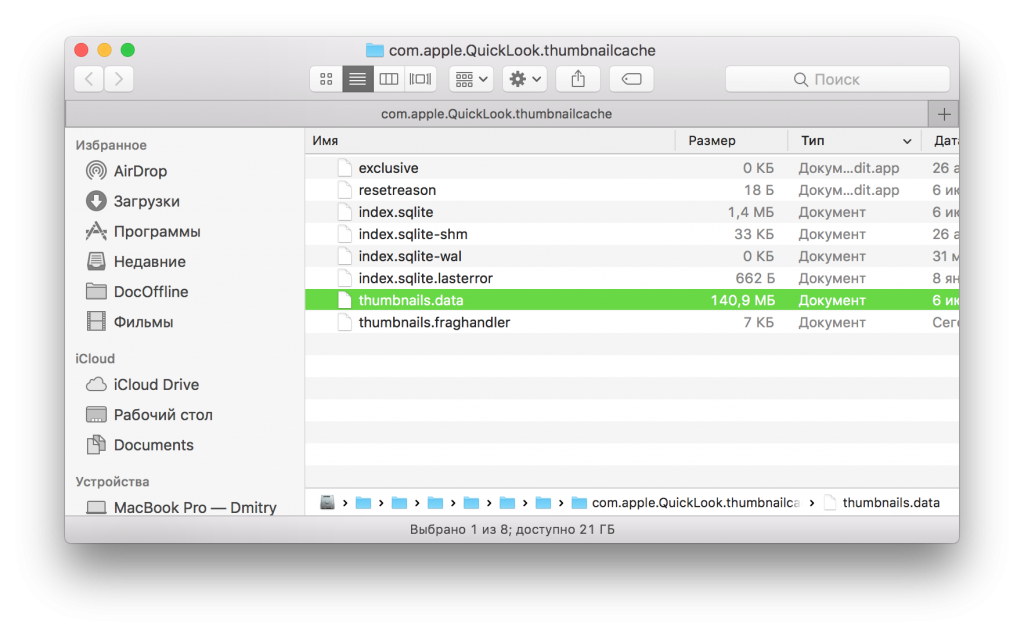

Moreover, $ TMPDIR is the main folder with temporary files on Mac. If you want to find all folders with temporary files, read this article.
Remember to edit or delete files inThese folders are not recommended, as this can lead to system problems. If you want to clear temporary files, just restart your computer.