It is not important for an ordinary user to know where they are and what drivers are installed on him, but when
How to view a list of installed Windows drivers
For this purpose, Windows has a built-in utility that lists all installed drivers, which should make your life easier. All you need to do is enter the command at the command line:
Advertising
Advertising
driverquery

 Driverquery command. Viewing a list of installed drivers
This will allow you to see a list of drivers and the date of each one. If you want to get more information about the drivers, you can add the “ switch to the command./V”, which can be used with “| more” to prevent the list from scrolling automatically.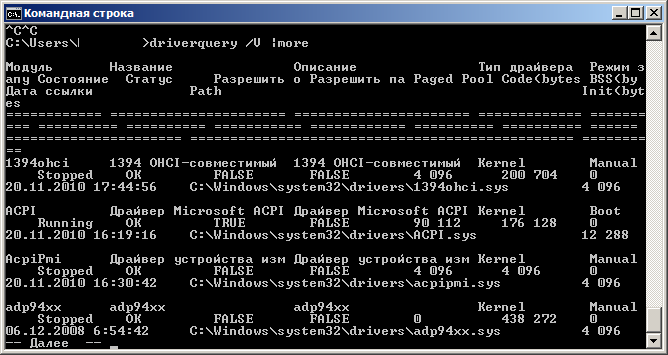
 There are also other ways to get the listinstalled Windows drivers, uploading to a CSV file and showing the drivers that you signed. To find out more about this, use the key “/?“.
Using InstalledDriversList
If you are scared off by everything associated with the phrase “command line”, then you can use the free InstalledDriversList utility.
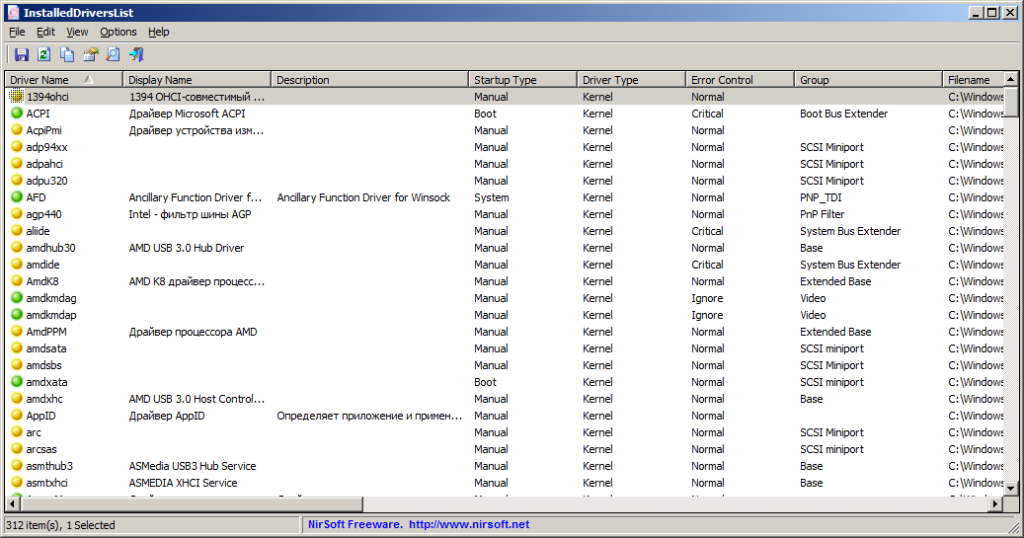
 InstalledDriversList on Windows
After downloading the archive with the program,unzip it and run the utility as administrator. You will see a list of all installed Windows drivers with all the details. By double clicking on the desired driver, you can get more information such as the date, version and location of the driver. A green icon means that the driver is currently in use, if the icon is yellow — The driver is installed but not active. If you see a red icon, it means that there are some problems with the driver, and you can fix them by disabling or uninstalling this driver.