If you have an Apple Music subscription, you can view the lyrics to your favorite songs right in the app
Advertising
Advertising
In Apple Music, lyrics are very visible.easy and convenient. To get started, you need to find and run the song in the Apple Music catalog or your music library. When the song is playing, expand it to full screen.
Then there are two ways to see the lyrics in Apple Music.
Method 1
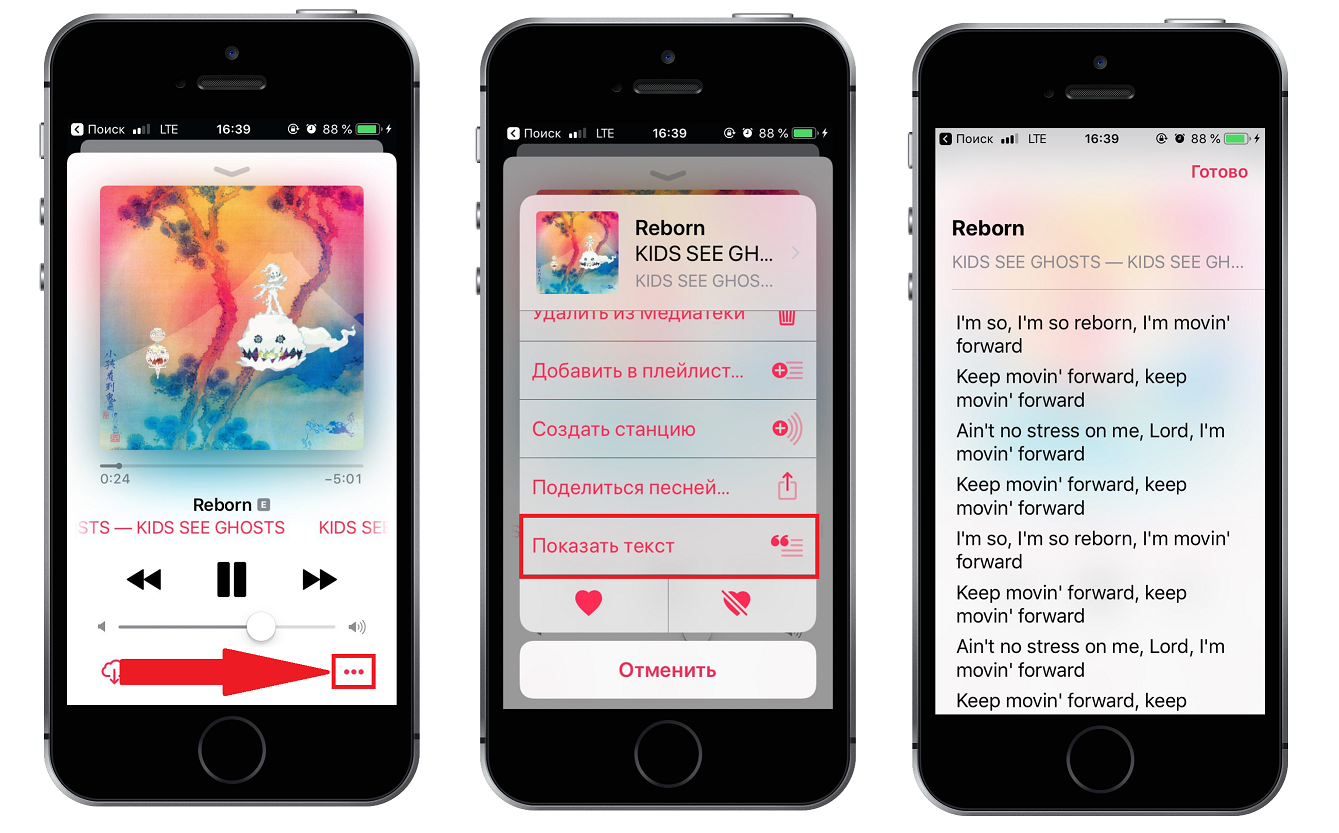

- Click on the icon that looks likethree pointsin the lower right corner of the screen to open a menu with options.
- Choose an optionShow text. If this option is not available, then the lyrics are not available.
- The text of the song you selected appears on the screen.
Method 2
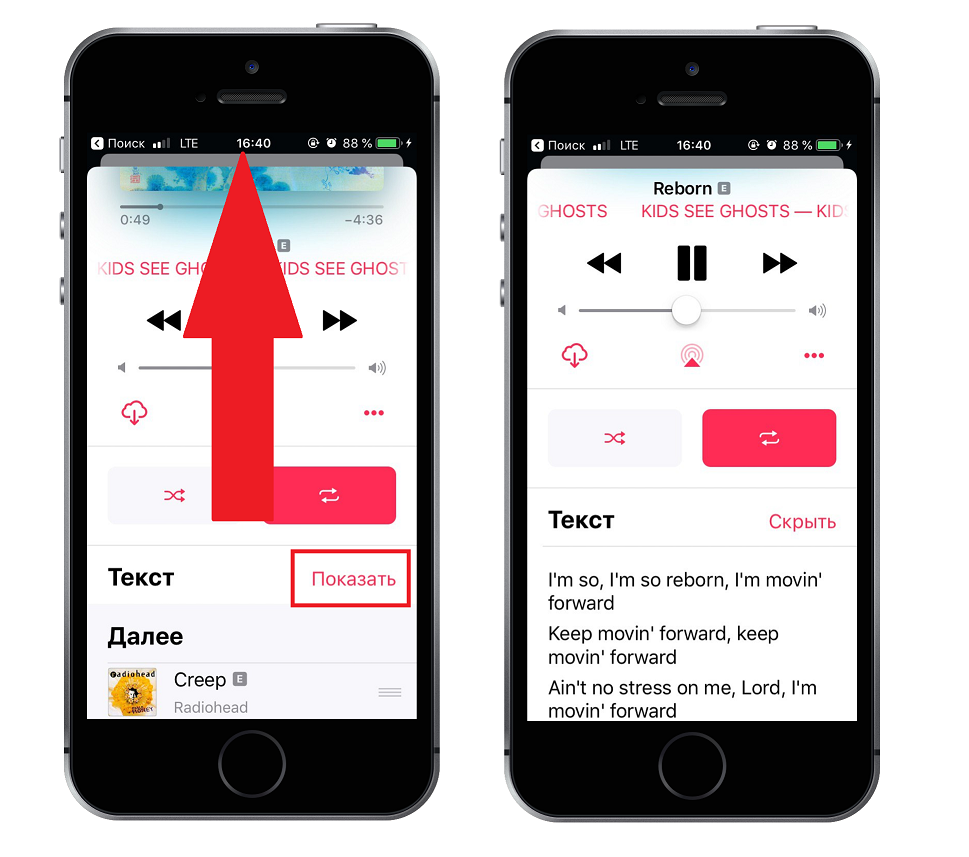

- When the song is open full screen, scroll down.
- You will see a large Text section. ClickShownext to it to reveal the lyrics.
If you have an album open, you can call up the menu by long pressing the song to view its lyrics.
You can check both ways, turn on your favorite song and view its lyrics in Apple Music. We hope this guide was helpful to you.