Many modern instant messengers have a standard set of functions, among the most popular of which are
Whatsapp success rate indicatorMessages is a single checkmark. It doubles as soon as the message arrives at the recipient’s device. Finally, these two checkmarks turn blue when a person opens your message.
Advertising
Advertising
Sometimes, however, I want to read a message, notnotifying the sender of this. Fortunately, WhatsApp has the ability to deactivate read reports. In this manual, we will talk about how to use it.
Turn off message delivery reporting inWhatsapp oniphone
Step 1:Launch the WhatsApp app on your iPhone.
Step 2:Go to the Settings tab.
Advertising
Advertising


Step 3:Go to the "Account" section => "Confidentiality".
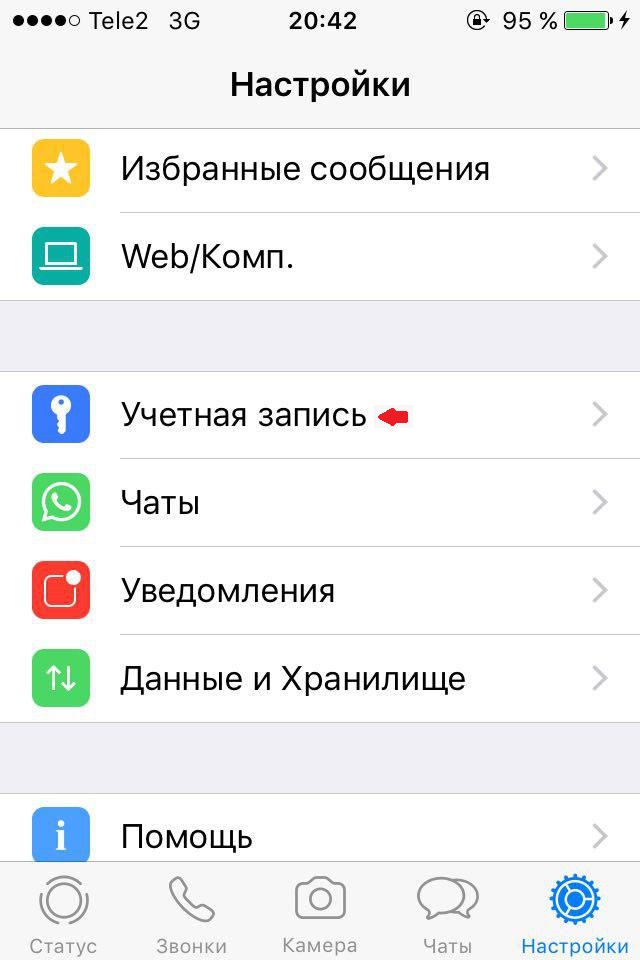


Step 4:Disable the Read Receipts switch.
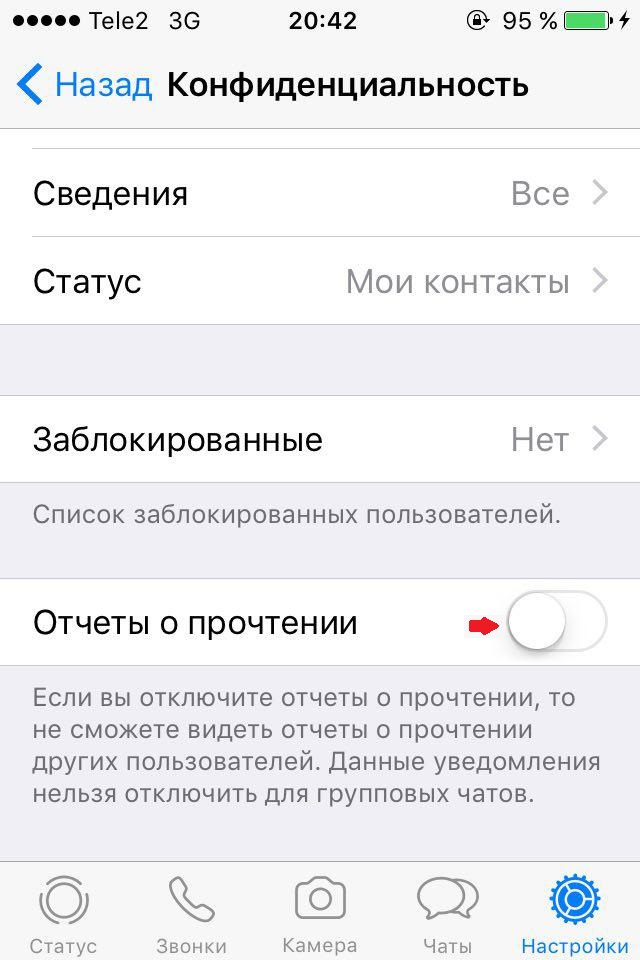

Now, by disabling the read reports option, youYou can read the interlocutor’s messages without notifying him. You will also not be able to find out the reading status of messages sent by you. If one day you want to see reports on reading messages, simply repeat the above steps and activate the option.
Also in the WhatsApp application there is a good opportunity to hide the time of the last visit to the messenger. In this case, the person does not know that you are ignoring him. Here's how to do it.
How to hide last seen timeWhatsapp
Step 1:Launch the WhatsApp app on your iPhone.
Step 2:Go to the Settings tab.
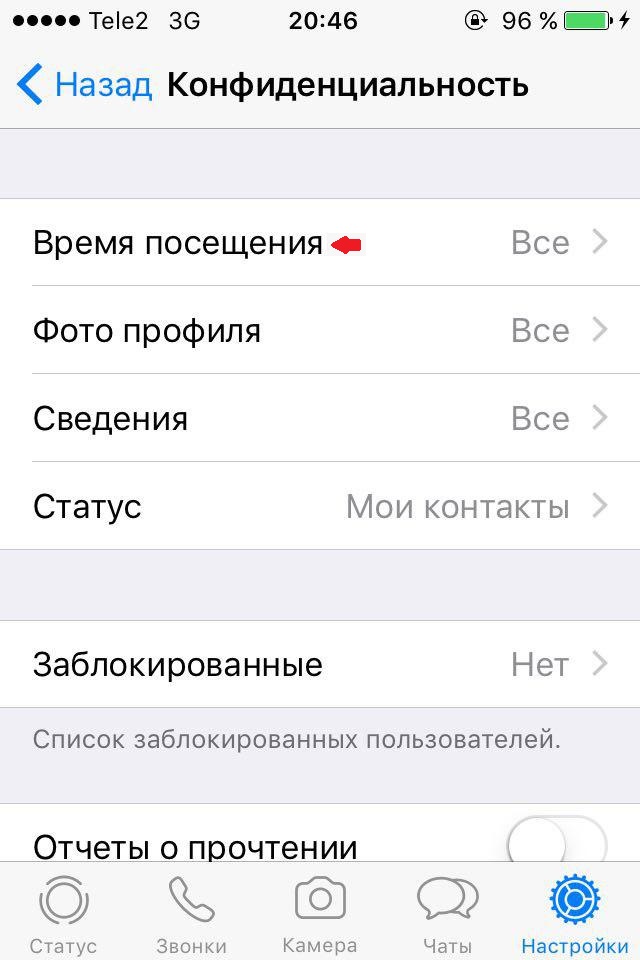
Step 3:Go to the "Account" section => "Confidentiality".
Step 4:In the "Visiting Time" menu, select the "Nobody" option.

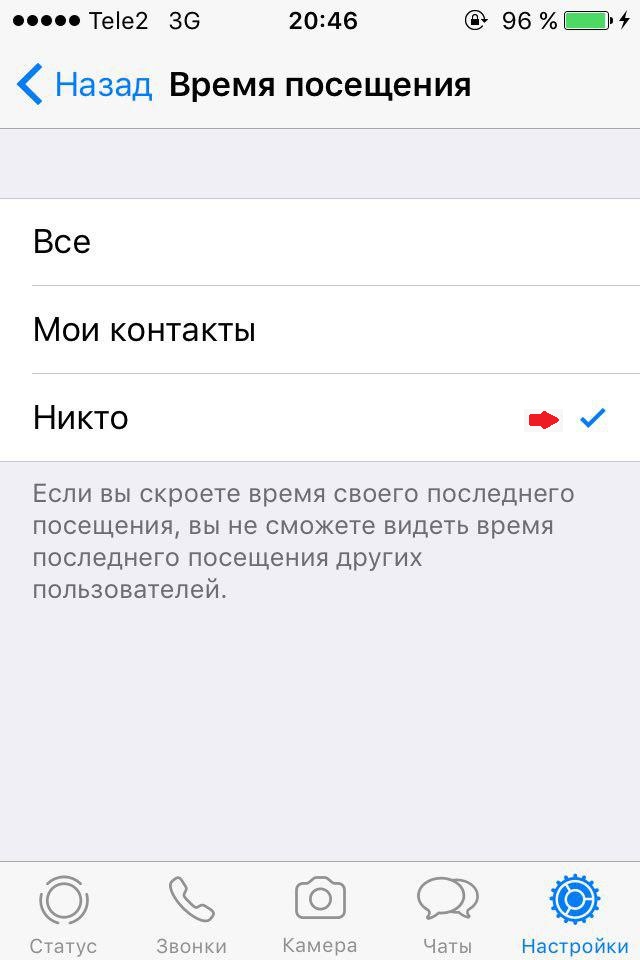

Hiding the time of your last visit, you will also not be able to see when other users logged in to the messenger.
We told you everything you need to disconnect.options for reading reports and displaying the time of the last visit to WhatsApp. These features let you enjoy WhatsApp privacy.
If you are interested in getting more tips on using WhatApp, check out this article:
- Top 19 WhatsApp Tricks on iPhone