The Taig team has released the Mac version of their popular iOS 8.4 jailbreak tool – iOS 8.1.3.
In that
Advertising
Advertising
Important points before you begin
- Taig jailbreak is available for Windows, Mac.Windows users, you can follow the instructions on how to jailbreak iPhone, iPad or iPod Touch using Taig Jailbreak for Windows.
- How to Jailbreak iOS 8.4 Using Taig Jailbreak on Windows
- Taig Jailbreak is an untethered jailbreak.
- Taig utility can jailbreakiOS 8.4,iOS 8.3,iOS 8.2AndiOS 8.1.3.
- Taig Jailbreak Utility for Mac is compatible with the following devices:
iPhone 6, iPhone 6 Plus, iPhone 5s, iPhone 5c, iPhone 5 and iPhone 4s
iPad Air 2, iPad mini 3, iPad Air, iPad 4, iPad 3 and iPad 2
iPad mini 1 (1st generation iPad mini), iPad mini 2 (Retina iPad mini), iPad mini 3
Advertising
Advertising
iPod touch 5th generation
- Back up your device using iCloud or iTunes. Jailbreaking works most of the time, but just in case something goes wrong, make a backup.
How to jailbreak iOS 8.4 on Mac using Taig Jailbreak
Step 1:Before you begin, please make a backup of your device, preferably using iTunes.
Step 2:Download the latest version of Taig Jailbreak for Mac.
- Mac:TaiG 1.0.0 – download link
Step 3:Connect your device to your computer using a USB cable.
Step 4:Temporarily disable password protection inNsettings> Touch ID and password.
Step 5:Also, temporarily disable Find My iPhone inNsettings> iCloud> Find iPhone.
Step 6:Double click on the DMG file and move the Taig application to the Applications folder. Right click on the Taig app and click onOpen. Then click onOpenagain.
Step 7:Taig will take some time todetect the device. Once you confirm that it shows the correct firmware version, uncheck 3K Assistant 2.3.0 (Similar to Taig's AppStore).

 Step 8:To continue, click on the buttonStart.
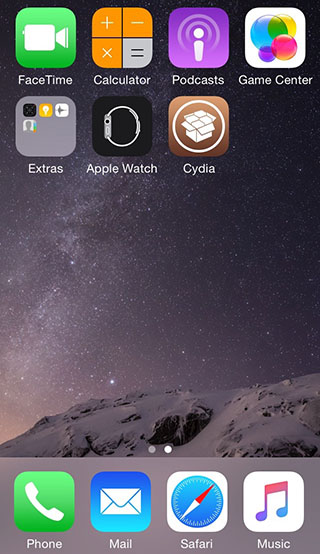
Step 9:During the jailbreak process the devicewill reboot several times. Once the jailbreak is complete, your device will automatically reboot and you should see the Cydia icon on your home screen.
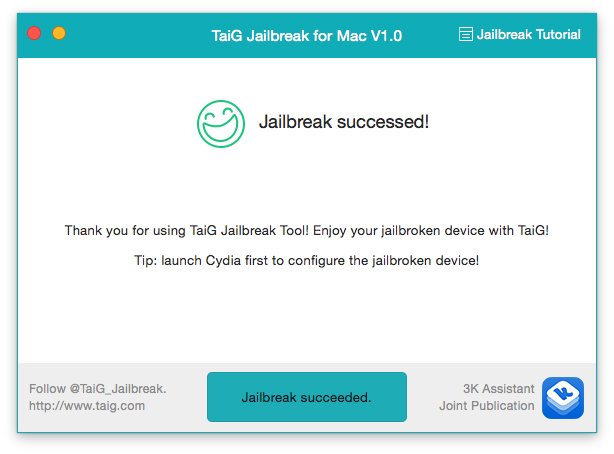
 The Taig jailbreak utility will also tell you - “Jailbreak Successed!”
 After successful jailbreak, don't forget to re-enable the password and find my iphone feature.