Where are the most interesting photos and videos of you? That's right, your best friend's Instagram story. 24 hours will pass and they will
Do not get discouraged ahead of time. Fortunately, now you can download someone else’s Instagram story on your computer. Moreover, you can download history directly to your device. If you have a PC, Mac or smartphone with internet access, you are saved. And if not, then you are unlikely to use Instagram at all. Below we will tell you how to download story Instagram on a computer or smartphone in two ways.
Advertising
Advertising
1. How to download story from Instagram
Step 1:Go to storiesig.com and enter the username of the user whose story you want to download.
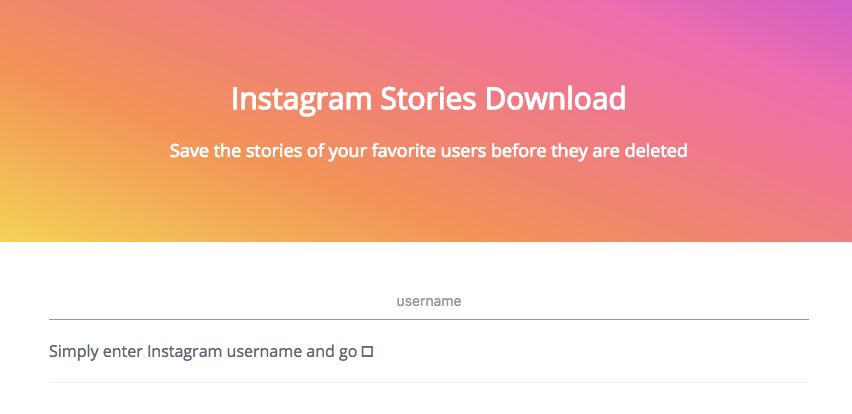

Step 2:Select users from the list of found ones.
Advertising
Advertising


You will see all the stories from the Instagram of this user. Find the desired story in the list and download it!


If you are interested in how to download videos from Instagram stories, the method will be exactly the same.
The user does not know that you downloaded his story on Instagram. And you can post photos or videos to the story on your account, and they will remain with you forever.
2. Alternative method: ExpansionChrome
There is another easy way to download story from Instagram. You will need to install the Google Chrome browser extension for stories.


Just install the extension, and you can easily and quickly download stories on Instagram with the click of a button.
- Log in to instagram.com using your username.
- Find the story you are interested in.
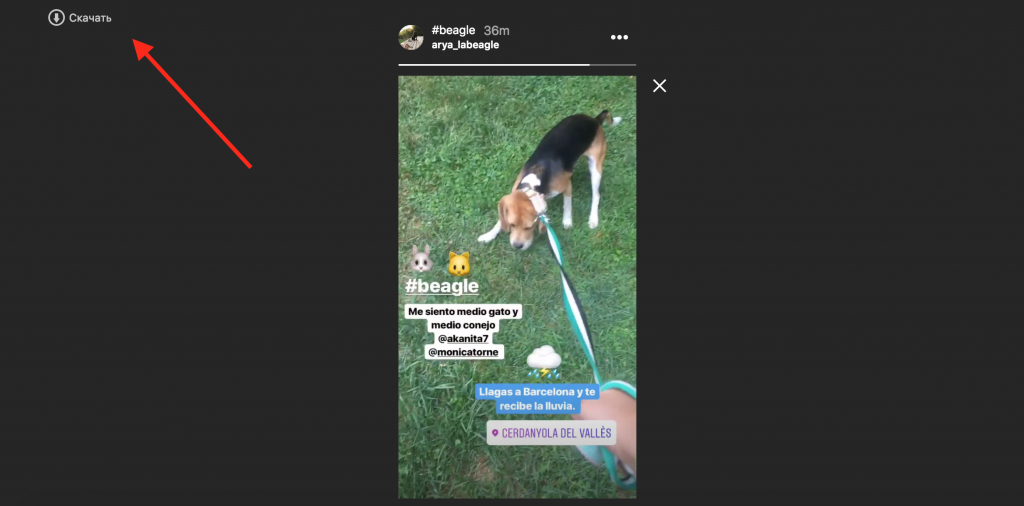
- And in the upper left corner click “Download”