Saurik has released a new tweak called Cydia Impactor that will help you remove jailbreak from your iOS device. Means
Cydia Impactor is currently in beta and supports iOS 8.3 and iOS 8.4 devices. However, it does not work with the 6th generation iPod Touch.
Advertising
Advertising
To learn how to remove jailbreak from your iPhone, iPad or iPod Touch using Cydia Impactor, read this guide.
Before you begin:
- Cydia Impactor currently only supports iOS 8.3, iOS 8.4 and does not work with iPod Touch 6th generation.
- Make sure you have backed up your device via iTunes or iCloud. Cydia Impactor removes all existing data, apps and settings.
- Do not interrupt Cydia Impactor and make sure your device is sufficiently charged.
- Cydia Impactor requires an internet connection.
Step 1:Launch Cydia.
Step 2:Search for Cydia Impactor and install it.
Advertising
Advertising
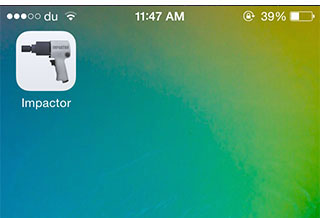
Step 3:Once installed, you will see a new icon on your home screen labeled Impactor. Click on it to open it.
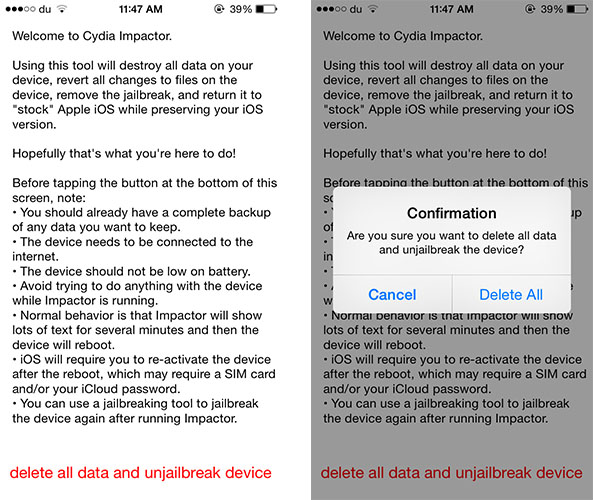
 Step 4:Read the instructions on the screen and click on “delete all data and unjailbreak device”. Then click Delete All to confirm.
 Step 5:During the process, the device will reboot several times. Do not interrupt his work while the process is in progress.
Step 6:Once completed, you will be taken to a welcome screen where you can set up your device and activate it. You can also restore your device from a backup.
Now your device works without jailbreak.