If you were given or recently purchased AirPods 2 or AirPods Pro, be sure to check the serial number of the headphones. WITH
The article is about checking AirPods for authenticity using the serial number. It is especially necessary to check AirPods for originality using the serial number if you buy headphones from unverified stores.
Advertising
Advertising
How to Find AirPods or AirPods Pro Serial Number
1. Look at the case
The headphones and charging case have the sameserial number. The number is located on the inside of the charging case cover in small gray print. Also, each AirPods 2nd generation and AirPods Pro have their own serial number located directly on the earbud. In this case, the main number is the number on the case; you will not need the serial numbers of the headphones.
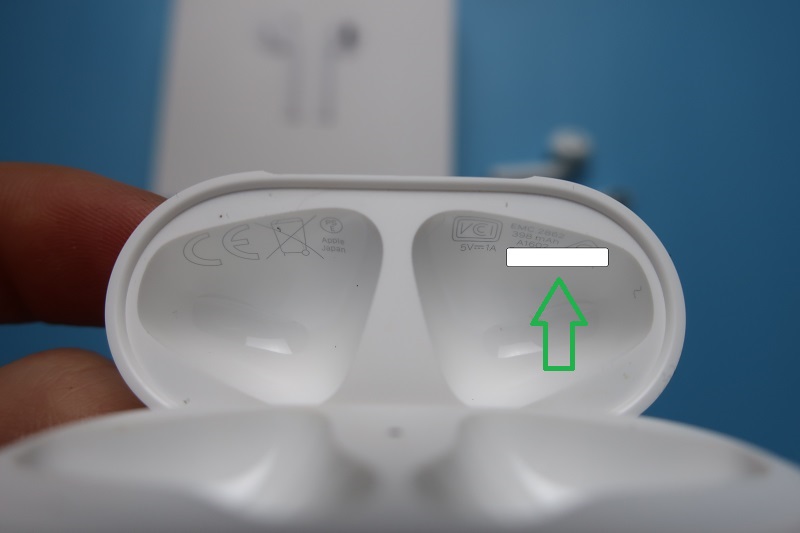

2. Using iPhone or iPad
In addition to the case, the serial number of AirPods 2 and AirPodsPro can be viewed on an iPhone or iPad. And this method is more convenient. The number on the case is printed in small gray font, making it hard to read. For example, when I checked the number of my airpods, I confused the zero with the Latin letter O - the warranty number was not found. When I checked the number using my iPhone, I saw an error.
Advertising
Advertising
In general, finding the AirPods serial number is no different from checking the serial number of an iPhone or iPad.
Important AirPods must be connected to your iPhone or iPad.To do this: if the headphones are in the case, open the cover of the case; if the headphones are taken out, you don’t need to do anything (provided that you have previously connected the headphones to the device).
Go toSettingson iPhone or iPad> Basic > About this device.Scroll down to the name of your AirPods. By clicking on them, you will see the model number, serial number, firmware version and hardware version.
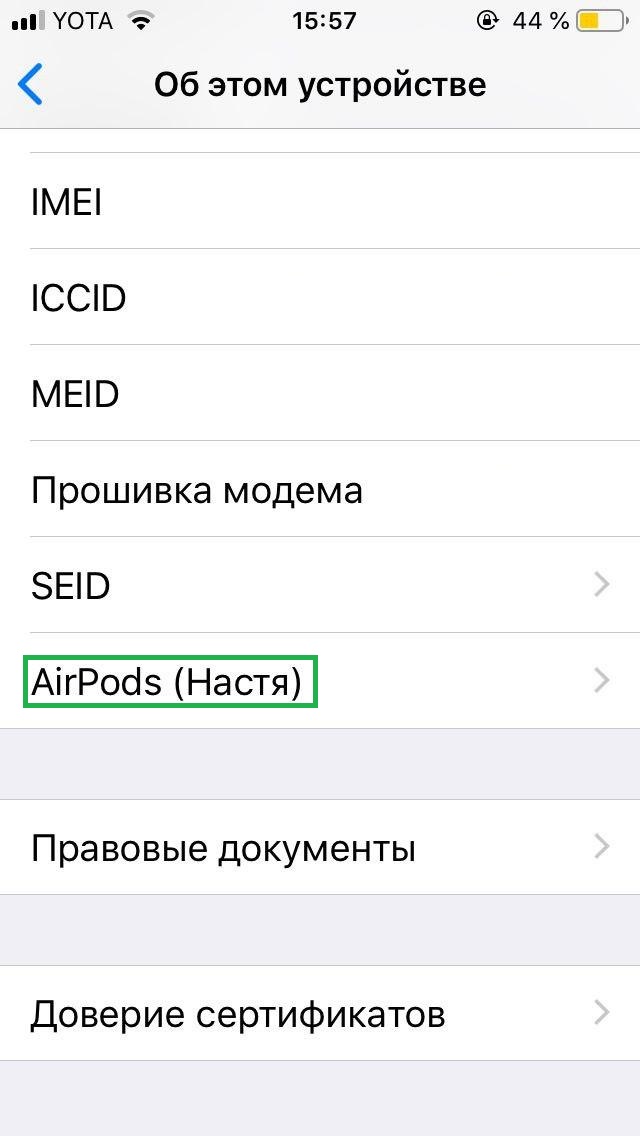

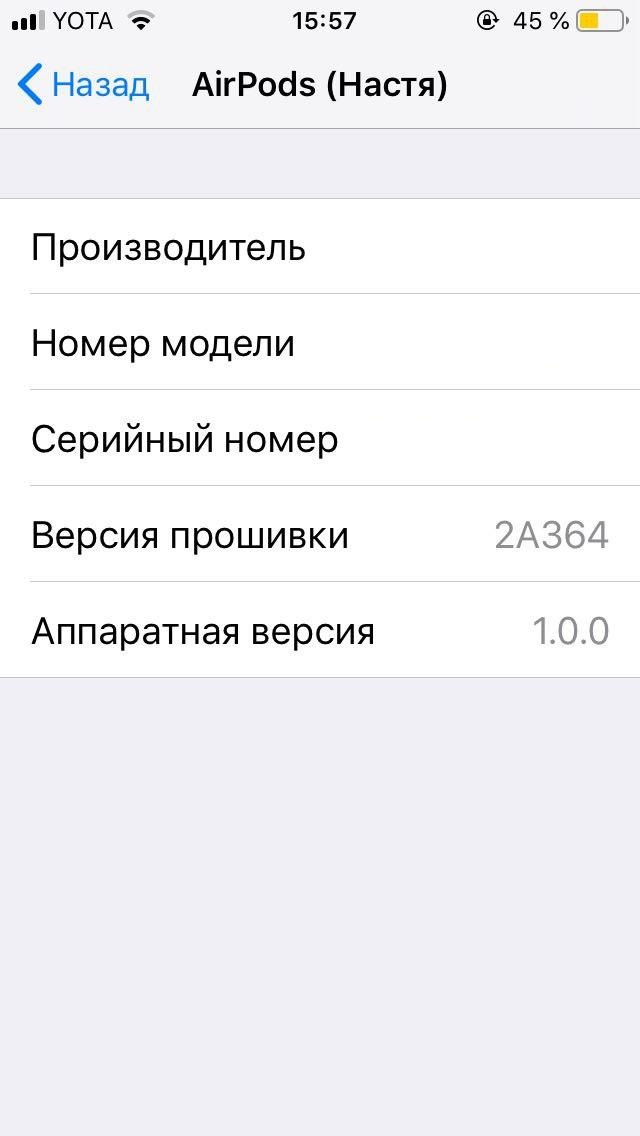

3. View on box
Another way to check your Apple AirPods serial number is to look on the box. The serial number is located at the bottom of the box, above the barcode: (S) Serial No. XXXXXXXXXXX
Important The serial number of the headphone on the box shouldmatch the number on the AirPods case. If the numbers do not match, the box may be from other headphones. This is especially true if you buy headphones in unverified stores or with hands.
Advertising
Advertising
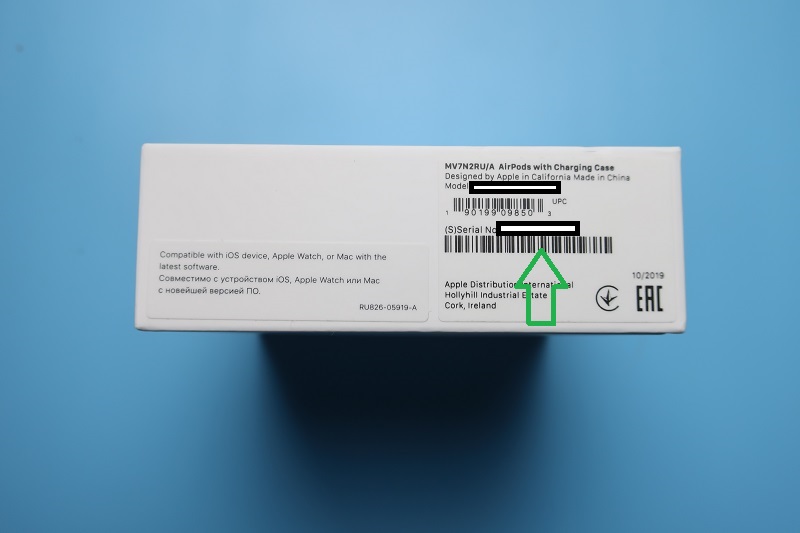

How to Check AirPods or AirPods Pro Serial Number on Apple
To “punch” the AirPods serial number, enter it on the official Apple website: https://checkcoverage.apple.com/en/
In my case, it was still necessary to confirm the date of purchase (maybe because of an online order).
By serial number, Apple identifies the device and announces the warranty provided. For example:
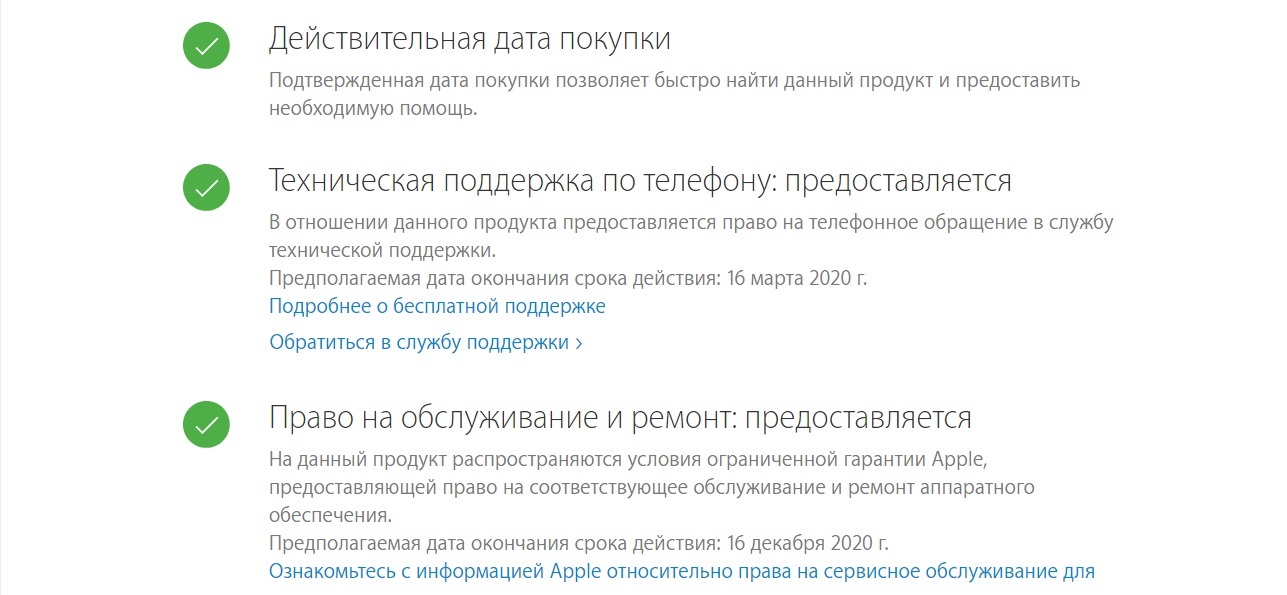
 AirPods Headphone Test Result by Apple Serial Number
What is the result
Each Apple product has a unique serialthe number to find and verify after purchasing the device. Checking the AirPods serial number on the official Apple website confirms the originality of the device and reports on the right to service AppleCare. On third-party services, using the serial number, you can get more information about the device - for example, find out the place of production and release date.