
</ img>
The emergence of universal wireless gaming headsets as a class was logical and inevitable. Besides PC and
- Why is the ASUS ROG Strix GO 2.4 headset interesting?
- What is included?
- What does the ASUS ROG Strix GO 2.4 look like?
- How convenient is ASUS ROG Strix GO 2.4 to use?
- What about sound quality, microphone and software functionality?
- What is the battery life?
- In the dry residue
Why is the ASUS ROG Strix GO 2.4 headset interesting?
</ img>
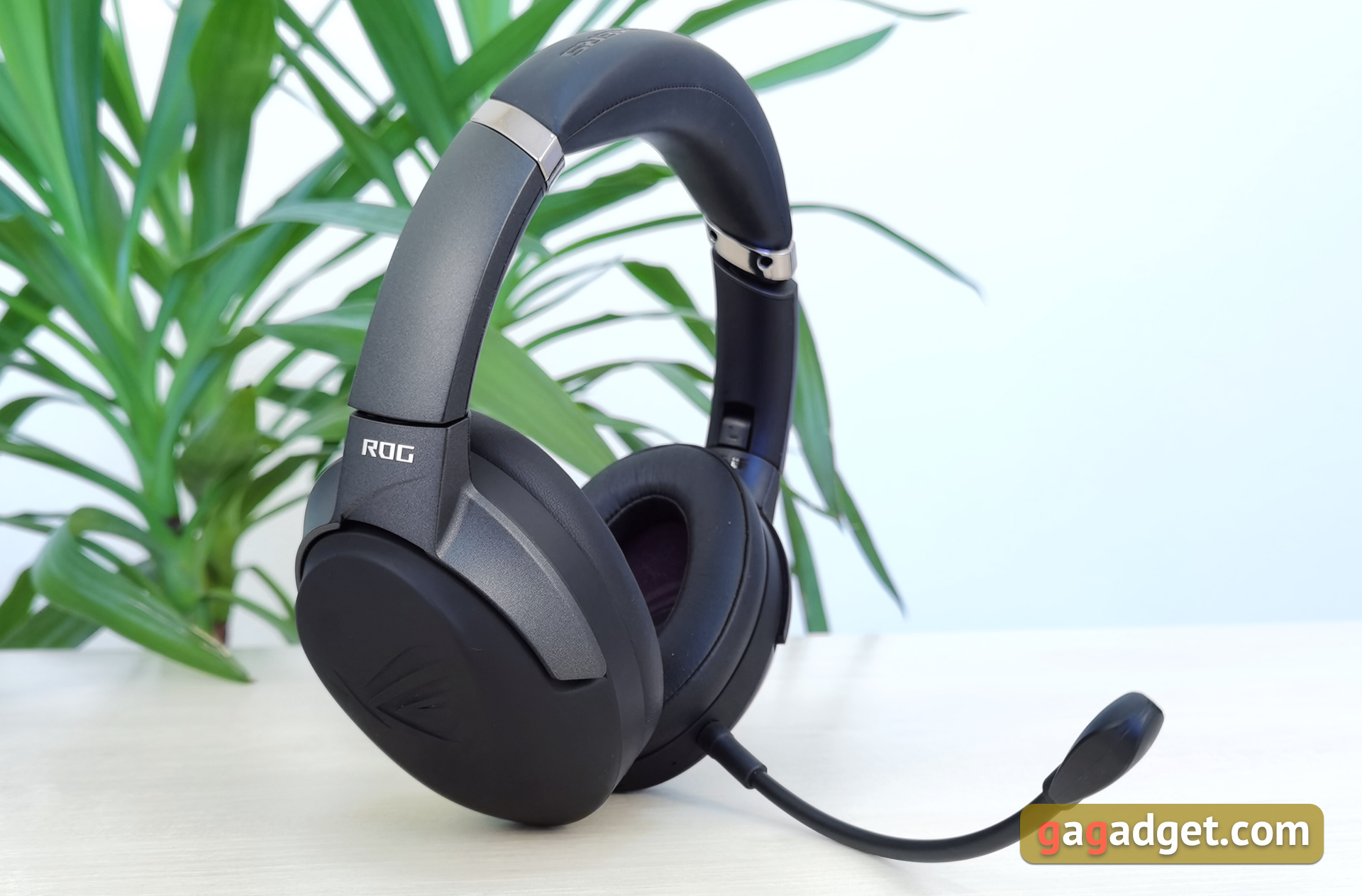
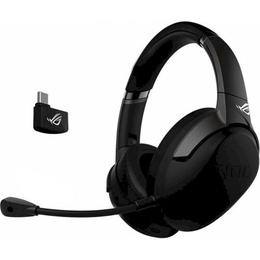
ASUS ROG Strix GO 2.4 is a wireless full-size gaming headset with a closed acoustic design, 40mm Essence dynamic drivers, a detachable bi-directional microphone, an additional omnidirectional built-in microphone and AI Mic intelligent noise reduction technology. For wireless communication, a 2.4 GHz radio channel is used. The headset is compatible with PC, PS4, XBox, Nintendo Switch and Android smartphones. A transmitter with a Type-C connector is used for connection. They promise that the headset can work up to 25 hours on a single charge. Fast charging is supported, which will allow the headset to work for 3 hours after a 15-minute “recharge” from the cable.
</ p>What is included?
</ img>

</ img>

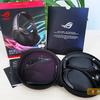
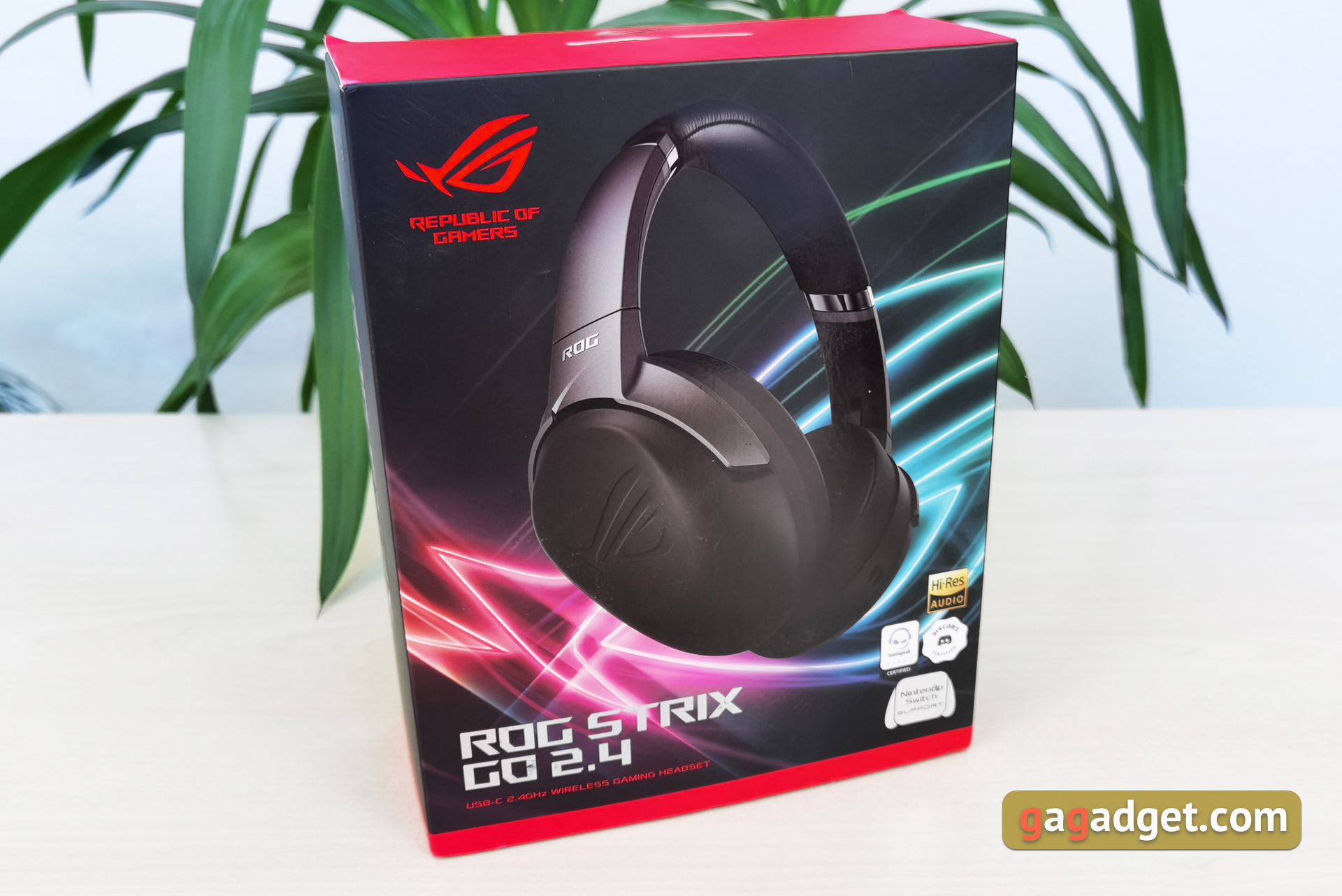
The delivery set is interesting not only for itsrecruitment, but also its competent organization. The box is large, with the usual bright black and red design for the ROG line with a bunch of beautiful printing. Inside there is a headset, a Type-C cable for charging, a 1.2 m 3.5 mm cable for a wired connection, a removable external microphone, a USB Type-C transmitter, an adapter from Type-C to Type-A and a hard black case with a zipper, which contains all this fits. A very convenient solution for regular transportation.
</ img>
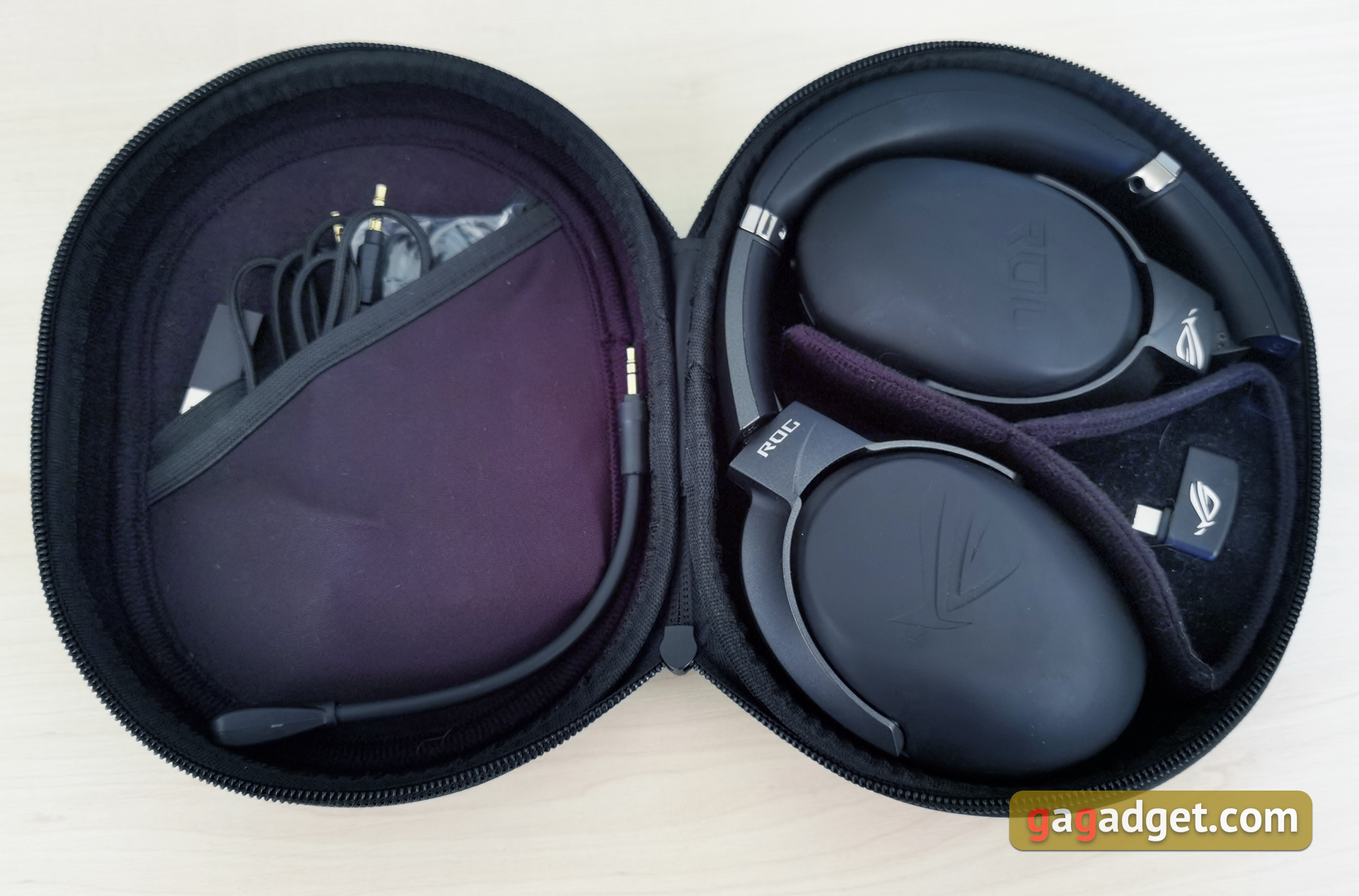
</ img>
What does the ASUS ROG Strix GO 2.4 look like?
</ img>
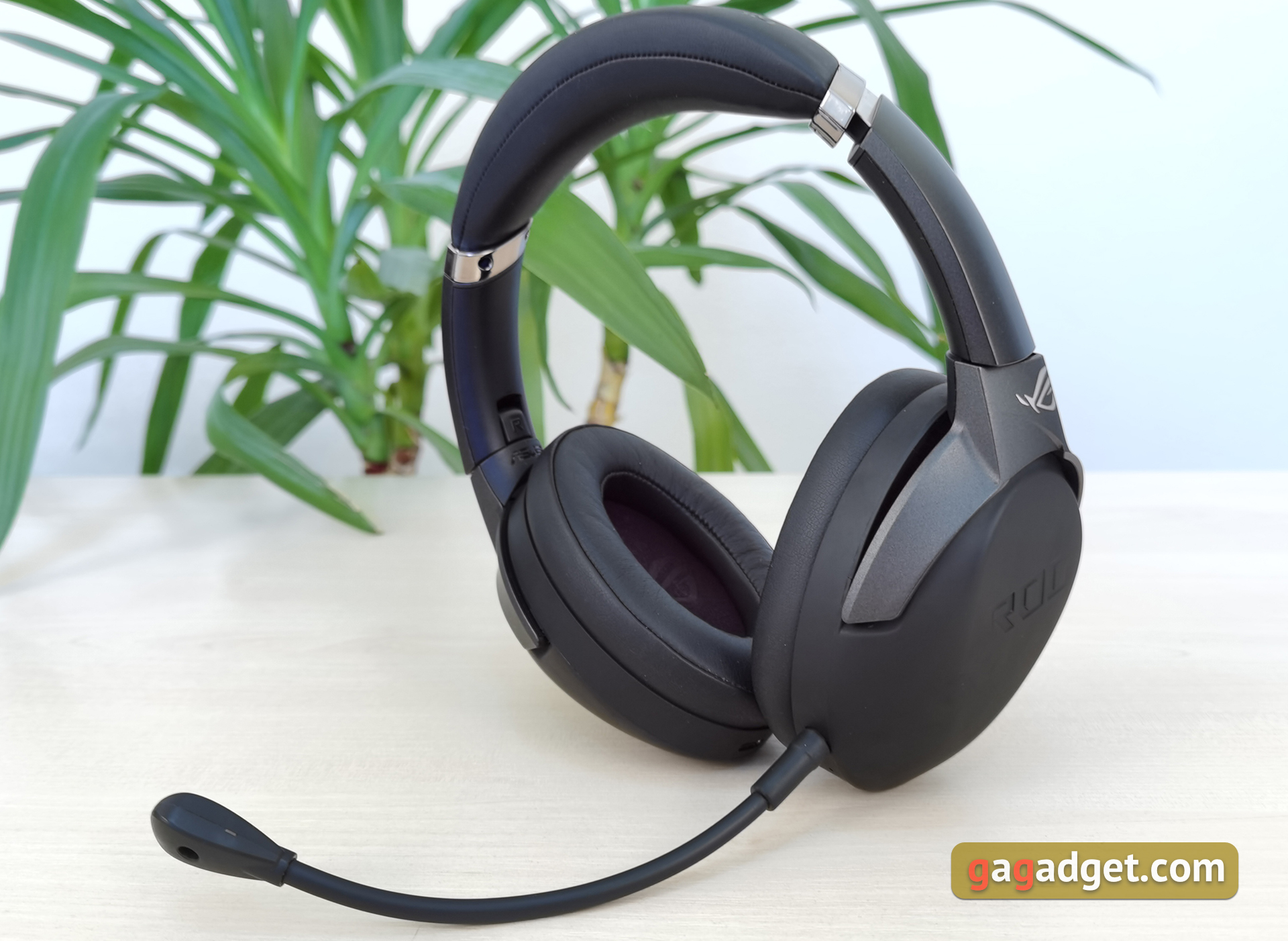
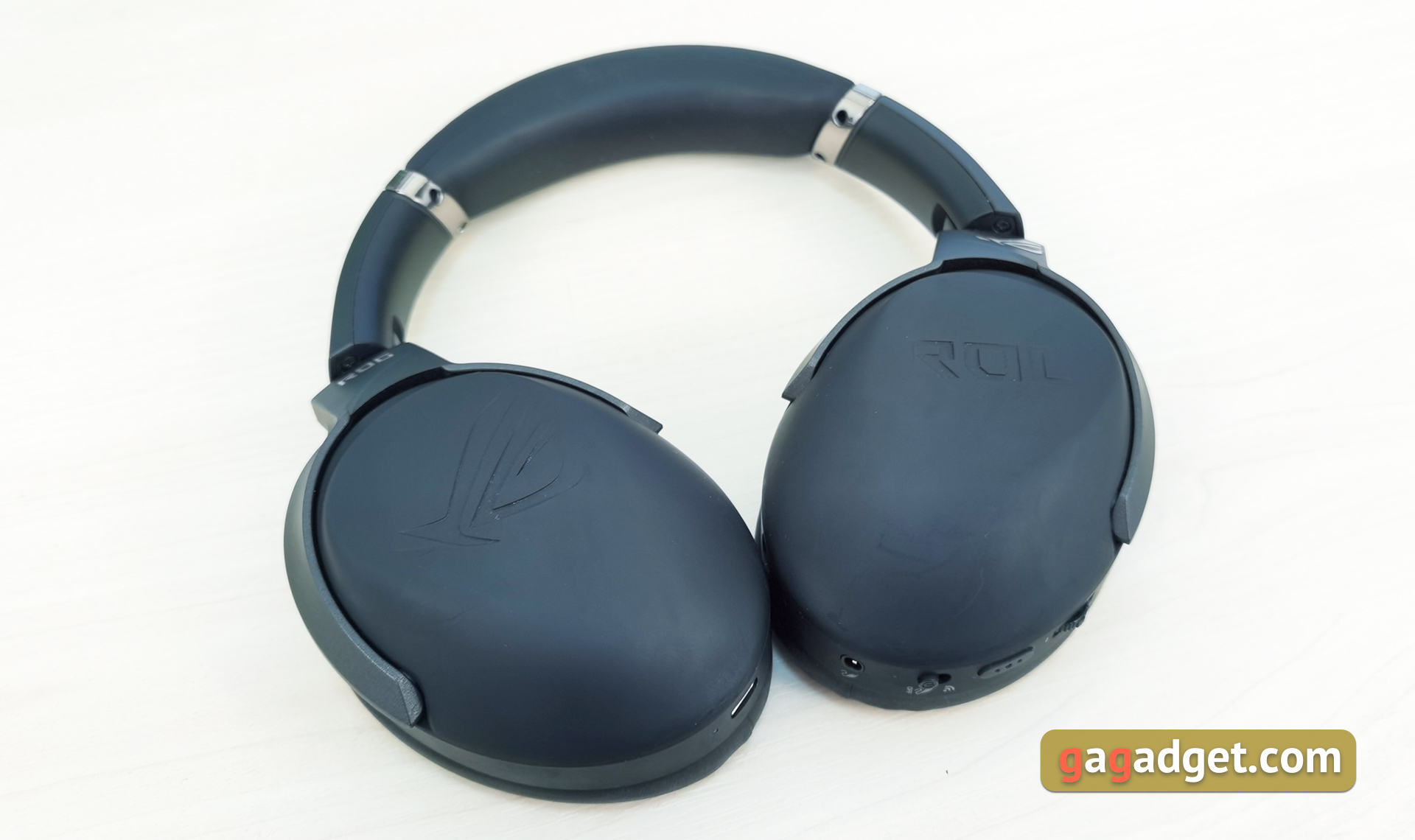
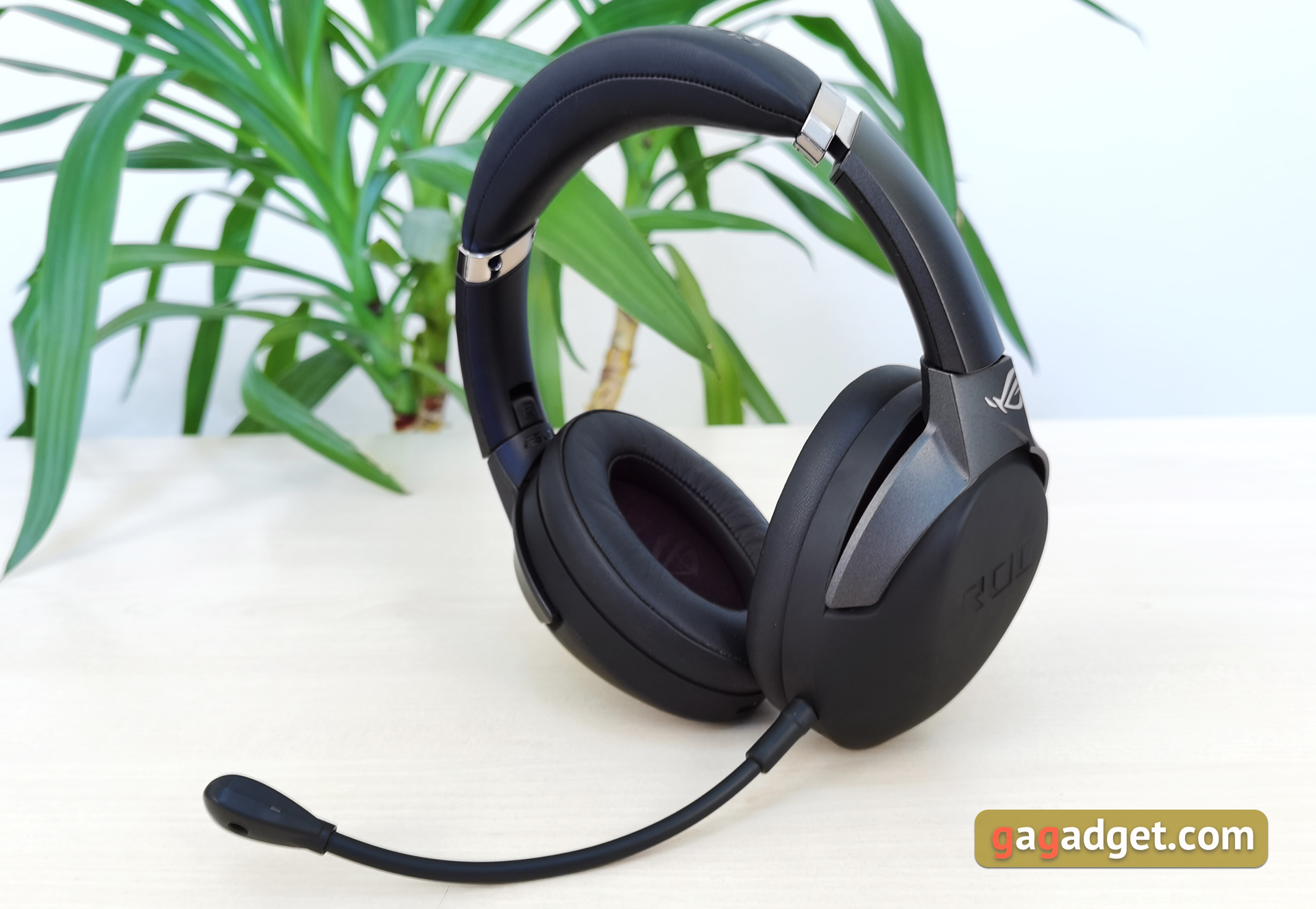
Outwardly, it is impossible to immediately say that it is -gaming headset. ASUS ROG Strix GO 2.4 looks strict, expensive and rich, but looking ahead, it’s worth saying that it’s not very practical. The headphones are almost entirely made of black and dark gray plastic. There are no colored drawings or backlighting. Only small chrome inserts on the headband and silver ROG logos. Only the base of the headset's headband is made of metal, but the design does not feel flimsy.
</ img>
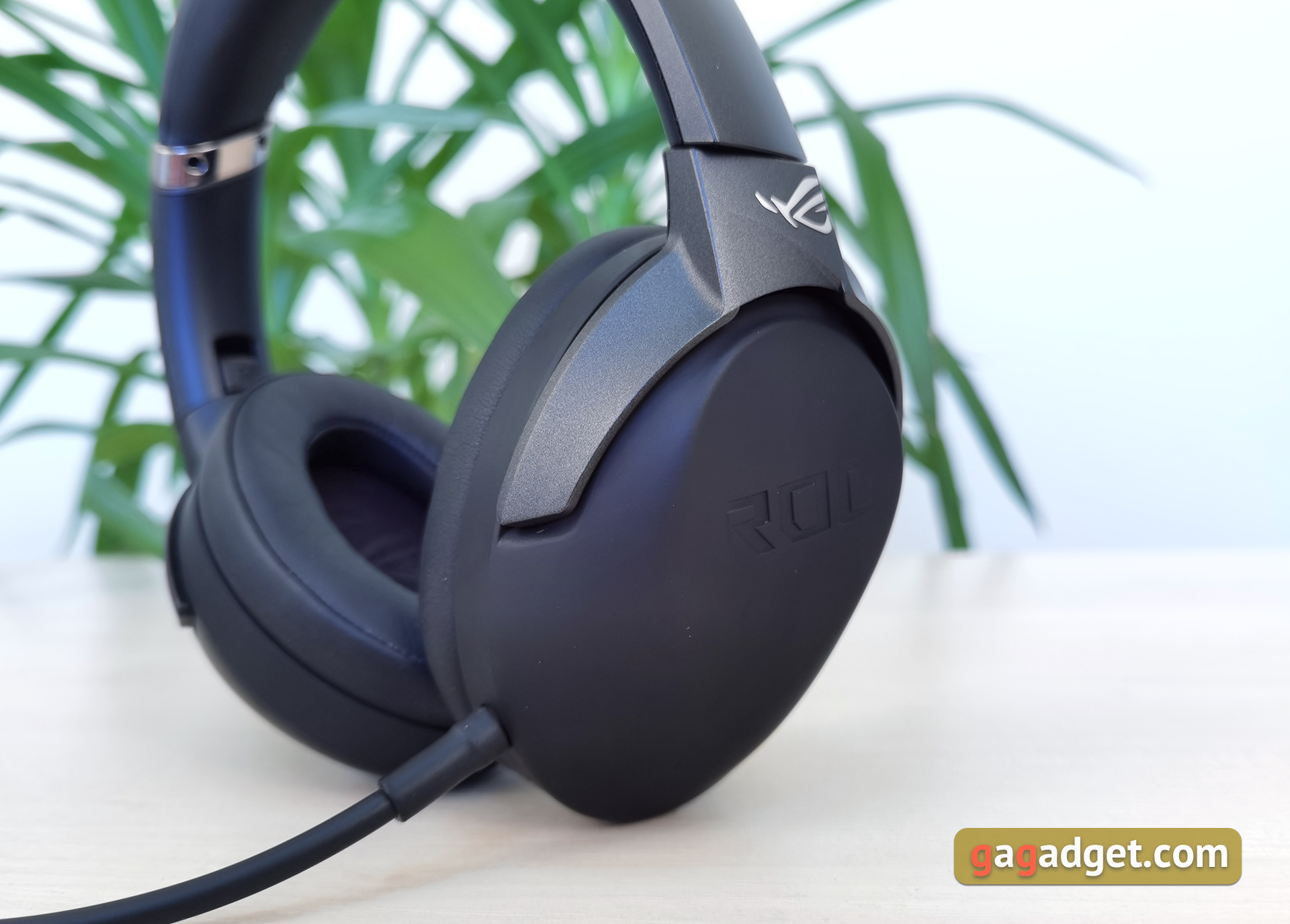
The cups are massive, embossed with ROG logos.Made from black Soft-Touch. It's very tactile and looks cool. But the prints remain instantly, and such a coating cannot be called durable. The headphones arrived at our editorial office after several reviews and traces of use are already clearly visible on the earcups. The headband is attached with a standard “fork” made of dark gray matte plastic. The fasteners allow the cups to take the desired angle, and it is also possible to turn them towards you.
</ img>
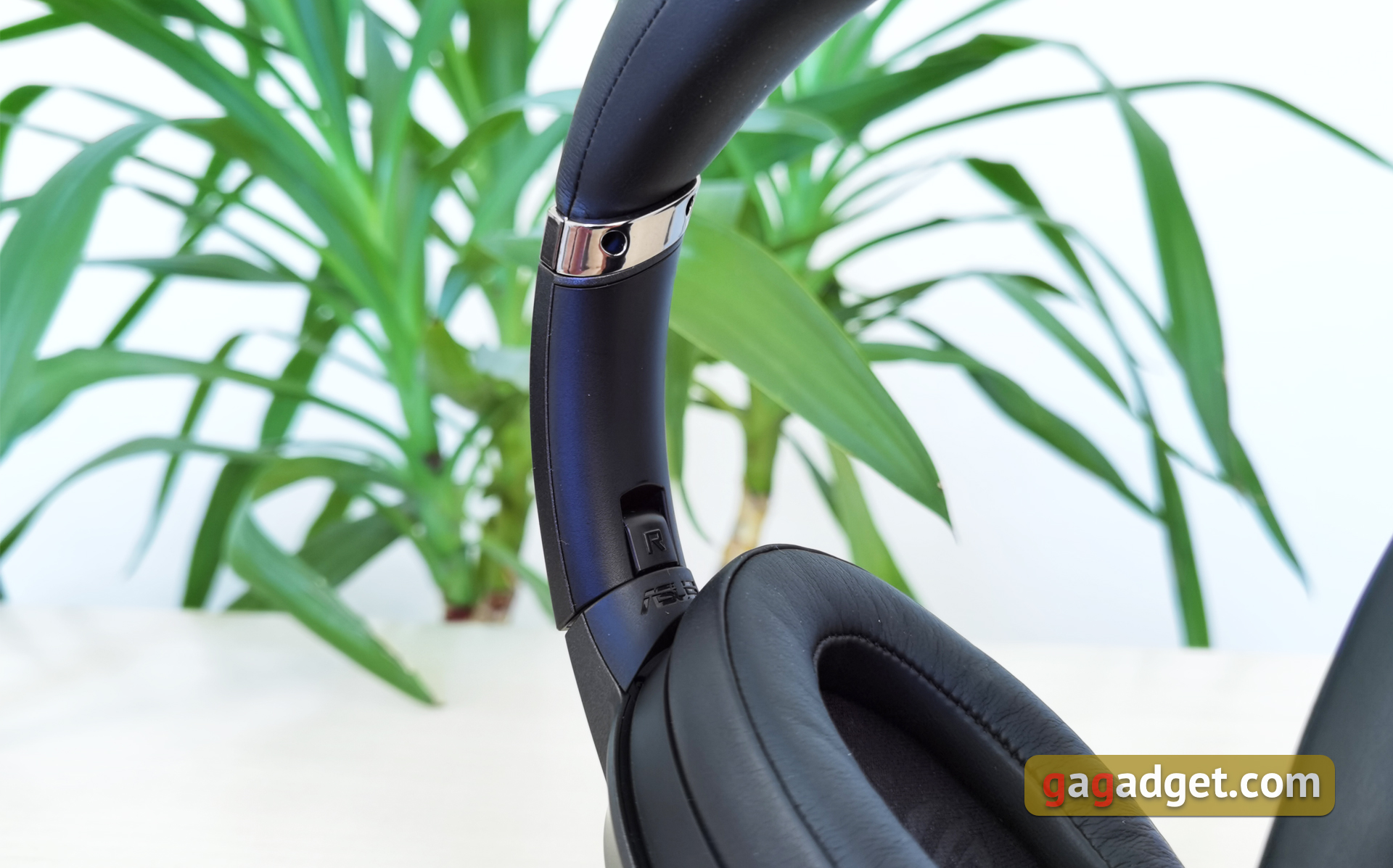
The headband is classic, with sliding size adjustment. Inside there is a steel frame, the upholstery is made of artificial leather with soft filling. The outer part is embossed with Republic of Gamers.

</ img>
</ img>
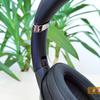
The ear pads are also made of leatherette, the inside is fabricwith ROG logos. The cups and ear pads are medium in size, not too massive, which is nice. After all, headphones are positioned as a portable solution. The designation of left and right is next to the cups, on the inside of the mounts.

</ img>
Detachable bi-directional microphone with flexible stem. When used on the go, you can remove it and use the built-in one.

</ img>
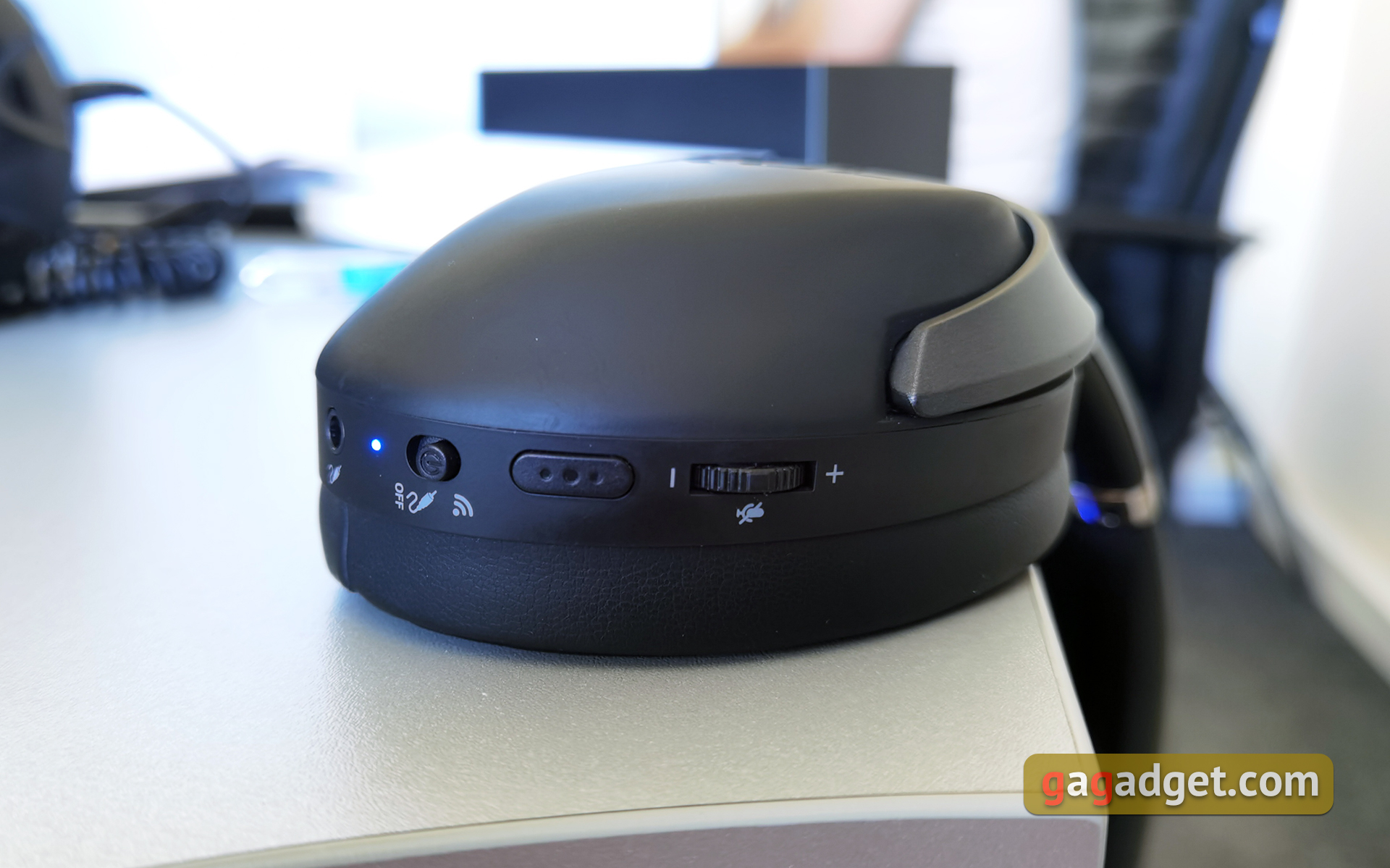
All functional elements are concentrated on the lower parts of the headset cups. On the right earpiece there is a USB Type-C connector and a charging indicator.

</ img>
There are more interesting things on the left. The volume control wheel and the multi-function button, which is responsible for controlling music playback, are slightly shifted back. Next to it is a two-position slider for switching on / off to the wired operating mode with an LED indicator. At the bottom there is a 3.5 mm jack for wired connection, and next to the jack for connecting an external microphone there is a small built-in hole.
</ img>
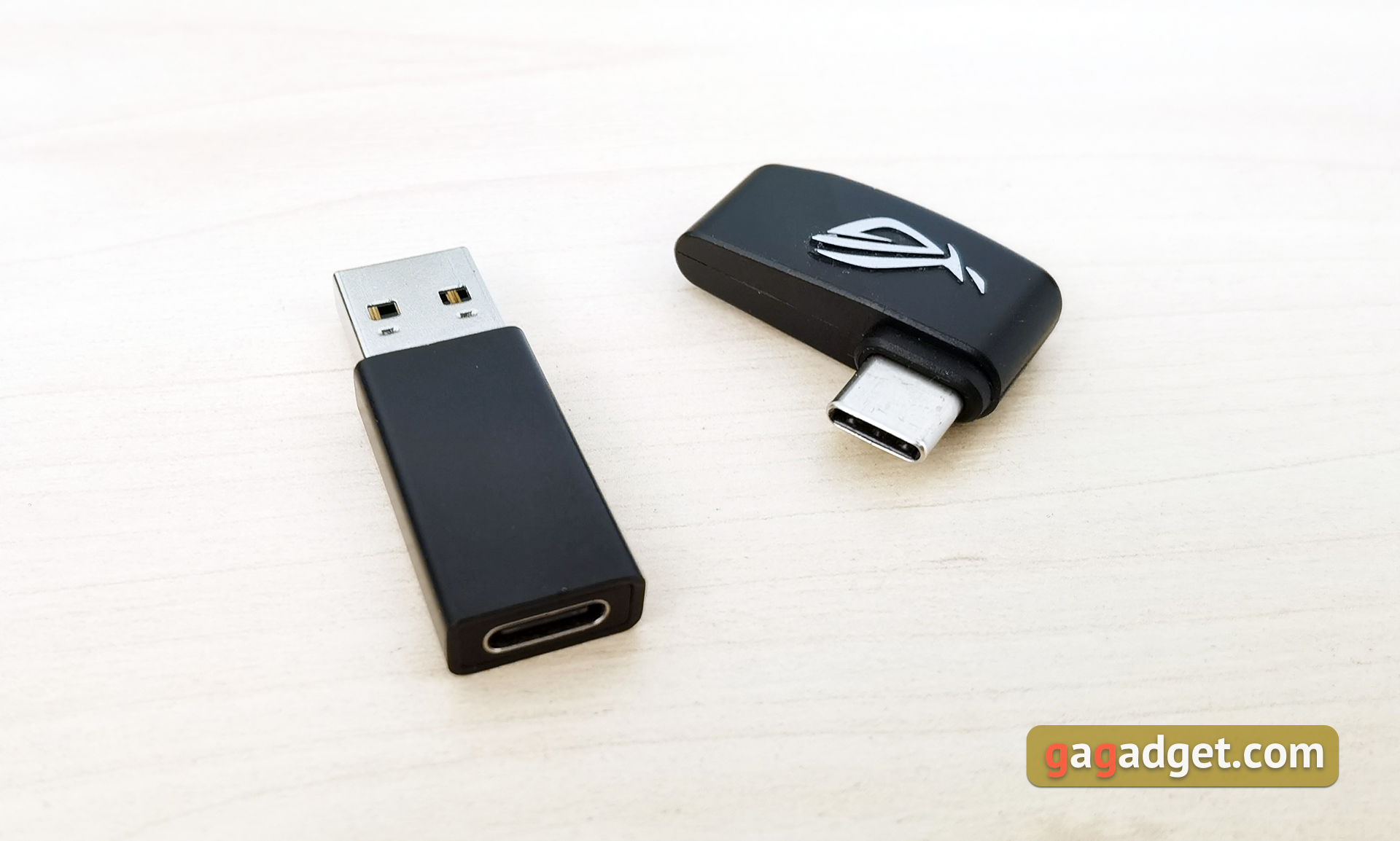
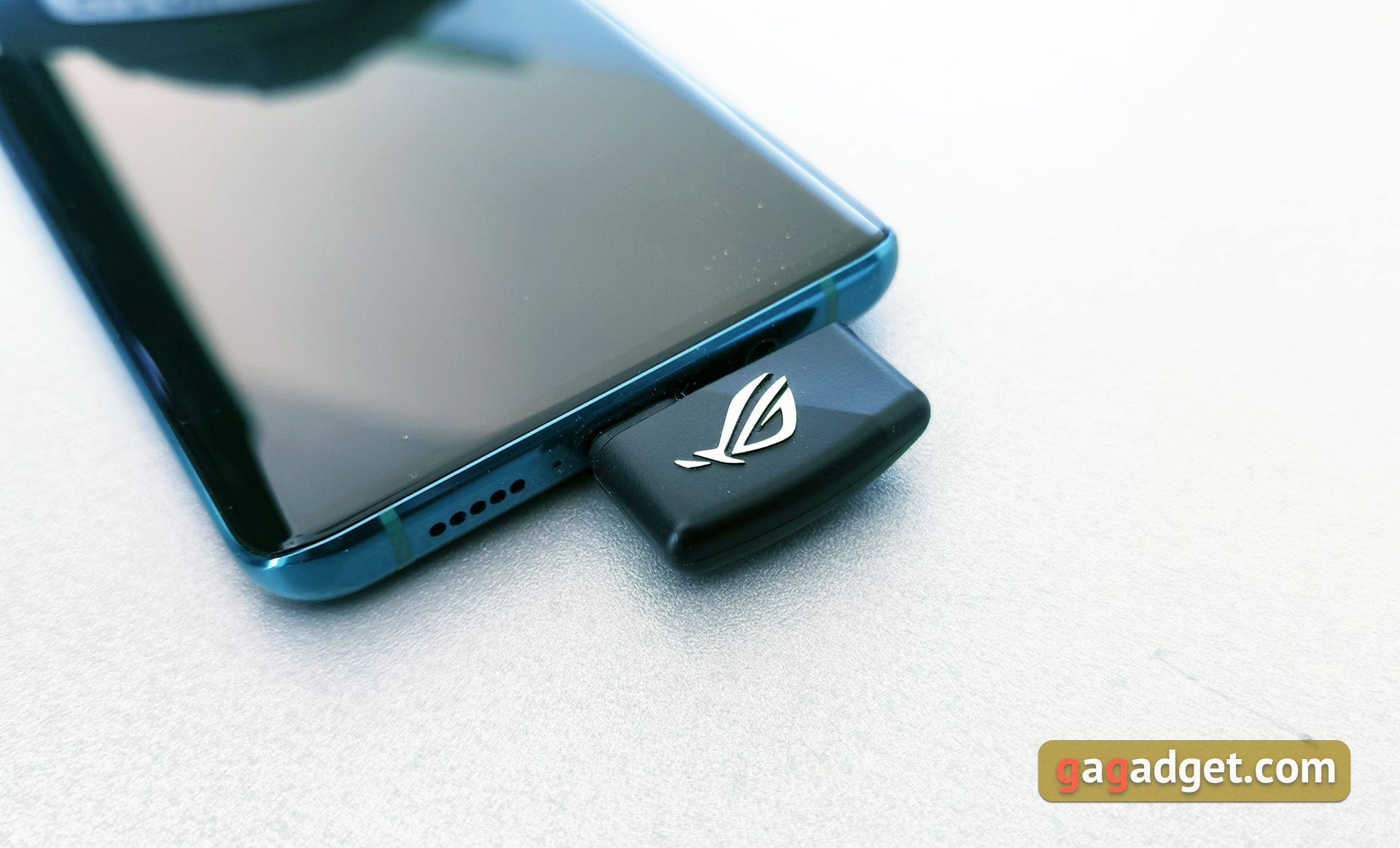
The transmitter is compact, equipped with a Type-C connector. Yes, it is less convenient than a Bluetooth connection, but it is also quite acceptable. A smartphone with it fits in your pocket. To connect to devices without Type-C, a Type-C to Type-A adapter is provided.
</ img>
How convenient is ASUS ROG Strix GO 2.4 to use?
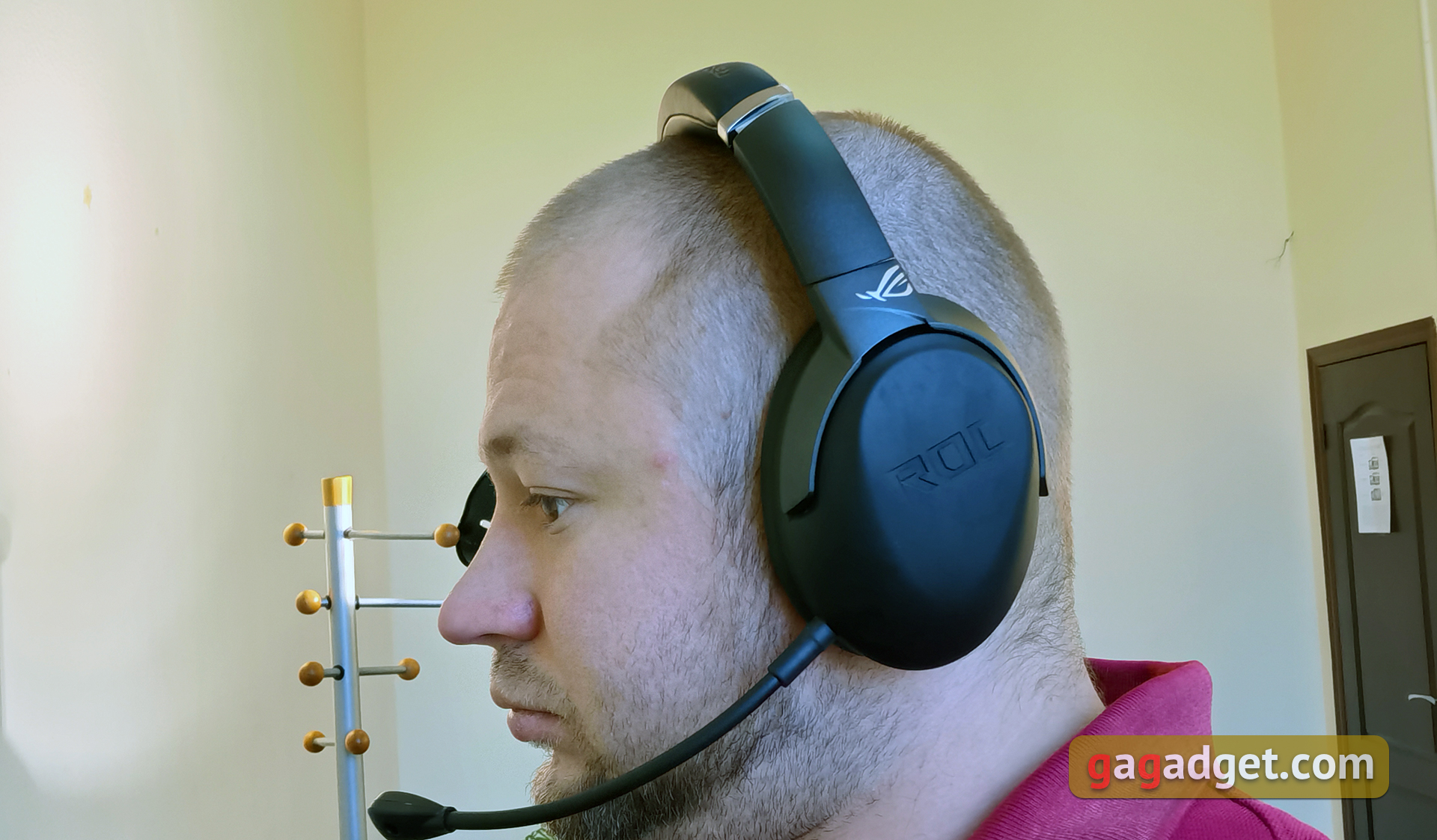
The design allows you to adjust the sizeheadbands in a wide range, so that the size of the headset will suit all (or almost all) users. The clamping force of the headband is just enough to ensure that the ASUS ROG Strix GO 2.4 sits securely on the head and does not fly off during sudden movements. No more: the headset does not press, and the weight of 290 g is not particularly felt on the head. The dimensions of the cups and ear pads allow the ears to be completely inside. The headphones are comfortable, and during long gaming sessions (up to 5-6 hours) they do not cause discomfort or the desire to take them off. Regarding the ear pads, it is worth saying that they provide very decent sound insulation, including due to the use of artificial leather rather than fabric. The other side of the coin is that leatherette does not allow air to pass through so well, which is especially important in the summer. My ears didn’t sweat indoors, but it’s worth considering that the air conditioning was always on. And outside in the summer heat, any full-size headphones are not the most comfortable option.
</ img>
There are several options for connection.The most obvious is a complete transmitter with a Type-C connector. With it, you can connect the ASUS ROG Strix GO 2.4 to your smartphone, Nintendo Switch, and most relatively recent laptops or PCs. The transmitter is not very large, but while playing on a smartphone it can still provide a slightly unusual sensation. It is noteworthy that the connector itself is moved out a little, thanks to which there is a small gap for smartphones in the protective bumpers.
</ img>
For PS4 or older computers - the same systembut with a complete adapter. The design is not the most elegant, but in the case of stationary systems, this does not play any role. There is also an alternative option with a cable connection, while the insides of the headphones are disconnected and the battery is not consumed. You cannot connect a headset to a PC using a USB Type-C cable. In this case, it will only be charged. To use, you have to additionally connect the transmitter.

</ img>
ASUS promises up to 20 meters range withstable connection. We were able to check it at a distance of about 10 meters with two walls. There were no problems. Now about the problem of spontaneous shutdown of the headset, about which information flashed on the network. Perhaps the problem was in the firmware. First of all, when I first connected, I updated the ASUS ROG Strix GO 2.4 firmware to the latest version and while using the headset I never had such problems. By the way, the update procedure itself was successful only on the second attempt.
</ p>What about sound quality, microphone and software functionality?
In ASUS ROG Strix GO 2.4 uses 40mm Essense dynamic drivers with sealed acoustic chambers. From the point of view of games and watching movies, the sound pleases with very bright and colorful explosions, gunshots, the roar of engines and other special effects. The headphones produce very dense and rich low frequencies in abundance. In general, the sound is somewhat accentuated on the low frequencies: the mid frequencies are slightly reduced, and the high frequencies are slightly smoothed out so as not to hurt the ears in some situations. Quite typical sound detuning, as for gaming headsets. But within reasonable limits: the bass does not clog all other frequencies. The positioning of sound sources is also at its best. From a musical point of view, everything is fine, but nothing more. The sound is tight and energetic, but detail, resolution and control are a bit lacking, especially in the midrange. The sound is quite suitable for electronic, hip-hop or pop music, but more complex instrumental styles sound flat. Although if you do not own serious headphones or a Hi-Fi player and are not too picky, then the sound is quite suitable.
</ img>
There are two microphones in the headset.The built-in one is more convenient in transport/on the street. It is, of course, worse in quality, but the information can be conveyed. Next are test audios, which were made under absolutely identical conditions. A room with fairly loud music (but not so loud that it alarms the neighbors). Built-in microphone:
Chub Alexander · ASUS ROG Strix Go 2.4 Integrated Mic
As mentioned earlier, the headphones supportAI Mic intelligent noise reduction system based on machine learning. ASUS is actively implementing it into its headsets and has even released a separate USB dongle for the operation of this “smart” noise reduction with any headsets. As it turns out, it works very well. Yes, the dynamic range and quality are somewhat reduced, but speech is transmitted adequately. And, in general, the graph shows that the system recognizes a person’s voice and “muffles” almost everything if you don't say anything.
Chub Alexander · ASUS ROG Strix Go 2.4 Integrated Mic AI Noise Canceling
The detachable bi-directional microphone transmits the voice significantly better and in general reduces the level of ambient noise quite well. It remains, but in a minimal amount and does not interfere with the voice.
Chub Alexander · ASUS ROG Strix Go 2.4 Detachable Mic
And so the removable microphone sounds with noise reduction:
Chub Alexander · ASUS ROG Strix Go 2.4 Detachable Mic AI Noise Cancelling
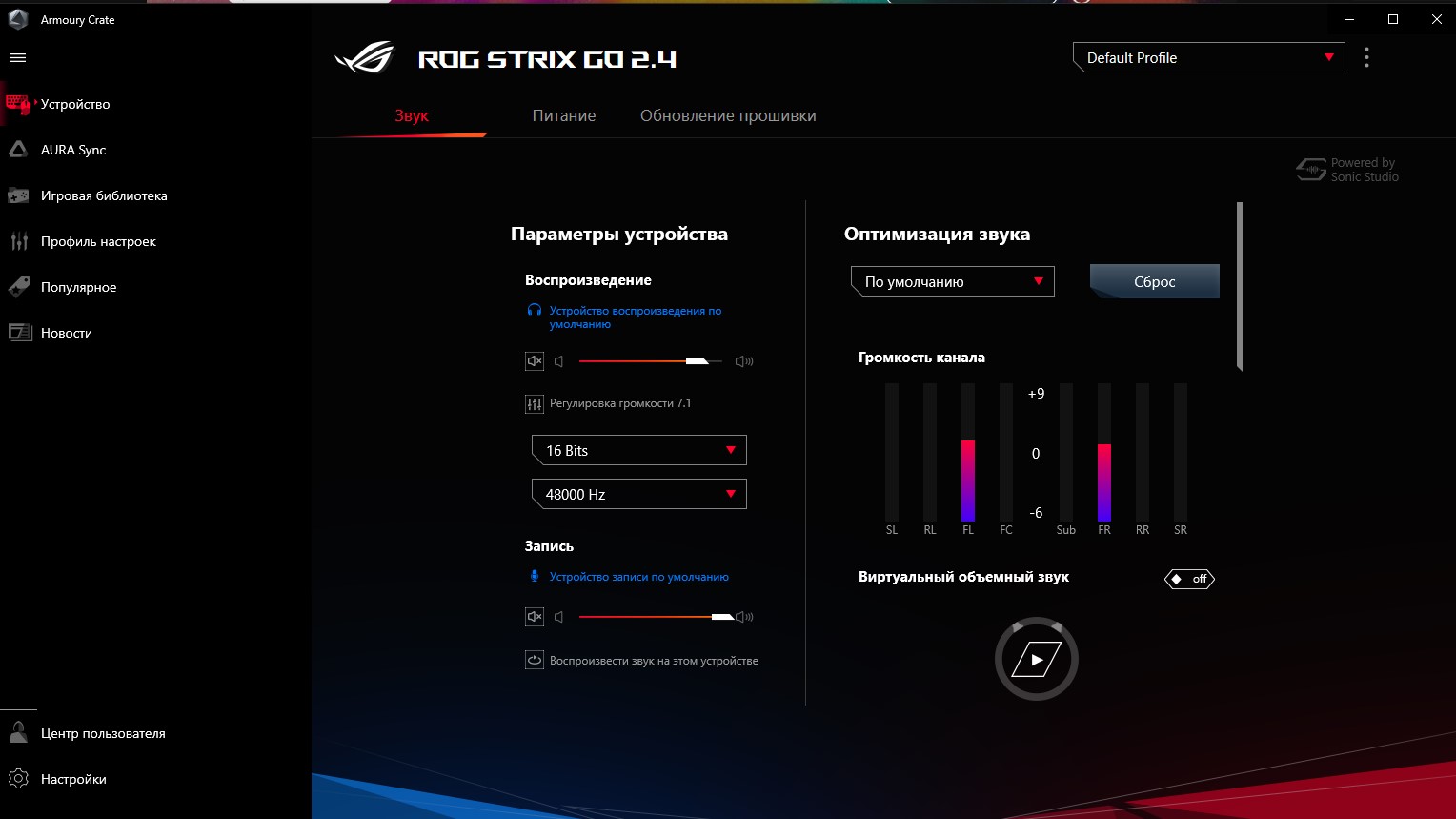
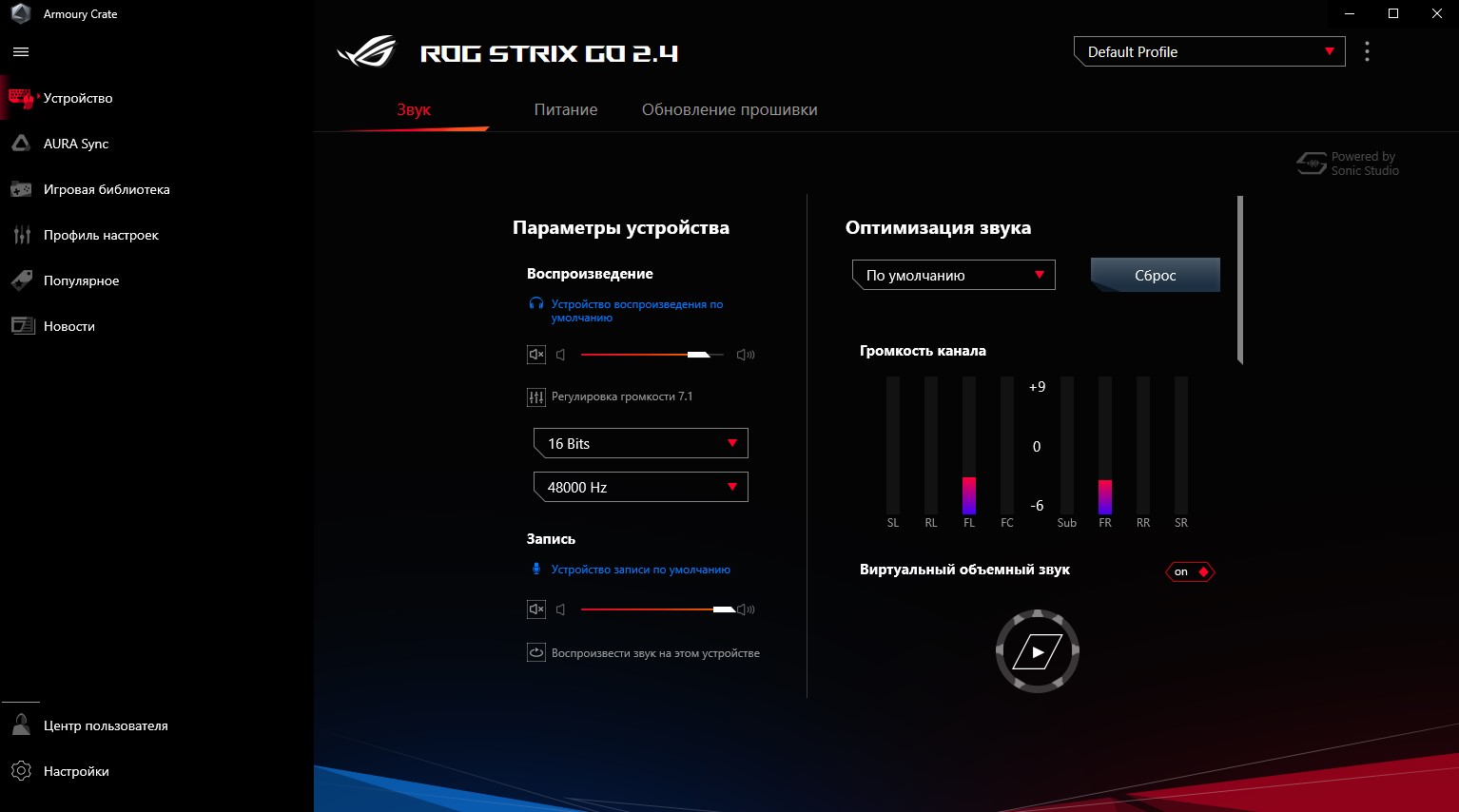
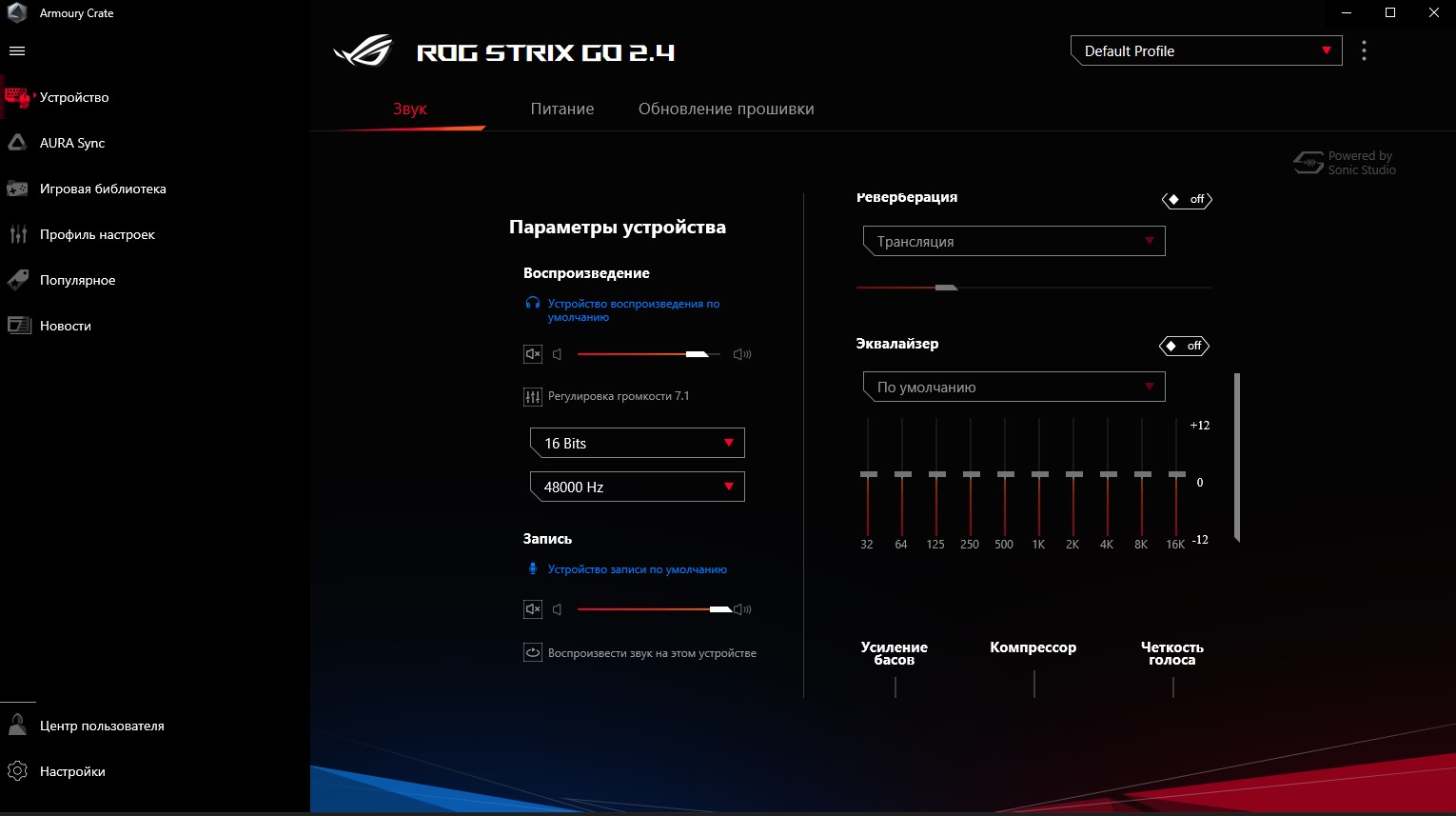
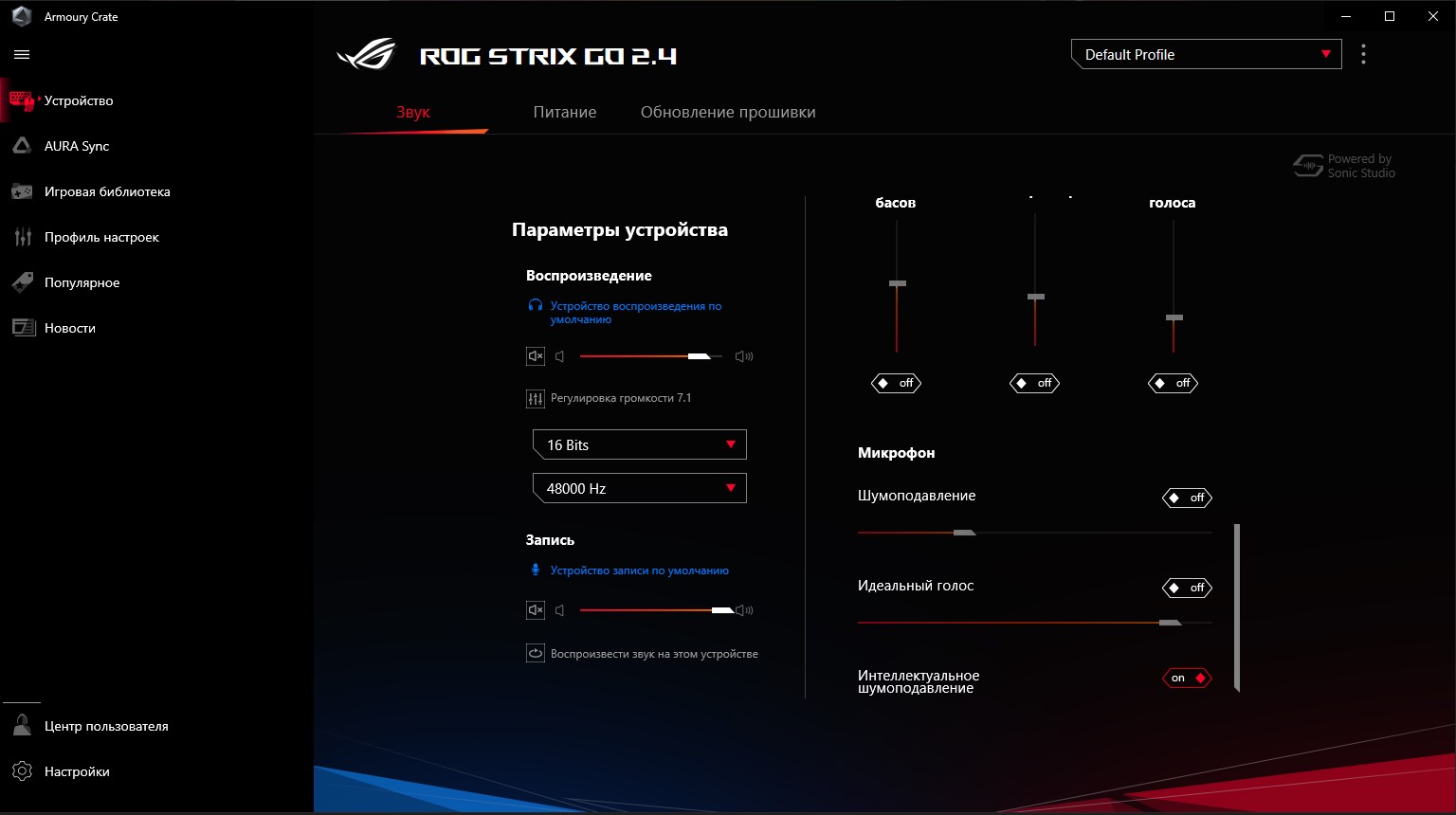
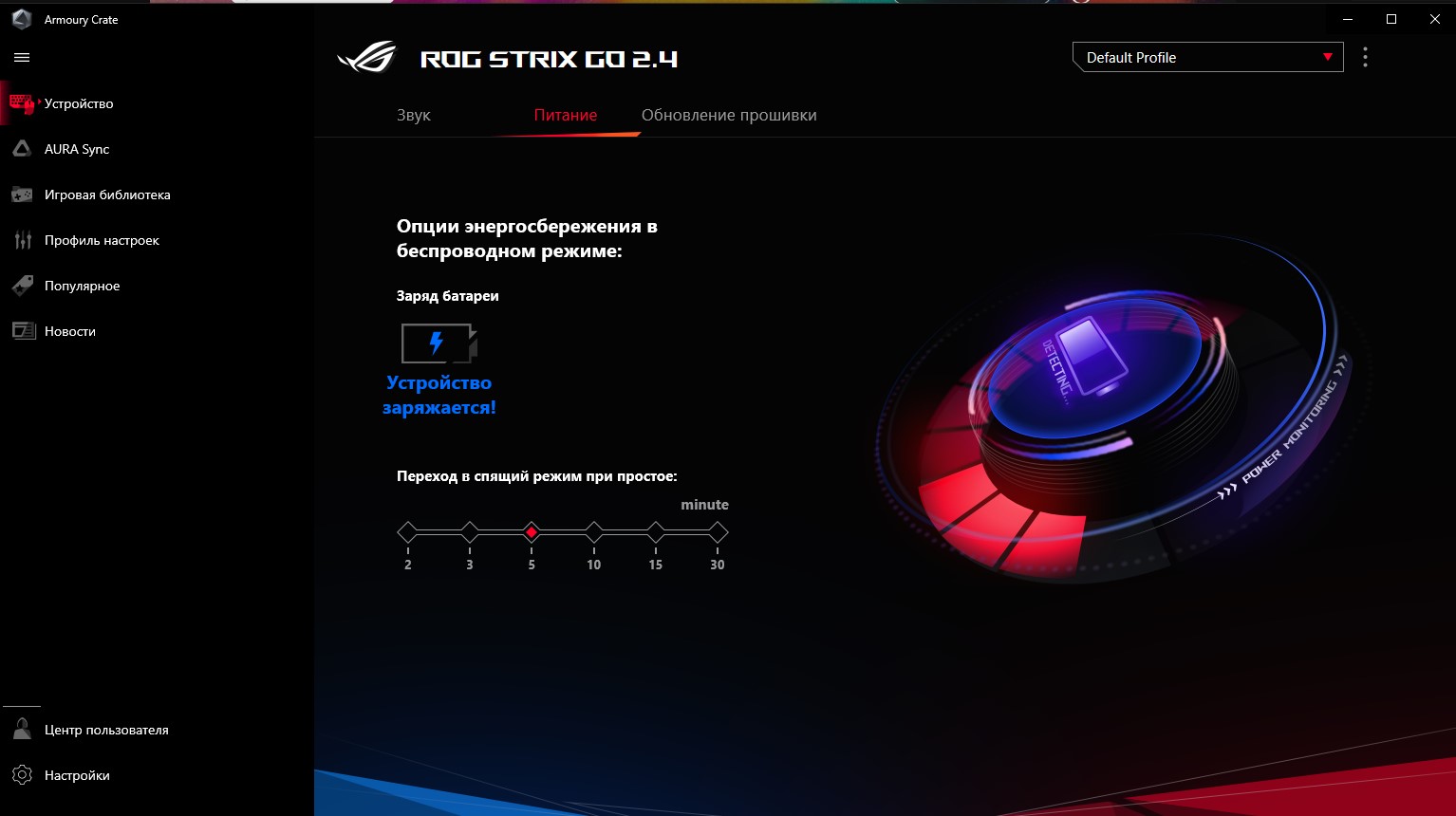
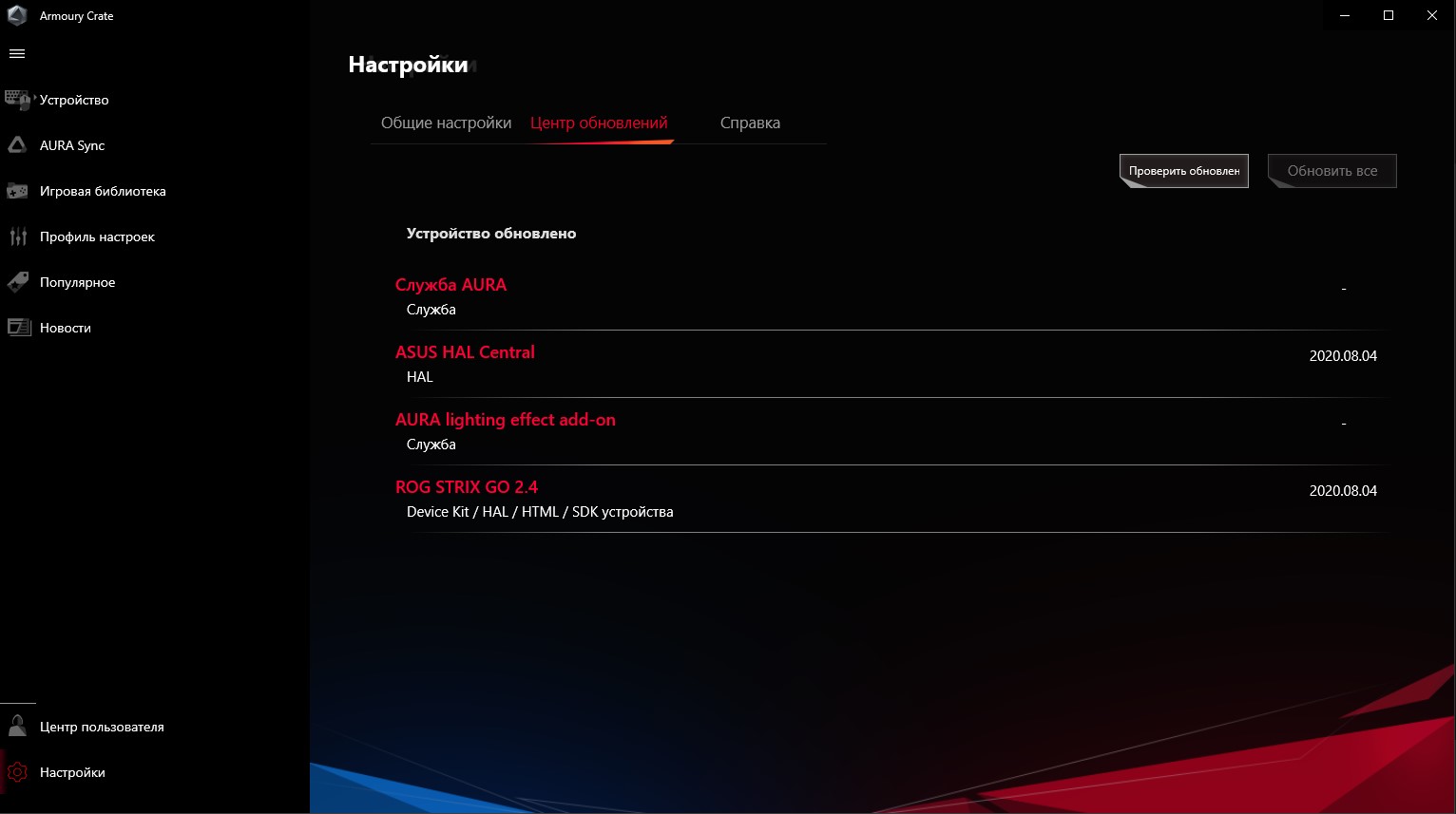
For settings, the same for the entire game is used.peripherals from software manufacturer Armory Crate. In addition to the obvious volume and equalizer, there are a number of additional ones. Including virtual 7.1 sound, noise reduction settings, compression, bass enhancement, voice enhancement and even reverb. By the way, when you first turned it on, virtual 7.1, reverb, and some kind of equalizer preset were enabled by default. Accordingly, the sound… Let's just say I was a little puzzled. But everything returned to normal after turning off all these gadgets. A separate tab displays battery charge and sleep time. The last tab is responsible for software updates.
</ img>
</ img>
</ img>
</ img>
</ img>
</ img>






What is the battery life?
The ASUS ROG Strix GO 2.4 can work 25 hours on a single battery charge. It's hard to say exactly how true this is, but one charge was enough for me for a week of use for about 3 hours a day. So it looks like the real figures are true. There is also fast charging. 15 minutes of charging should be enough for 3 hours of use.
</ p>In the dry residue
ASUS ROG Strix GO 2.4 is a very good gaming headset, the main advantage of which is its versatility. It can be used with all gaming-ready devices the potential owner has: PC, Mac, Nintendo Switch, smartphones, PS4 and Xbox One. Both wireless and wired (Xbox One - wired only). At the same time, it is very comfortable to use and has a convenient shape. Among the useful features, it is worth noting two microphones with noise reduction that actually work, a long operating time on a single charge, and support for fast charging. The sound quality of the headset is quite good, but not amazing. Cost of ASUS ROG Strix GO 2.4 now6100 UAHand for the same money you can buy headphones with moreinteresting sound. But it’s still worth considering the overall functionality and choosing what is more important. Among the controversial issues (in addition to the high cost), it is worth highlighting the beautiful, but extremely impractical Soft-Touch coating, which not only collects fingerprints, but also wears out very quickly.
5 reasons to buy ASUS ROG Strix GO 2.4:
- compatibility with all possible gaming platforms;
- convenient design and stylish appearance;
- AI Mic noise canceling microphones;
- long working time and fast charging;
- functional and user-friendly software.
2 reasons not to buy ASUS ROG Strix GO 2.4:
- high price;
- very easily soiled and short-lived Soft-Touch plastic.
ASUS ROG Strix GO 2.4
Full-size wireless gaming headsetwith closed acoustic design. Compatible with PCs, modern smartphones and Nintendo Switch, PS4 and Xbox consoles. It is connected via a 2.4 GHz radio channel using a complete transmitter, or via a 3.5 mm cable.
Rozetka
Foxtrot
Brain
Telemart
Elmir
We recommend
Specifications ASUS ROG Strix GO 2.4
Headphones
Speakers
dynamic, 40 mm
Frequency range
20-20,000 Hz (2.4 GHz), 10-40,000 Hz (cable)
Impedance
32 Ω
Cable
1.2 m 3.5 mm, removable; 1m Type-C for charging
Connection
wireless, 2.4 GHz, wired 3.5 mm
Weight
290 g
Microphone
Type of
removable bidirectional; built-in omnidirectional
Frequency range
100-8000 Hz
Microphone sensitivity
-54dB
Additionally
noise reduction system based on machine learning

For those that want to know more:
- ASUS TUF Gaming H7 Wireless review: wireless gaming headset for PC, PS4 and Mac
- ASUS ROG Strix Scope Review: Gaming Mechanical Keyboard for Maximum Control I
- Logitech G305 Lightspeed Review: Wireless Gaming Mouse with Excellent Sensor
- Audeze Mobius Review: Planar Magnetic Gaming Headphones with 3D Sound and Motion Tracking
- ASUS ROG Delta review: gaming headset with Type-C, Hi-Fi DAC and RGB-backlight