
</ img>
Lenovo ThinkPad X1 ANC on-ear headphones are an unexpected, but quite interesting representative of the Lenovo ThinkPad X1 line,
Lenovo ThinkPad X1 ANC
On-ear wireless headphones with activenoise reduction, 40 mm dynamic radiators. They are connected via Bluetooth 5.0 and support SBC, AAC, aptX, aptXLL, HP1.7, mSBC codecs, work on a single battery charge up to 14 hours.
Rozetka
MOYO
Hello
Foxtrot
Lenovo Store

We recommend
5 reasons to buy Lenovo ThinkPad X1 ANC:
- Comfortable construction and nice design;
- good implementation of the active noise reduction system;
- the ability to connect to two devices and support SBC, AAC, aptX, aptXLL, HP1.7, mSBC;
- decent battery life;
- simple and intuitive control.
2 reasons not to buy Lenovo ThinkPad X1 ANC:
- you don't like on-ear headphones;
- you are looking for a model with a more serious sound.
Fast passage:
- What is in the box?
- What does Lenovo ThinkPad X1 ANC look like?
- How convenient is the Lenovo ThinkPad X1 ANC to use?
- What about the sound quality and microphone?
- How well does noise reduction work?
- What about autonomy?
- In the dry residue
What is in the box?
</ img>
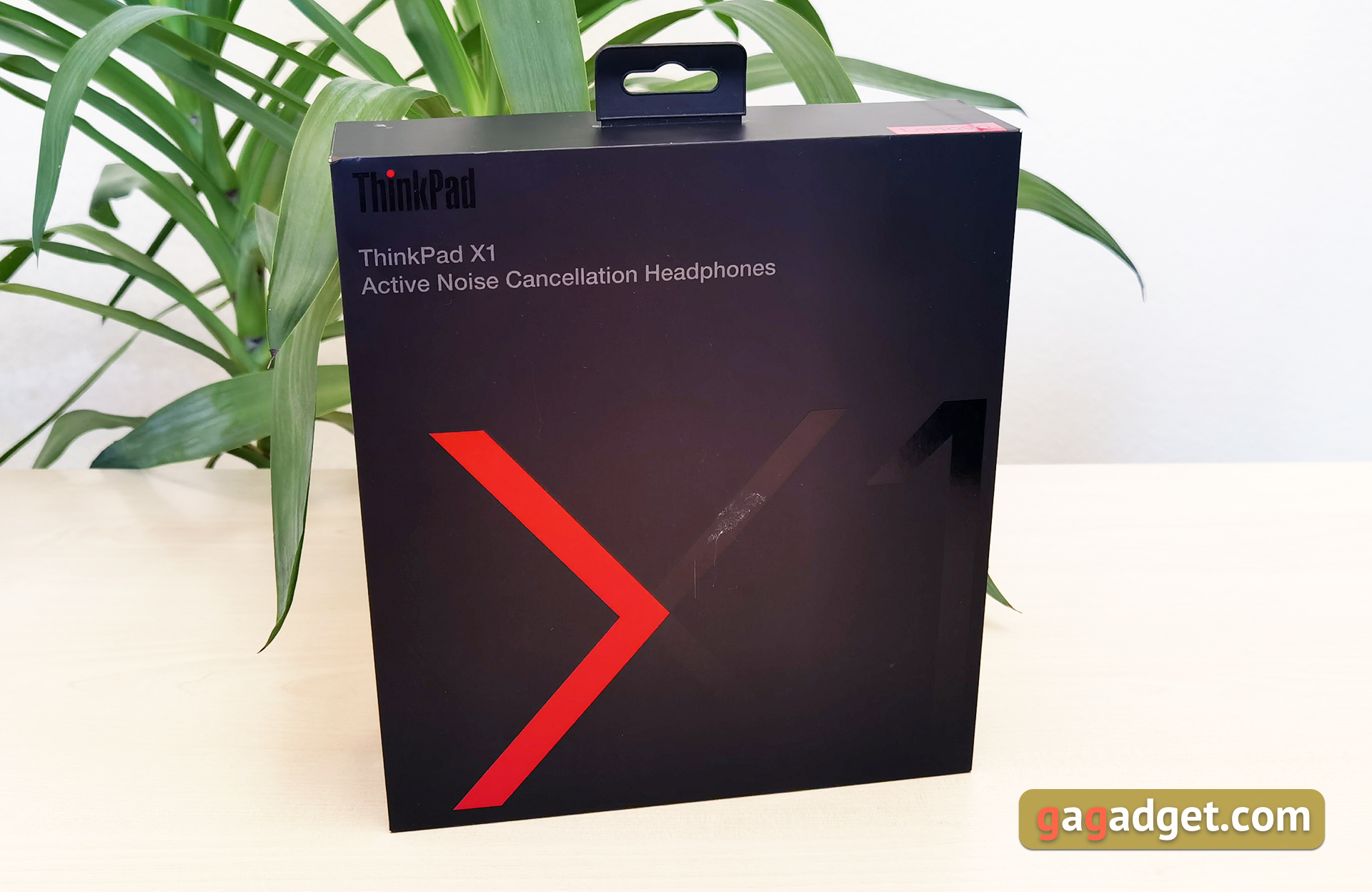
Lenovo ThinkPad X1 ANC comes in largeblack box with a stylized logo of the X1 line. Inside are the headphones themselves in a hard case with a zipper, a USB Type-C cable – USB Type-A for charging and documentation.

</ img>
What does Lenovo ThinkPad X1 ANC look like?

</ img>
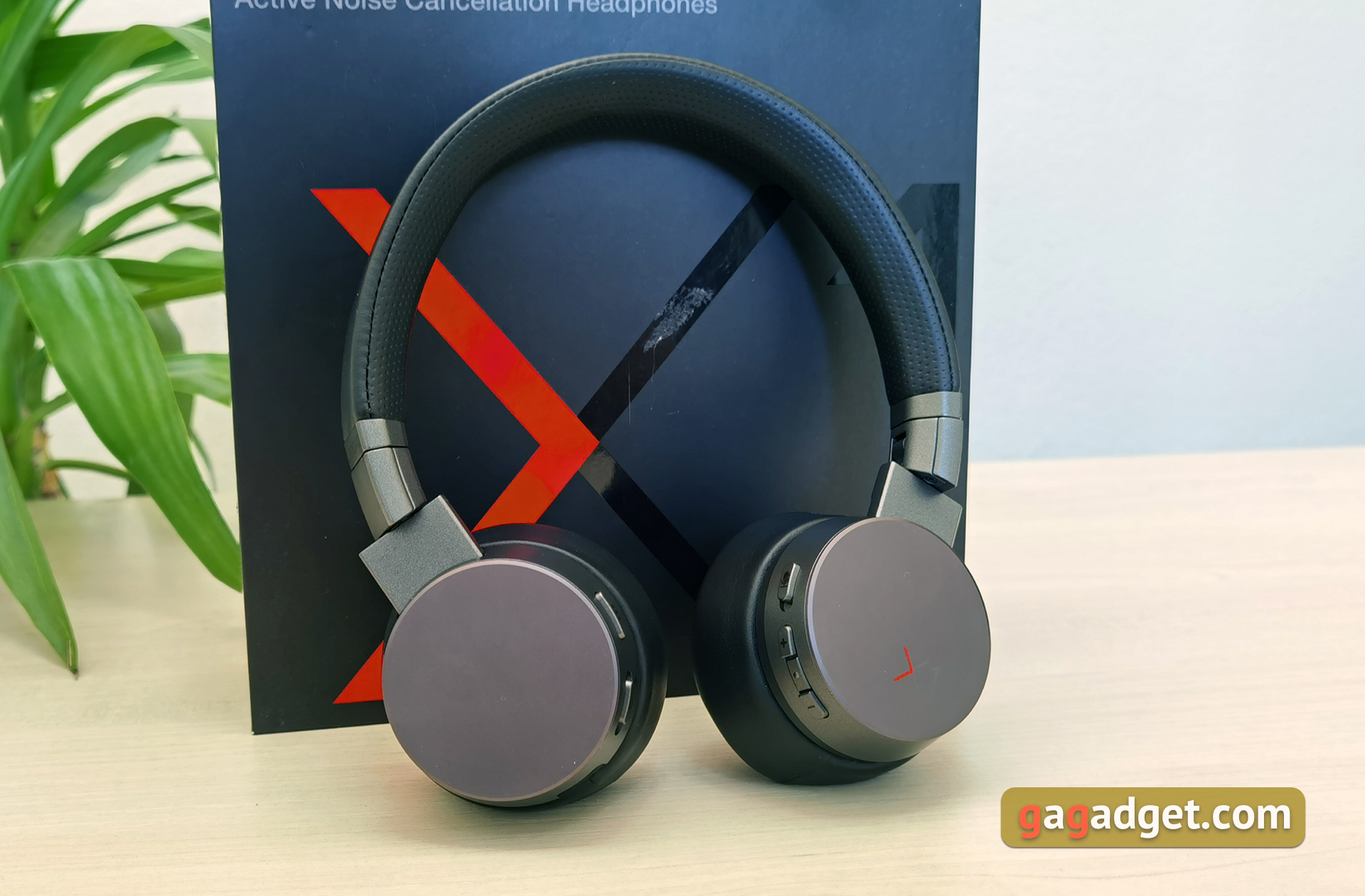
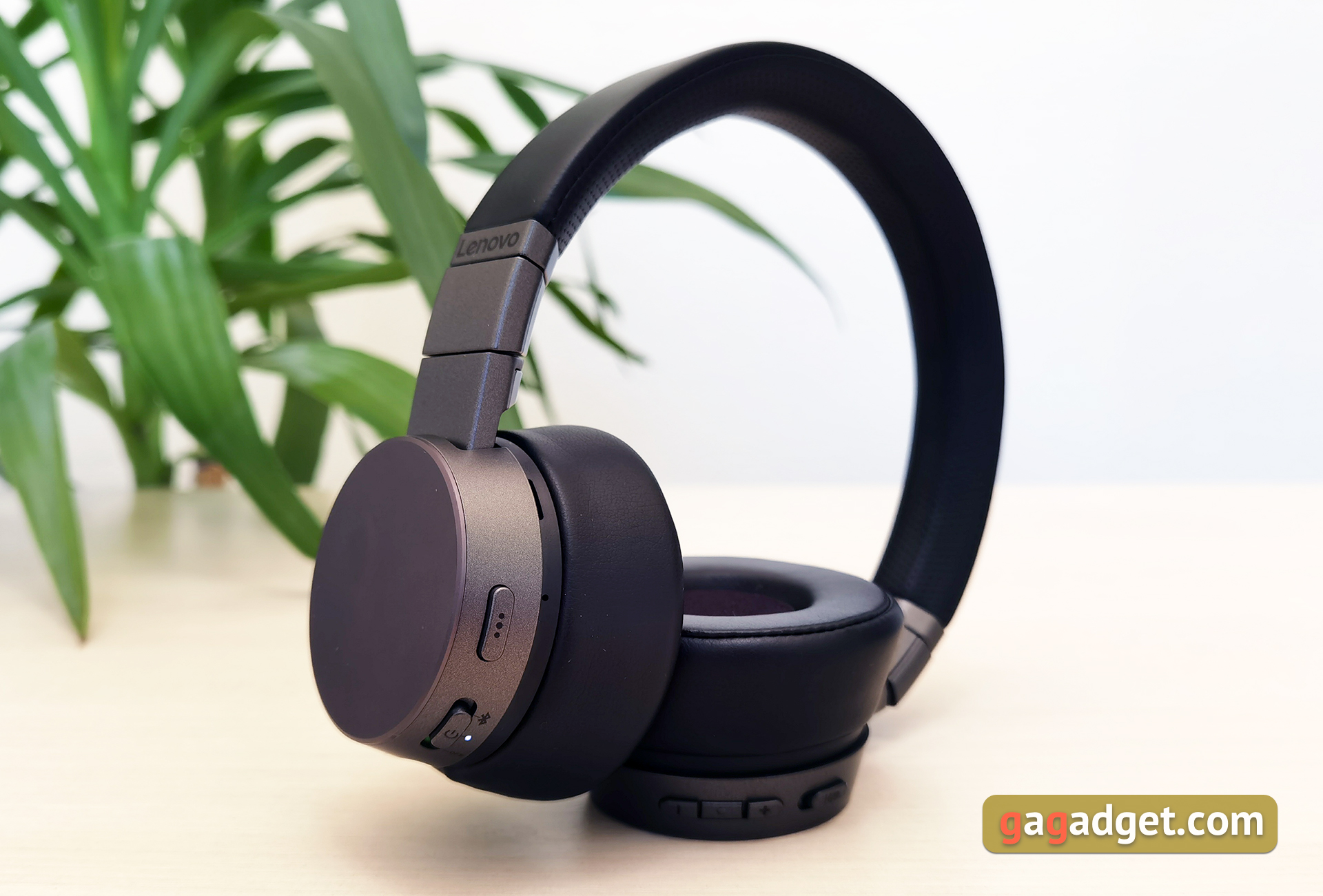
Lenovo ThinkPad X1 ANC are on-ear headphones thatthey are more compact and lighter than full-size models. The earphones are made of plastic, metal and artificial leather. The design and color scheme are laconic and restrained: a combination of dark gray and black. The frame of the headphones and the outer covers of the cups are made of metal. The covers are flat, with decorative elements - only the logo of the X1 line on the right.

</ img>
The cups are quite thick due to the impressive ear pads. Along the perimeter there are holes for additional microphones for an active noise reduction system.

</ img>
The Lenovo ThinkPad X1 ANC uses a standard sliding mechanism to adjust the size. And the headband is upholstered in perforated artificial leather and foam filling.

</ img>
The earcups can be rotated 90 ° for a comfortable fit around your neck when you are not using headphones. And for easy storage and carrying, the cups can be folded inward.

</ img>
</ img>
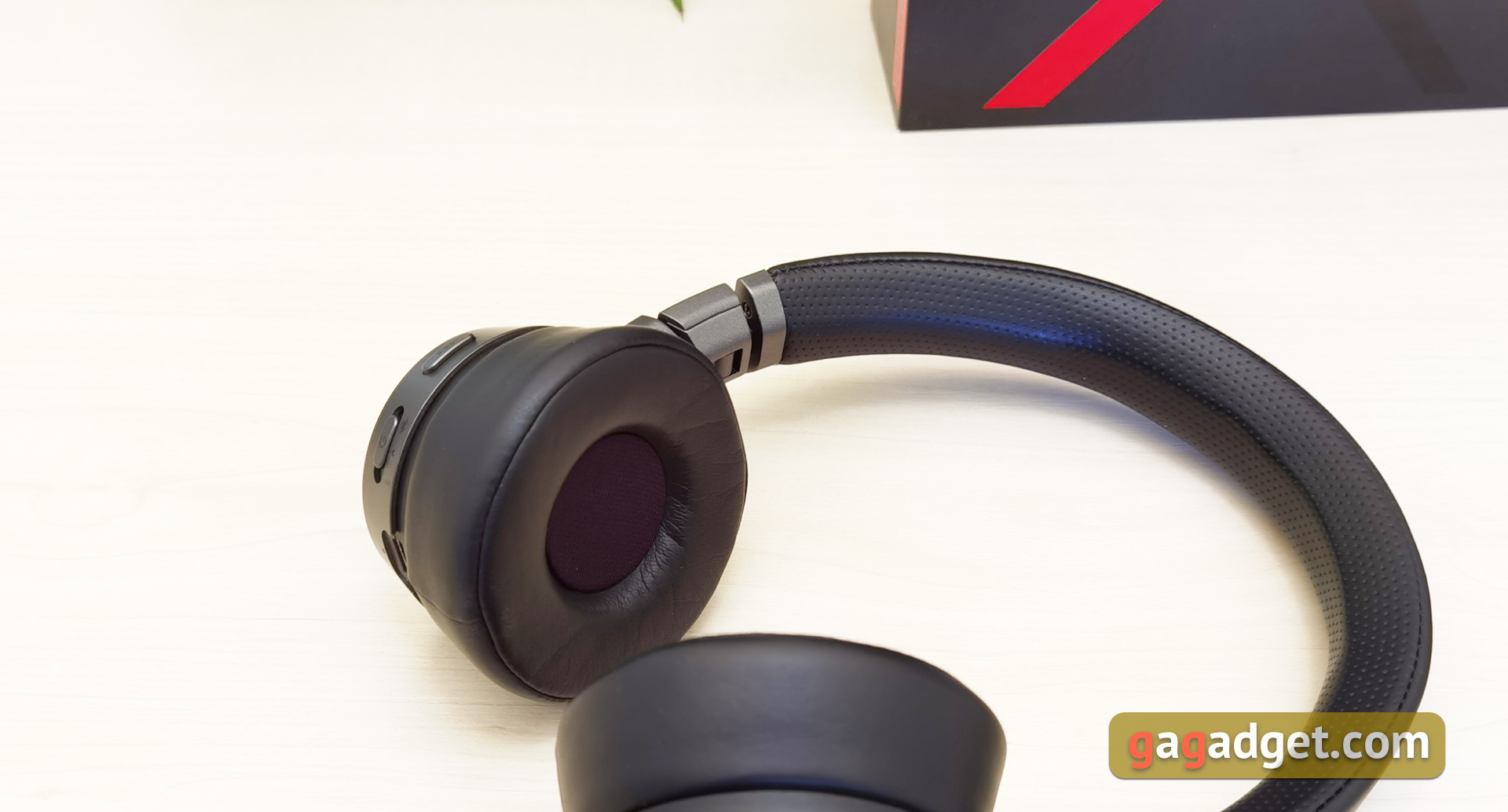
The ear pads do not have a very large diameter, but it will be enough to “cover” ears. They are upholstered in faux leather and have a thick layer of soft foam filling inside.
</ img>
All functional elements are located onthe ends of the headphones. And there are a lot of them. On the left earpiece there is a Type-C connector with an LED for charging, an on / pairing slider and a multifunction button. On the right are the microphone mute slider, volume buttons and a button for selecting the noise canceling mode. How to use it all - we will tell you below.

</ img>
In terms of materials and assembly, everything is done very well.The design is almost good: the headphones themselves look decent and stylish. But, due to their large thickness, the headphones stick out quite strongly to the sides during use, which doesn’t look very aesthetically pleasing.
</ p>How convenient is the Lenovo ThinkPad X1 ANC to use?
Like all on-ear headphones, the Lenovo ThinkPad X1ANC does not hide the ears inside the ear pads, but cover them. Thanks to the thick ear pads and faux leather, passive soundproofing is pretty good. Although, of course, it is inferior to full-size models. The range of headband adjustment is sufficient for any (or almost any) head. The downforce is sufficient for a good fixation of the headphones on the head, they do not fly off during a walk. But with a very sharp movement, I think they can still fly off. Feature of overhead models. In the office (subject to a comfortable ambient temperature), you can sit with headphones for hours, they do not strain. Outside in hot weather, ears start to sweat a little.

</ img>
Bluetooth 5 is used for connection.0, and the headset can be connected to two devices. This is convenient when working in the office: you can connect a laptop and a smartphone. To enter pairing mode, move the slider 2 seconds to the Bluetooth mark. The headset supports SBC, AAC, aptX, aptXLL (Low Latency), HP1.7 and mSBC (Modified SBC). Unfortunately, LDAC was not delivered, but thanks for aptX. There were no questions about the stability of the connection: there are no interruptions or stuttering in line of sight up to the declared 10 m, and maybe more. Headphones also cope with one wall. Also Lenovo ThinkPad X1 ANC can be used by cable when connected to a PC / laptop via USB: the headset is detected by the system as an audio output device.

</ img>

</ img>

No extra apps for LenovoThinkPad X1 ANC is not provided, all control is performed using buttons on the headphones themselves. On the right, there are a couple of buttons for adjusting the volume, between them is a button for selecting the noise reduction mode: two levels of noise reduction intensity and turning it off. Their switching is accompanied by voice prompts. Above is the mute slider. Playback and call control is performed using the multifunction button on the left earpiece. A single press is responsible for pause / resume playback. Double and triple - switch to the next and previous track, respectively. A single press accepts and ends the call, while a long press can reject the call.
</ p>What about the sound and microphone quality?
Lenovo ThinkPad X1 ANC is not clearly positionedas an audiophile solution, so it would be foolish to expect incredibly cool sound from them. But, it is worth noting that any “crime” I didn’t notice anything in the sound of the headphones: the sound is quite adequate and its quality will be absolutely sufficient for the mass user. The headphones do not descend into low-frequency hum, although it is worth saying that there is a certain emphasis on low frequencies. What has already become commonplace in most “mass” headphones that are aimed at popular electronic and pop music, as well as hip-hop. Mid frequencies are present in good quantities, but they sound flat and a little blurry. I would like more details. High frequencies, as one would expect, are softened so as not to hurt the ears in some cases. The imaginary scene is somewhat compressed. In general, as mentioned above, the headphones are suitable for popular music and have enough density and drive. For more complex instrumental music, this is not the best option. Although, again, everyone’s requirements for sound quality are different and I don’t rule out at all that some people will like jazz or metal in the Lenovo ThinkPad X1 ANC.
</ img>
According to Lenovo's official website, the ThinkPad X1ANC has as many as six microphones installed; in addition to active noise reduction, electronic noise reduction is also used to cut off external noise (ANC). ENC, which is designed to clearly transmit the user’s voice to his interlocutor during conversations. As our interlocutors reported during testing of the headphones, speech is indeed transmitted quite clearly, but the voice does not sound very natural and is a little compressed, which is generally typical for such solutions.
</ p>How well does noise reduction work?
Lenovo ThinkPad X1 ANC - overhead model withclosed acoustic design, with passive sound insulation, it is not ideal, but very good. The active noise reduction system has two operating modes. The first one, it seems to me, is better suited for an office, so that nothing distracts from work. The second, more aggressive one, is for use on the road. Monotonous low-frequency background noise is cut off really well on the street. With the metro, of course, “noise reduction” It doesn't cope perfectly, but it reduces the noise level enough to allow you to listen to music comfortably. In general, the implementation of the active noise reduction system does not reach the solutions of Sony or Bose, but the cost of the Lenovo ThinkPad X1 ANC is approximately 2.5 times lower than the recently reviewed Sony WH-1000XM4 with one of the best implementations of the active noise reduction system on the market.
</ p>What about autonomy?
Lenovo ThinkPad built-in battery capacityThe X1 ANC is 800mAh and charges in less than 3 hours. There is support for fast charging: 2 hours of operation after 15 minutes of recharging. They promise up to 14 hours of battery life with noise cancellation turned off and (probably) at 50% volume. In real conditions, this indicator can vary over a wide range. I ended up with about 10 hours of work. The maximum noise reduction level was constantly used and the volume was significantly above average. So the figures are very impressive.
</ p>The bottom line: Three things to know about the Lenovo ThinkPad X1 ANC:
- Lenovo ThinkPad X1 ANC are on-ear headphones with closed acoustic design and a well-implemented active noise canceling system.
- Bluetooth 5.0 is used for connection, there is support for connecting to two devices and SBC, AAC, aptX, aptXLL, HP1.7, mSBC codecs;
- Without active noise canceling, the headphones can work up to 14 hours, and 15 minutes of charging will provide 2 hours of work.
Lenovo ThinkPad X1 ANC
Emitters
40 mm dynamic
Frequency range
20 Hz - 20,000 Hz
Form factor
Invoices
Connection
Bluetooth 5.0
Supported Codecs
SBC, AAC, aptX, aptXLL, HP1.7, mSBC
Radius of action
10 m
Wired connection
USB Type-C
Battery
until 15:00; fast charging
Additionally
active noise cancellation

For those that want to know more:
- Sony WH-1000XM4 review: still the best over-ear noise canceling headphones
- Are the beans falling out of your ears? Samsung Galaxy Buds Live review
- OPPO Enco W31 review: true wireless waterproof earbuds with touch control
- Samsung Galaxy Buds + review: miniature TWS headphones with wireless charging
- Mixcder T2 sports TWS earbuds review: a day of work is not for all the money in the world
- Sony WH-1000XM3 review: earphones that cannot be exceeded
- Huawei FreeBuds 3 Review: Active Noise Canceling TWS Headphones
- MPOW T5 review: TWS cordless headphones with long half-price
- Overview of vivo TWS 1: true wireless headphones with the flagship Qualcomm QCC5126 processor