Apple has finally released iOS 14 and iPadOS 14 to all users. And this is no longer a beta release, but a full-fledged one
Like all Apple software updates, iOS 14 and iPadOS 14 are free to download. iOS 14 is available on iPhone 6s and later, and iPadOS 14 is available on iPad Air 2 and later.
Download iOS 14 and iPadOS 14
You can download updates over a wireless network inSettings app> General>Software update. It may take a few minutes for updates to be distributed to everyone due to high demand. It is possible that the update may not arrive at the same time for everyone.
Below you can see a description of all the new features available in iOS 14.
What's new?
Widgets
There are dozens of major new features in the iOS 14 updatefeatures and changes, but the most notable change may be the redesigned home screen, which adds support for widgets for the first time. The widgets are available in three sizes and can be customized using the new widget gallery.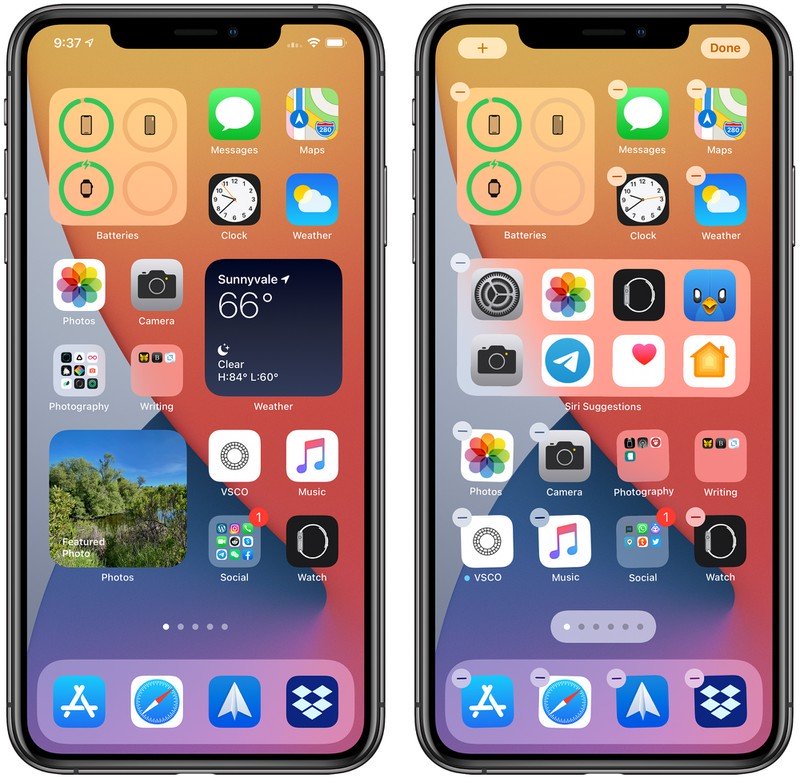
Application library
Application Library, new feature, showsGet all the apps installed on your iPhone in one place, both as icons organized into smart categories and alphabetically. Since all apps are listed in the app library, app icons and home screen pages can be hidden for a better look.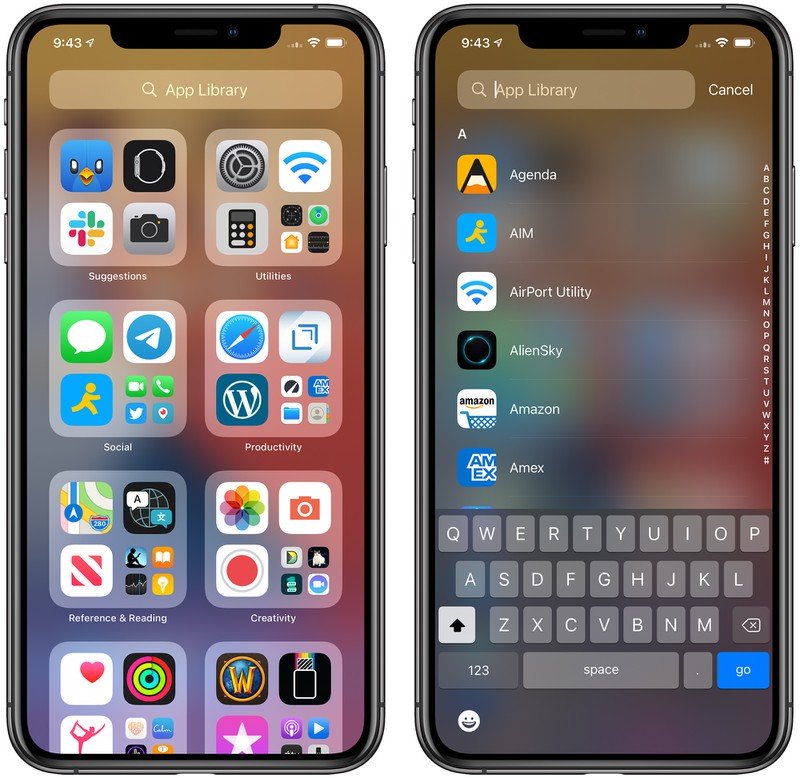
Compact user interface
Apple has added new compact elementsuser interface. Incoming phone and FaceTime calls no longer occupy the entire iPhone (and iPad) display, and Siri requests have been minimized so Siri no longer occupies the display when activated.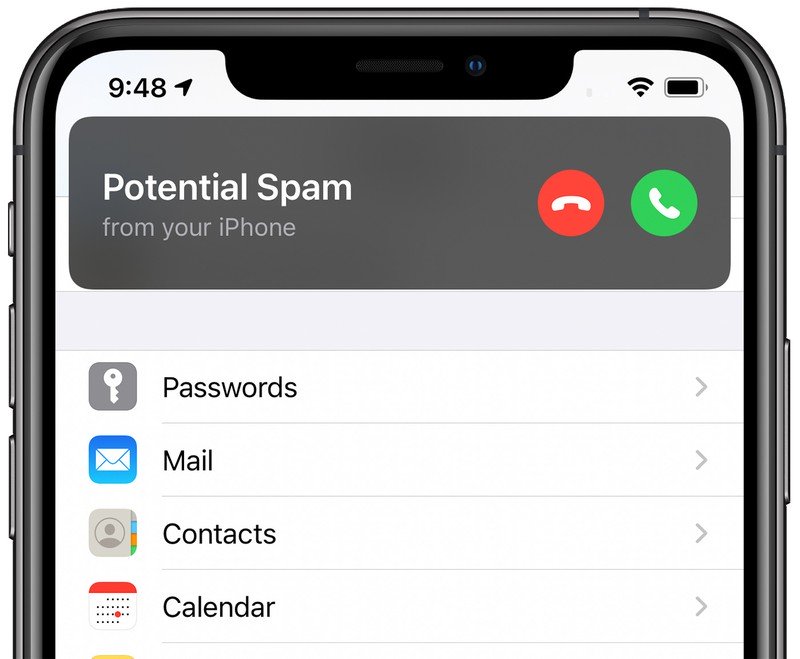
Picture in Picture
Picture-in-Picture allows you towatch videos or use FaceTime while accessing other apps, so you no longer need to pause what you are doing on your iPhone or iPad while chatting.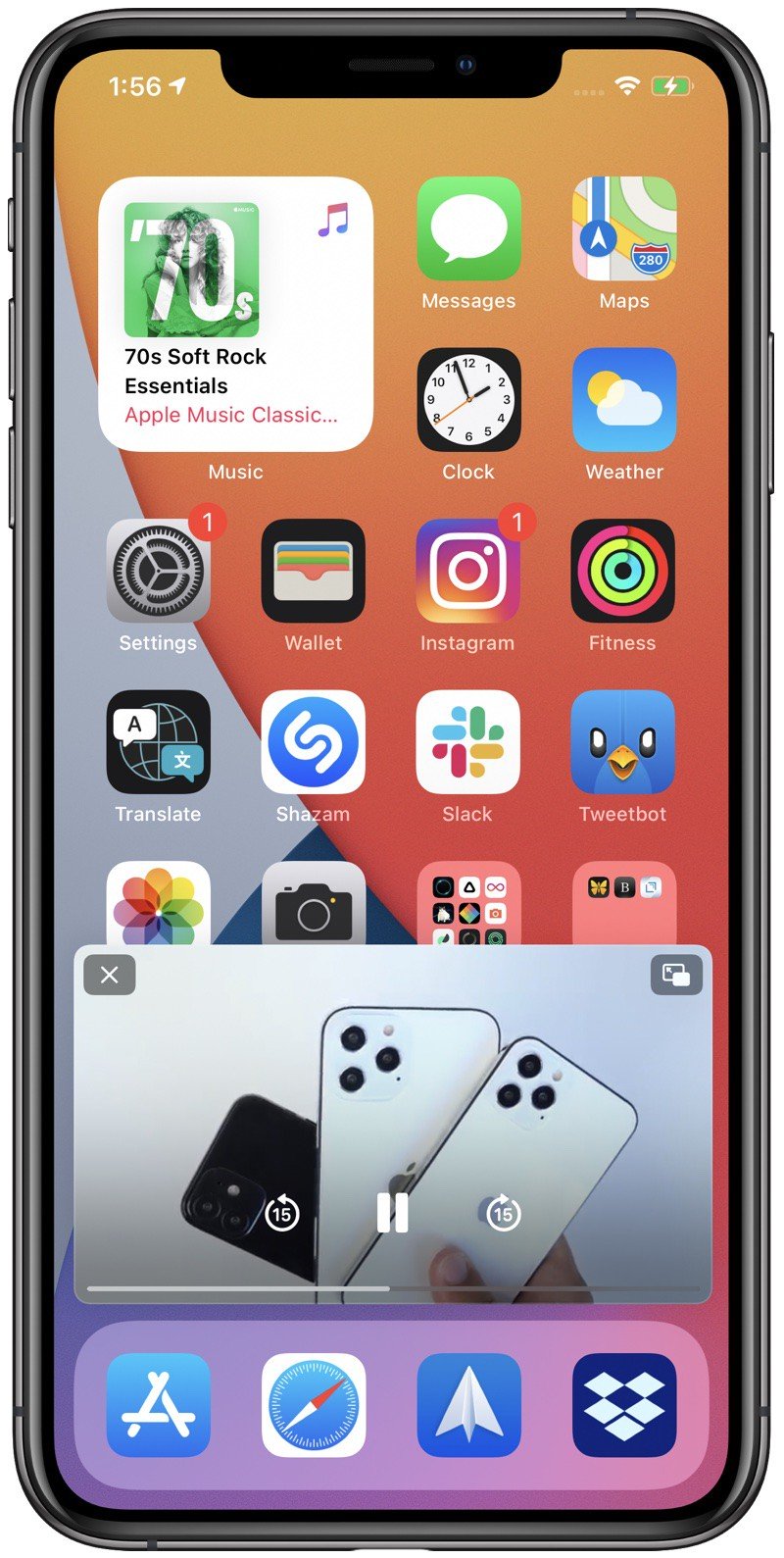
App clips
A feature called App Clips lets youuse some elements of the application without having to download the entire application, which is useful for quick actions such as buying a coffee or booking a table at a restaurant. Application clips can be scanned using QR codes, NFC tags, or codes developed by Apple, and can be published in messages or accessed from Safari.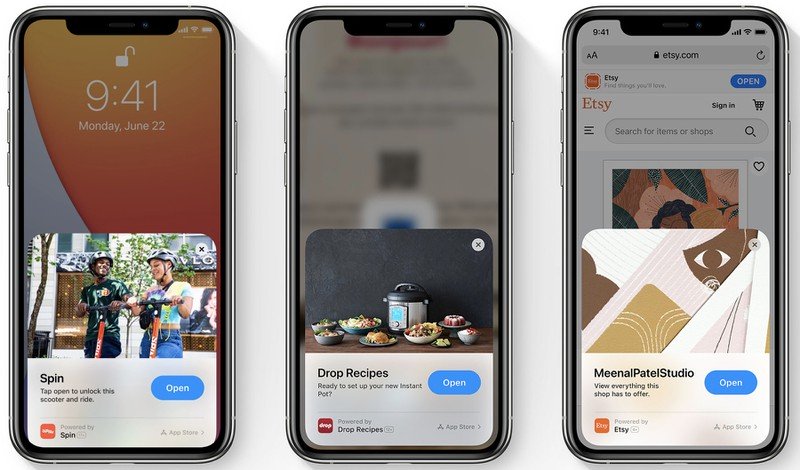
Messages
The Messages app allows you to pin the mostimportant conversations at the top of the screen with round icons for your loved ones or groups. The @mentions feature ensures that you never miss an important conversation in a group chat, and the built-in replies make your communication between people better organized. Apple has added new Memoji options, and group chats can be customized with new icons with photos, emoticons, or Memoji.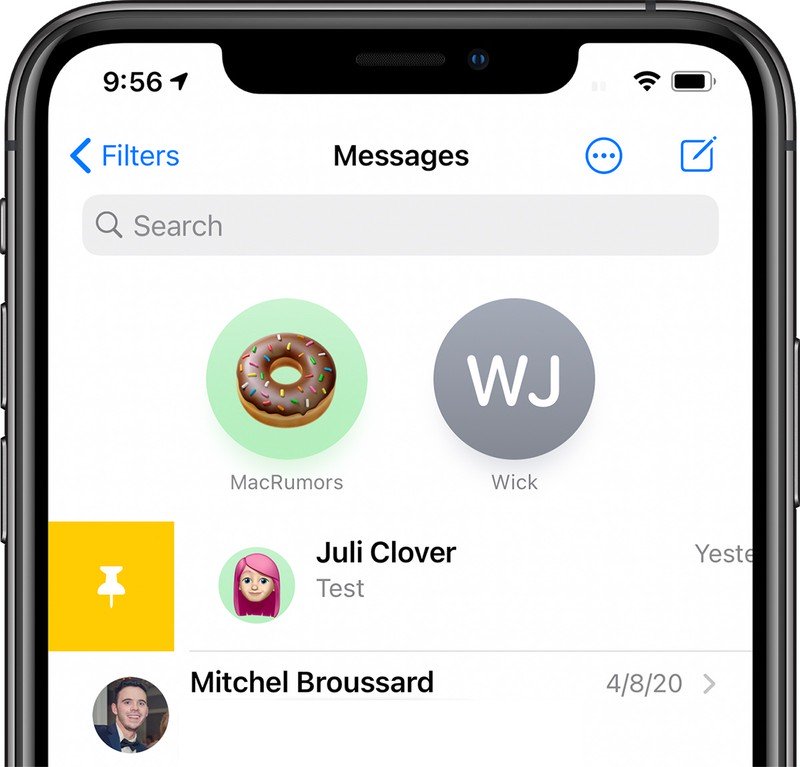
Health app
The Health app supports the functionApple Watch sleep tracking and Sleep Time and Rest Time options to help you sleep better. The Health Checklist lets you make sure all of your health settings are correct, and the Weather app offers minute-by-minute rainfall reports and severe weather alerts.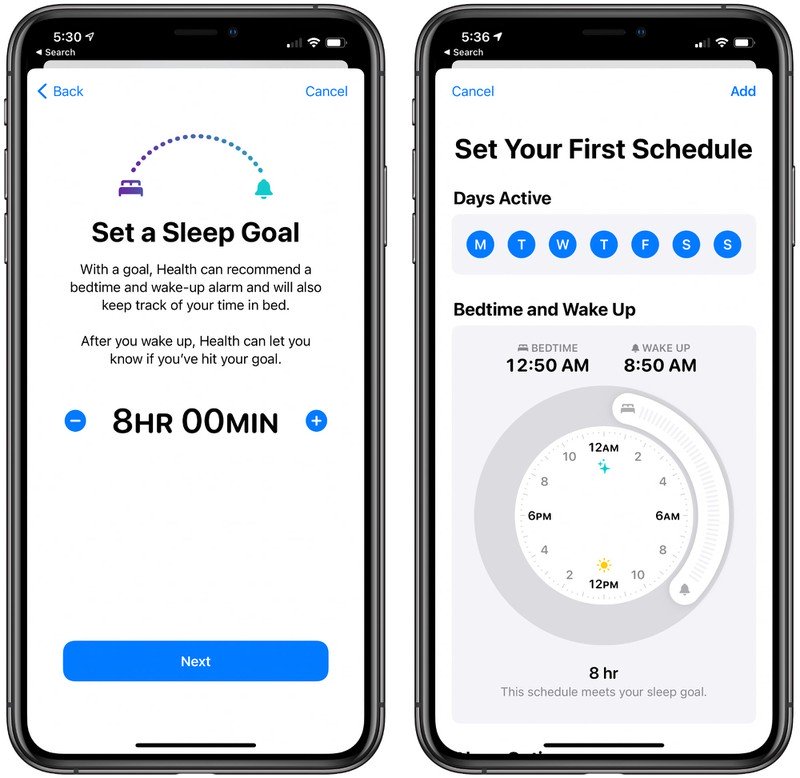
Cards
Maps app gets bike routes,which include metrics such as elevation, street congestion and stairs, and for EV owners there are route planning options with stops to charge EVs. Collections is now called Travel Guides, and Apple offers carefully curated travel guides created in partnership with trusted companies to give you recommendations for places to visit and restaurants to eat when you visit a new city.
Interpreter
A special application "Translator" providestranslation of text and voice into and from 11 languages, with voice text options and a conversation mode that helps you chat with someone who speaks another language. Safari also has a built-in translator in iOS 14.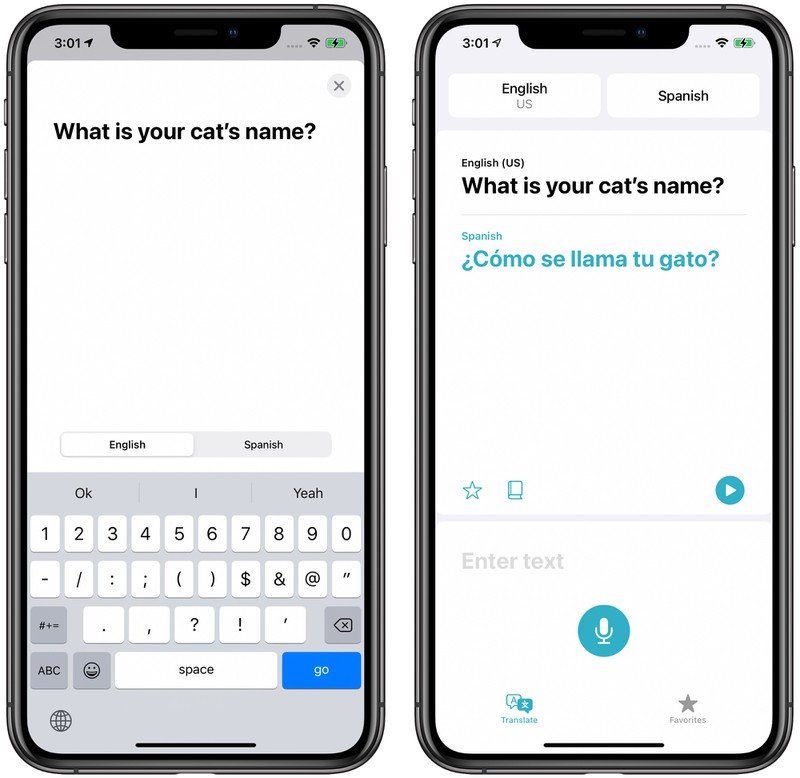
Confidentiality
Apple is always adding tons of new featuresprivacy with every iOS update, and iOS 14 is no exception. Now you can tell apps an approximate, not an exact location, and you can limit the number of photos an app can see.
Safari has a privacy report thatlets you know which websites have trackers and how often trackers are blocked by the built-in Intelligent Tracking Prevention. The icons at the top of the iPhone tell you when an app is accessing a camera or microphone, so no apps can use them in the background without your knowledge.
Family setting up Apple Watch
Along with the watchOS 7 iOS 14 updateSupports a new Family Customization feature that lets iPhone owners manage and customize their Apple Watch for kids or older family members who don't have an iPhone. Parents control contacts and downloaded apps, there is a school mode to restrict Apple Watch functions when needed, and location tracking with Find My.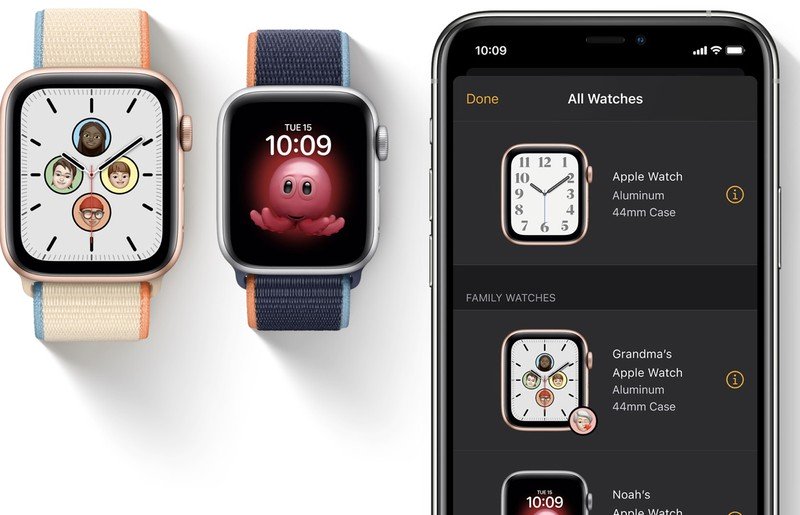
With the family setting, kids can callparents and send text messages, talk to Siri, stream music, download apps, use the new Memoji app to create Memoji, and use Apple Pay with parent-provided funds. Family Sharing also includes activity tracking options that provide minutes of movement instead of active calories burned, and activity tracking has been optimized for kids. For the elderly, this function supports the management of health parameters such as fall detection.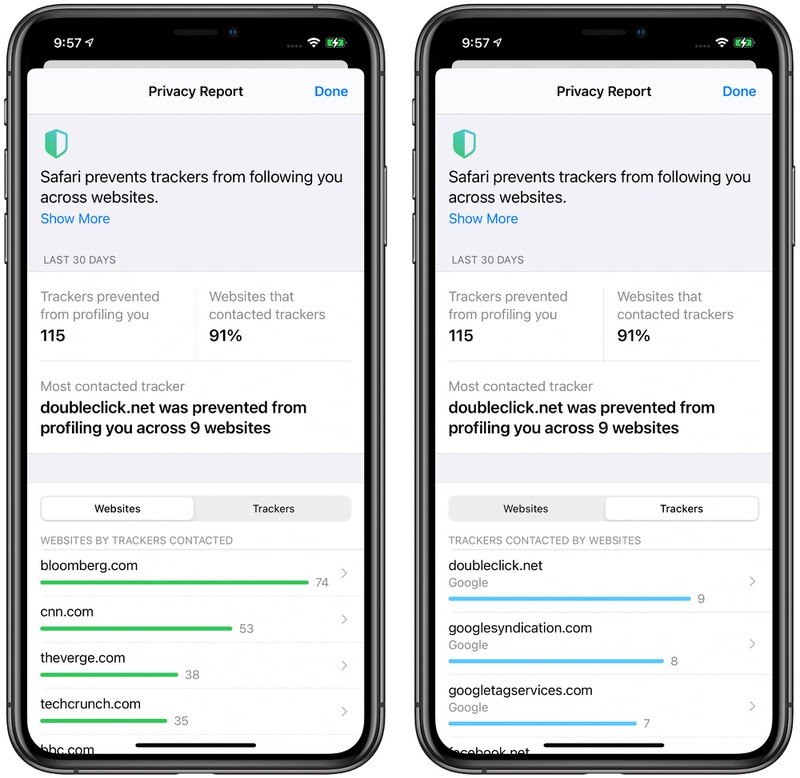
App Privacy Label
App Store apps get newA nutrition label that will let you know what data will be collected before you download an app, and next year Apple plans to require apps to ask you before tracking your device's use across apps.
Change the default browser and mail
Third party browsers and email applications mayinstalled by default, and new features are available for AirPods. AirPods and AirPods Pro can automatically switch between iPhone, iPad, Mac and Apple Watch when switching between devices, and AirPods Pro get a new spatial audio feature that offers cinema-like surround sound through built-in features.
Fitness +
Later this year, the Fitness app on iPhonewill include access to the new Fitness + service, which will allow Apple Watch owners to access guided workouts on Apple TV, iPhone and iPad. Videos can be viewed on iPhone, iPad, and Apple TV, and Apple Watch tracks fitness progress and achievements. Workouts cover multiple workout categories including yoga, dance, core, HIIT, rowing, strength, and more, and the app provides personalized workout guidance and customizable settings such as workout duration, coach, and music.
Download iPadOS 14
Many of these features are common to iOS 14and iPadOS 14, but the iPad lacks the App Library and changes to the Home screen. It has several exclusive features of its own, such as enhanced support for Apple Pencil. Apple Pencil can now be used in any text field, and handwriting is automatically converted to typed text — a feature Apple calls Scribble.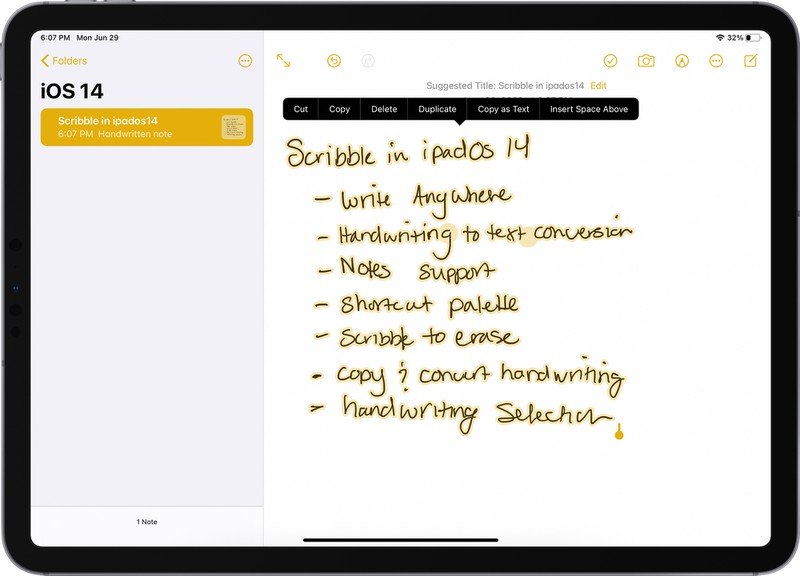
In Notes app, you can write text fromhand and convert it to typed text, while convenient features like Smart Selection let you select written text and then copy it in typed text format to another application. There is a shape recognition feature that lets you draw a rough shape like a star, which is then transformed into a perfect geometric shape to make your notes look neater than ever, and there are new features for detecting handwritten addresses, phone numbers, email addresses, and etc.