Download iOS 14
Apple announced the release of iOS 14 officially as part of WWDC 2020. You can download iOS 14 today. A

release date
Here are the release dates for the beta and final version of iOS 14:
- Beta version for developers — June 22, 2020
- Public beta — July 2020
- Final release — autumn 2020
Read also — watchOS 7: what's new on Apple Watch. Download
List of supported devices
Which devices are getting iOS 14?Traditionally, Apple kept its devices on a strict five-year update cycle and phased out devices that were five years older than the latest version of iOS. Surprisingly, iOS 13 hasn't actually followed in these footsteps and removed the iPhone 6s and 6s Plus from the list of supported devices. Luckily, iOS 14 will be available for all iOS 13 devices.
Here is a list of iPhones that will receive iOS 14 in the fall:
- iPhone SE
- iPhone 6s
- iPhone 6s Plus
- iPhone 7
- iPhone 7 Plus
- iPhone 8
- iPhone 8 Plus
- iPhone X
- iPhone XR
- iPhone XS
- iPhone XS Max
- iPhone 11
- iPhone 11 Pro
- iPhone 11 Pro Max
- iPhone SE (2020)
What's new?
The biggest preview change in iOS 14— updated and much more functional home screen. Apple has been conservative in its approach to the iPhone home screen, but this year's iOS 14 rocks a lot of new things, including some previously customizable Android features.
- Application library
Application Library — this is a new formatApp Display, which involves displaying apps on your iPhone in different folder-like groups. You receive suggestions based on app categories (such as entertainment, social, gaming, etc.) or based on your own usage patterns. Apple has made iOS 14 more flexible in learning your habits to provide users with more custom features.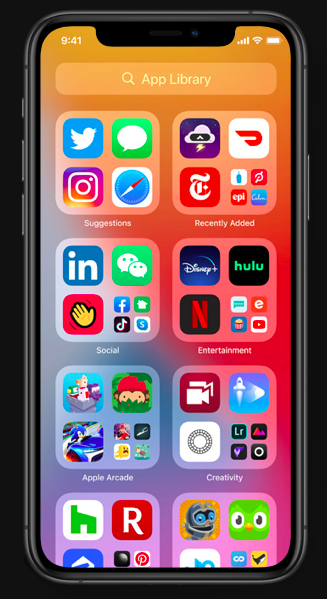
The application library also comes with a search function with a list view that allows you to quickly search for applications installed on your iPhone.
- Widgets
Widgets in iOS 14 have become more functional andmore customizable than ever before. They are becoming more and more similar to their Android counterparts. The company has redesigned them to fit almost anywhere on your home screen, and they now hold more data than ever before. You can choose from a variety of different styles that can be customized and dragged around your home screen, while app icons automatically change to make room for the widget.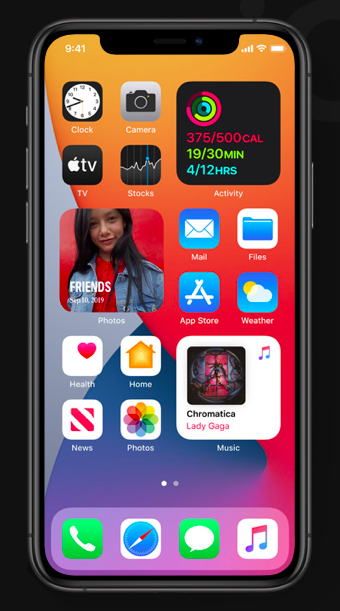
One of the great new widgets in iOS 14,presented on stage is the Smart Stack — a “blank” widget that you can place on your home screen and switch it to whatever widget you might need at the moment. It's sort of like a widget gallery that you can quickly view at any time or set to automatically change the widget for you based on your usage patterns or time of day.
- Picture in Picture
Picture-in-Picture (PiP) in iOS 14 lets youWatch and listen to videos while interacting with other applications on your iPhone. If you watch a video inside an application and switch to another application, it is compressed into a floating window, which you can drag around the screen, while using another application, such as iMessage or Email.
- Siri
Siri's new compact design in iOS 14 that doesn'ttakes up the whole screen every time you ask for something. When you ask about certain things in iOS 14, such as launching an application or adding items to the list, Siri appears in a small bubble at the bottom and performs an action without obscuring most of your review.
But the new Siri design in iOS 14 — it's justpart of history. Apple's AI assistant also gets smarter in this update. On stage, Apple shared that Siri processes an average of 25 billion requests every month and showed how the assistant will be more deeply integrated into iOS 14.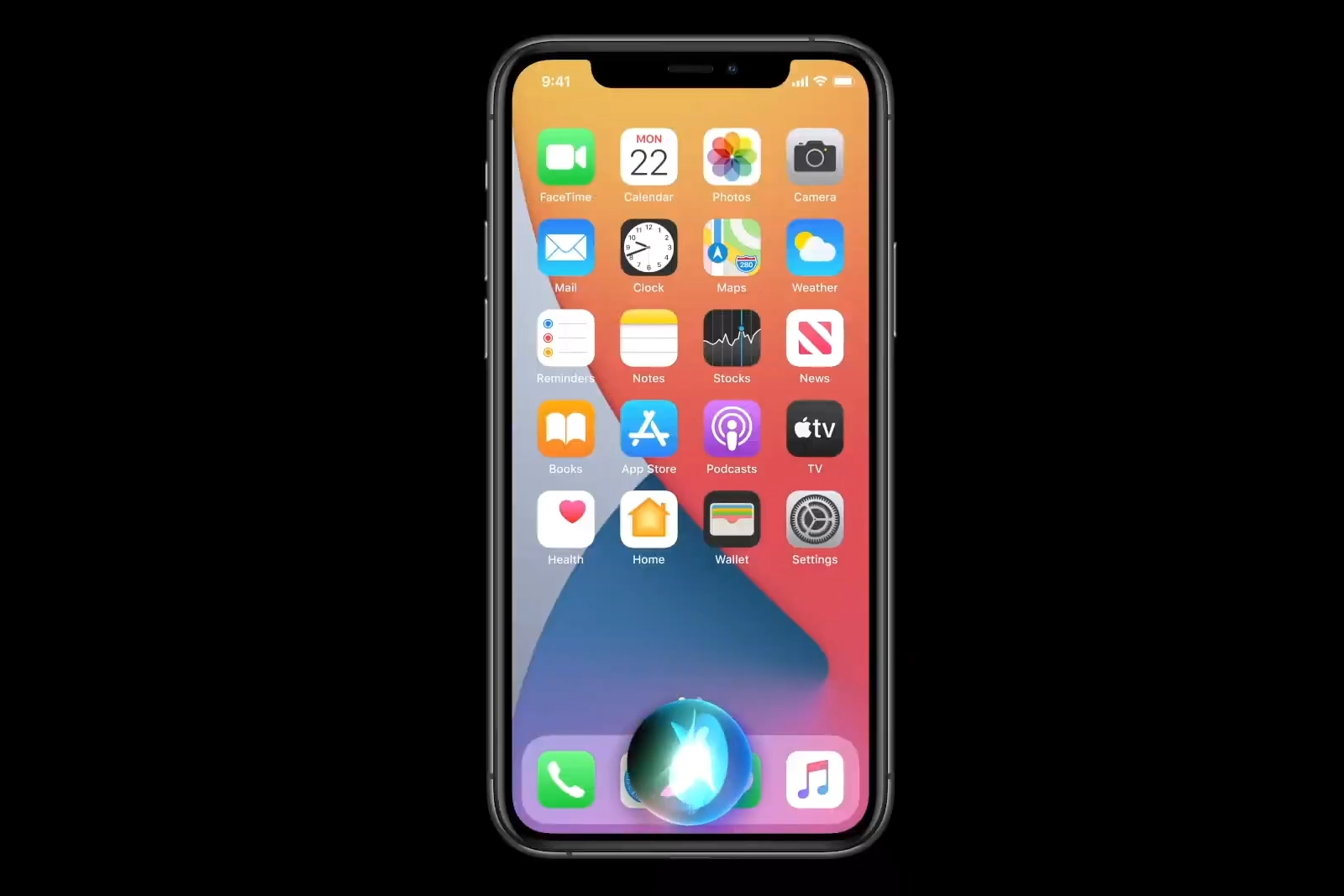
For example, now you can ask Sirisend an audio message, and Siri will start recording your message, while a small window with recording controls will appear at the top of the screen. With the same voice recognition as Siri, the Apple keyboard now supports dictation when you don't want to type.
- Translation
Apple's new translation app — Thisisn't a simple translation tool that you can use to look up words (although you can), but instead it's designed to translate whole conversations in real time, both offline and offline. Using advanced on-device machine learning and a powerful neural engine, you can translate text and speech into any combination of eleven languages (English, Mandarin Chinese, French, German, Spanish, Italian, Japanese, Korean, Arabic, Portuguese, Russian). Presumably, support for more languages will be gradually introduced.
- Messages
iMessage in iOS 14 has improved control overconversations and many other group chat options. We've added some great improvements that make it easier to sort your messages and communicate with friends. You can now pin important conversations to your iMessage home screen so they don't get lost when new messages arrive. Once pinned, conversations appear at the top of the list. You can unpin them at any time by swiping right.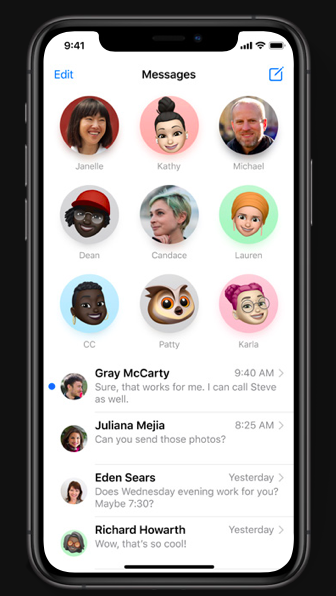
Memoji gets many new customization features iniOS 14. More than 20 new styles for hair and hats, “face masks” (a.k.a masks), more options for age, as well as new options for Memoji stickers.
Group chats in iMessage now have built-inreplies that allow you to directly respond to specific messages. Answers will be combined into your own topics, which you can view on your own or as part of a common conversation. Mentions let you tag people in Slack-style group conversations so you can easily ping your friends.
- Apple maps
Apple has been rebuilding its cards for quite some timefrom scratch. At the beginning of this year, a new map was launched in the United States with improved navigation and more detailed details for roads, footpaths and attractions. This year’s updated Maps application will appear in many countries, including the United Kingdom, Ireland and Canada.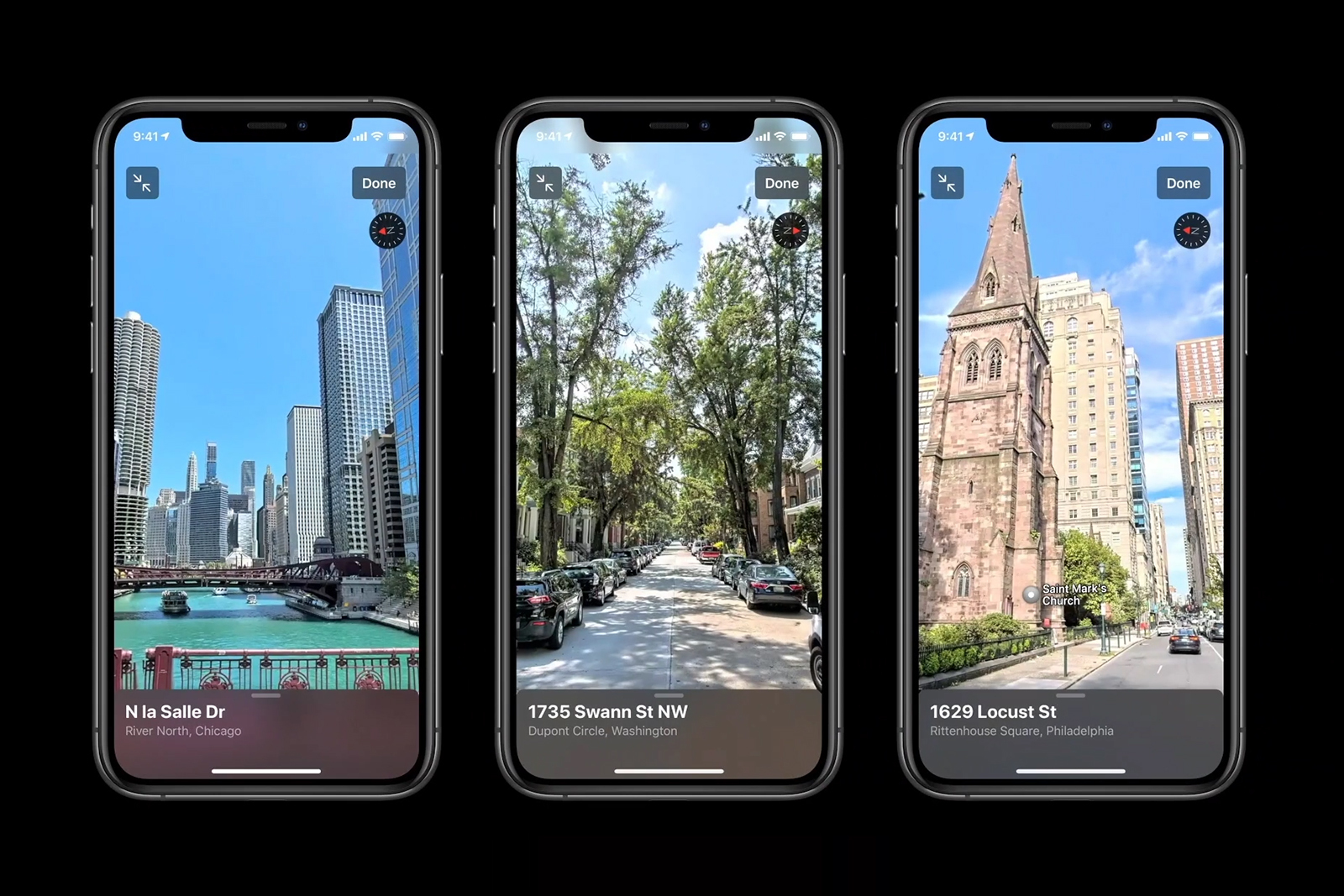
New Cards also serve as the basis for newfeatures that allow users to find new places that they love and help them move around with more care for the environment. In iOS 14, Apple has teamed up with some major brands to offer curated guides to major cities around the world. You can save the manuals so that you can return to them later, and they are automatically updated after the curators add new places, so you always get the latest information.
In addition to the fact that you discover newplaces, Apple Maps now helps you get there, which is best for the planet. With iOS 14, bicycle navigation will appear on Apple Maps. This feature has been around for a long time and is a huge addition to the platform. Cycling is currently available in 5 locations, but many more will be added in the coming months. Another green option to work around is EV routing. If you have an electric car, Apple Maps can help reduce range anxiety. The updated app tracks your current charge and weather and altitude factors to dynamically add charging stops. The app knows which charger your car is using, so it always directs you to the correct charging station.
Places supported by Apple Maps for bicycle navigation: New York, Los Angeles, San Francisco Bay, Shanghai, Beijing.
- App clips
Starting with iOS 14, Apple introduces App Clips— bite-sized apps that are fast, easy to discover, and most importantly, don't require you to install a separate app to do anything. Application Clips — these are card-style snippets that can be used by various apps to allow you to do things like scan codes, purchase items, or pay online. For example, when you scan an NFC tag associated with a parking space, an Apple Pay snippet will appear on your screen, prompting you to pay for the space without downloading anything to your phone or registering.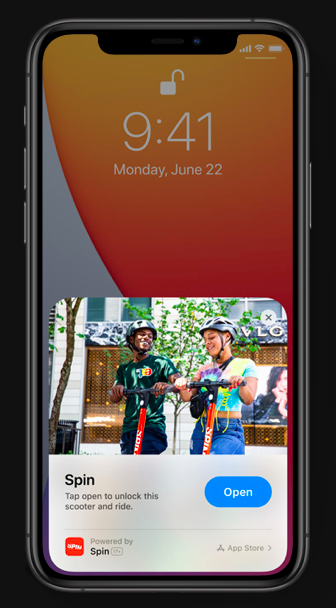
Application clips can be easily detected inyour application library or running from the Internet or various applications that support them. They can be transmitted via iMessage or using so-called “application codes,” which you can scan with the camera to launch specific application clips. This will allow many small companies, which may not have full-fledged applications, easier to deliver their products to users on iOS 14.
- iOS 14 allows users to set a default browser other than Safari, as well as another email application
Now you can set your default browser,different from Safari and the default email app that is not made by Apple. This has been one of the main complaints about iOS for years. While this opens up access to many third-party apps, it's a truly huge opportunity for Google's archrival: Chrome could now be the default browser and Gmail — default email client on iPhone.
At the same time, this does not quite open the ecosystem: you will still NOT be able to install various default applications for cameras, maps, and music. So, sorry, you cannot replace Spotify with the Apple Music and Google Maps app for map services. Maybe next year.
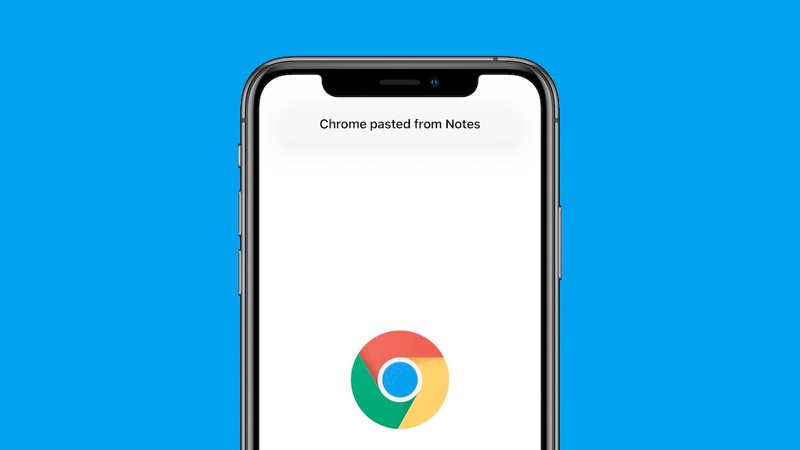
- iOS 14 notifies users when an app or widget pastes text from the clipboard.
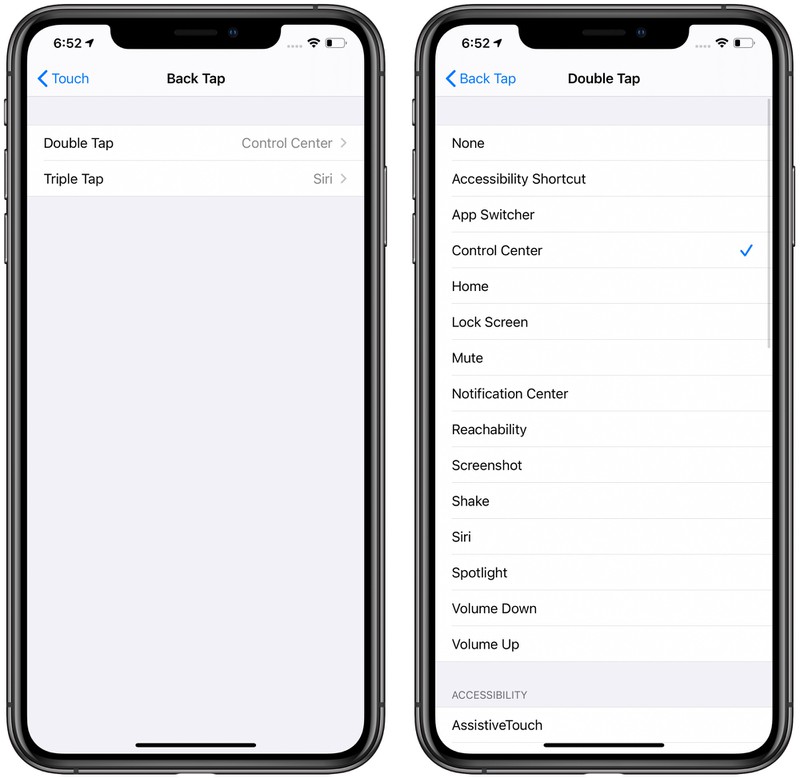
- New option in Accessibility that allowsusers to double or triple tap on the back of the iPhone to perform various actions. You can use this feature to access the Control Center, the Notification Center, the Lock Screen, the Home screen or the Application Switcher, as well as to change the volume, call Siri, mute the sound, take a screenshot or access the Shortcut. You can also configure it to work with a number of accessibility features, such as Auxiliary Touch, Magnifier, or VoiceOver.
- Apple adds Maps to iOS 14 appseveral new features, including Apple Maps badges, which tell users when they get close to speed cameras and red cameras along the route.
- QuickTake feature for iPhone XR, XS and XS Max.QuickTake — is a feature that allows you to record video while holding down the shutter button in photo mode, so you can instantly capture a video-worthy moment without switching camera modes. At launch, QuickTake was only included in Apple's new iPhone lineup, but with iOS 14, older iPhones XR, XS, and XS Max can now use the option. QuickTake has also been added to the new 2020 iPhone SE. Apple is also introducing a new feature that lets you capture QuickTake videos on compatible devices by holding down the Volume Down button, an even faster way to record video.

- Holding the volume up button allows users to take continuous shots, which is another new feature.
- iOS 14 includes the same emoticon search interface that is available on the Mac, making it easy to find the emoticons you need.
- Photo privacy — in iOS 14,When apps request access to the Photos app, you can give them access to only selected photos rather than your entire photo library.
- Local network privacy — Apps in iOS 14 must ask permission to find and connect to devices on your local network.
- Home screen — Home screen settings can be customized in the Settings app, where you can add new apps to the Home screen or just to a new app library.
- Redesign of the music application. The music app interface has been redesigned with the Listen Now feature in the front and center. In the lower navigation menu there are tabs “Browse”, “Radio”, “Library” and “Search”, and the option “For you” has been replaced by “Listen now”. Search has also been improved, and a new autoplay feature has appeared that automatically finds new music when you reach the end of a song or playlist. The Play Now background also displays the album art of the current artist.
- Photo has a new compensation controlexposure, which allows you to lock the exposure value while blocking the focus of the camera. Apple says that taking photos is also faster, with faster time for the first shot and picture-by-shot performance.
- Application Health ChecklistHealth allows you to manage health and safety information in one place, and there are new types of data for mobility, medical records, symptoms, and ECG.
- Notes. With smart features, Notes searches faster and you can get sharper documents. Touching and holding the Aa button allows you to quickly edit text styles. On the iPad, Notes has pattern recognition to turn imperfectly drawn forms into perfect ones.
- Photos can be organized using newfiltering and sorting options, and navigating with them is easier to do with gestures of increase and increase. Captions can be added to photos and videos to add context, and memories have been enhanced. Applications also have an updated image search tool with smart search, which makes it easier to find what you are looking for.
- Reminders. In the “Reminders” application, a new option “Quick Entry” has appeared, as well as useful tips for faster collection of new reminders. Members of the general list can also assign reminders to each other to simplify the separation of tasks, and several reminders can be edited at the same time.
- AirPods API — developers can getAccess to the Motion API for AirPods Pro, which provides access to orientation, user acceleration, and rotation speed for AirPods Pro, which will be useful for fitness apps and games.
- A new Up Next feature has appeared in Podcasts, which allows you to create a sequence of episodes, as well as find new recommended content.
- Voice notes — There's a new Enhance Recording feature that lets you improve the sound quality of your recordings with one tap, plus there are new organizational options.
- Weather — Weather app providesinformation about severe weather events, as well as upcoming weather changes. The US also has a minute-by-minute rainfall forecast chart that appears to take advantage of the functionality of Dark Sky, an app Apple recently acquired.
- AirPods battery notifications — iOS 14 will provide battery notifications that will let you know if your AirPods need to be charged.
- Quickly switch video mode — All iPhones now have quick switches for changing video resolution and frame rate.
- Improvements to night mode — atUsing Night Mode on iPhone 11 and 11 Pro, the camera now uses a gyroscope to provide a navigation indicator that helps you keep the camera steady. There's also a new option to cancel a photo mid-capture.
- Mirror selfies — There's a new option in Settings that allows you to capture mirror selfies, which reflect the front camera's preview rather than flipped selfies.
- FaceTime. Picture in Picture — You can do other things on your iPhone or iPad while continuing your FaceTime call thanks to the new picture-in-picture option.
- FaceTime.Eye Contact — Apple is reintroducing the Attention Aware feature that was removed from the iOS 13 beta with a new "eye contact" feature that Apple says helps you make eye contact
Download iOS 14
As before, in order to install iOS beta, you first need to download a special profile. You can download the iOS developer profile here. Separate version for iPhone and iPad. Afterinstallprofile. Next, follow the path: Settings - General - Software Update. iOS 14 is already waiting for you there.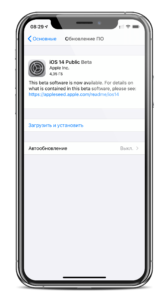
{updated}
Read also — Download iPadOS 14: what's new?