iPadOS 14 — new iPad software that was unveiled at WWDC 2020. If you want
Read also —Download and install iOS 14 beta. Full list of changes in iOS 14

iPadOS 14: changelog
Read also — Full list of changes in watchOS 7
We suggest discussing the latest and most interesting features in iPadOS 14, which we already know about.
- New sidebars and redesigned apps. Apple’s core applications will be redesigned to improve workflow and take advantage of the large screens Apple tablets have. For example, Photos and Notes apps now have a sidebar that seems to be constant. It will contain shortcuts for libraries and notebooks, as well as buttons for editing and reorganizing your content.

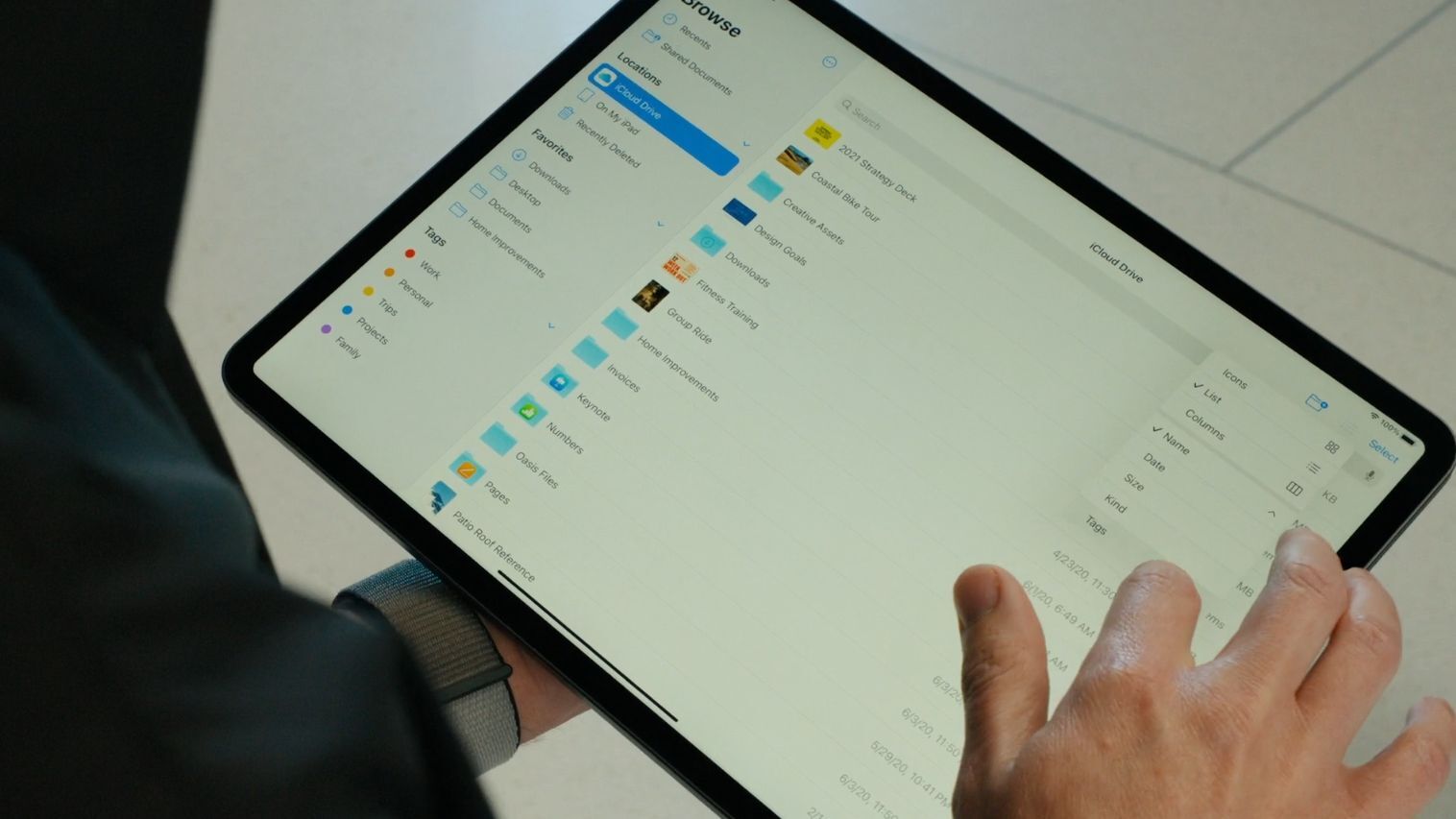
- The updated “Files” application was also finalized, the “New Folder” and “Sort” buttons are no longer hidden, but are constantly at the top of the screen, which is nice.
- Widgets for iPadOS 14. Like iOS 14, iPadOS 14 will receive new widgets. This means that they will no longer hide on your left main screen (or to the left of the lock screen), but you can resize them and freely change their location on the home screen.

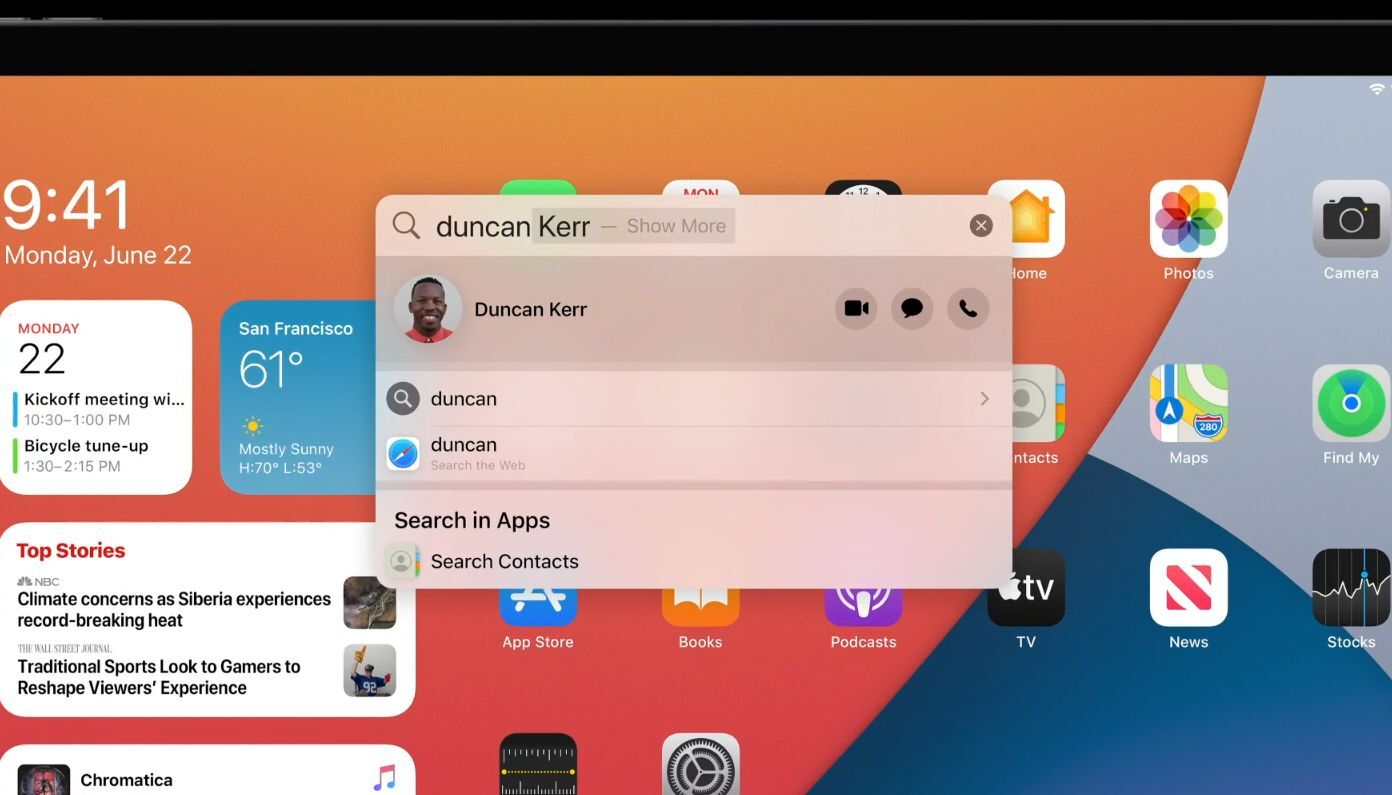
- Universal search.We all know the search function in iOS — you swipe down from the desktop and get this search feature that will help you find contacts, apps, news and even initiate a web search. In iPadOS 14 it was slightly redesigned — it will now be a floating window that can appear on top of your current apps (so you don't have to go back to the home screen to start searching), and this window will be able to support third-party apps and will perform deeper searches overall.
- Scribble.iPadOS 14 will now be able to instantly recognize and convert handwritten text to typewritten text. Even if you want to write something in the search bar — you no longer need to put down your Apple Pencil and type on your keyboard. Instead, you will be able to write in the search bar and it will instantly become written text. You can also highlight scribbled notes, copy them, and paste them into the typing app — iPadOS 14 will intelligently convert and insert it accordingly.
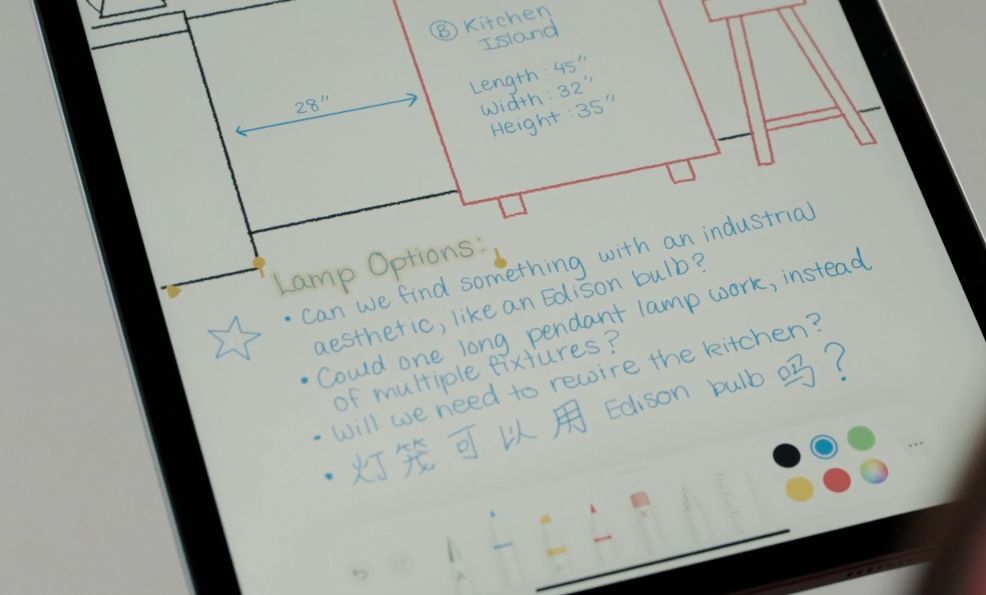 Scribble automatically recognizes multiplelanguages. English and Chinese were demonstrated, we do not know how much will be available at startup. In addition, if you highlight a phone number, address or date, iPadOS 14 recognizes it as such and intelligently suggests the appropriate action (call, navigation, etc.). Last but not least, when you make handwritten notes with drawn shapes, Scribble will be able to determine which shape you tried to draw and straighten the lines a little.
List of supported devices
So, will your iPad be compatible with iPadOS 14? Quite possibly. Below is a complete list of compatible devices.
Please note that iPad Air 2 installedrecord for the longest supported tablet. iPad Air 2 was released in the fall of 2014, it is almost 6 years old. Its Apple A8X processor has been running for quite some time, but still gets software updates.
- iPad Air 2
- iPad mini 4
- iPad Pro (all generations)
- Basic iPad (2017, 2018, 2019)
- iPad Air (2019)
- iPad mini (2019)
When will iPadOS 14 come out?
It just so happens that Apple is launching a public version of the iPadOS firmware, released in September-October. "Autumn 2020", — This is what Apple says about the release date.