One of the best features of iOS 13 is the system's Dark Mode. It looks beautiful and reduces eye strain
Advertising
Advertising
Luckily, a new jailbreak tweak can change that.Ayedapt. As can be seen in the screenshots, the tweak adjusts the icons on the home screen to the dark mode of the device:
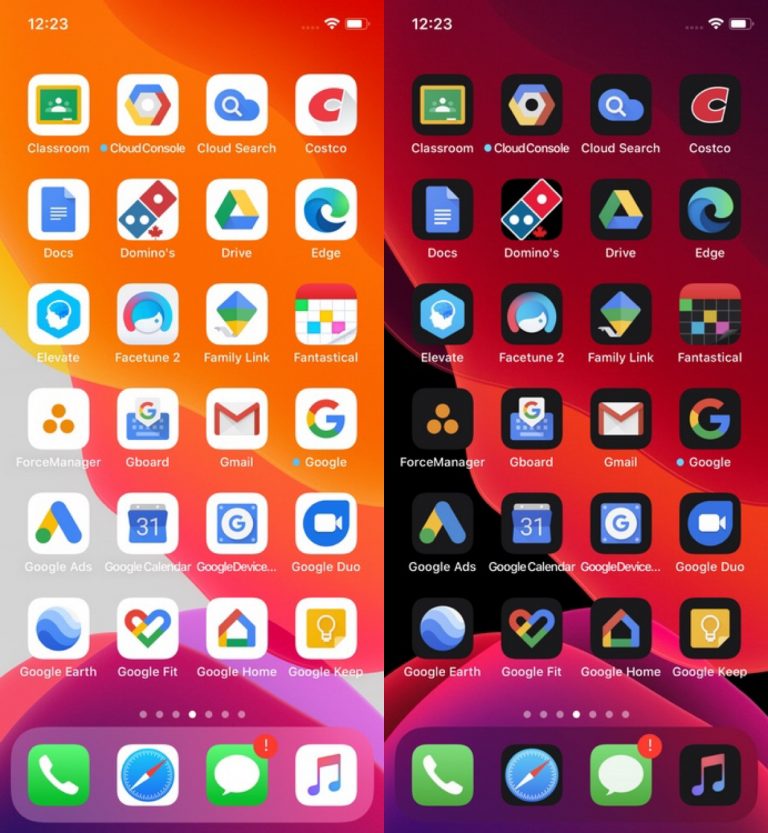

With a tweak, all the icons look nicer whenactive dark mode. Moreover, not only standard applications are supported, but also more than 200 third-party ones. Among them, many applications from Google with a predominance of white.
Ayedapt is a hybrid between a tweak and a theme. You can activate dark icons manually or do it automatically together with the system Dark mode. In any case, you need to enable Ayedapt through SnowBoard.
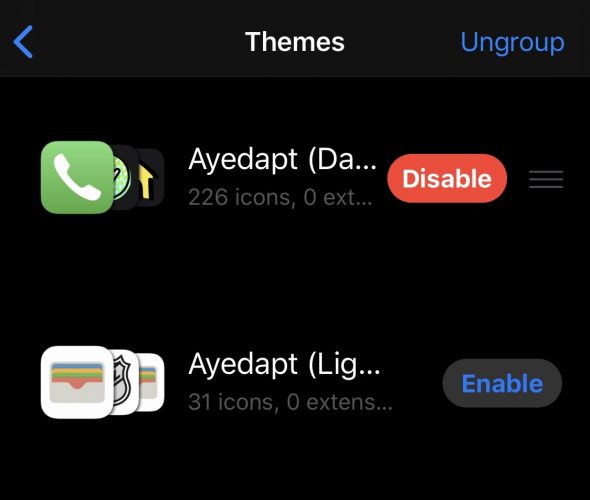

Tweak is also activated when you turn on the Dark mode through the Control Center. It is very convenient. The interaction of the tweak with the Dark mode is impeccable.
You can look at the tweak in action:
If the tweak interests you, you can download Ayedapt from the Dynastic Repo in any tweak manager. Now its cost is less than it will be in the future.