NewMacBook Pro with Touch Baris now officially Apple's newest toy - and quite an expensive one at that.
Most importantly, the Touch Bar changes todepending on what you do. When using one application, you get one set of controls and, accordingly, when using another application, you get a different set of controls. This is a very flexible and instantly customizable system.
Advertising
Advertising
Over time, developers will soon be dramaticwill increase the potential use of this panel. In the meantime, let's figure out how, here and now we can use the Touch Bar in the MacBook Pro.
No. 1. Use Touch ID Scanner to shop with Apple Pay
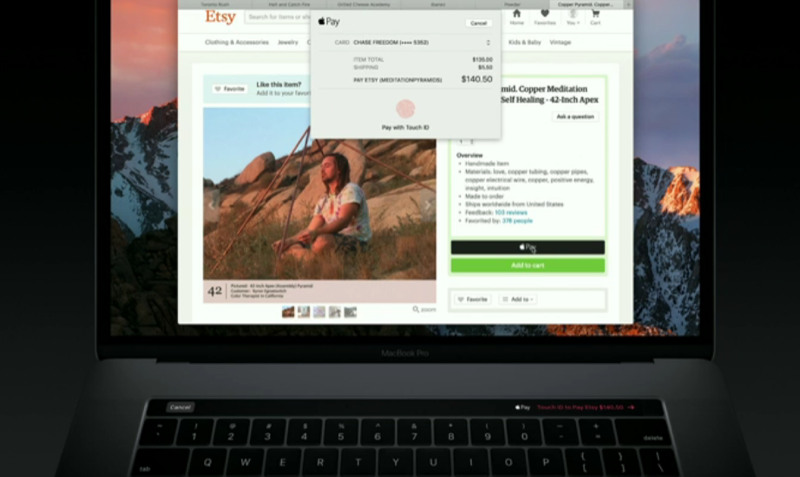

A small bonus in the appearance of the Touch Bar inMacBook Pro can be considered the placement of a fingerprint scanner on it. At first glance, it seems that it is built into the touch panel, but in fact it is part of the Power button, located on the very right side of the strip. This means that finally in Macs there is decent support for Apple Pay. If the web page or application supports the Apple Pay service, you can simply put your finger and make a purchase online.
No. 2. Edit photos


Photos application and possibly others likeapplications can provide a convenient interface on the Touch Bar for editing photos. Not only are it instant options for making small changes, such as rotating a picture, but it also displays more advanced sliders for editing brightness or for rotating the horizon of photos.
Advertising
Advertising
Number 3. Video editing
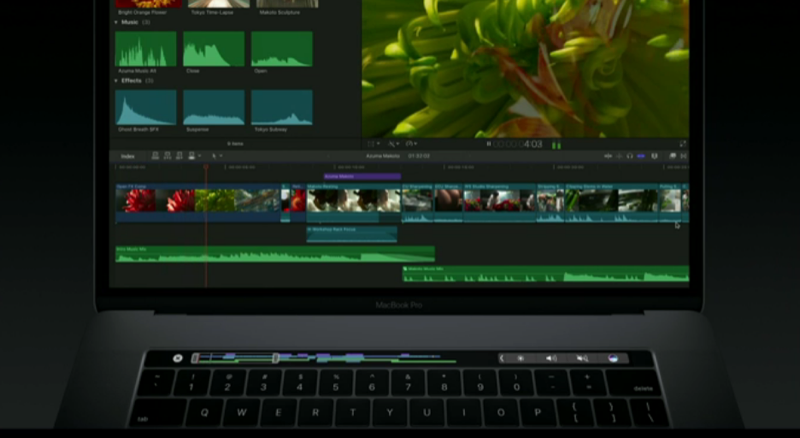

Touch Bar brings further development tocontrol the playback of video fragments, since now the entire video fragment is displayed on the panel in the form of icons. With a flick of your finger, you can begin to view the fragment from anywhere. Most likely this option will work with video files located on the computer and with existing projects in iMovie / Final Cut Pro applications, but it would be great if in the future you could also perform such tricks on sites such as YouTube.
Number 4. Switch between browser tabs
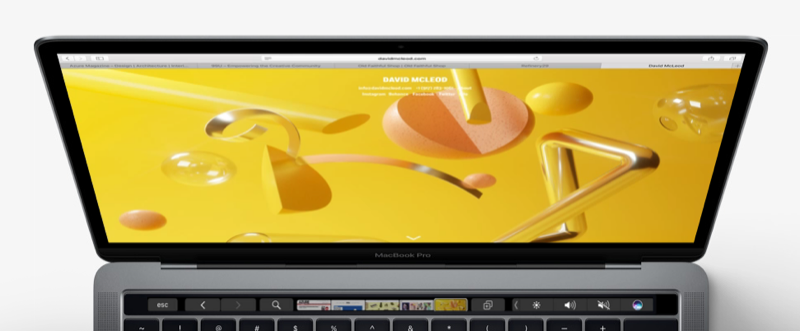

Safari browser also got deep integration withtouch panel. When you surf the web, your bookmarks will appear as icons. With a light touch, you can switch from one tab to another tab, literally without taking your hands off the keyboard instead of using the mouse for these purposes. To go to a new page, all your bookmarks are located right under your fingers.
Advertising
Advertising
#5. We use the Touch ID scanner to unlock your Mac and to switch between accounts


The most practical application for the Touch ID scannerthe new MacBook Pro is switching between user accounts on the computer, as Phil Schiller demonstrated at the presentation. If there are several user accounts on the computer, then all you need to do to switch other users to the corresponding profile is just put your finger on the scanner and macOS will authenticate the user and switch to the corresponding profile. In the same quality, the scanner can be used to instantly unlock your computer, which will allow you to continue working on it from the place where you left off for a break.
No. 6. Develops a creative approach.
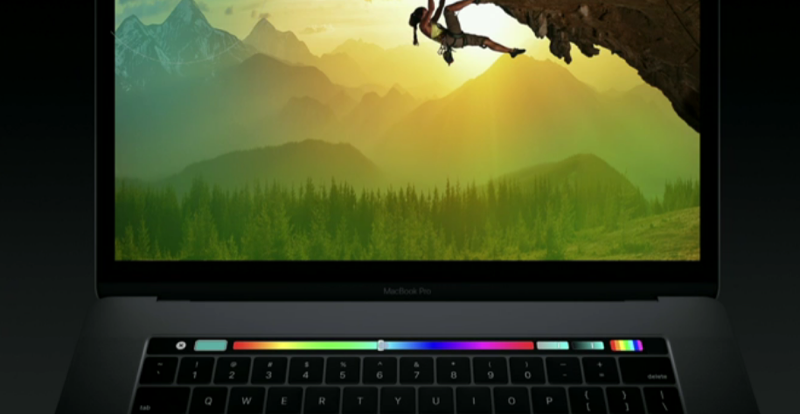

Adobe spokesman unveilswhat in the very near future the Touch Bar in Photoshop will be capable of. You can change the size of the brush on the go, view the entire color range and choose the desired color for the brush and much more. Another plus is the fact that the Touch Bar allows you to add shortcuts to the panel for the most frequently used actions, which are usually deeply hidden in the menu of commands and settings.
Number 7. View and send emoticons


In fact, the question is this: But would the Touch Bar appear if there was no need to invent a super way to add emoticons? And if without jokes, then the very ability to view emoticons on the keyboard sounds great. This method is more intuitive than sorting and selecting emoticon icons with the mouse. Expand any category of emoticons, choose the right one and send it with a simple touch of your finger.
Advertising
Advertising
No. 8. Edit and view Keynote slides
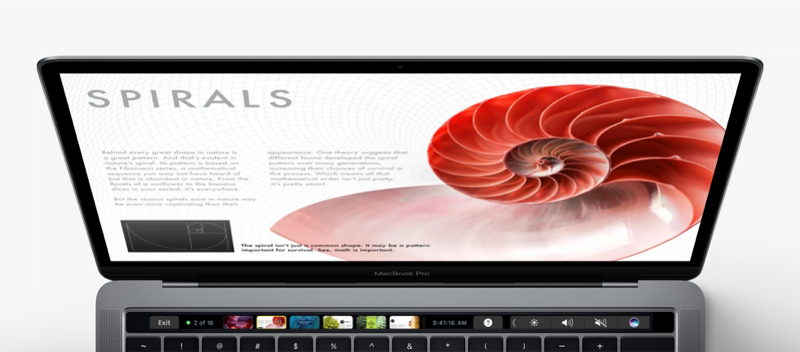

The Touch Bar makes it easier to work with anytext applications, including Keynote. But in addition, the Keynote app allows you to swipe and view your slides. In a long list of slides, you can scroll through the icons and switch between them.
Advertising
Advertising
No. 9. Add live effects to your music
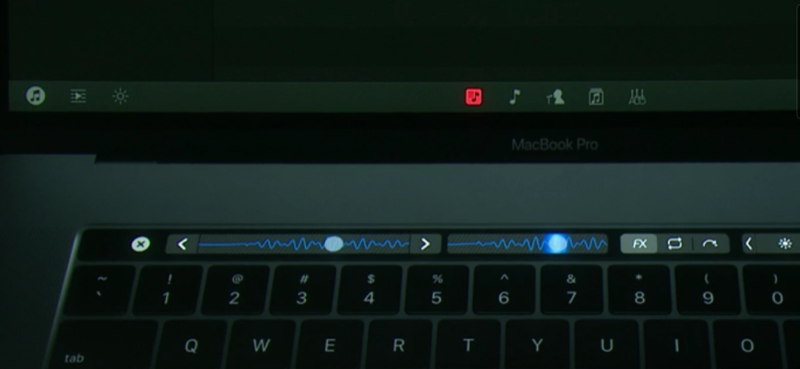

Music apps like GarageBand,Provide tools to control your music right on the Touch Bar. If you participated in the creation of musical compositions, then you will definitely like it. You can not only edit your projects using the menu options, but as demonstrated by DJ Algoriddim at the presentation, it will be possible to add live effects. While playing music, you can change the sound in real time and add effects directly from the Touch Bar, as DJs usually do.
#10. Change operating system settings
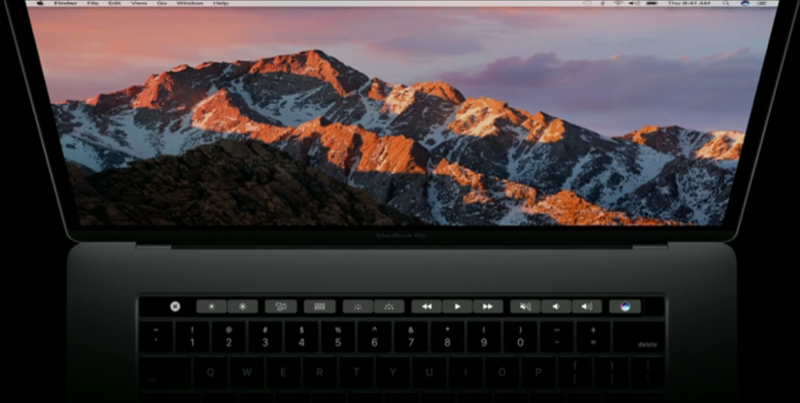

Last but not least,Of course, it becomes possible to change the system settings and gain access to so familiar buttons. To such as volume level, playback control buttons, buttons to control the brightness of the display and keyboard illumination, well, of course, to your favorite ESC button.