The key moment of WWDC 2016 was the release of macOS Sierra, the next version of OS X. Due to the lack of time and the huge
In the beta version for macOS developers, Sierra is already available, advanced users on the forums are gradually revealing new features. Let's get to know them in more detail.
Advertising
Advertising
1. Apple file system
As previously reported, Apple includes File support.System macOS Sierra. This new file system will supplant HFS +, which many believe is in need of updating. Apple will use APFS on all devices starting in 2017 and on all OSs, including tvOS, iOS, watchOS and MacOS.
The new file system includes all the features of HFS + and its own set of functions, including optimization for Flash / SSD, strong encryption, copying when writing metadata and much more.
On macOS Sierra, Apple's file system is included as a beta for developers. It will replace HFS + in macOS and presumably other Apple OSs in 2017.
Advertising
Advertising
2. RAID support
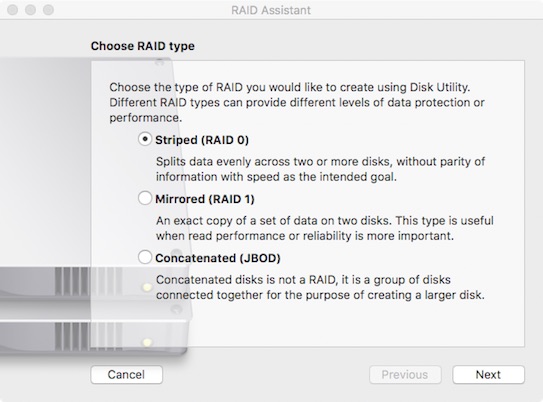

In OS X El Capitan, Apple removed RAID support, which many Mac users reacted negatively to. At Sierra, the company once again returned RAID support to OS.
Advertising
Advertising
3. Changeable Disk Utility window
For inexplicable reason, application window sizeDisk Utility on OS X El Capitan cannot be changed. It is unclear whether this was done intentionally or the result of a bug, but Apple solved this problem in Sierra: the window size of Disk Utility can be changed again.
4. Storage optimization
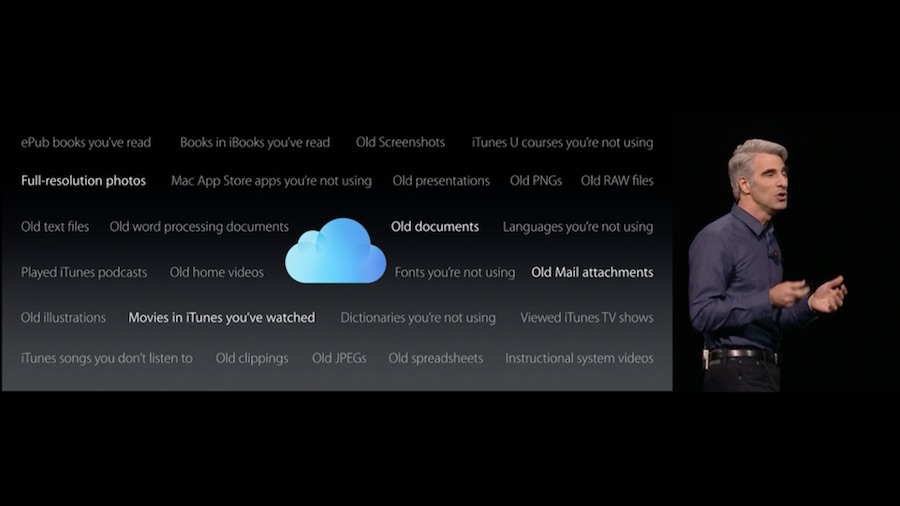

At the macOS Sierra presentation, Apple showed a video,which focuses on optimizing the OS storage function. The video shows how Sierra can free up more than 100 GB of memory on a Mac by deleting junk files and moving important ones to the cloud. However, Apple experts did not mention what type of files this innovation is suitable for.
Optimized storage function in SierraIt will automatically back up old email attachments, spreadsheets, movies from iTunes that you have already watched, old JPEGs, presentations, RAW files, songs in iTunes that you don’t listen to, and much more.
Regarding the files to be deleted,including redundant mail data, Safari cache, inactive Mac App Store downloads, old iPhone backups, unused logs, map cache, photo thumbnails, iTunes IPSW files, and much more.
5. Missing Anywhere function from Gatekeeper
If so, then this is a serious omission. In the current beta version of macOS Sierra, it is not possible to install applications downloaded from unverified (Anywhere) sources. Instead, Gatekeeper allows you to install applications only from the App Store and software approved by the developers.
While you can install applications fromthird-party sources by pressing the control key when opening the installation file for a specific application. Apple notes the absence of the Anywhere option in the Sierra release notes, so it’s possible developers will return this feature in a future beta.
6. Appendix Notes

Advertising
Advertising
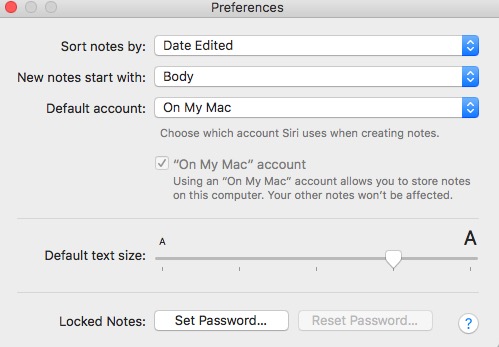
You can now set the default font size in the Notes app on macOS Sierra.
7. SupportAMD Polaris GPU
GPU kexts in Macos Sierra point to AMD GPUs,by ID, you can say that it will be a Polaris GPU from AMD. This suggests that Apple’s next MacBook Pro will use AMD’s Polaris GPU. This is not surprising given the close ties between the two companies.
8. Extensions for Safari are now available on the Mac App Store
In Sierra, Apple makes Safari extensions as part ofMac App Store. Instead of directing the user to a site dedicated to Safari extensions, users will be redirected to the Mac App Store to download extensions for Safari.
9. Safari 10
Among other things, Safari 10 will appear in macOS Sierra. The latest version of Safari displays bookmarks in the sidebar, minor changes have also appeared in the UI reading list. In full screen mode, starting a new window in Safari automatically puts it into view mode.
10. New theme for notification bar
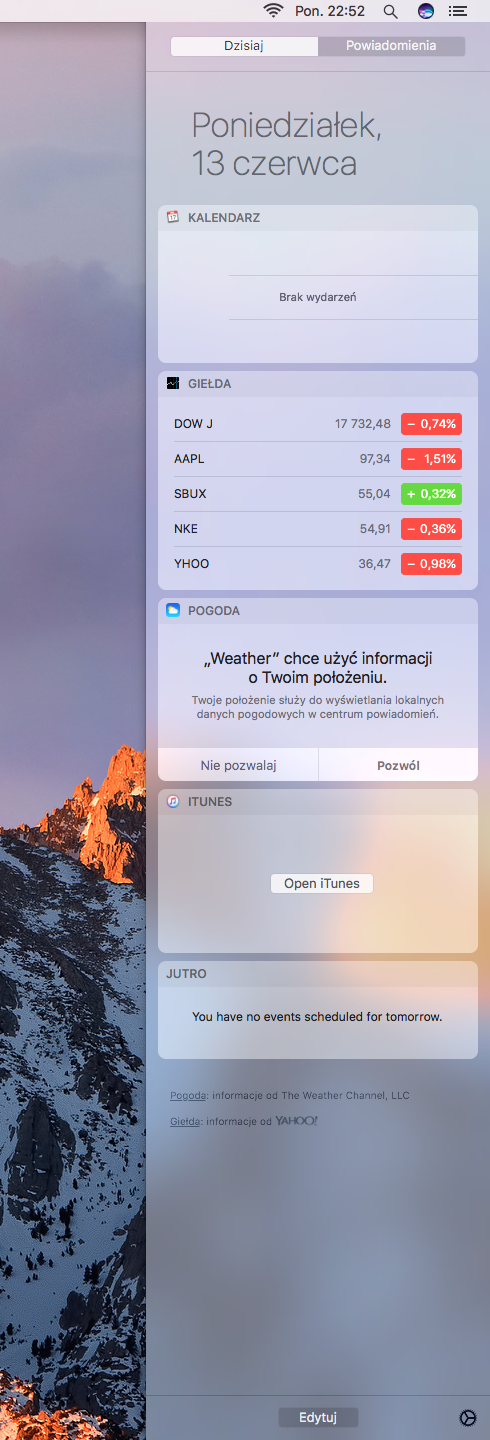
The notification bar on macOS Sierra has a new white theme.

11. iTunes 12.5
macOS Sierra works with iTunes 12.5, which displays a modified user interface.