Do you often use your Mac in the evening? There are many of us, but not everyone knows that MacOS contains many
If you work regularly in the evenings, it's lateat night or just in a dark room, our advice will definitely help you. Perhaps below you will find something that you did not know about before, and this will reduce the strain on your eyes, and make the work more productive.
Please note that some of the functions listed below are available only in MacOS Mojave 10.14 and later, but the rest are also in other versions of the system.
1:Reduce brightness screen
The displays on Mac computers are very bright and look amazing. However, at night or in a dark room you will want to reduce the brightness.
You can use the brightness buttons on the keyboard or change it through the “Monitor” section in System Preferences on the Mac.


In addition, lowering the brightness of the display will help significantly reduce battery consumption on laptops.
2: Use night mode
Night mode is a great feature that makesthe colors on the display are warmer in the evening and night hours so that it emits less blue light. Reducing blue light will be of much use, you will definitely notice that your eyes become less tired.
Mac night mode is also enabled in the Monitor section. You can set your own or automatic schedule for it. In general, the warmer the colors on the screen, the less tired your eyes are.
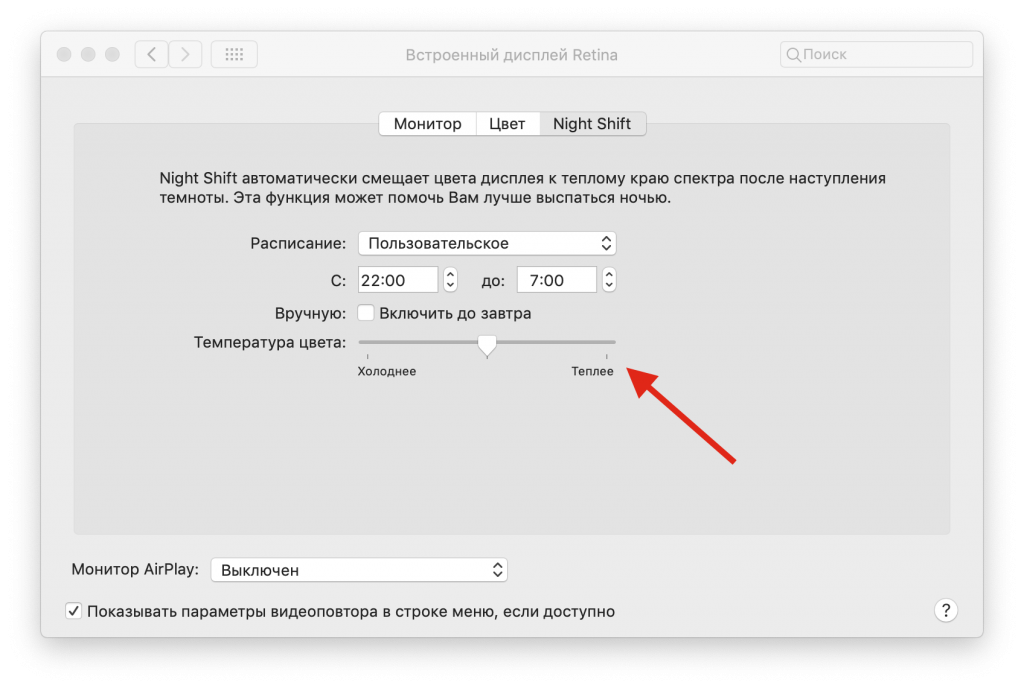

For Mac models that do not support Night Mode, you can use Flux with a similar effect.
3: Use dark mode
The dark mode makes all light interface elements dark, which is ideal for working in low light. You can turn on dark mode on Mac through the “Basic” settings.
So far, the dark mode is turned on and off manually, but perhaps in the future a schedule will be added for it, as with the night mode.


If your Mac does not support dark mode, in older versions of the system you can make at least the menu bars and dock dark.
4: Use dark or dynamic wallpapers
Dynamic wallpapers automatically change toduring the day. accordingly, in the evening and at night, dark wallpapers are displayed. This helps reduce screen brightness as well as eye strain. In addition, the wallpaper looks beautiful.
Dynamic wallpapers are included in the "Desktop and screen saver" section.
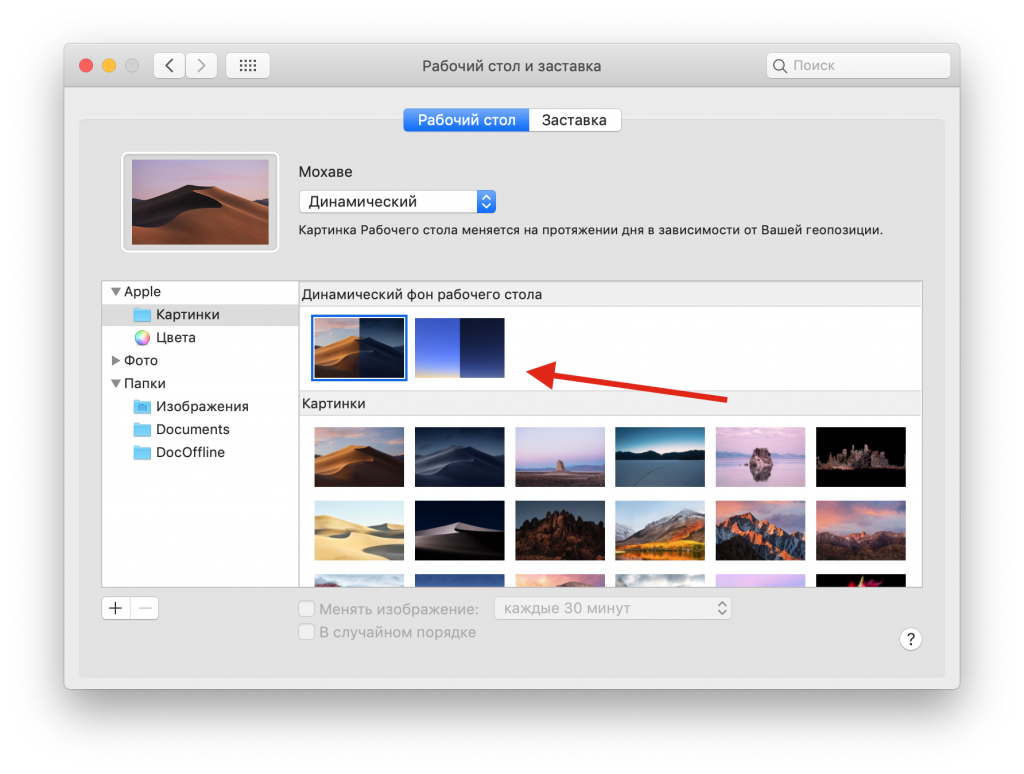

If you do not like the function, or your computer does not support it, you can simply set the wallpaper in dark color.
5: Use modeReader VSafari
Safari's Reader mode is convenient for many reasons. If you work with text on websites, you can activate the mode and select a dark theme for it. Black text on a white background will turn into white text on a gray or black background.
To activate the mode, just enoughpress the corresponding button in the address bar, and then press the “aA” button to configure the mode. You can change the color of the theme, font and its size. Some people prefer to make the font larger at night.


By the way, you can use the dark mode on YouTube.