Terminal is a useful tool for executing commands on a Mac, although not everyone uses it. At the end
Before using the program, you need to open it. This can be done in many ways, and below we will talk about all of them.
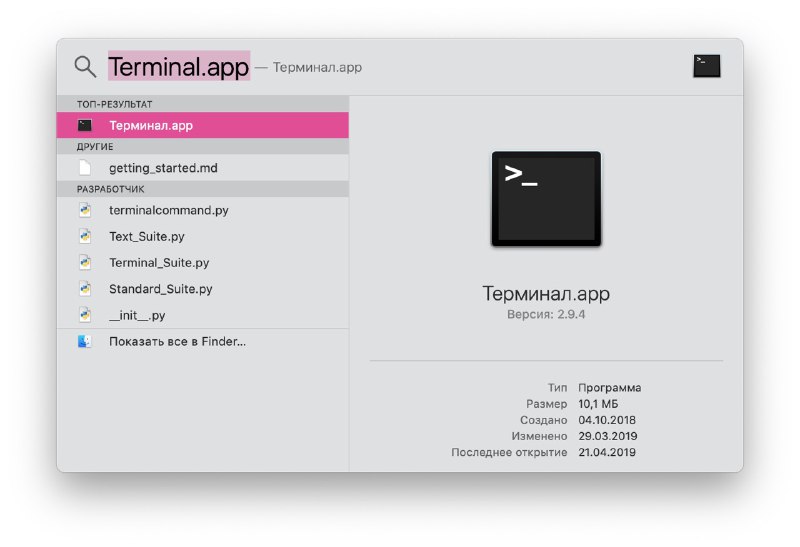
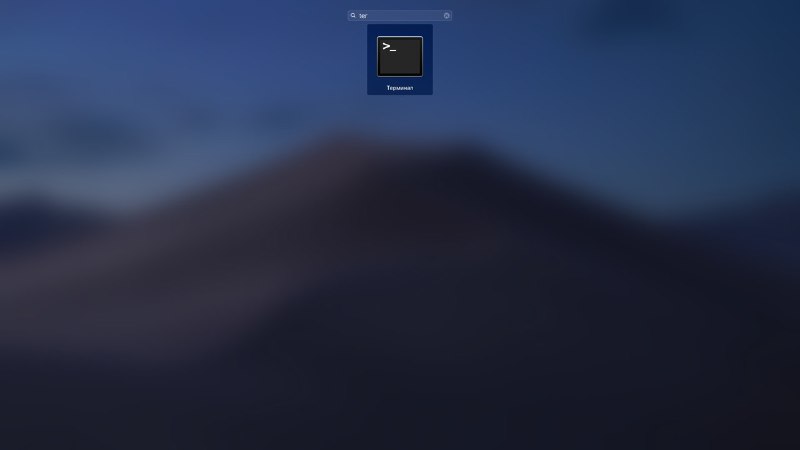
Using Spotlight Search
One of the most ways to open Terminal on Mac is through Spotlight Search.
one)If in your menu bar you haveSearch button Spotlight, press it. If not, use the keyboard shortcutCommand+Space.
2)Enter "Terminal".
3)The Terminal program will appear at the very top of the menu with the results. Click it twice to open it.

Using Finder
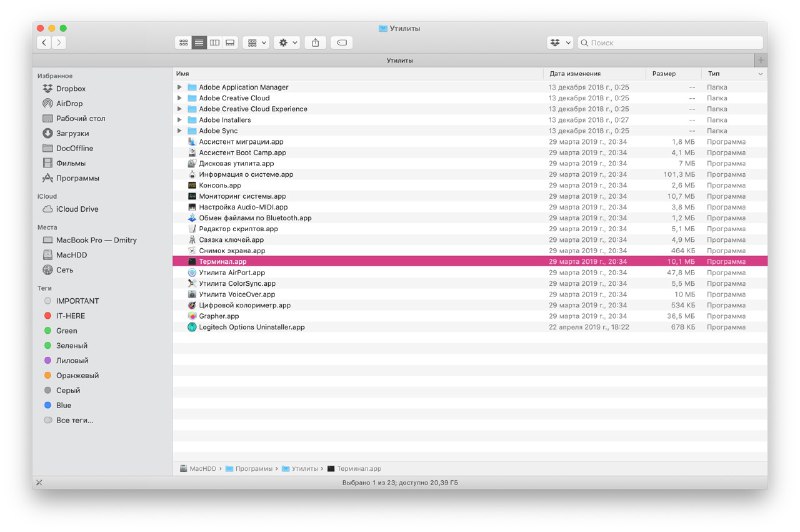
Open Finder or make sure that it is Finder that is used for the menu bar, and not another program.
1)From the menu bar, selectTransition>Utilities.
2)In folderUtilitiesdouble click the programTerminal.

Using the Applications folder
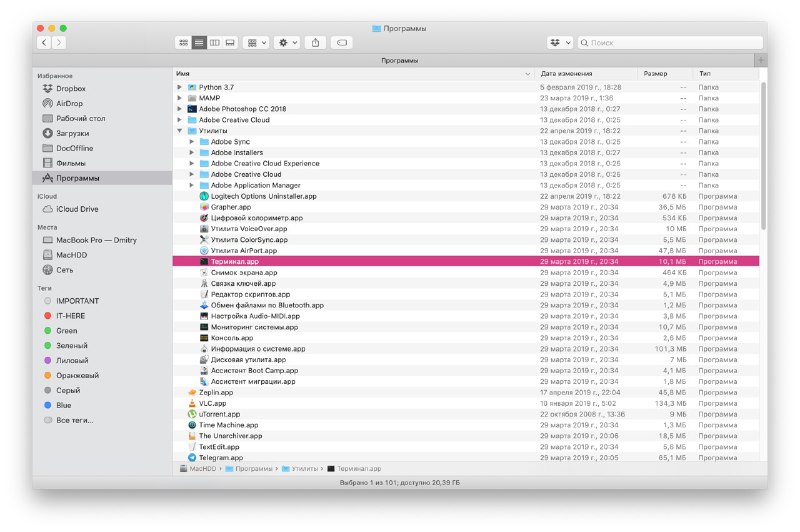
If you already have Finder open, the Terminal program can also be found in the Programs folder.
one)From the menu on the left, selectPrograms.
2)Click the arrow to expand the folderUtilities.
3)Double click the programTerminal.

If the Program folder is docked in your Dock, you can open the Terminal from there.
one)SelectProgramsin your dock.
2)Now selectUtilities.
3)Open the programTerminal.
Using Launchpad
You can open the Terminal through Launchpad in two ways, depending on the organization of Launchpad.
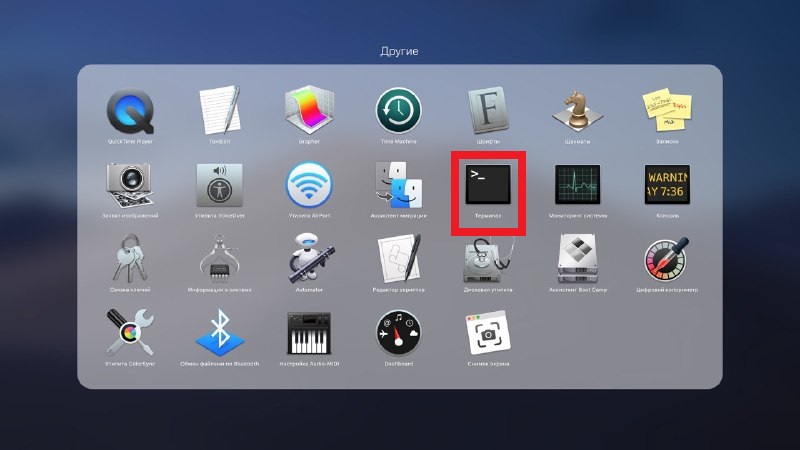
By default, Launchpad contains the folderOtherwith the Terminal program.
one)OpenLaunchpadfrom the Dock or keyboard shortcutFn+F4.
2)Find and select a folderOther.
3)OpenTerminal.

If you changed the Launchpad organization and deleted this folder, there is another way.
one)OpenLaunchpadfrom the Dock or keyboard shortcutFn+F4.
2)Enter “Terminal»To the search bar at the top.
3)When the icon appearsTerminalclick it.

Using Siri
There is the easiest way to open Terminal on Mac – using Siri.
one)Select an iconSiriin the menu bar or openSirifrom the Programs folder.
2)Now just say: “Open Terminal”.


Quick access to the Terminal
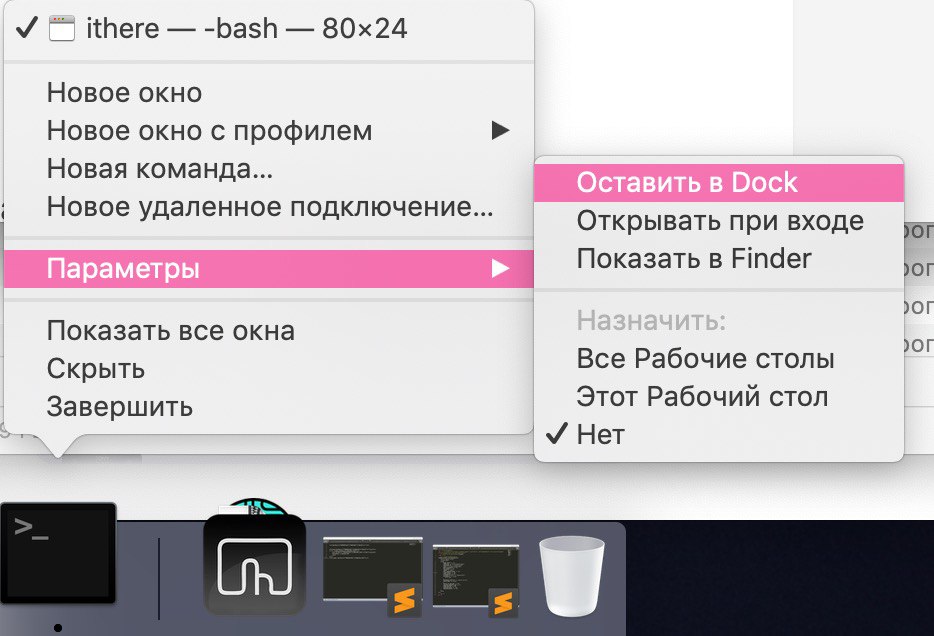
If you will often use the Terminal, it is best to add the program directly to the Dock.
When the Terminal icon is displayed in the Dock among recent programs, do the following:
one)Hold down the keyControl and pressTerminal icon in the Dock or just click on itright click.
2)From the menu, selectOptions.
3)ClickLeave to the Dock.

Terminal is a great tool for quickly performing actions on a Mac. When you get used to using it, it will not seem difficult to you.