Yes, yes, you can already start writing in the comments how many heavy plastic rattle laptops you have
Discuss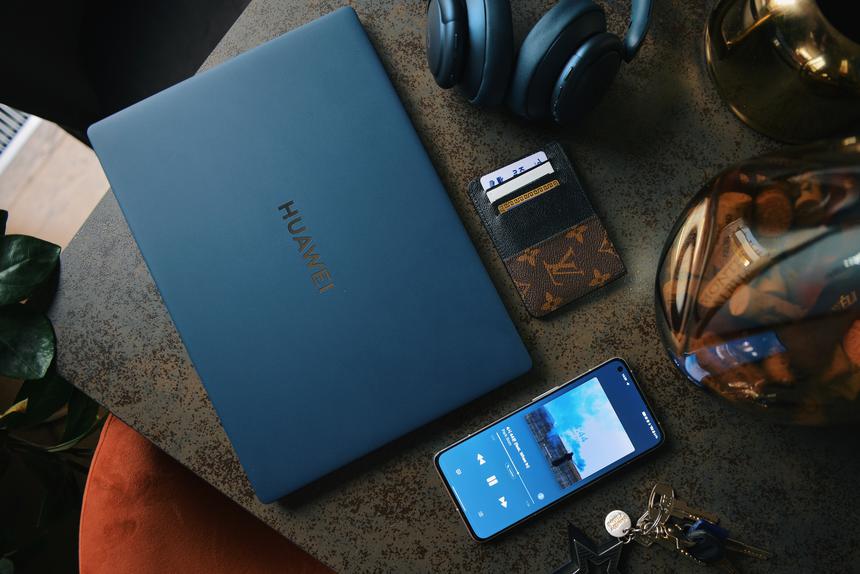 9/10Rated by FerraHUAWEI MateBook X Pro (2022)
Table of contents
- Specifications
- Why is there more and less premium?
- This is how it's designed
- Is this the perfect display?
- About power and speed
- What if you want to play?
- RAM, storage, upgrade
- Will it survive without an outlet?
- Connectors, connections, other little things
- Well, what about the keyboard and trackpad?
- Here is the outcome
About five years ago, observe the outputs of laptops fromsmartphone brands was strange. Few believed that upstarts like Xiaomi, HUAWEI and HONOR would be needed by anyone, except for fanatics of the same brands of smartphones. After all, we have solid HP, Dell and Lenovo with a rich history. Well, where are we now?
Firstly, sometimes they look at Acer with greatsuspicion than on Chinese laptops. Dell dumped in the corporate segment and in the category "cool for ordinary people" can only offer the XPS 13 Plus. HP with the Envy line (translated from English - “envy”) causes even much less envy than their spectacular models from the past. At the same time, even younger and arrogant brands are entering the market: realme (and we already have a review of Realme Book), Infinix (there is also a review of Inbook X2) and Tecno (there are no reviews yet, but we do not exclude that there will be).
No, I agree, computers of "smartphone" brands -option is not for everyone. For example, HUAWEI does not (yet?) have a range with a dozen configurations for dozens of models and where the devil himself will break his leg. They don't make esports laptops or workstations either. And not every corporate tender purchase is suitable.
But it is a reliable option when you needquickly and easily choose a personal laptop for every day. Some for work, some for study or entertainment. And it's really convenient. You know the brand, maybe even use their smartphone - and you will get functionality bonuses from the tandem. The model range is simple and clear. You don't have to sit and figure out which of those two laptops is better if they have a different second letter and sixth digit in the model index.
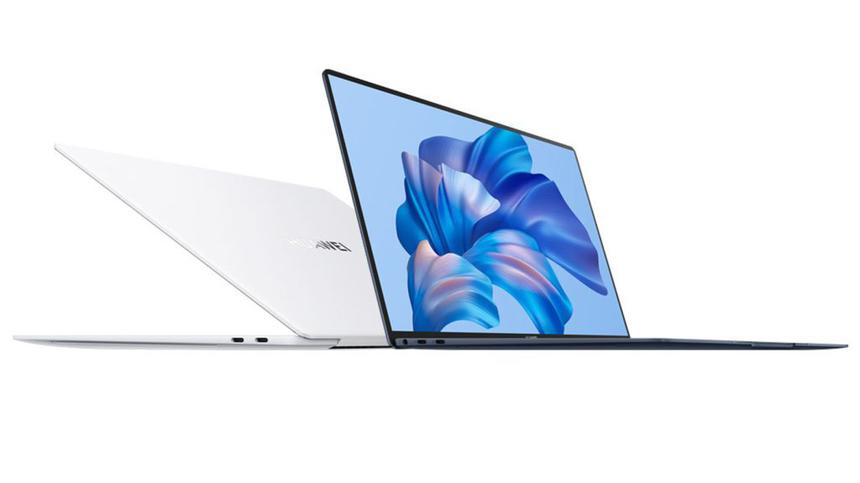
Want a flagship laptop?Please, HUAWEI MateBook X Pro (2022). The line has already entered its fifth year, during which time signature features such as minimalist design, unusual colors, attention to weight and dimensions have managed to form. At the same time, controversial engineering solutions fell off. Experimenting is cool, but thank you for returning the webcam from the key between F6 and F7 to its usual place. I can’t even imagine how this eternal sight on the second chin infuriated me at the covid distance during work phone calls.
Let's get started with the MateBook X Pro (2022) withlist of specifications. Well, first you have a general idea of what's what, and for what merits it is considered not only the flagship of HUAWEI, but also one of the top business laptops in the whole market. And then we will deal with the main question: how what is stated on paper works in practice.
Specifications
ConfigurationHuawei MateBook X Pro2022Operating systemWindows 11 HomeGlossy LTPS 14.2" 3120×2080p (3:2) 90Hz (TMX1422) ProcessorCore i7-1260P Alder Lake (4+8 cores, up to 4.7GHz, 18MB L3 cache, TPD 25- 30 W) Graphics integrated Iris Xe, 1.4 GHz RAM 16 (4x4) GB LPDDR5-5200 (soldered) SSD 1 TB NVMe PCIe (replaceable), (Silicon Motion YM00D214) Wireless connections Wi-Fi 6E (AX211, up to 2.4 Gb / s), Bluetooth 5.2, NFC (Huawei Share)Wired networkn/aConnectors2xThunderbolt 4/USB 3.2 Gen2 Type-C 2xUSB 3.2 Gen1 Type-CAudio6 speakers, 4 microphones, mini-jack Webcam 720p at 30 FPS with IR illuminationKeyboardmembrane, no number pad, backlitTouchpad120×83 mm , with HUAWEI Free TouchSD/microSD Card ReadernoSecurityFace Recognition, Fingerprint ScannerBattery60Wh (5195mAh), (NVT HB5781P1EEW-31)Power adapter with 90W fast chargeBody (Regular)Aluminum: Space GrayBody (Premium)Magnesium Alloy:White or Inky - blue Dimensions and weight (both full-time) 310 x 221 x 15.5 mm, 1.38 kg Dimensions and weight (premium) 310 x 221 x 15.6 mm, 1.26 kg Price (regular / premium) 124,000 / 138,000 rubles
Why is there more and less premium?
The MateBook X Pro itself is premiumnotebook. But HUAWEI thought: “What if someone needs an even more premium one”? And they made an improved version with a long specification Micro Velvet Collection Edition. Of the obvious differences in color and body material, of the less clear - the screen. It's glossy anyway, but the top version has some tricky layer to reduce glare. I can’t even imagine how effective it is if you put two versions of the MateBook X Pro side by side. It is supposed to be believed because of the TÜV Rheinland Eye Comfort 3.0 certification on the top model. But how do we know that the ordinary does not deserve it. Maybe they didn't even try to certify it? Personally, I would do just that to provide bonus attractiveness to the flagship.
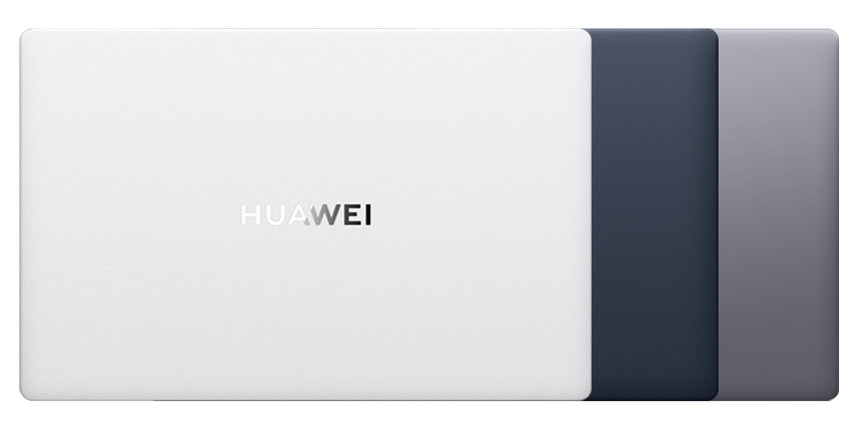
But in appearance there are no questions for whatgive the extra 14 thousand rubles. The regular MateBook X Pro comes in a traditional aluminum case and a boring dark gray color, while the Micro Velvet Collection Edition comes in magnesium alloy with smart white or inky blue paint. First, there is a difference of 120 grams in favor of the top version, because magnesium is lighter. Secondly, the production process means it is completely dyed, and for the Micro Velvet Collection Edition, an unusual coating with a velvety texture was chosen. In general, one could guess from the name, but confirmation will not be superfluous: the laptop is pleasant to the touch, it feels like a soft touch.
This is how it's designed
The two main advantages of magnesium alloy are low weight andincreased strength. But there are also disadvantages. Sometimes laptops with it feel too light, and the case material is too thin, with a drumming effect when tapped. Because of this, there is a slight feeling of cheapness, although in fact only expensive models are packed in magnesium. HUAWEI engineers were able to, if not completely remove, then at least minimize the problematic features of the material. The MateBook X Pro (2022) feels solid, reliable, and well built. There are no unpleasant deflections of the body, the shell feels monolithic.
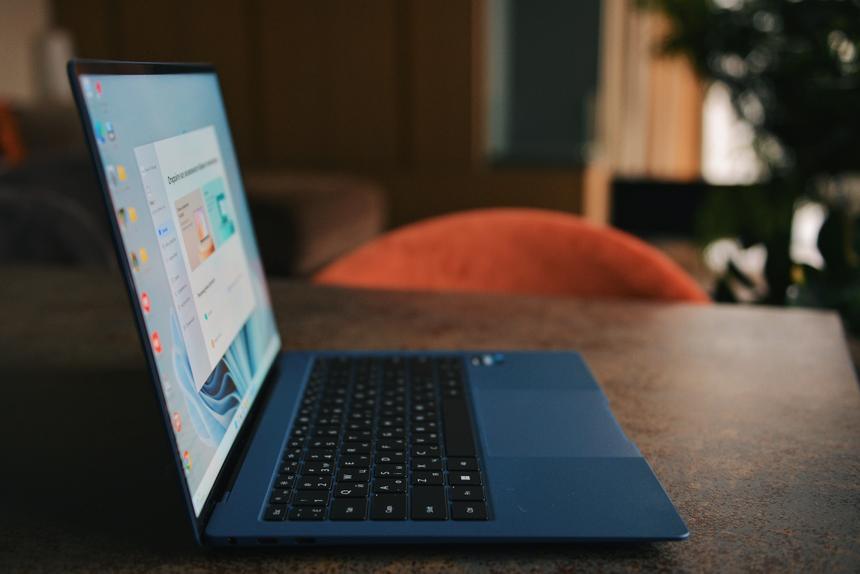
Благодаря бархатистому покрытию темно-синяя version turned out not very brand. Fingerprints are noticeable, but not as strong when compared to dark aluminum. Plus, they are quite easy to erase. The white version doesn't have these issues at all, but I'm guessing it might be more branded overall.
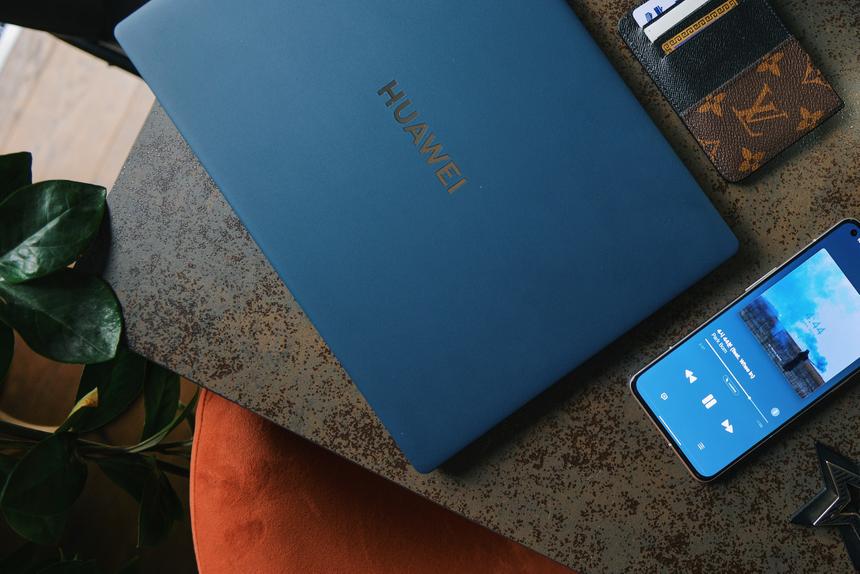
Design MateBook X Pro - laconic minimalism.Visually, it resembles the model of last year, so we can say about the continuity of generations. The case is wedge-shaped, on the cover there is a large logo of the manufacturer. Inside is a full-sized keyboard with perforated speakers on the sides, a large touchpad, and a screen with minimal bezels. On each side, there are two connectors for connecting devices, in front there is a recess for lifting the cover (yes, it can be opened with one hand, the opening angle is 145 degrees) and points for four microphones. The lower part is almost solid, the air ducts of the cooling system are located at the edges and near the hinge, so if you work with a laptop on your knees, hot air practically does not blow into your legs.
Is this the perfect display?
Most often, laptops use three mainscreen types. In the vast majority of models - IPS / LTPS, the best option in terms of price and picture quality. Some ASUS have OLED matrices with infinite contrast, but low brightness, which is bad for working in the sun, and a tendency to eat up the battery with a bright picture on the screen. In a pair of the most expensive MacBook Pros, there is a rare miniLED format with an extremely high brightness of up to 1000 nits, but there the price of the issue is appropriate.

As much as one would like otherwise, with the current leveltechnology and manufacturing costs, IPS or its slightly more expensive LTPS version is the most suitable option for a laptop. And whether it will be cool or not depends on the desires and dexterity of the manufacturer.
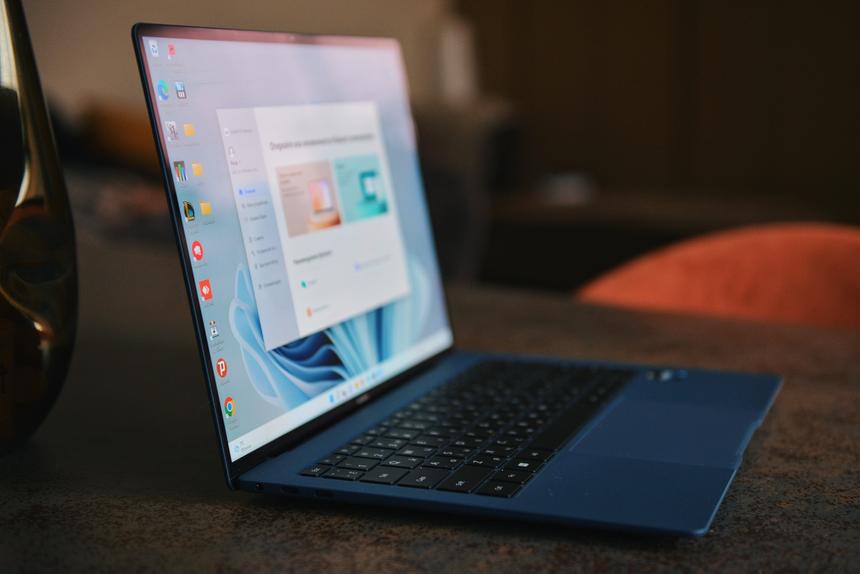
This is how the anti-glare coating behaves when the screen is turned to the window.
HUAWEI says the MateBook X Pro hasalmost perfect display: brightness 500 nits, contrast ratio 1500:1, color deviation Delta E < 1, the color gamut is 96% of the DCI-P3 palette and the HDR Vesa 400 standard is supported. That is, we are promised an ideal factory setting. And here are the measurements of the MateBook X Pro screen parameters with different color profiles selected through a proprietary utility.
MateBook X Pro (2022)ModeNativesRGBP3Brightness490cd/m2460 cd/m2470 cd/m2Contrast1450:11300:11300:1Temperature (ideal 6500K)6900K6500K6600KColor gamut sRGB>100%100%>100%Gamma (ideal 2.2)2.12.1 2.1DeltaE (less is better)4.280.813.59
In fact, we observe that rare case whenthe manufacturer is extremely accurate in its claims: the screen of the MateBook X Pro is really close to ideal when switching to sRGB mode and is suitable for professional use without additional calibration. Well, for everyday use, the Native mode looks great with the same rich colors and high brightness as we are used to seeing in top-end smartphones.
Resolution 3.1K for diagonal 14.2 inches is very high, a good margin of brightness (you have no idea how much 490 cd / m2, which is enough even in IPS smartphones, bright on a 14-inch laptop matrix), good contrast, the right color temperature. Add to that a 3:2 aspect ratio that's easy to work with, as well as a quality oleophobic coating for using the touch layer, and you have one of the best laptop screens in 2022.
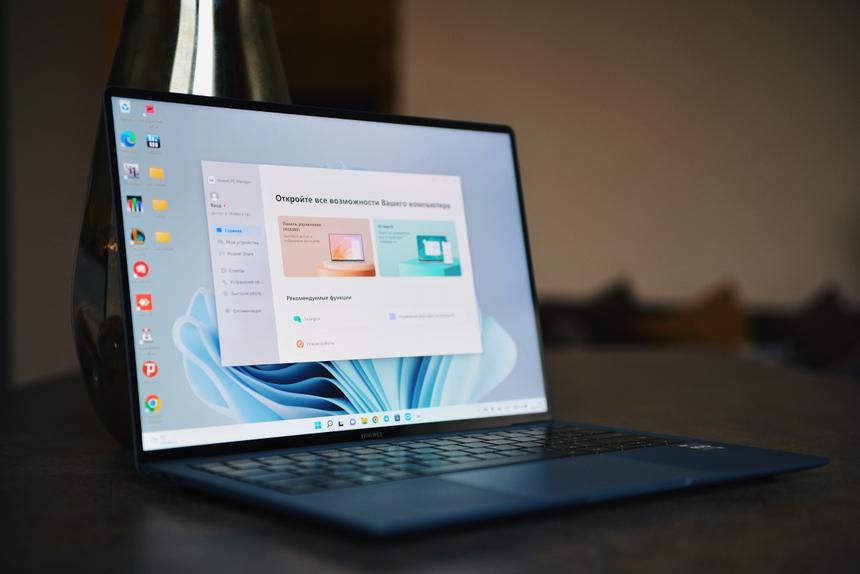
The only thing I do not understand is why the screen was madetouch. There are no questions in transformer laptops, it is important and necessary there. But in the classic form factor? The feeling that the engineers at that moment put components for what is called "for all the money." And the touch layer was added to the screen just to be, and not to be useful.
About power and speed
12th generation Core processors with architectureAlder Lake gave laptops a significant boost in performance. Yes, not everyone, because manufacturers can still decide how to "fry" the processor in their product and can easily kill all the power with low TPD. But if such sad scenarios are not taken into account, Alder Lake is very cool.
And just such a processor is in the MateBook X Pro(2022) - 12-core Core i7-1260P. It has a “smartphone” or, more correctly, a hybrid format: now some of the cores are powerful, some are economical. In this case, 4 belong to the first category and overclock to 4.7 GHz, 8 cores are quieter, they work during idle and non-resource intensive tasks. The processor is productive. Even more powerful than you'd expect from a very thin and light laptop where powerful airflow for cooling is problematic.
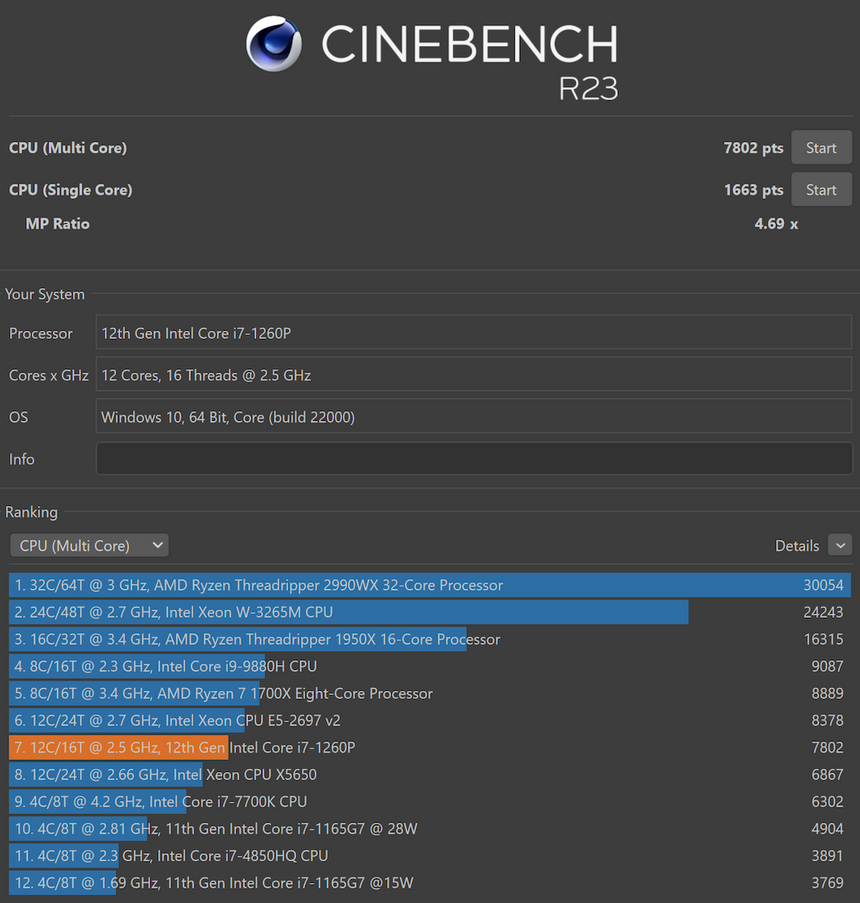
Base TDP is 25W and it's not that biga lot, taking into account the maximum processor limit of 64 W, but it cannot be achieved without a powerful cooling system and a spacious case. The MateBook format does not provide for this. However, HUAWEI was able to come up with something: using the Fn + P combination and if the power is connected, the performance mode is activated with an increase in TPD to 30 watts. The main thing is not to forget to use this opportunity. If you close the lid or turn off charging, the laptop will immediately return to basic mode.
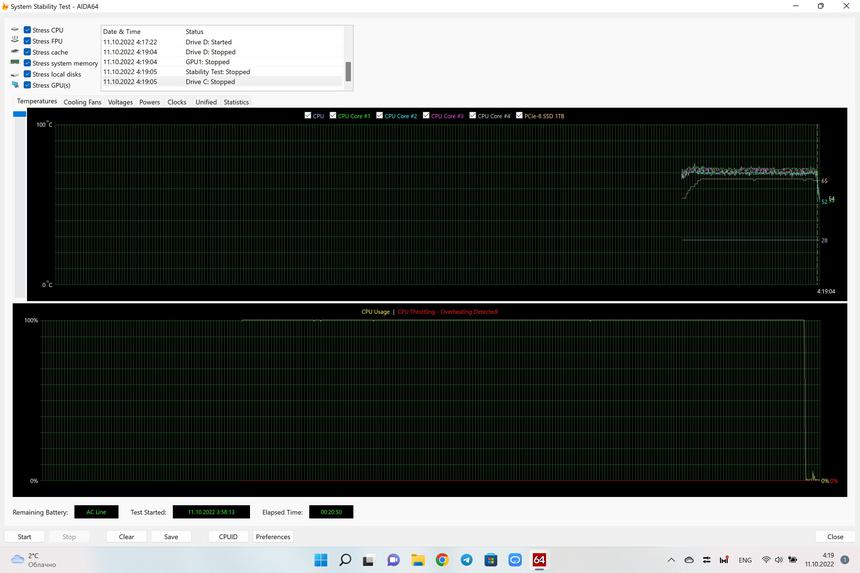
Throttling should have been indicated by a red line at the bottom of the chart. But for some reason it didn't work.
What's cool, with high processor powerMateBook X Pro does not have the habit of turning into an oven. The temperature is comfortable. Strong heating occurs in the loop area, where the body halves are connected, but it is not prohibitive. The desire to abruptly throw the laptop off your knees - like a hot potato - does not appear. The MateBook is also quite quiet. And even under continuous load, there is no drop in performance due to heat. We ran a stress test for 20 minutes with a full CPU load - no throttling was noticed.
What if you want to play?
Previously, in this class, it was not possible to stutter about gamesreceived. Well, you really kindly decide: do you want a thin and light laptop or a hefty gaming one? The traditional ceiling of entertainment is the old Witcher 3 in HD resolution, or simple indie games. But with the MateBook X Pro, not everything is so simple. The i7 Alder Lake coge, 16 GB of RAM and the Fn + P turbo mode with an increase in TPD up to 30 W make themselves felt.
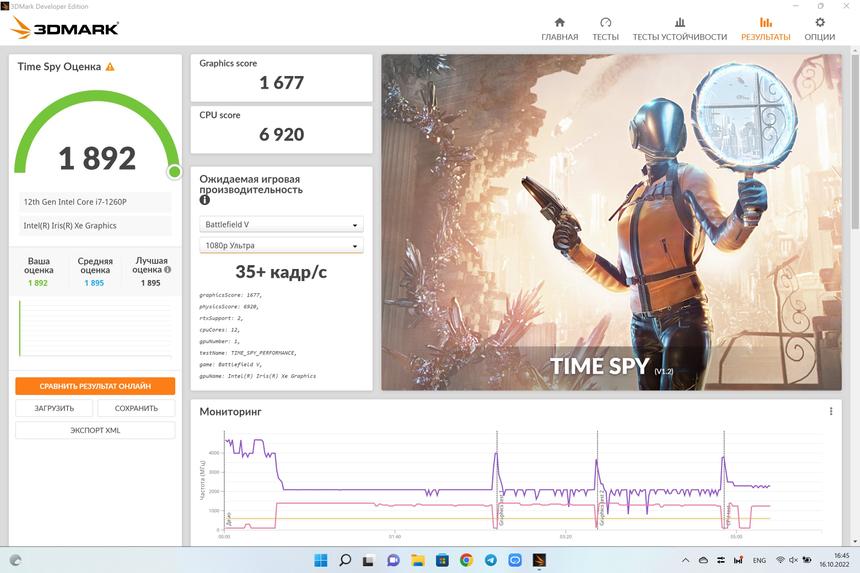
And if benchmarks are not interesting, I can tellabout the real experience with games, subject to the choice of Full HD resolution. Forza Horizon 5 and Cyberpunk 2077 can be played comfortably on near minimum graphics settings. Control comes with good FPS and quality is closer to average. Horizon Zero Dawn works tolerably at minimum wages: you can play, but without much pleasure. Deathloop and God of War - no chance at all, I stupidly watched the slideshow for several minutes, however, they could try to start with a resolution native to the screen.
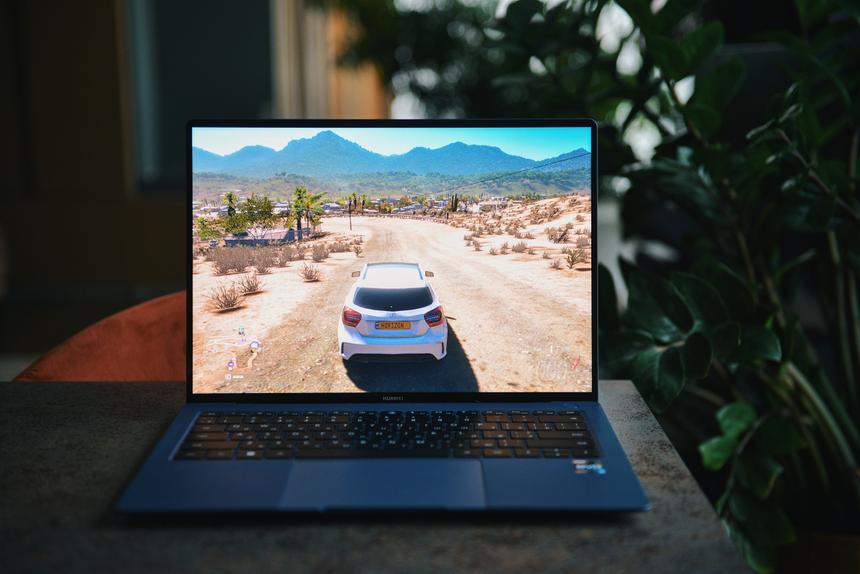
If from the top projects of recent yearsmove down the league, the situation there is even more optimistic. Age of Empires IV, Anno 1800 and Frostpunk strategies can be run with high graphics settings. League of Legends generally runs in native 3K resolution at maximum speeds, but you still need to set it to Full HD so as not to lose the cursor.
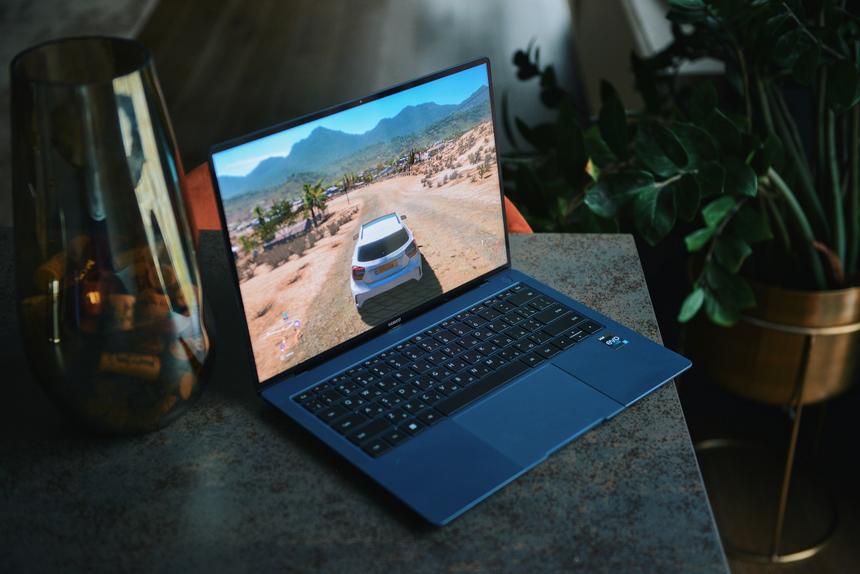
For gaming, the MateBook X Pro is far from even the mostbudget gaming laptops, but you still get a lot more entertainment options with it than was available in this segment before. Well, what kind of Cyberpunk 2077 in Full HD resolution (albeit at the minimum) could we talk about in 2021 when choosing an ultra-thin and light laptop? And now look how it turns out: at the very least, you can satisfy your interest in the gaming industry between work affairs.
Here's a video if you want to see how modern games will run on a laptop with a Coge i7-1260P without discrete graphics
RAM, storage, upgrade
The amount of RAM is 16 GB. There is no smaller configuration, you can’t put more. She is broken. Very fast LPDDR5x memory with a frequency of 5.2 GHz is used.
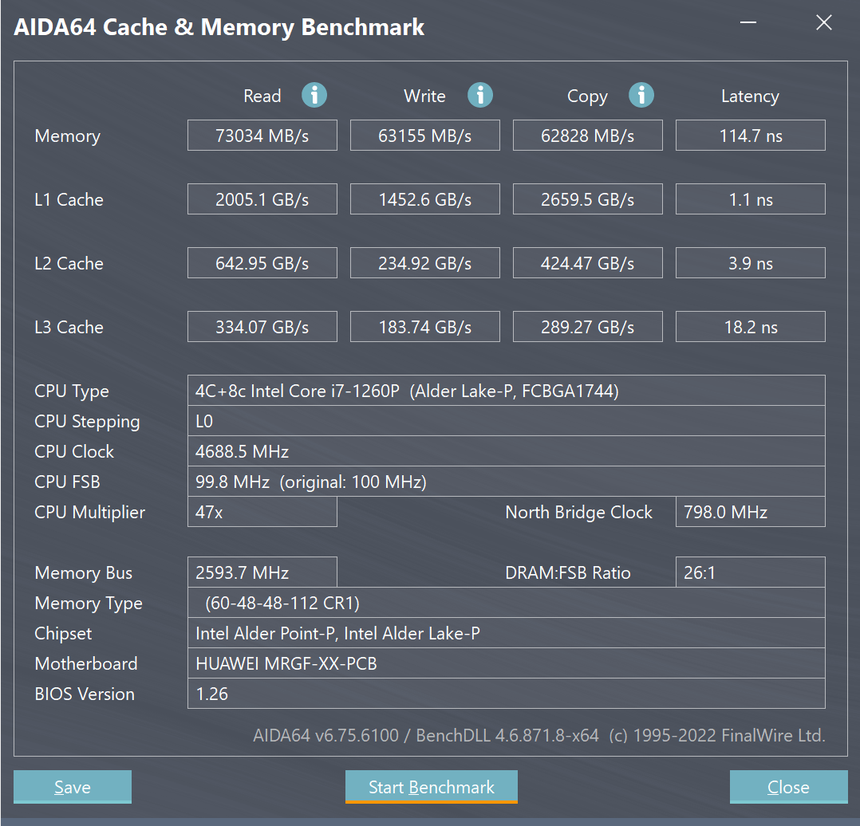
From here, in general, decent indicators in games are taken. Let me remind you that the Iris Xe graphics coprocessor is here with a frequency increased to 1.4 GHz and uses RAM.
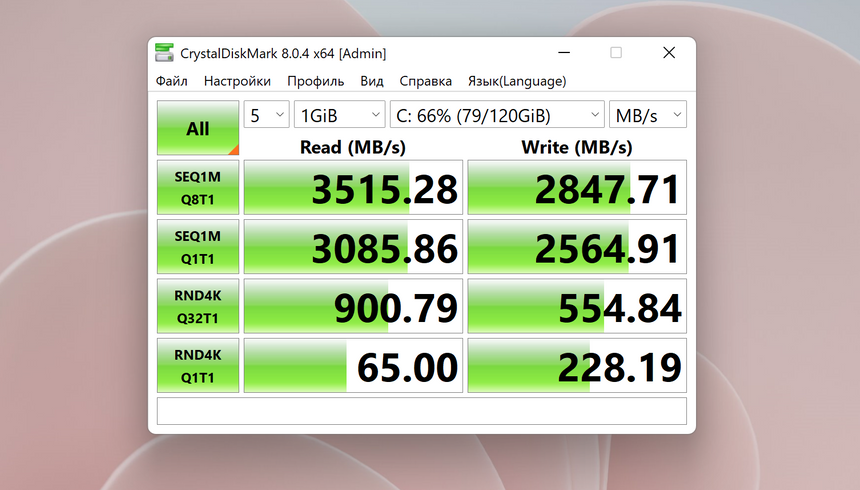
SSD speed test
SSD M.2 for MateBook X Pro (2022) is manufactured by YMTC. It has a capacity of 1 TB. You can change if you want, but is it necessary? The performance indicators for the ultrabook format are not bad, plus even in the stress test it does not heat up very much, the temperature hangs around 60 degrees.
Will it survive without an outlet?
Alas, the autonomy of the MateBook X Pro (2022) is notimpressive. But to say that this is a jamb of the manufacturer's language does not turn. Still, HUAWEI engineers had to find a balance between dimensions and weight, as well as the voracity of the Coge i7-1260P and a 90 Hz screen with 3.1K resolution. Plus, the 90W fast charging partly offsets the laptop's tendency to run out of juice before the end of the day.


 13
13
Autonomy test in office mode. Brightness 100%
Under maximum load, the MateBook X Pro keepsa little over an hour and a half. In mixed mode - 3/5 (three fifths) of a working day. But I'm a fan of setting the brightness to the maximum. In fact, if you stop, then you can stretch an 8-hour day without an outlet. True, for this you need to monitor unnecessary background processes, and remove the brightness to about the middle. However, it's better than getting an expensive, barely tossing, but autonomous ultrabook.
Connectors, connections, other little things
What else do you need to know about the MateBook X Pro?The laptop has four connectors: two Thunderbolt 4/USB 3.2 Gen2 Type-C and two more USB 3.2 Gen1 Type-C. If you need to connect a classic USB, there is an adapter included. For memory cards, HDMI and other things, you will have to purchase separate adapters or a universal hub.
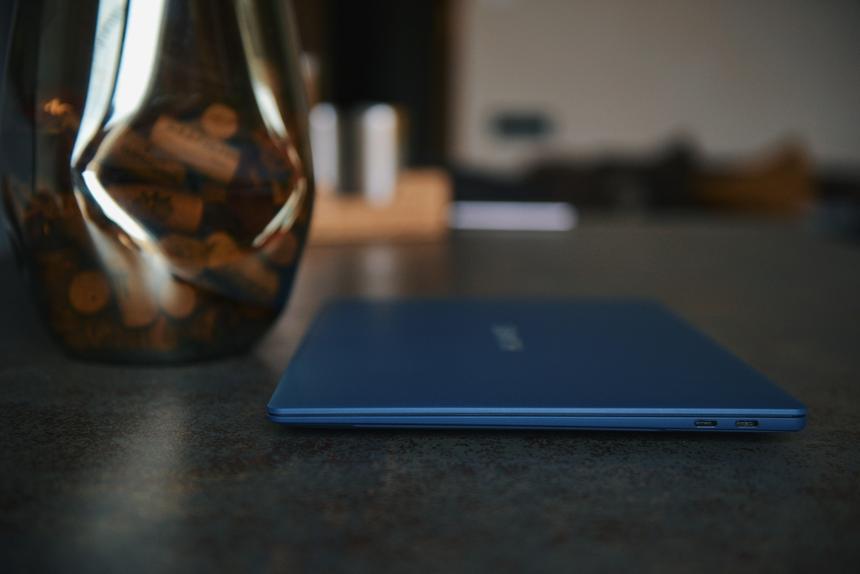
Wireless modules are modern andthe fastest: Wi-Fi 6E and Bluetooth 5.2. In addition, there is an NFC tag near the touchpad, which is needed for the Huawei Share function. The benefit will be only if you collect devices in an ecosystem, that is, use smartphones and tablets of the brand. With other devices, it makes no sense.
The HD webcam is sad.However, the picture looks at the level of many other laptops. Why manufacturers dislike video communication so much and refuse to install normal high-quality cameras, one can only guess. They probably want to make a lid of minimal thickness and with a thin frame above the screen. But with the quality you still need to do something too.
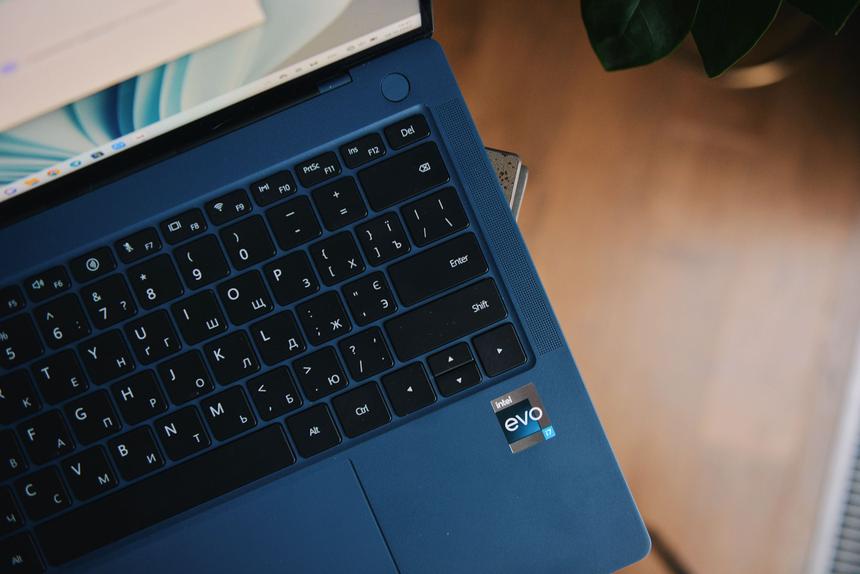
There are six speakers.Two low-frequency ones are directed downwards, four on the sides of the keyboard are directed upwards. Overall the quality is excellent, the volume reserve is large. It is generally accepted that the MacBook is the best in this regard, but I can say that the MateBook X Pro sounds no worse… well, at least the goodies of 2019.
The power supply is small, smartphone-style.There is no problem to carry with you, because it weighs little and takes up little space. Thanks to the power of 90 W, the battery gains the first 50% of the charge in about 30 minutes, it takes a little more than an hour and a half to fully charge.
The face recognition system works well, even indarkness. Helps her in this infrared illumination. The fingerprint scanner is located in the power button, fast and accurate. You can connect your preferred biometric option or select both.
Well, what about the keyboard and trackpad?
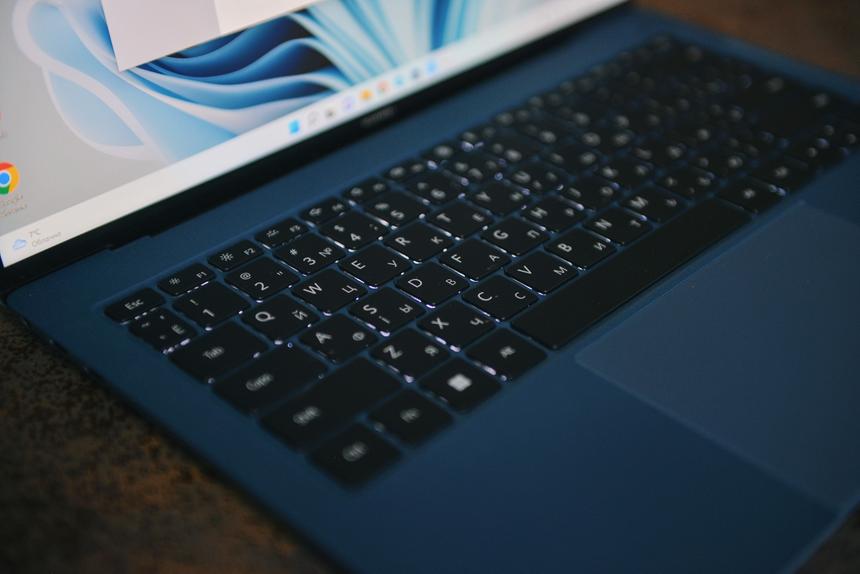
The keyboard is normal. As for me, this is good.I don't see anything wrong with putting in tricky wow keyboards. You know, this is when you have to work, but you have to get used to sitting. The keys are large, well spaced, with a travel of 1.5 mm. Pressing is clear, but not noisy. There are three backlight scenarios: off, on, turned on brighter. However, between the second and third I do not see much difference. Ask me what the brightness is now - the devil knows.
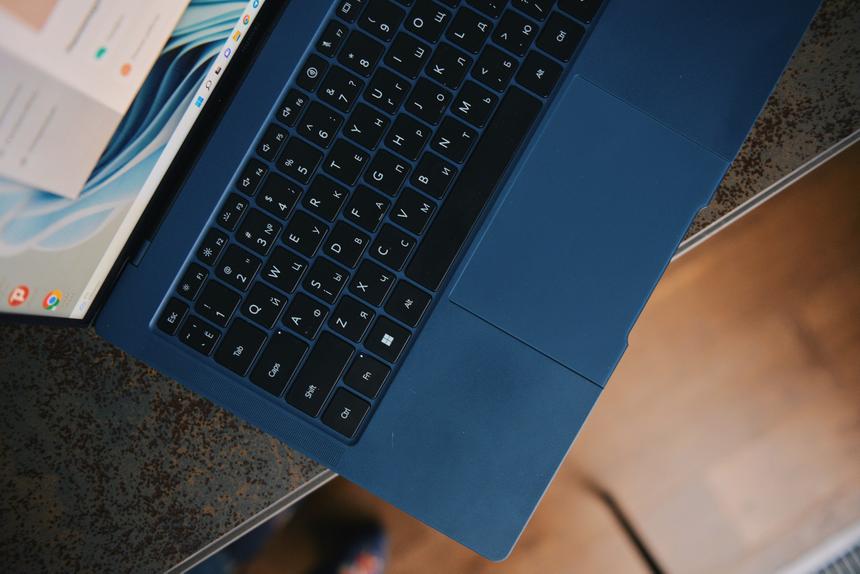
More interesting with the touchpad. He is touch.That is, when the laptop is turned off, nothing is pressed. The panel is not active and pretends to be part of the case. When turned on, a linear actuator comes into play, realistically simulating click vibration. For myself, I do not see a fundamental difference between the mobile and touch implementation, but in the second case there are bonuses. For example, HUAWEI engineers came up with the idea of taking a screenshot by tapping the touchpad with a knuckle. A slide on the top border rewinds the video, on the left it changes the brightness of the screen, on the right it changes the volume. It seems to be trifles, but somehow it is more convenient with them.
Here is the outcome
Bottom line HUAWEI MateBook X Pro (2022) -this is one of the best laptops in the thin-light-everyday category right now. Especially if you take the older model in a lightweight magnesium case and with improved (I hope, noticeably) anti-glare.
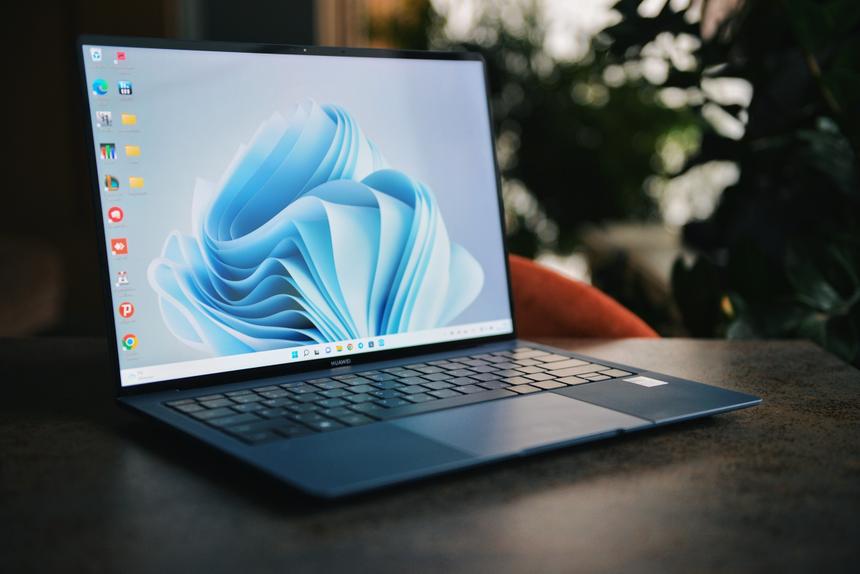
What bribed me was the desire of the engineersto make the product something more than just an expensive and ultra-mobile laptop. What is it? At a minimum, there is an easy-to-use 3:2 screen with high resolution and literally perfect calibration. Creative worker? Please, MateBook X Pro is ready for such tasks. Moreover, they are supported by a rather powerful 12th generation Core-i7 for this format and high-speed RAM. Need to take a break? Well, no frills, but you can even play, which was previously not particularly possible on laptops without discrete graphics.
In general, if you don’t like bulky, hot and powerful two-kilogram devices with a minimum time without recharging, then you should take a closer look at the MateBook X Pro. The purchase option is very good.

In terms of screen quality + sound quality + performance + body materials, this is one of the best laptops in the world for 2022.