</ img>
The mobile gaming segment is growing at a very fast pace, which means that the demand for a suitable gaming
- What is interesting ASUS ROG Cetra?
- What is included?
- What does the ASUS ROG Cetra look like?
- How convenient is it to use the ASUS ROG Cetra?
- How good is sound and noise reduction in ASUS ROG Cetra?
- In the dry residue
What is interesting ASUS ROG Cetra?
</ img>
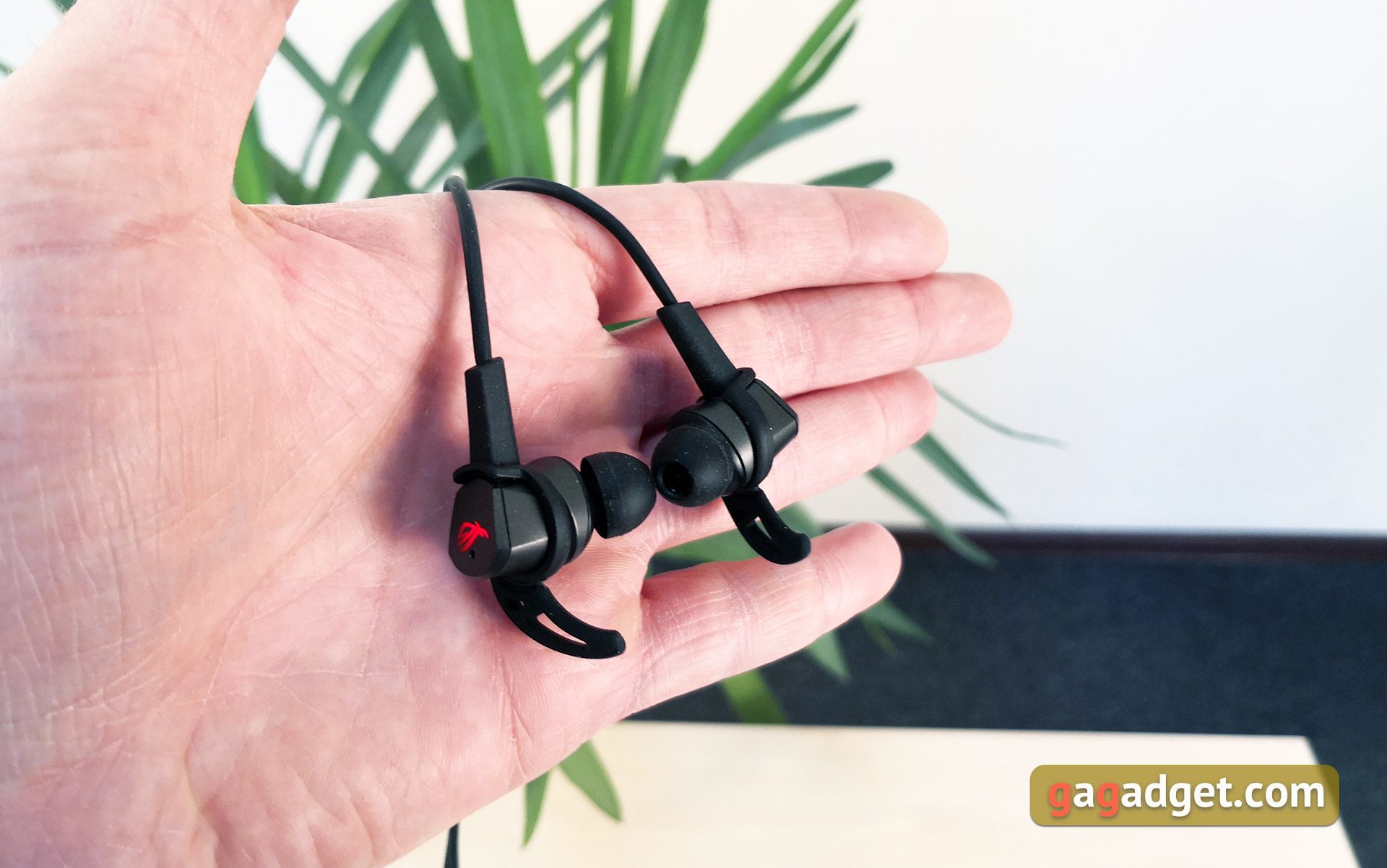
ASUS ROG Cetra - wired in-earheadset with 10.8 mm ASUS Essence dynamic drivers, omnidirectional microphone, active noise reduction system, ambient sound transmission mode. and connection using USB Type-C. Compatibility is declared with smartphones, Nintendo Switch and PC (of course, with the appropriate connector).
</ p>What is included?
</ img>
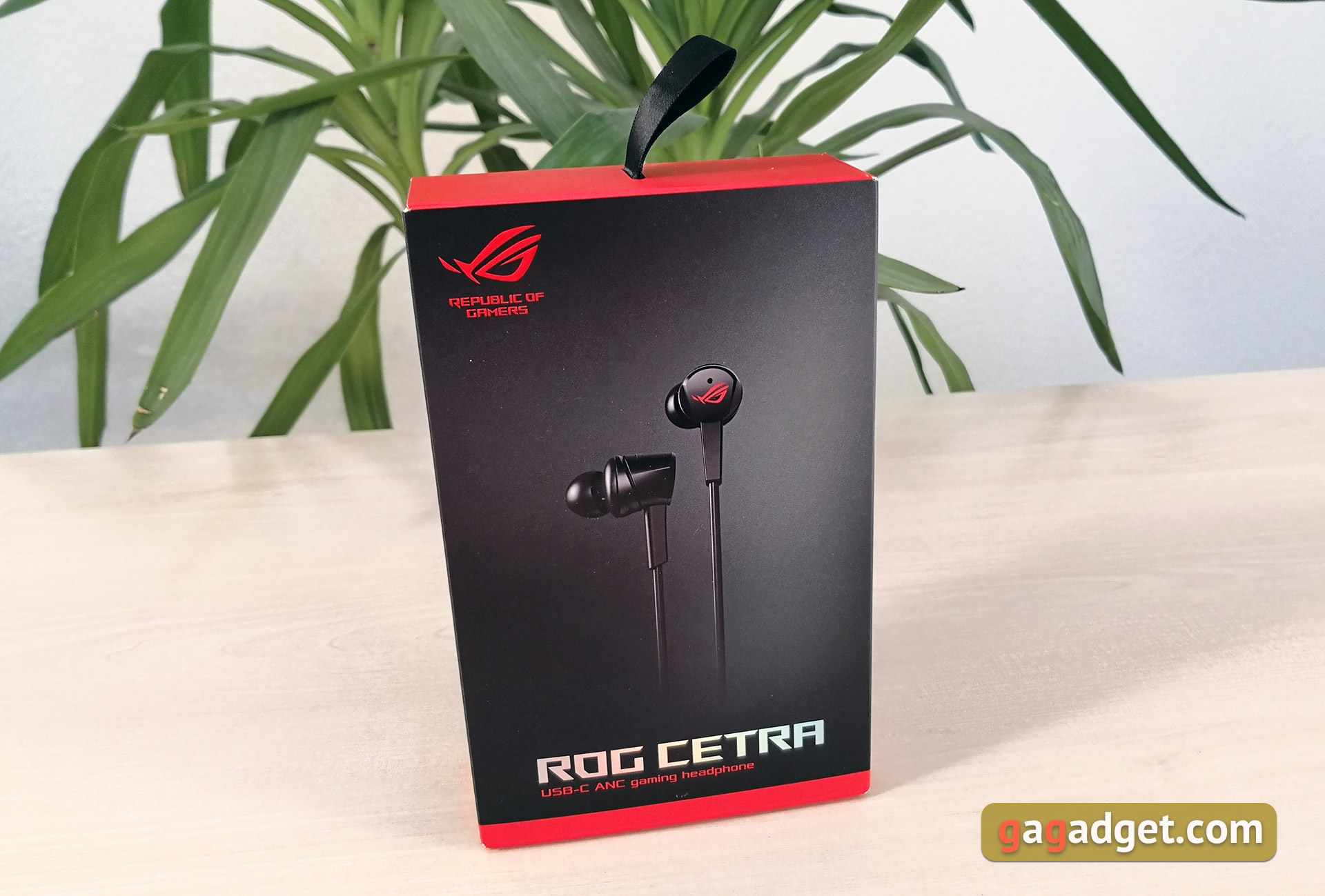
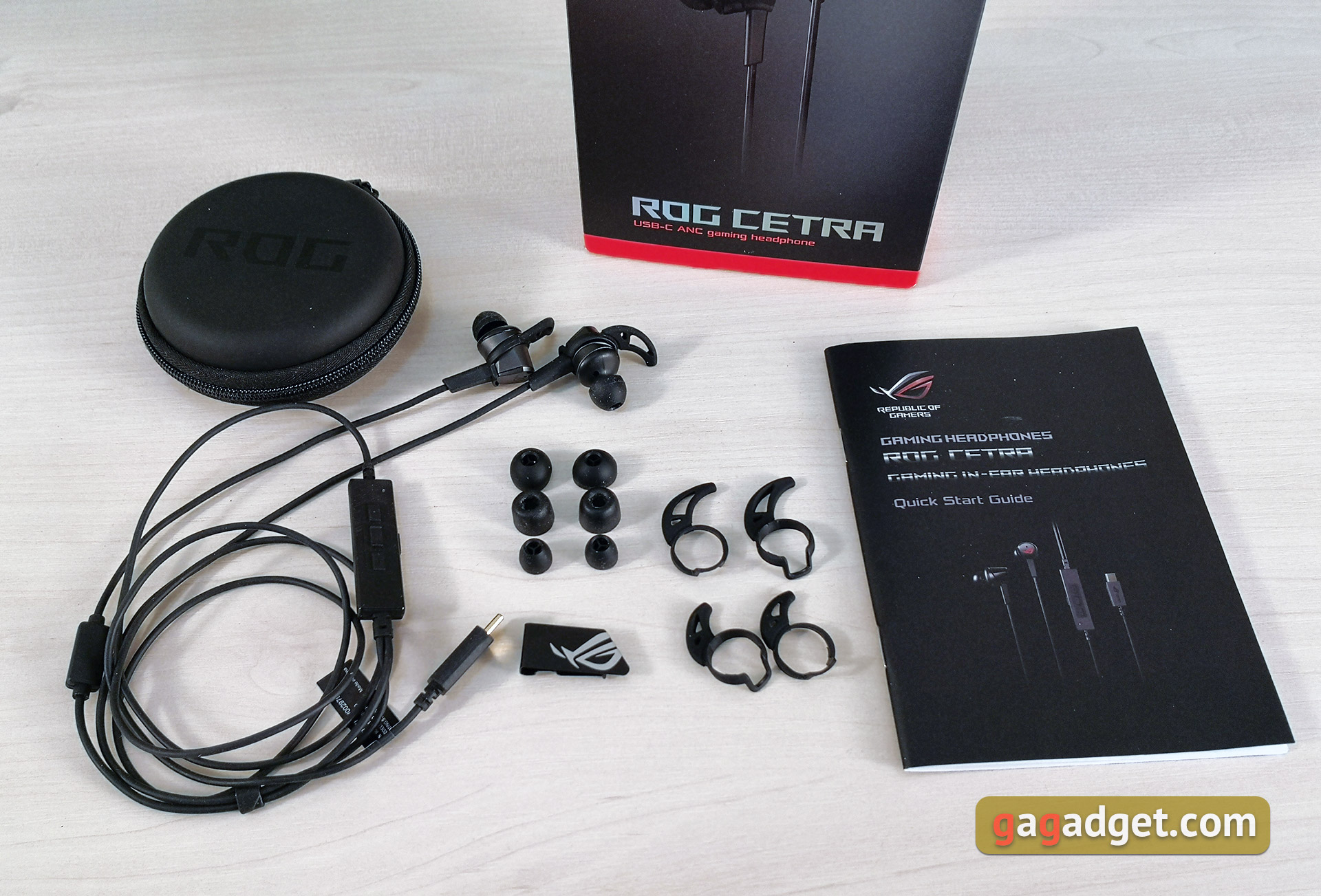
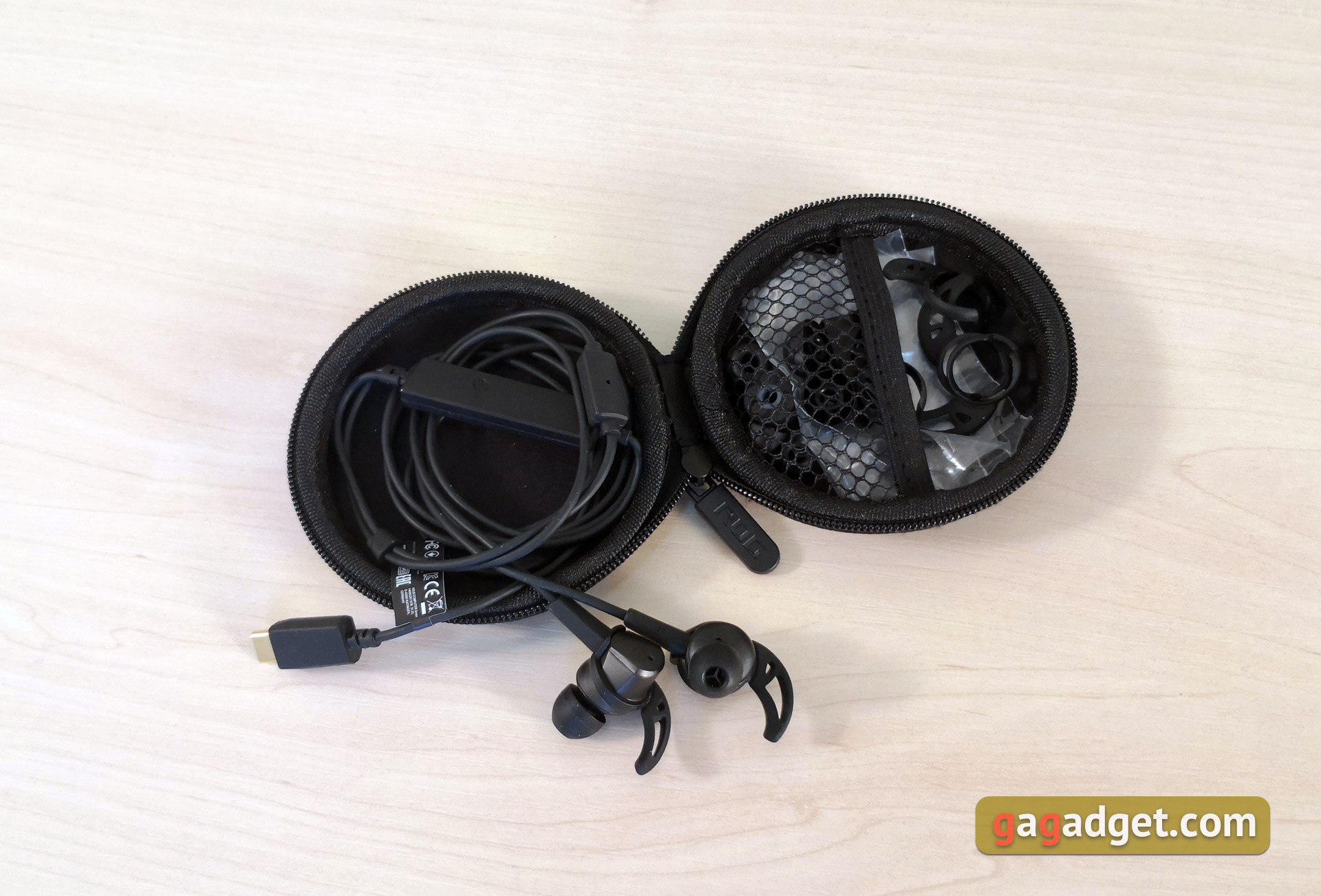
The ASUS ROG Cetra headset comes in a smallcardboard box in the signature black and red colors of the ASUS ROG line. On the box there is a bunch of beautiful printing with images of the headset itself, the delivery package and the main technical features. Inside the box there is a headset, a round black zippered case for transportation, three pairs of silicone tips of different sizes, one pair of foam tips (unusual, given the purpose of the headset), three pairs of additional fasteners -“fins” different sizes, a removable clip for fixing the cable on clothing and instructions.
</ img>
</ img>

What does the ASUS ROG Cetra look like?
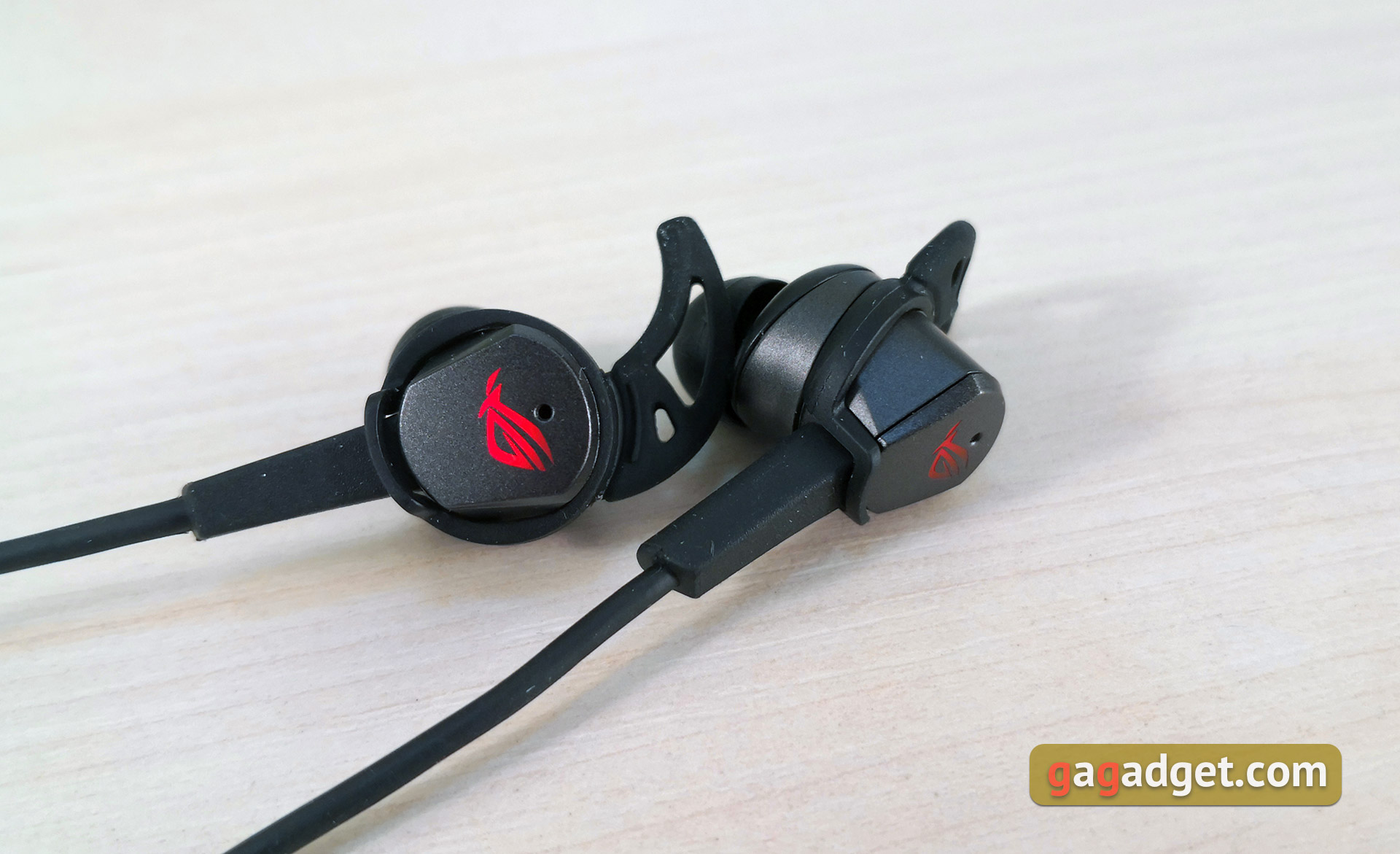
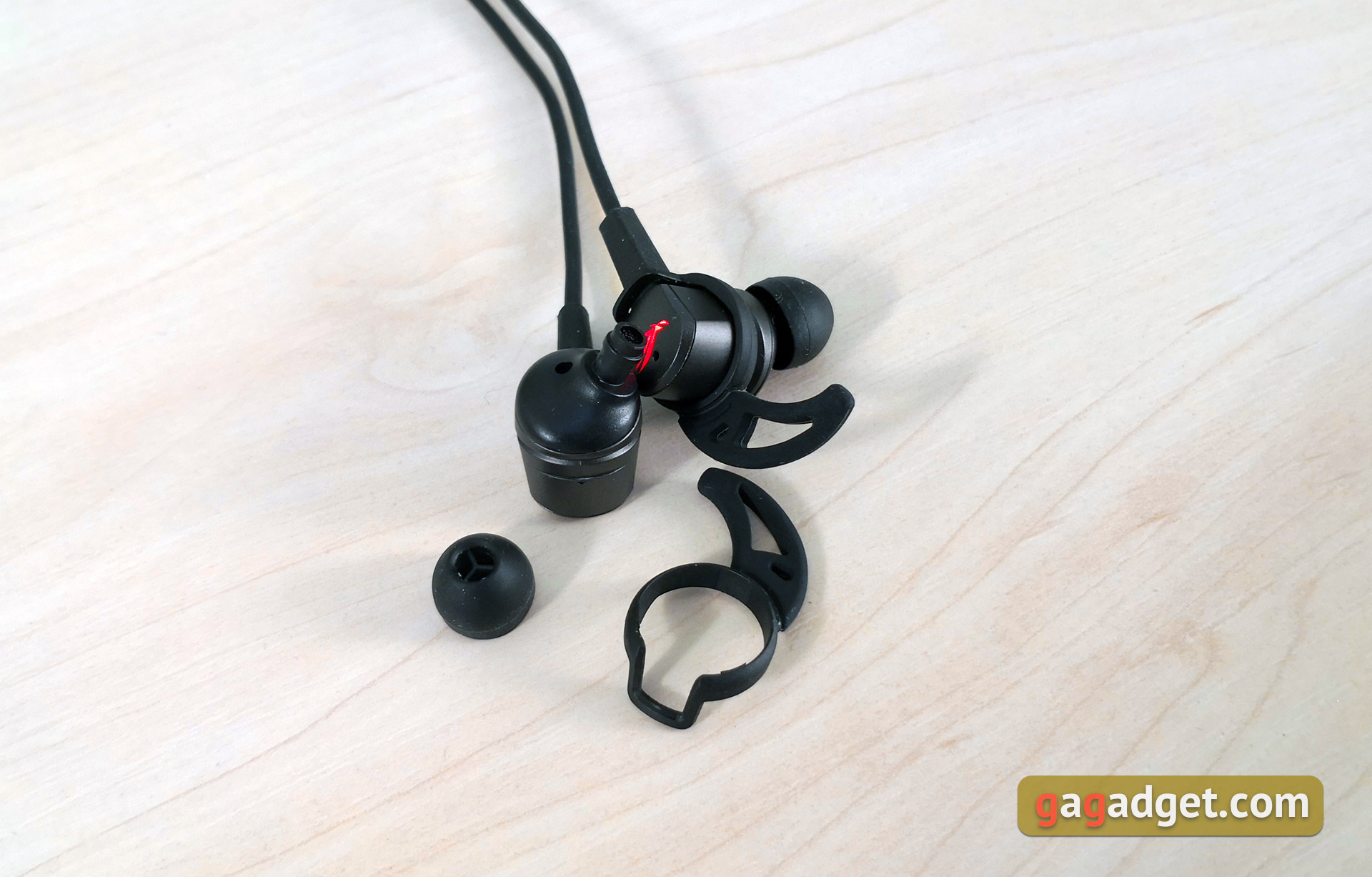
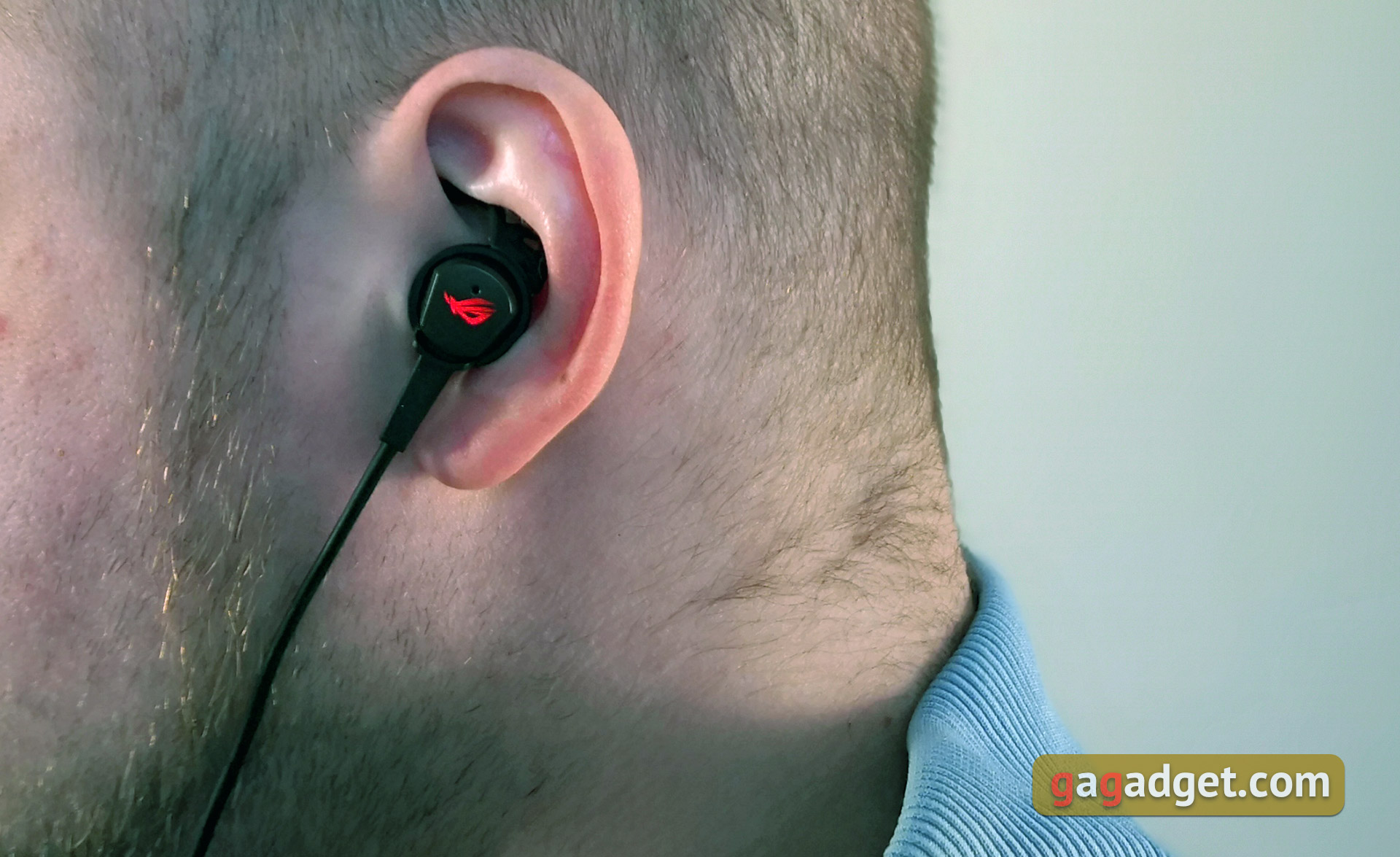
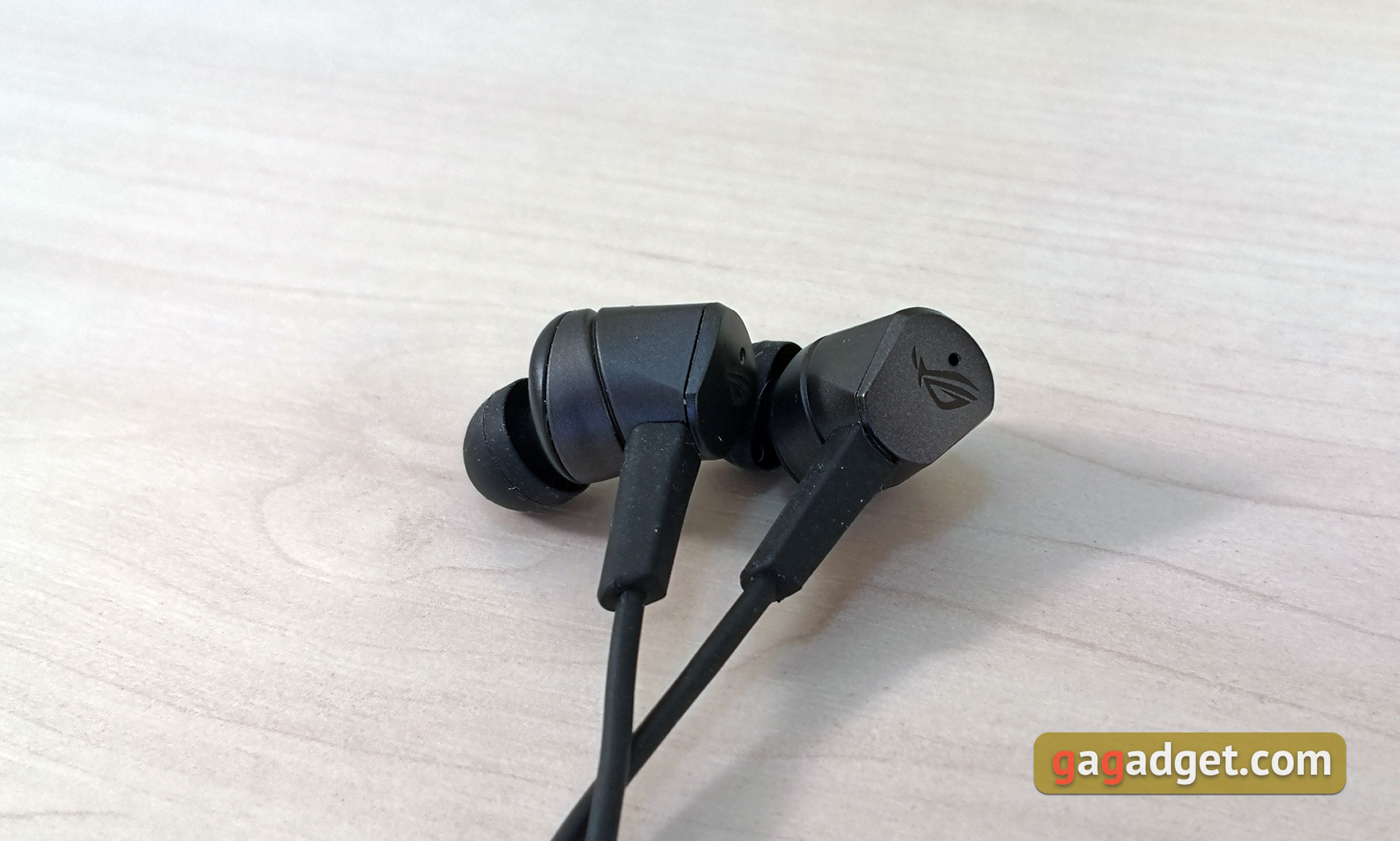
ASUS ROG Cetra - in-ear headphones withvery large cases of unusual shape. They are made of dark gray plastic, making it lightweight. On the outside of the headphones there are ROG logos with red backlighting and microphone holes for the noise canceling system.

</ img>
On the top and next to the sound guide of eachThe earphone has two more holes. Apparently, compensatory. The sound guides are long and thin enough, with a protrusion for more reliable attachment of nozzles. They are located at a completely successful, anatomically correct angle.
</ img>
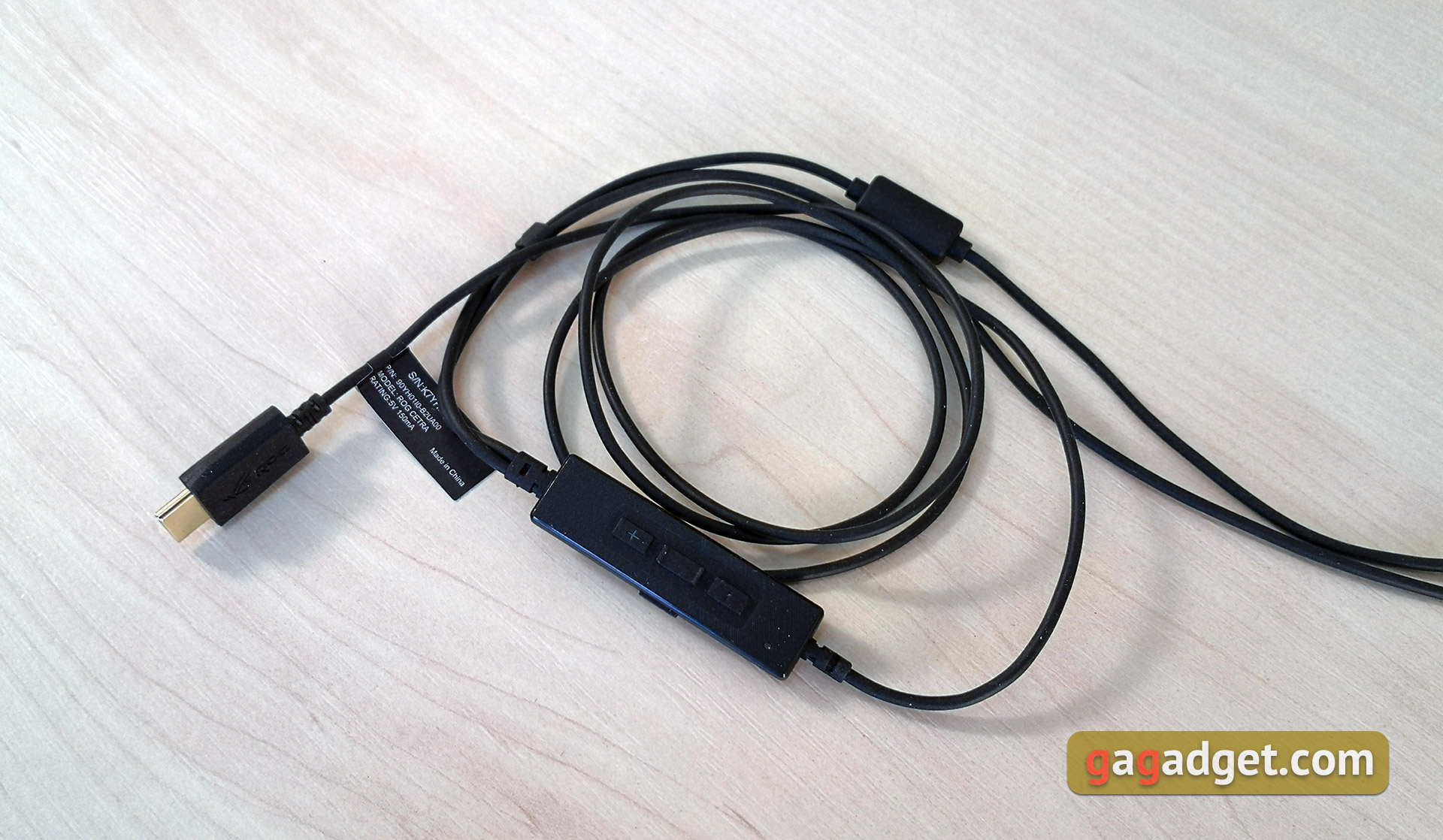
The cable enters the headphones from below, there isadditional protection against an excess. The cable itself is standard-looking, with black insulation and a gold-plated Type-C connector. Not the most malleable, but not confused. And it feels durable, and this is important in this case: replacing it simply will not work.
</ img>
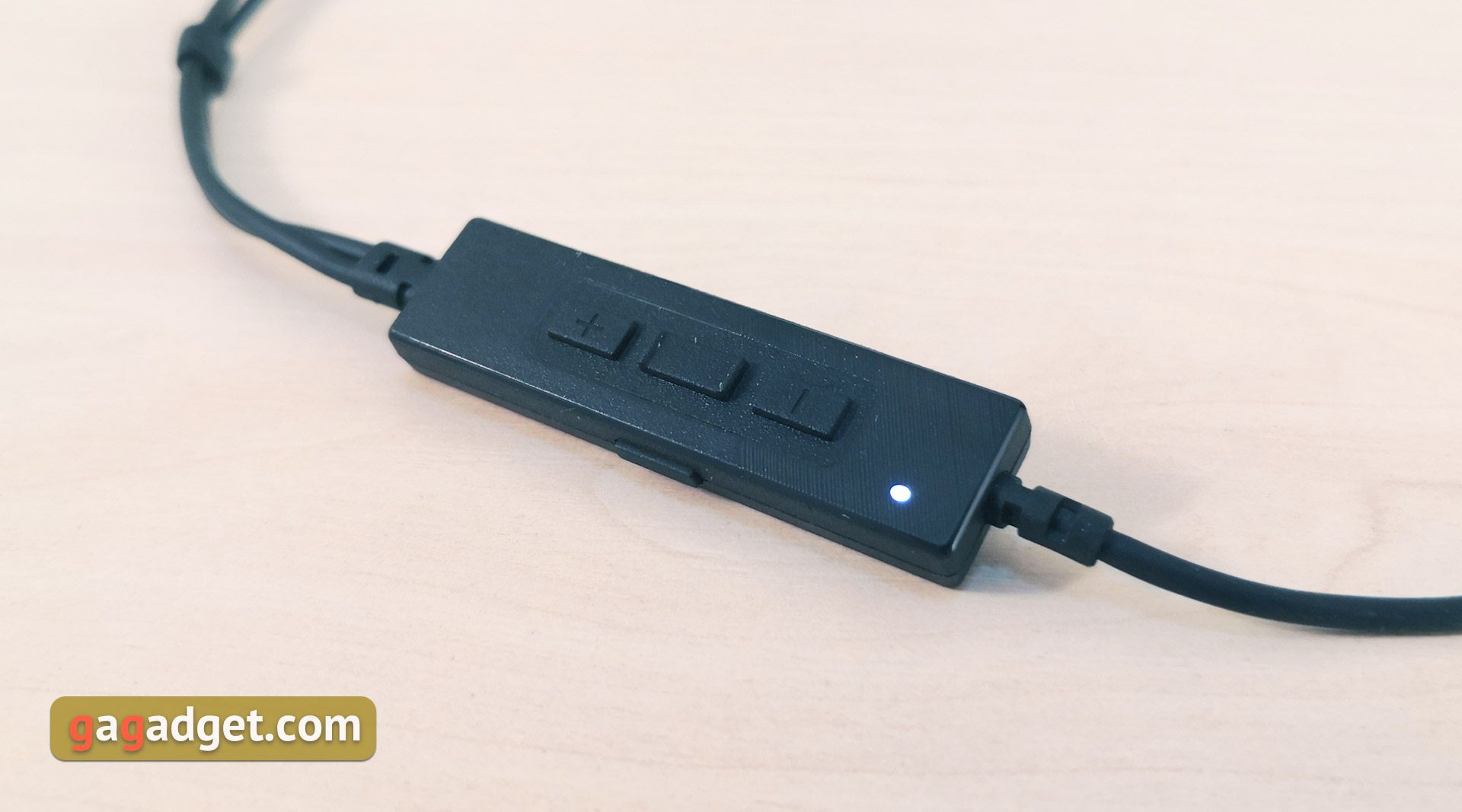
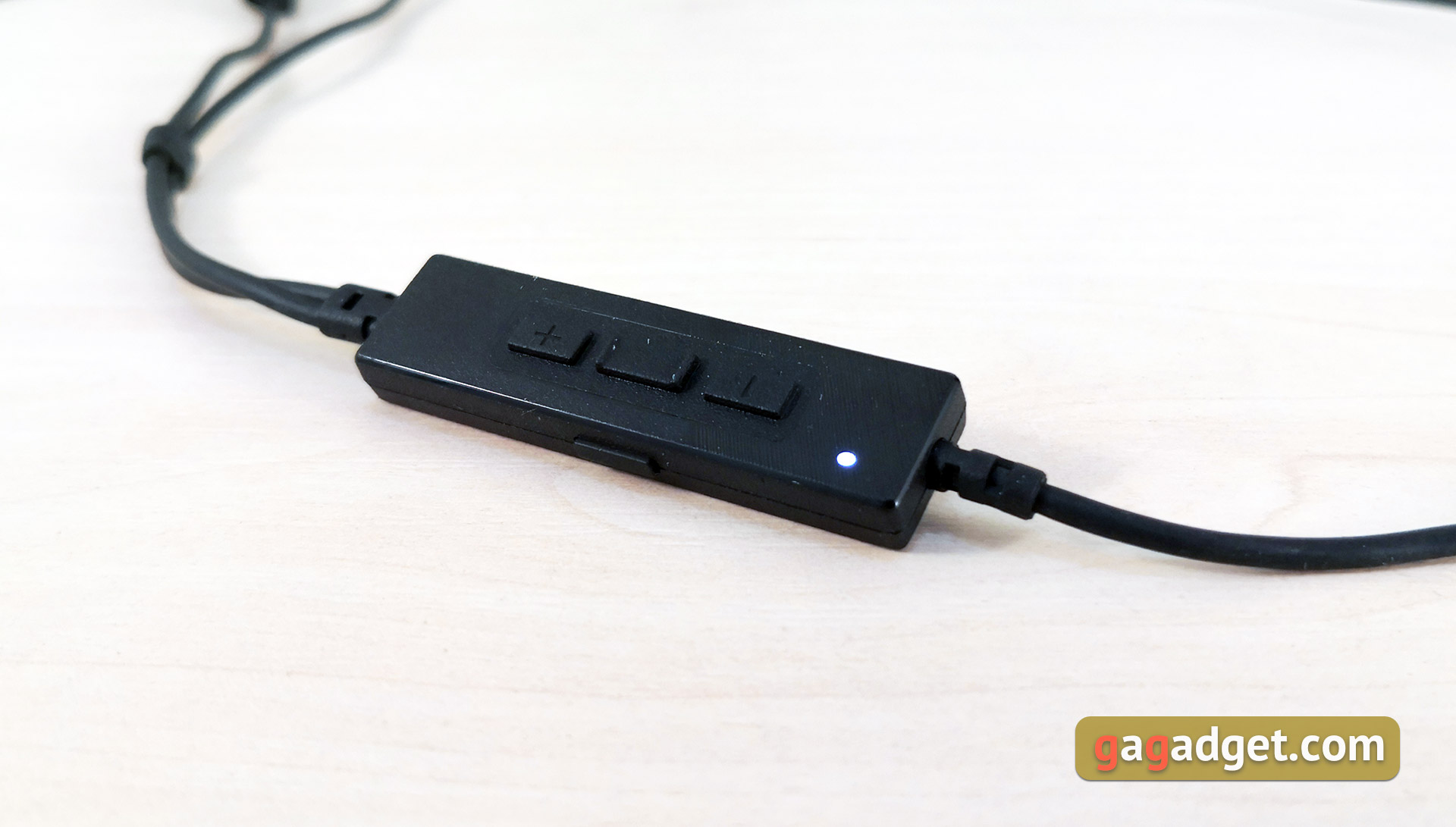
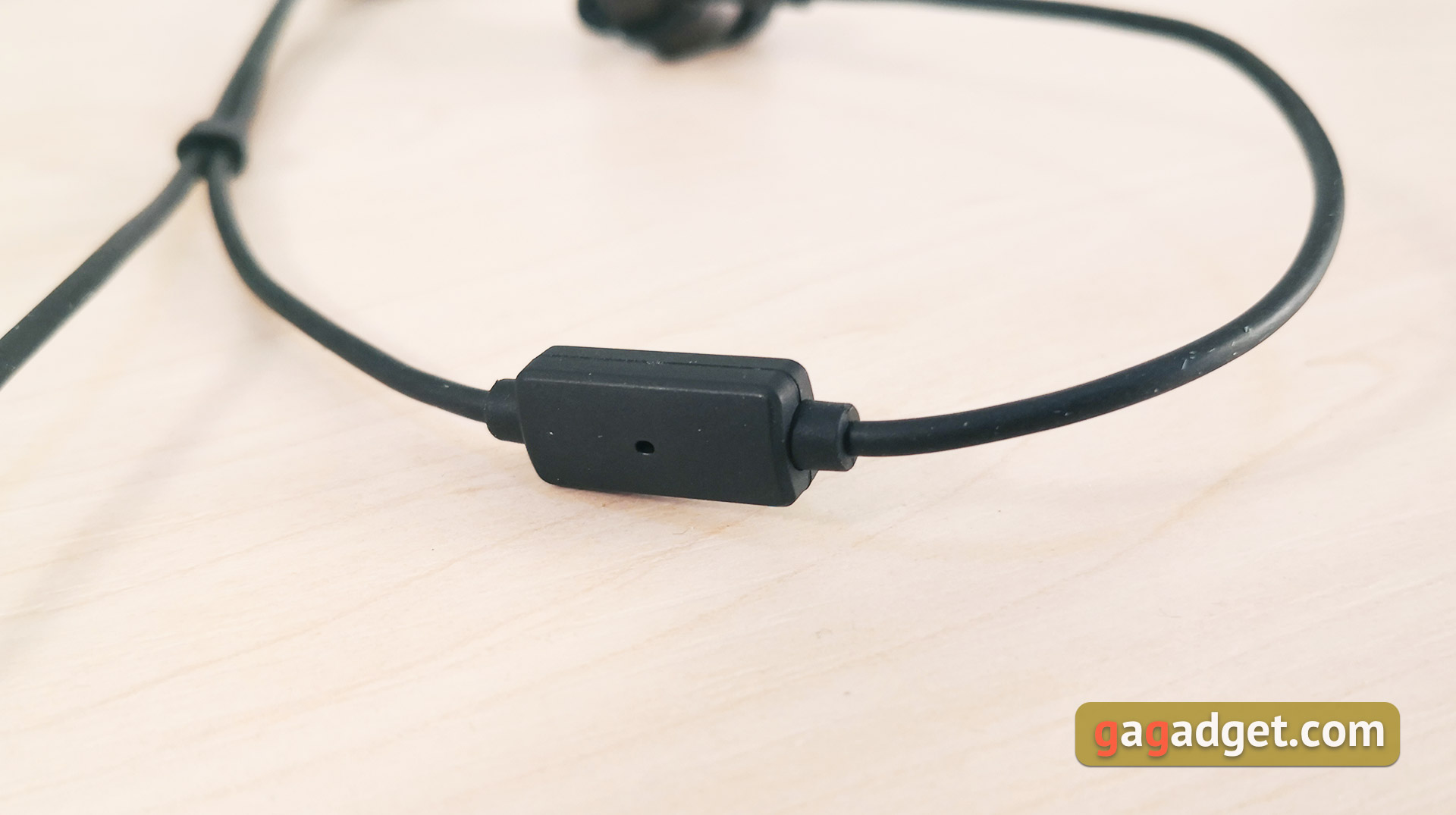
The cable is quite impressive in sizecontrol panel, it is also a DAC with all the electronic harness. On the front there are three buttons for controlling the volume and playback, as well as an LED indicator of the operating mode. On the side is a button for switching these very modes:
</ img>
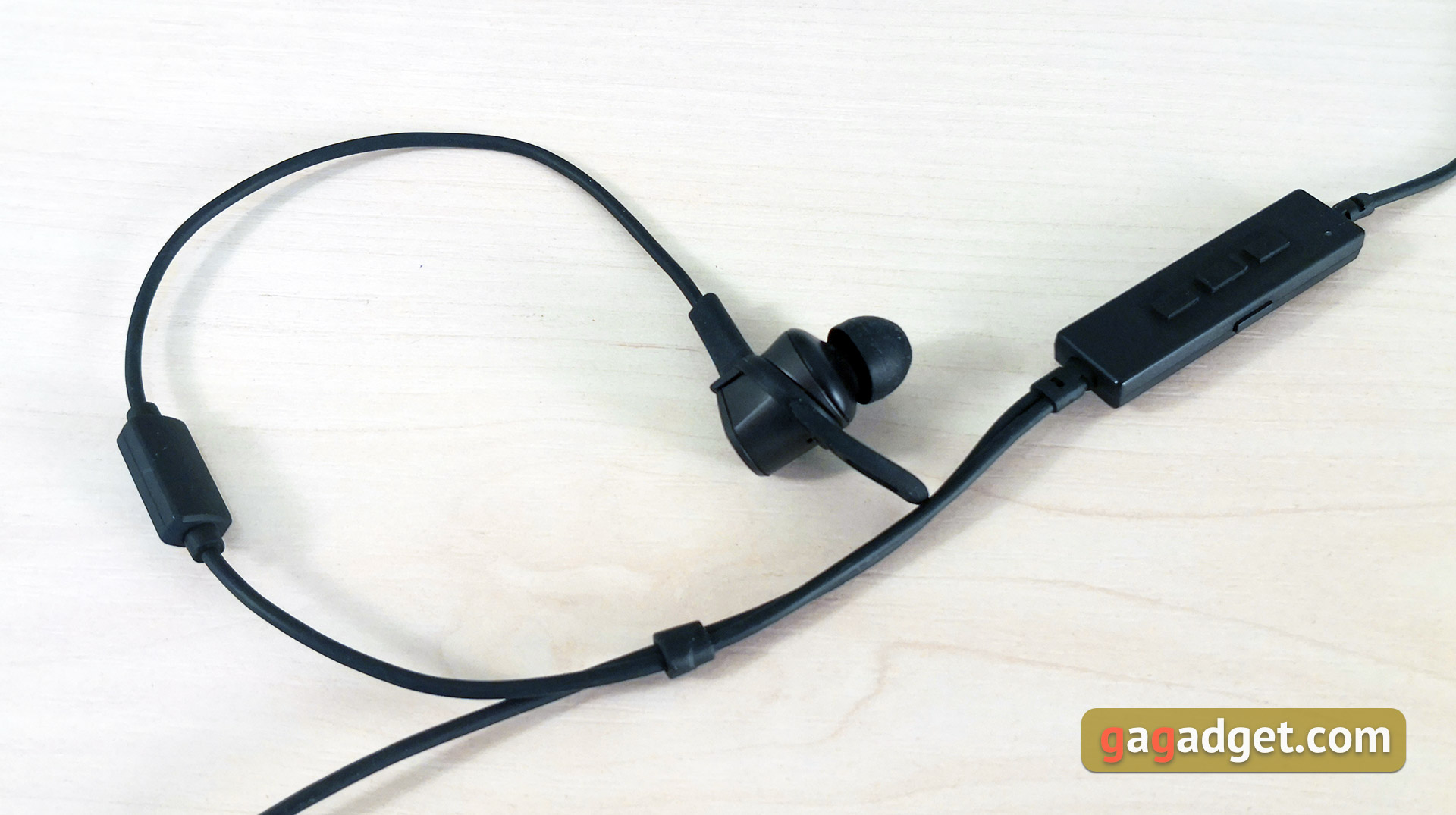
Above the remote control there is a separation into two cables to each of the headphones, there is a plastic lock to adjust the length after separation. A microphone is located on the cable of the right earphone:
</ img>
The headphone quality is good, design- Lovers of gaming peripherals with a bright appearance will definitely like it. By design - there are a couple of points that I would like to improve. It would not be out of place to have a replaceable cable, as well as the ability to connect to a familiar 3.5 mm jack. This would make the headset more versatile.
</ p>How convenient is it to use the ASUS ROG Cetra?
The ASUS ROG Cetra ears feel comfortable andreliable. They do not fall out even without additional fasteners, although anatomical features are a very individual matter and the presence of removable “fins” - this is definitely a plus. In terms of passive sound insulation, everything is also in perfect order if you choose the right attachments. The only complaint about ASUS ROG Cetra in terms of convenience is the size of the headphones themselves. They stick out very noticeably. The headphones are designed for use on the road and there will be no problems with this in the warm season. In winter, the large dimensions have a big impact: wearing the ASUS ROG Cetra with a hat is difficult.
</ img>
The remote control on the wire is quite convenient to use.All buttons are large, well separated from each other and have a clear, informative click. The two outer buttons are responsible for adjusting the volume, the middle one for play, pause and switching to the next or previous track (double and triple press, respectively). On the side is a button for switching operating modes. If the LED is on, it means the noise reduction system is turned on. If it blinks - “through” mode. The thing will be useful in some situations. For example, while crossing the road, or if you need to hear someone, but don’t want to take off your headphones.
</ img>
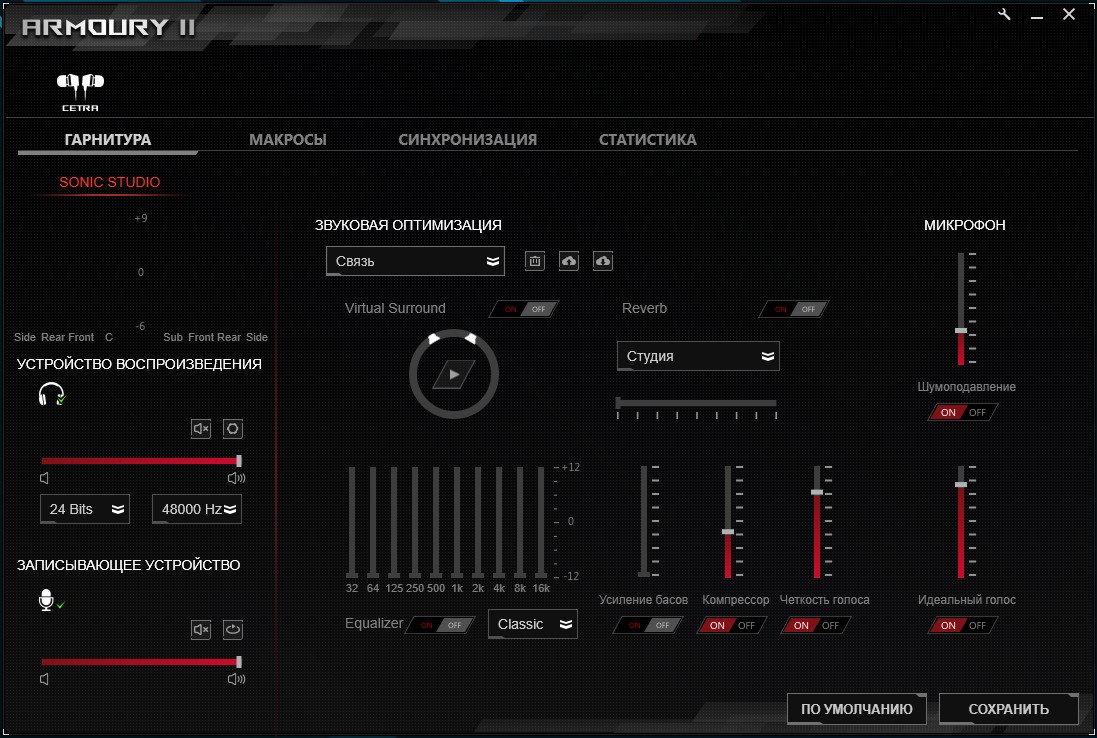
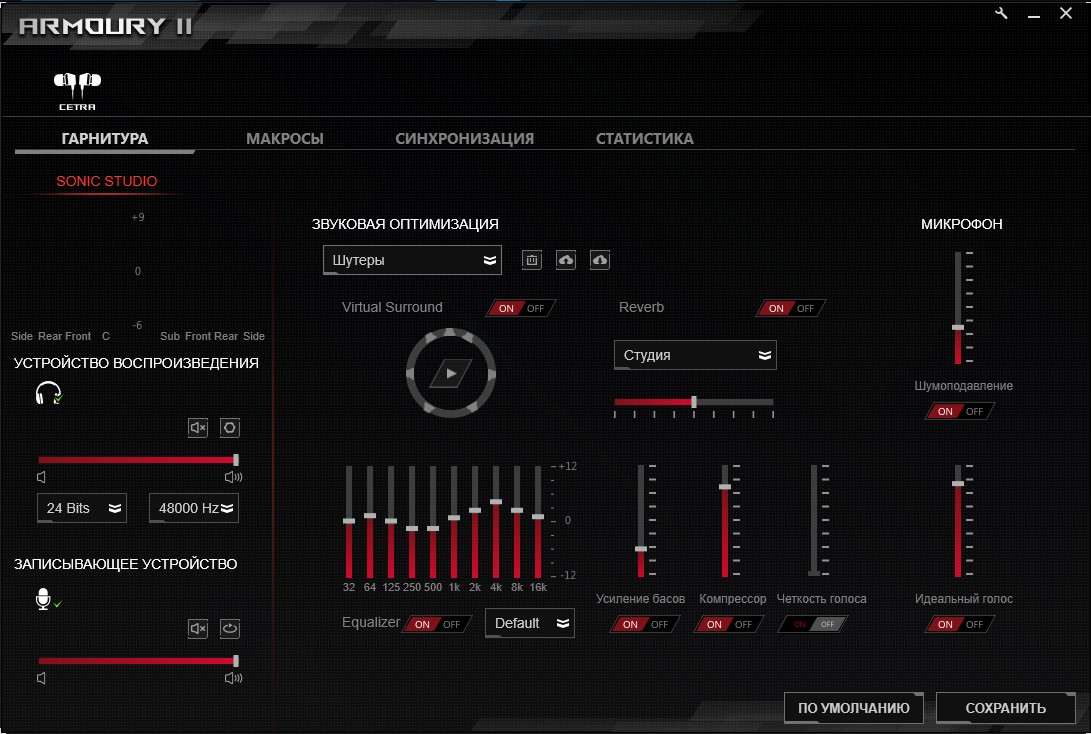
Despite the emphasis on mobileuse, ASUS ROG Cetra can be connected to a PC if it has Type-C; for configuration, the common proprietary Armory II software is used for all ASUS gaming peripherals. You can adjust the volume of headphones, microphone, compression, microphone noise reduction, adjust the equalizer and select one of the ready-made settings profiles. In the “assortment” There are profiles for shooters, racing, music, movies and so on, as well as the ability to enable virtual surround sound.
</ img>
</ img>


How good is sound and noise reduction in ASUS ROG Cetra?
Dynamic speakers are responsible for the sound in the headset.ASUS Essense emitters are 10.8 mm. Of course, the sound is tuned primarily for games and movies. Accordingly, the low frequencies and lower mids are most emphasized. Although their large number does not indicate high detail. From the point of view of gaming or watching movies, the headphones sound very good, with appropriate scale and boom. The sound is perfect for games and TV shows on the road. Although the design itself somewhat limits the possibilities for the imaginary scene and positioning, ROG Cetra is still inferior to full-size headsets. Listening to music on ROG Cetra is not the best solution. Perhaps the sound “will come” fans of the maximum amount of bass who listen mainly to some electronic music or hip-hop. Not very good for any instrumental music.
</ img>
The active noise cancellation system copes withits task is very good: mid frequencies and hum are cut off well, high-frequency noise is a little worse. Of course, if you turn on noise reduction on a noisy street and don’t turn on music, then the surrounding noise will partially leak through. But this is within the normal range for almost all headphones with active noise reduction. Otherwise, the noise reduction efficiency is sufficient for gaming and comfortable listening to music, watching TV series, even in the subway. And if necessary, with one click you can activate “pass-through” mode and return to the real world.
</ img>
The microphone in the headset is omnidirectional, locatedvery well, at an optimal distance from the user. In quality - no discoveries should be expected. He is quite good and gives voice informatively.
</ p>In the dry residue
Mobile gaming is gaining momentum, and along withand manufacturers are beginning to produce corresponding peripherals. ASUS ROG Cetra is just one of the striking examples of this. The headset has a characteristic “gamer” appearance with red backlight and no less gaming sound, which is primarily suitable for games and watching movies, but not so much for music. Among the pleasant bonuses, ASUS ROG Cetra boasts an active noise reduction system with pass-through mode and a comfortable shape with a secure fit in the ears. Among the controversial points, it is worth highlighting the limited compatibility with devices: in fact, these are only smartphones, Nintendo Switch and PCs/laptops with Type-C. Other game consoles and not the latest PCs are left behind.
4 reasons to buy ASUS ROG Cetra:
- high-quality sound of games and films;
- convenient and reliable design;
- bright gamer design;
- active noise reduction and end-to-end mode.
2 reasons not to buy ASUS ROG Cetra:
- limited compatibility;
- you need headphones to listen to music.
ASUS ROG Cetra
In-channel wired gaming headset with active noise canceling system, microphone and backlight.
Rozetka
MOYO
F.ua

For mobile gamers
Technical specifications ASUS ROG Cetra
Headphones
Speakers
dynamic, 10.8 mm ASUS Essence
Frequency range
20-40,000 Hz
Impedance
16Ω
Cable
1.25 m
Connection
USB Type-C
Weight
26 g
Additionally
Active Noise Cancellation System
Microphone
Type of
Omnidirectional
Frequency range
50-10000 Hz
Microphone sensitivity
-40 dB ± 3 dB
</ p>
For those that want to know more:
- ASUS ROG Strix Scope Review: Gaming Mechanical Keyboard for Maximum Control I
- Logitech G305 Lightspeed Review: Wireless Gaming Mouse with Excellent Sensor
- Audeze Mobius Review: Planar Magnetic Gaming Headphones with 3D Sound and Motion Tracking
- ASUS ROG Delta review: gaming headset with Type-C, Hi-Fi DAC and RGB-backlight