Want to add a couple of cool new apps to your iPhone or iPad, but think it's better to save money on
Total benefit when downloading all applications and games from this article: RUB 1,051
Please note that these are paid applications, and allThe listed offers are limited in time. If you go to the App Store and see a price instead of a “Free” icon, then the promotion has expired.
Meditation studio
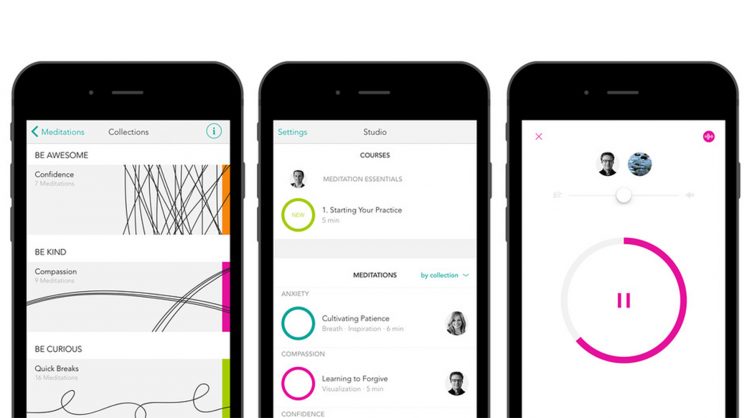

Last year this Meditation Studio enteredTime's 50 Best Apps and Time's 10 Best Apps of the same year – but according to Apple editors. This year the application is just as popular and was included in the list of the best in the “Health and Fitness” category. from Forbes. As the name suggests, this program is entirely dedicated to the art of meditation. In it you will find tips, instructions and meditation techniques to achieve the goals you need: overcome insomnia, get rid of unwanted habits, concentrate or, on the contrary, relax.
The application contains a large numbervarious author's programs. Each of them is accompanied by corresponding sounds to set you in the right mood. Any meditations can be saved to the library so that you can refer to them when needed – regardless of the availability of an Internet connection.
Common price: 299₽
Download on the App Store: Meditation Studio
Drwer
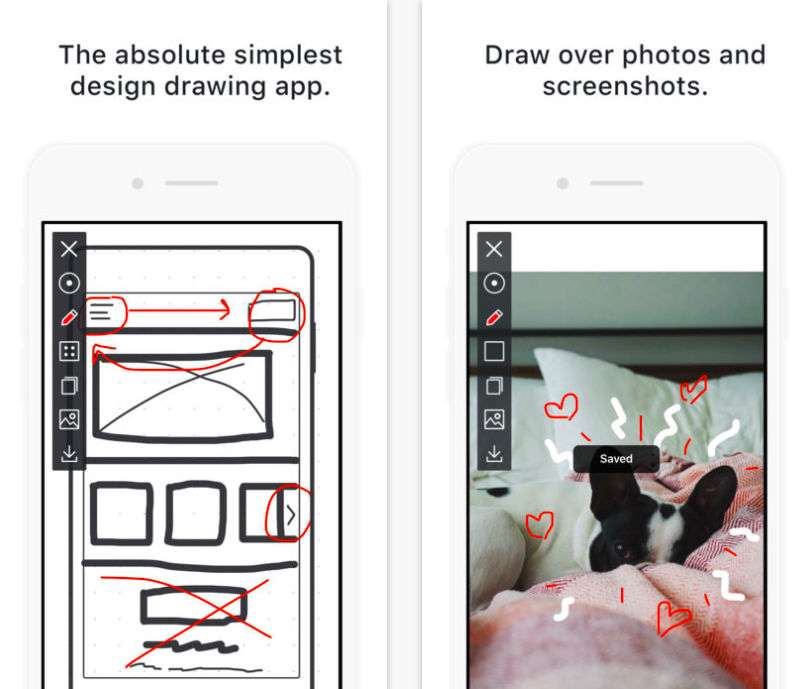

Drwer– it's absolutely simple,a minimalist and user-friendly application created by designers for designers. Because when you want to share an idea with colleagues or do a quick sketch to explain what you mean, the last thing you need is – It's a clunky drawing app with tons of settings and a confusing interface.
Drwer makes it easy to sketch and take notes. To start drawing, you just need to open the application. To erase everything from the screen, just shake your smartphone or tablet.
Drwer Features:
- Built-in templates simulate interface elements for sketching the design of programs and sites
- You can choose the most convenient background: completely white, checkered or to a point
- Draw on photos and send anywhere right from the app
- No frills. Use three colors and two brush sizes to make sketches, diagrams, or notes quickly and legibly
Common price: 75₽
Download on the App Store: Drwer
Superimpose
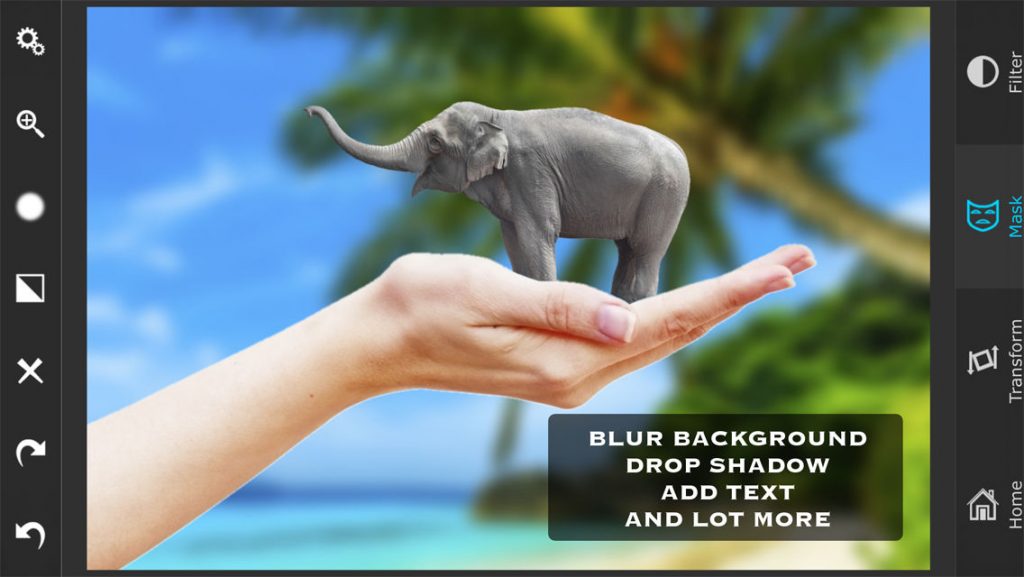

In just a few touches you can change the backgroundor vice versa, add objects to photos directly on the iPhone. You do not need a computer or complex software that requires special skills. Superimpose works simply:
- Download image for background
- Download foreground foreground image
- Select a blending mode from the available 18
- Using a special tool, mark the areas that you want to remove from the photo in the foreground
- Refine the edges of the selection or make them less sharp if necessary.
- Choose where the top image will be. It can be rotated, scaled and flipped.
- Adjust the colors / exposure / contrast / hue / saturation and other parameters of both images so that they are in the same color gamut
- If necessary, add a shadow from the object in the foreground to the background using a special tool
- Done! Save the photo in full size or send it immediately to Twitter or Facebook
Developers note that the tool forcreating masks in their application is the most powerful in the App Store. Just touch the place you want to separate from the background in the photo, and the algorithm itself will select the entire area with similar colors.
If you like more meticulous work,Superimpose offers a wide range of tools familiar to anyone who has worked with masks in Photoshop: brushes, lasso, polygonal, elliptical and other selection modes, radial gradient and much more. There is even a special tool designed for precise hair selection. Masks can be made both on photographs and on text.
Common price: 149₽
Download on the App Store: Superimpose
Pic instant collage live 360
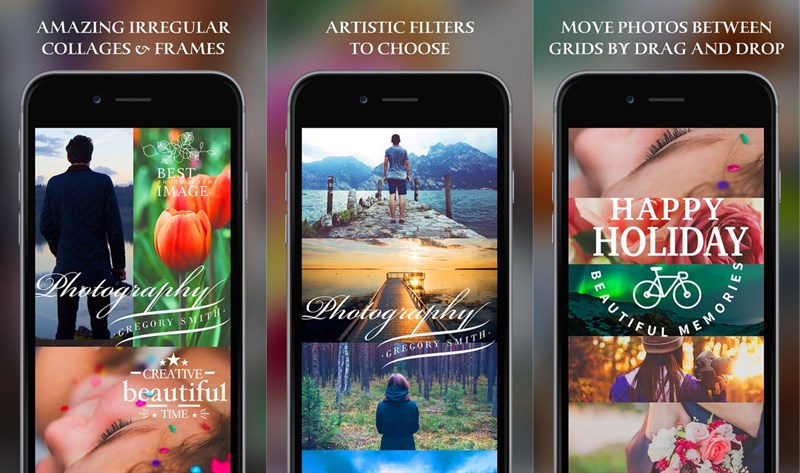

This is a powerful collage maker and photo editing app. With it, you can make stunning collages using photos, stickers and hundreds of fonts.
Features of Pic Instant Collage Live 360:
- Over 170 ready-made collage templates in different styles
- You can make collages of 10 photos
- More than 150 fonts are available with the ability to edit color, size and slope. You can add multiple text blocks to one collage.
- Over 80 filters for every taste. You can add multiple photos at once or process individual photos in a collage in different ways
- A set of 570 stickers is available in the application
Common price: 149₽
Download on the App Store: Pic Instant Collage Live 360
Minecraft: Story Mode – S2


The popularity of Minecraft will end very soonnot soon. This game from Telltale (Walking Dead, Game of Thrones, Wolf Among Us) is based on the original sandbox, but adds a story to it. This is the second season of the point-and-click game, so to understand the plot of the story, it is better to first familiarize yourself with the first. New characters and mobs were added to S2 (most of them replaced similar mobs from the first part)
Please note that a free application does not meancompletely free game. The developer made only the first episode free, while you still have to pay for the rest. If you were going to buy Minecraft: Story Mode – S2, we advise you to do this now, while part of the game is free, and the remaining episodes (there are only 5) are subject to a 35% discount. Either way, this is a great deal to see if you want to pay for your entire history.
The game is not recommended for devices older than iPhone 5s and iPad Air 2. Full list of compatible devices (must be installed iOS 10.0 and above):
- iPhone 5s and later
- iPad mini 4 and later
- iPad Air 2 and later
- iPad (2017)
- iPad Pro
Common price: 379₽
Download on the App Store: Minecraft: Story Mode – S2