The first beta of iOS 12 has already arrived, so we've had time to explore the update.Many of the promised features in the
Below we not only talk about the best new features of iOS 12, but also show them clearly in the form of GIF-images.
Also read:iOS 12: all new and hidden features
1. United notifications
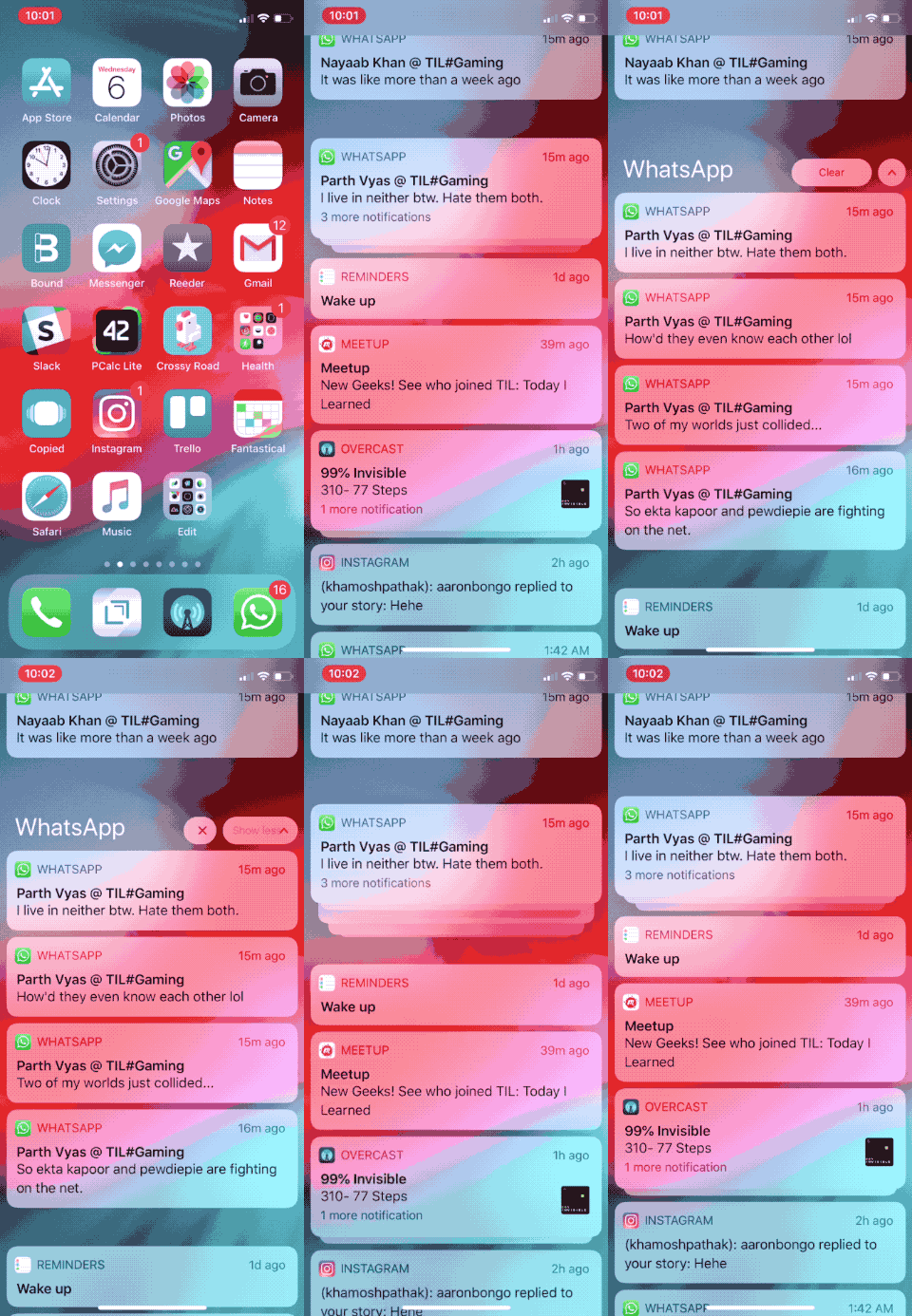

Now notifications in iOS by defaultgrouped together. If you receive 5 notifications from one application, they will be displayed in the form of one group, which you can open and view each notification separately. You can also click on any to interact with him.
2. Management of notifications from the lock screen
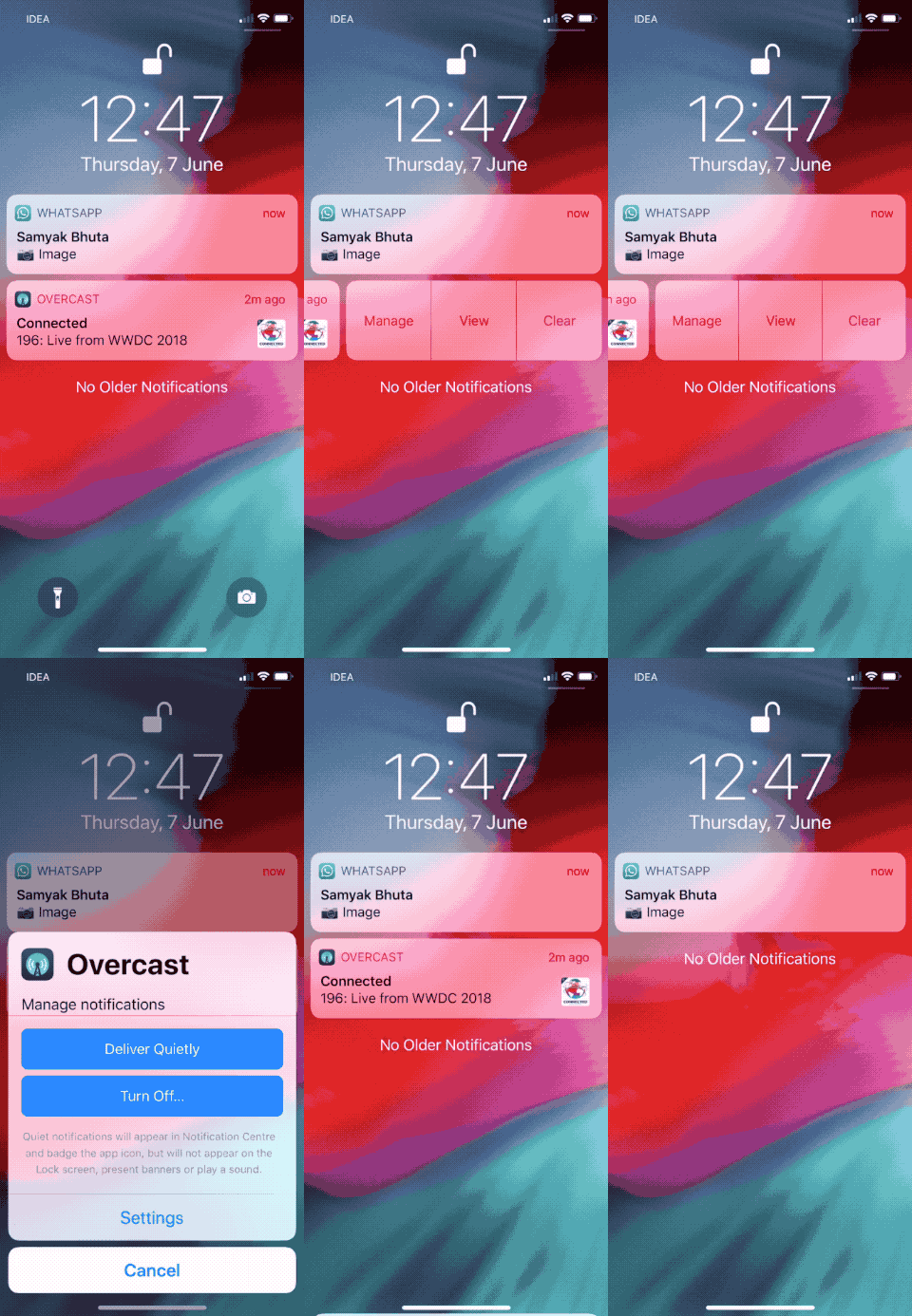

You can now change notification settings directly on the lock screen. Swipe left on the notification and select Manage.
Next, you will see two options - Deliver without sound and Turn off.
If you select the first option, then notifications from this application will not appear on the lock screen, but immediately in the Notification Center without sound and banners.
3. Do not disturb at night
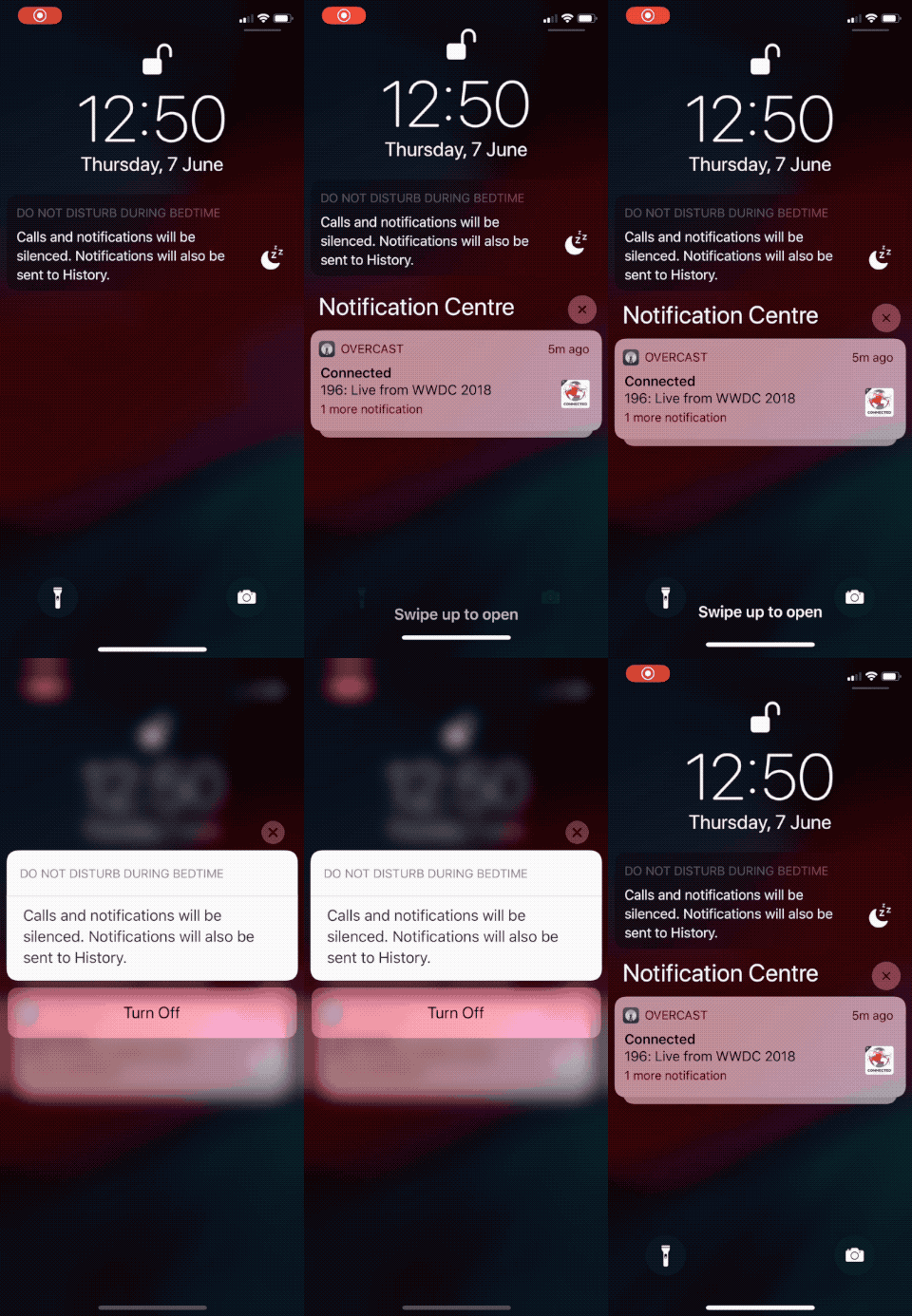

In the Do Not Disturb section in Settings appearedA new option Go to bed, thanks to which the mode is activated at night. The smartphone will not light up, and notifications will not appear on the lock screen until you wake up.
4. Screen time
Screen time is a new feature related tohealth. The new section shows how much time you spend on your smartphone. Two main details - the screen time itself and how many times a day you take your smartphone.
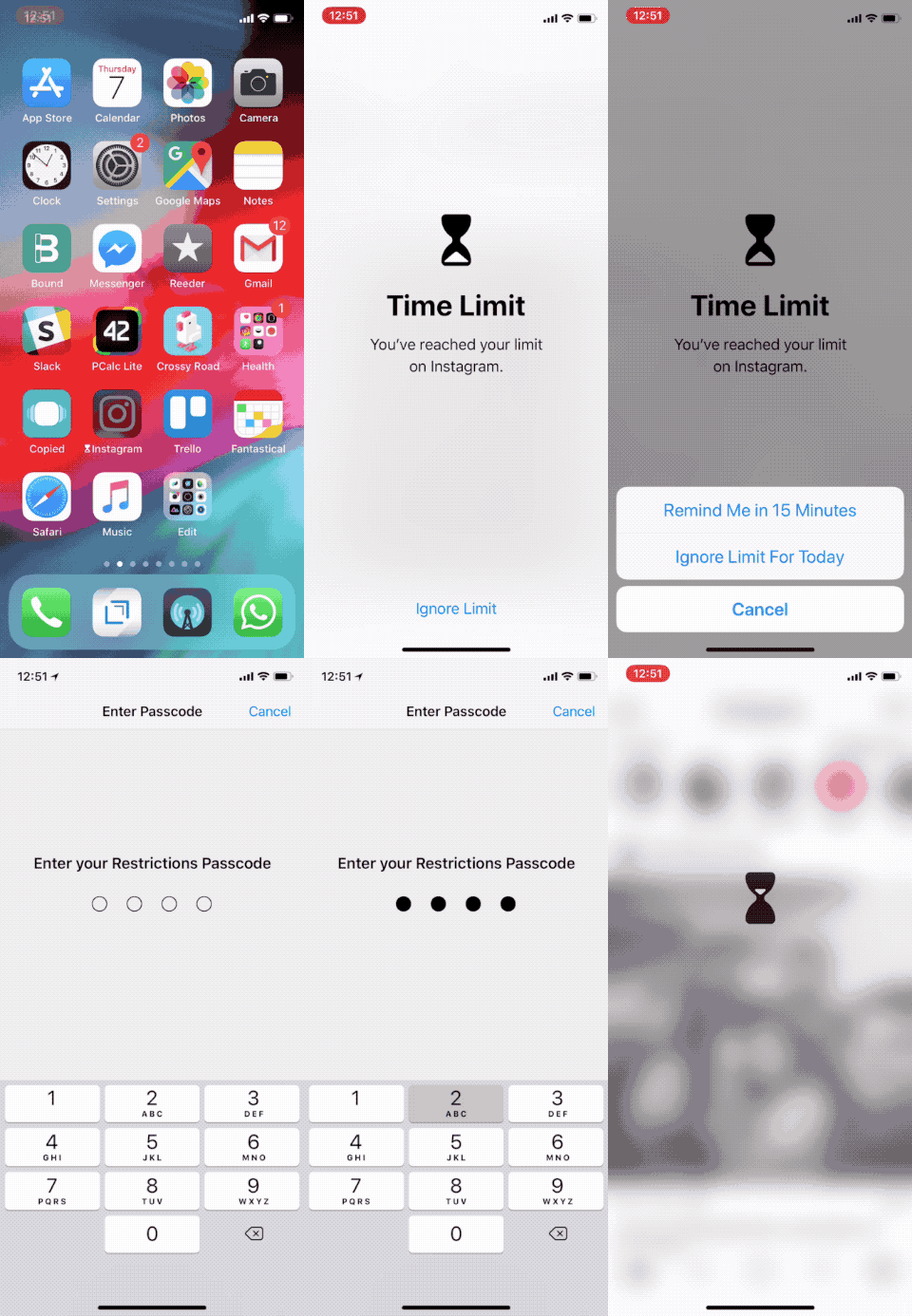

In addition, you can set temporaryrestrictions on the use of specific applications. Suppose you can allow yourself to use Instagram for only 30 minutes a day. When the time runs out, you will see a notification, and after that the application will stop starting.
If you ignore this, you can turn off the daily limit or add another 15 minutes.
5. NewAnimoji


IOS 12 added 4 new Animoji characters: ghost, koala, tiger and tyrannosaurus. Recognition of language movements has also been added.
6. Memoji


Apple has added new personalized Animoji. You can create a character and adjust its various characteristics, including skin tone, hairstyle, eye color, etc.
You can take a photo of your character, record a video and even project it onto your face in real time.
By creating a character, you can use it for various purposes. Moreover, the function also works during conversations on FaceTime.
7. New gesturesiPad
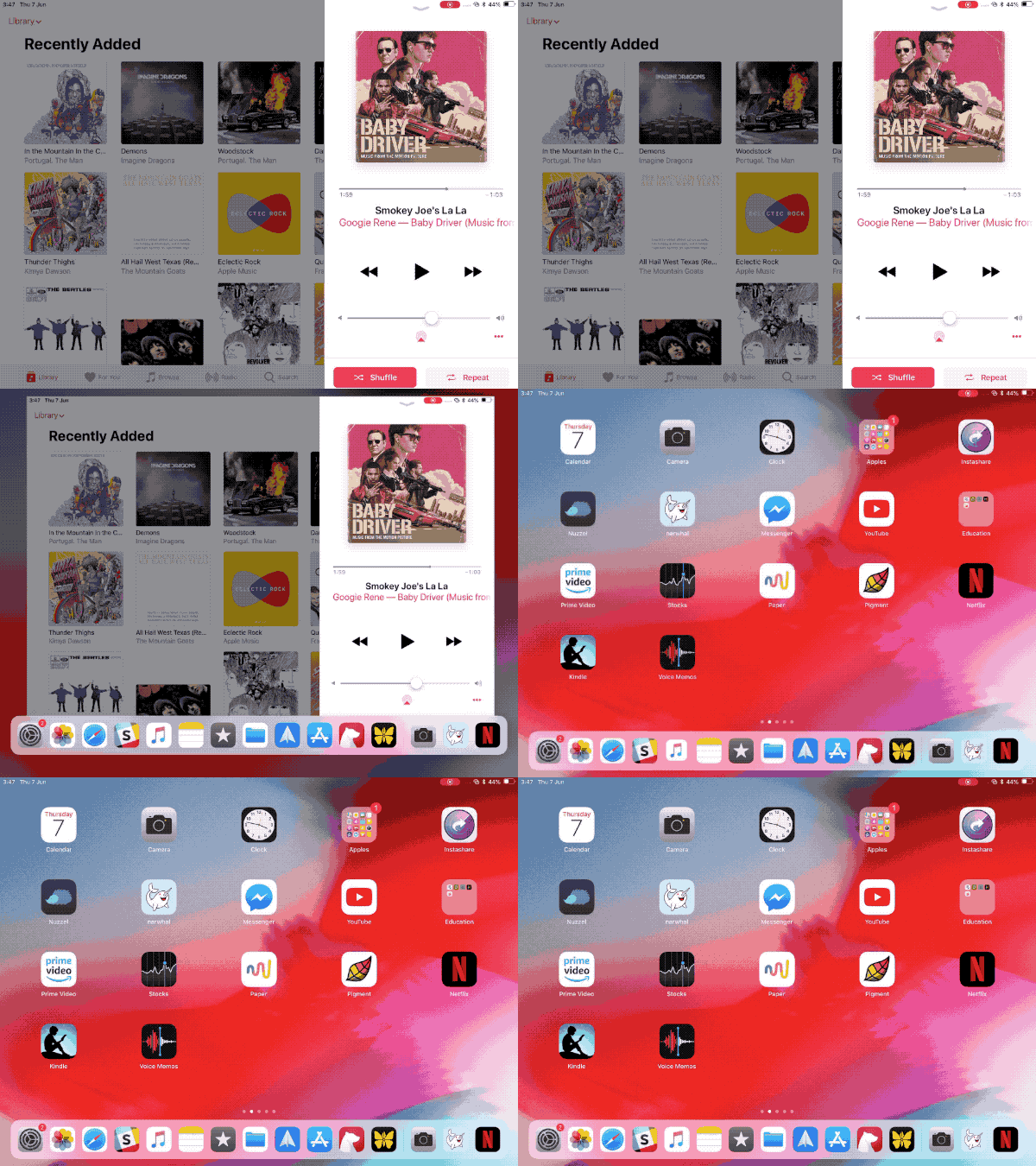

Gestures in the style of iPhone X were added to the iPad - opening the Control Center from the upper right corner of the screen and returning to the home screen with a swipe up.
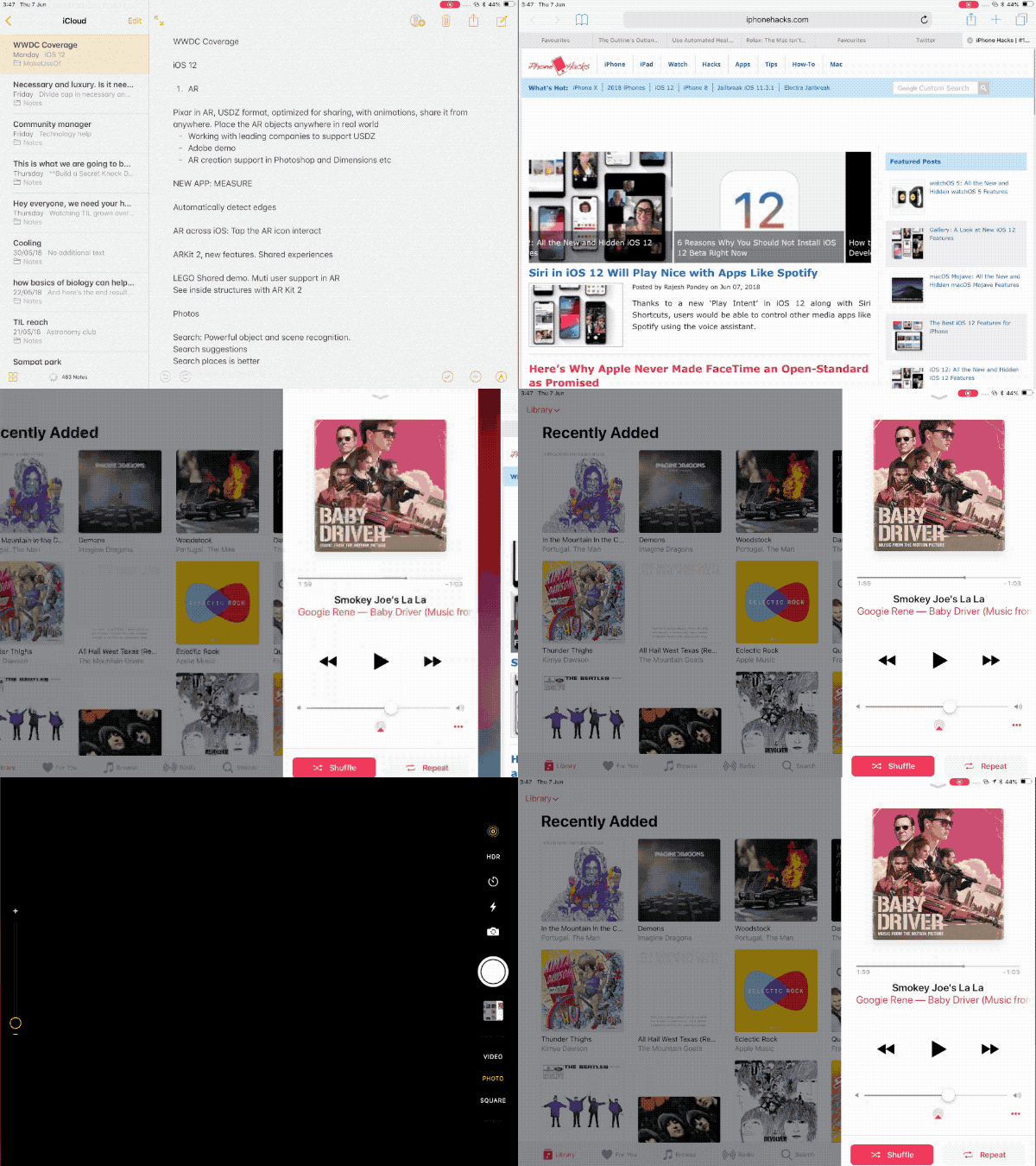

To open the dock, you need a littlescreen up and stop. To open the application switcher, swipe up to the center of the screen and wait. Even a convenient gesture for quickly switching between applications was added. To do this, open the dock and swipe left or right.
8. Siri Shortcuts
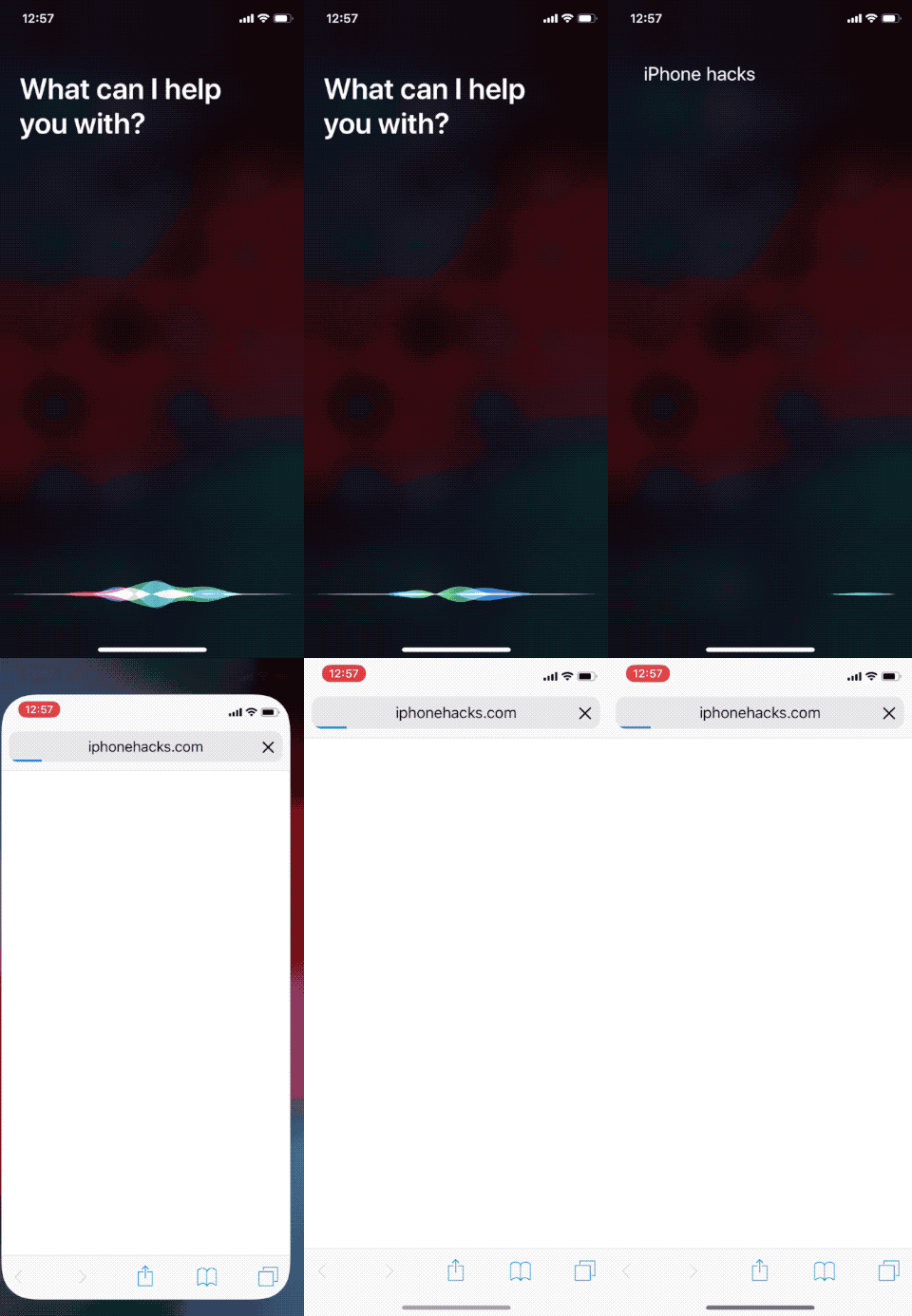

Apple has opened access to Siri for third-partydevelopers and improved virtual assistant capabilities. Shortcuts have been added, in which you can customize Siri commands and attach your phrases to them.
You can say “Hi Siri, open the news”,and your favorite news site will open. In the future, the Shortcuts application will also appear. In the first beta version, only a few commands are available in the Siri section and a search in Settings.
9. AppendixMeasure


Apple has created a new application based onAugmented Reality Measure, in which objects can be measured. Just point the smartphone’s camera at an object and press “+” to add a reference point. Then just move your smartphone to draw a line.
Click on the “+” again to add a second point. You can even create rectangles and measure volumetric objects.
10. Auto-complete passwords in third-party applications


Using the new APIs, third-party application developers will be able to use autocomplete in them. This means that you do not have to switch between applications to enter the site.
11. Autofill one-time passwords fromSMS


If you have two-factor authentication enabled,then your life will definitely become easier with a new function that automatically fills in one-time passwords and codes received in SMS. You no longer have to copy and paste or remember codes.
12. New way to close applications oniphone X
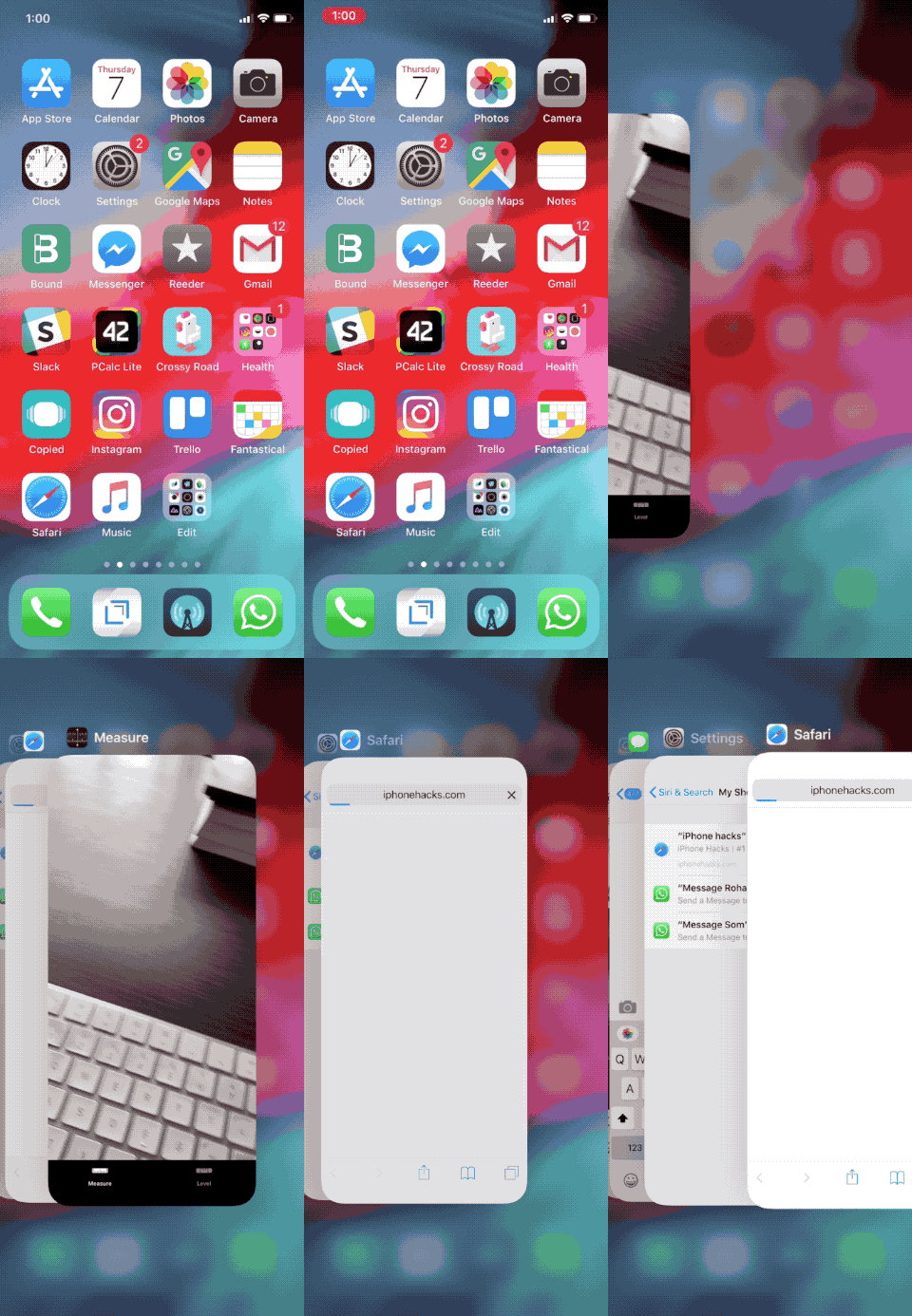

IOS 12 finally fixed a close gestureapplications on the iPhone X. Previously, you had to pinch the application card until the icon with a red cross appears, and now you can simply swipe the cards, as on other models.