GIFs are everywhere these days. We see them, save them, send them to friends and share them on social networks. And what's about
Advertising
Advertising
Below we have compiled the best free iPhone GIF apps.
GIF Maker


In GIF Maker, gifs can be created fromphotos, pictures, videos, live photo or even with a camera. In addition, you can add various effects, such as looping, slow motion, and time lapse.
Advertising
Advertising
The best functionsGIF Maker:
- Collection GIFInside the application you will find many funny options for correspondence.
- Use editorto adjust direction and speed, add text, filters, stickers, etc.
- Share their GIFsdirectly to Instagram, Facebook, Twitter or Messenger. You can also copy, save and mail them.
- Useful settingswill help you automatically save GIFs, select their quality and file format.
GIF Maker is a very simple and convenient application. You can create GIFs from scratch and edit the finished ones. After that, save them and share with friends.
- Support: iPhone, iPad, and iMessage.
- Price:Is freeIn-app purchases.
PicsArt
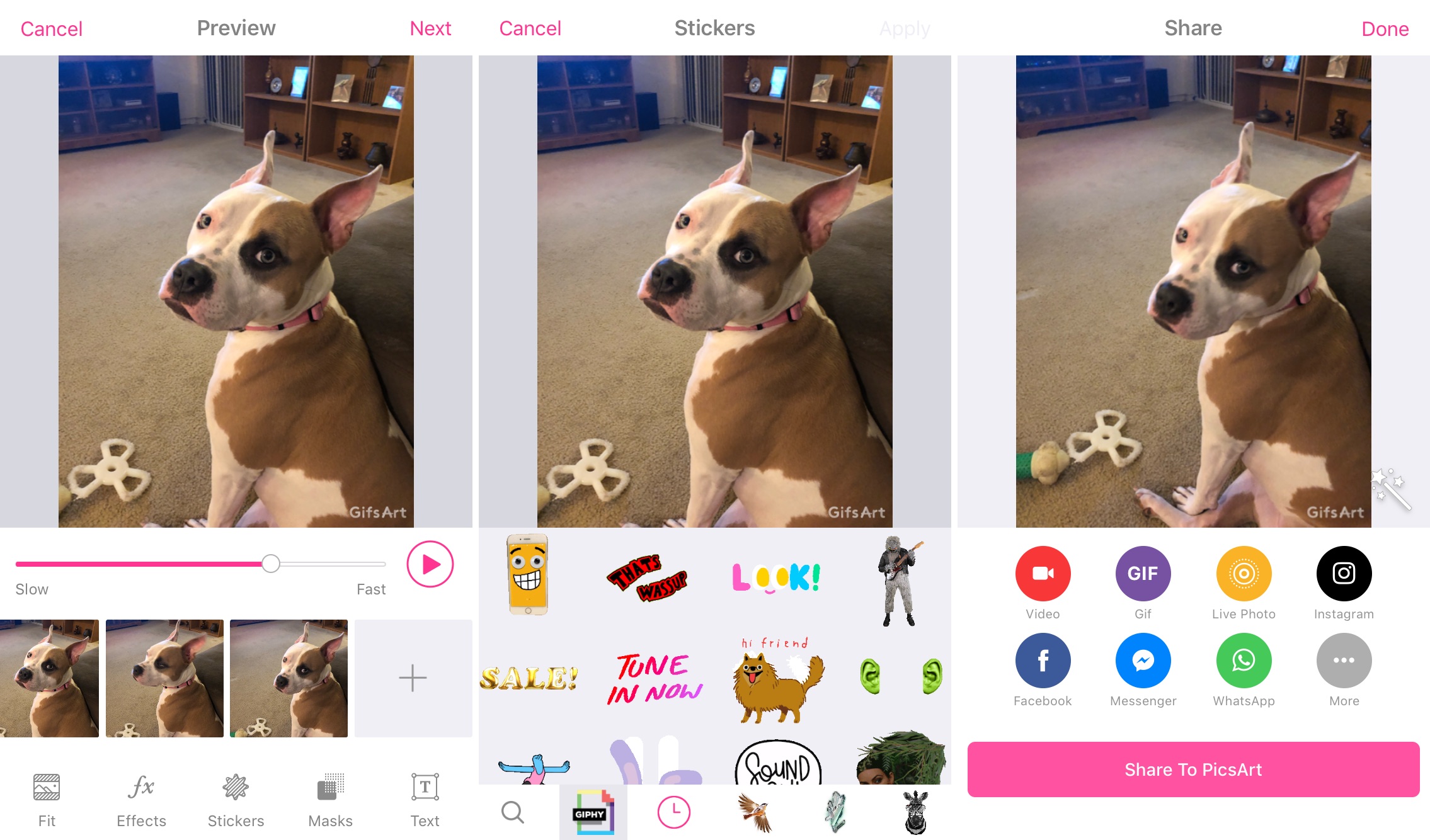

PicsArt is another great app for creating gifs from photos, videos, or using a camera. Choose a source and start creating the perfect gif.
Advertising
Advertising
The best functionsPicsArt:
- Use editorto adjust speed, change size, add stickers, masks or text.
- Share their GIFson Instagram, Facebook, Messenger and WhatsApp. They can also be saved and sent via the Share menu.
PicsArt is a simple but effective application for creating beautiful gifs.
- Support: iPhone.
- Price:Is free
ImgPlay - GIF Maker
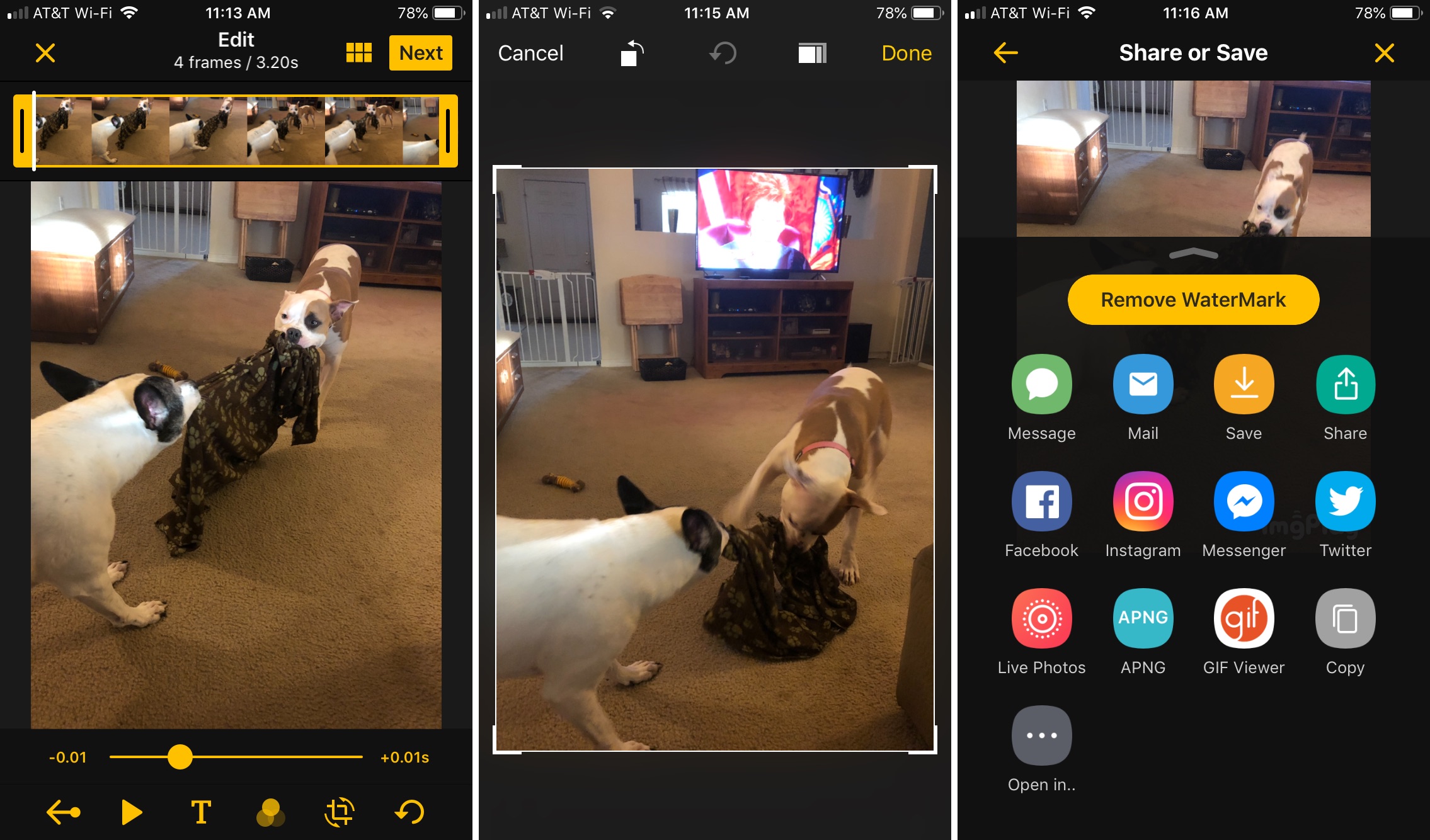

The ImgPlay app contains options similar to GIF Maker options. You can create gifs from videos, photos, live photo, other gifs, drawings, your moments or using the camera.
The best functionsImgPlay:
- Crop, reverseand do a lot more with your frame.
- Use editorto add text and stickers, as well as rotate GIFs.
- Share your gifsvia Messages, Facebook, Instagram, Messenger and Twitter. They can also be copied, saved and sent by mail.
- Choose GIF Qualityand add a looping effect to them.
ImgPlay is a good free app with decent features. It does not have a large collection of gifs, but it works.
- Support: iPhone, iPad, iMessage and Android.
- Price:Is freeIn-app purchases.
GIF Maker by Momento


Another good application is GIF Maker by Momento, and you can also use live photo and video in it.
The best functionsGIF Maker by Momento:
- Add AR effects and musicto your gifs.
- Use editorto add filters, adjust speed and direction, change contrast and brightness, add effects, zoom in, crop, etc.
- Save and share GIFsin different formats and resolutions HD or Ultra HD. Share them via Messages, Instagram, Messenger, Facebook, as a link, etc.
GIF Maker by Momento is the only app on our list with augmented reality effects, so it's definitely worth your attention.
- Support: iPhone, iPad, iMessage, Apple TV and Android.
- Price:Is freeIn-app purchases.