</ img>
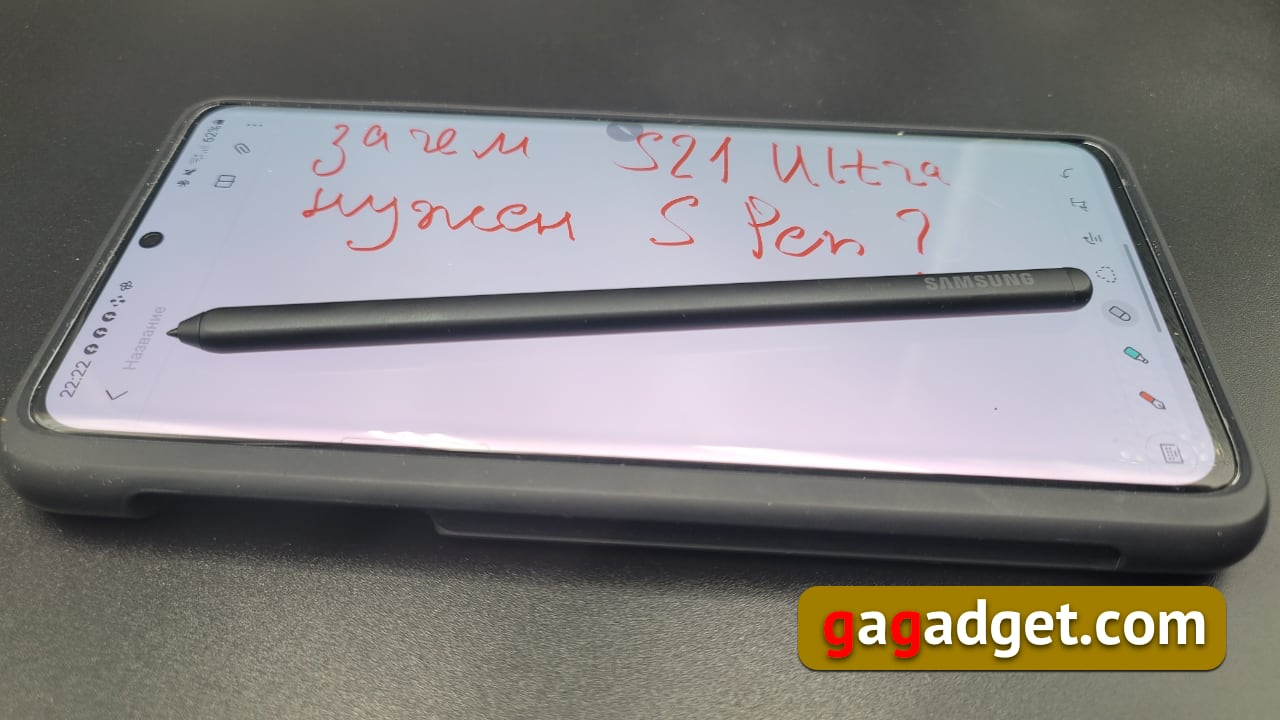
The news that the Galaxy 21 Ultra now has support for the S Pen has revived the ranks of conspiracy theory enthusiasts. Once again
Let's start with the fact that the S Pen is not included inGalaxy S21 Ultra package included. Of course, there is an opinion that this is the greed of the manufacturer, although I personally do not share this point of view. The smartphone market has long been commoditized, that is, it has become so established that smartphones have ceased to be such a technological novelty and have become a familiar part of the lives of a significant part of people. Accordingly, this market began to operate according to the rules of the established market. Take, for example, the car market. Doesn’t it bother anyone that German or Japanese cars, which are already not cheap, offer them an additional package of options that can increase the initial cost by a good third, or even another half? Well, okay, some people are definitely confused, but clearly not their customers, who get the opportunity to assemble their own set of options that they need and for which they are willing to pay extra.
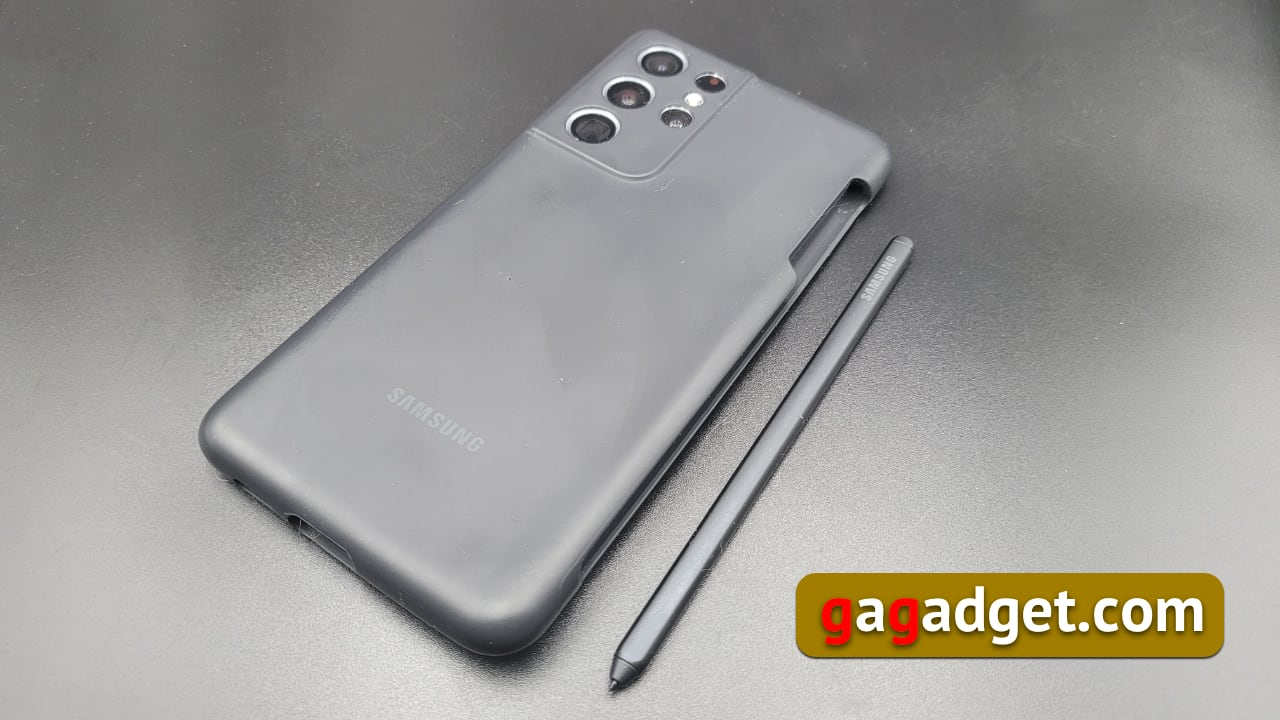
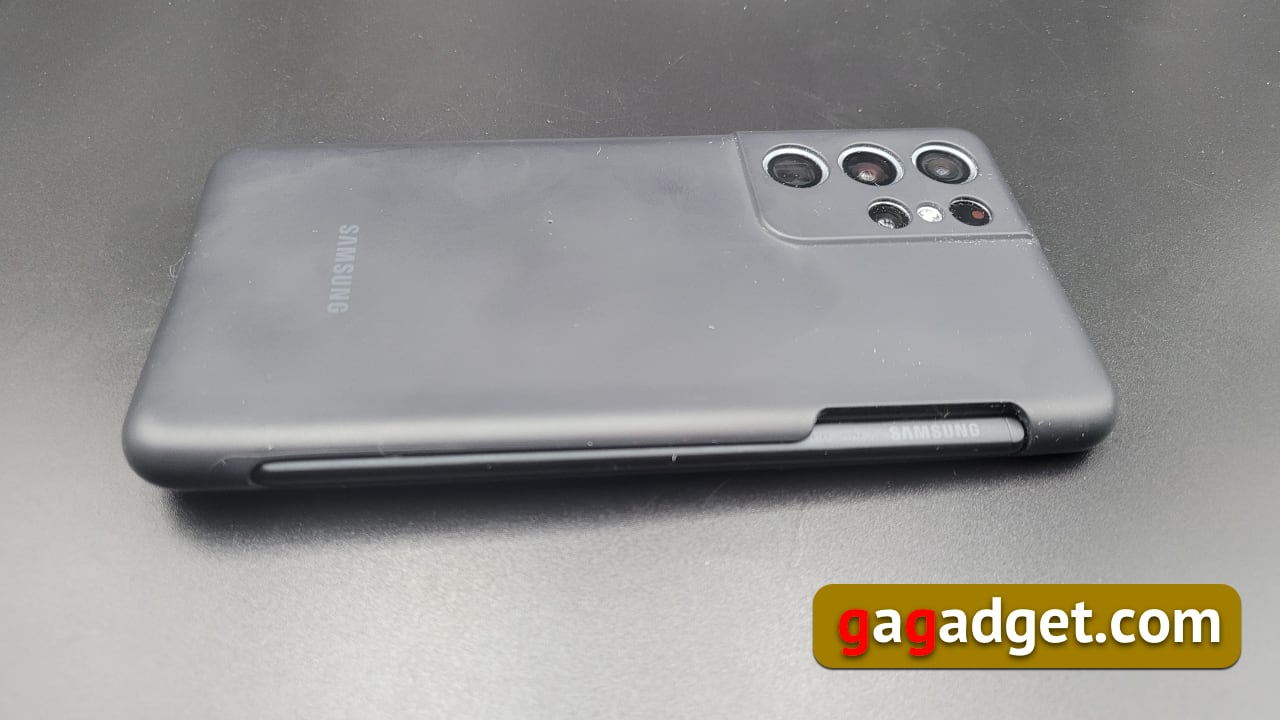
This is exactly what is already in full swing in stores - withWhen purchasing a smartphone, you will always be offered (and if not offered, the seller risks incurring a fine from his employer) a protective film, a case and a set of services - from insurance to installation of applications of varying degrees of usefulness. Now, Galaxy S21 Ultra buyers will also be offered an S Pen, which allows you to take notes by hand and draw. And, since there is no compartment for storing the S Pen inside the Galaxy S21 Ultra case, it makes sense to buy it along with a case where there will be such a place for the pen. I had this set of a case and an S Pen (actually there are several of them, which is also correct - each buyer can choose the one he likes best).
</ img>
</ img>


What's the Difference Between S Pen for Galaxy Note and Galaxy S21 Ultra
The most important thing to know about this difference is SThe Pen for the Galaxy S21 Ultra does not have its own battery, does not support Bluetooth, that is, it resembles the pen for the very first Galaxy Note. Accordingly, it has less functionality than the new Galaxy Note. For those interested, we have a separate article about the capabilities of the S Pen for the latest Galaxy Note Ultra. That is, the ability to use gestures, write on the locked screen and remotely release the camera shutter was left for Galaxy Note users (and they certainly appreciate these advantages), but all other functions of the pen remained. That is, you can draw and take handwritten notes. You can also recognize texts, translate texts from other languages, quickly create captions for screenshots, and make animated vertical videos. In fact, these are the most common use cases for the pen. Profit!
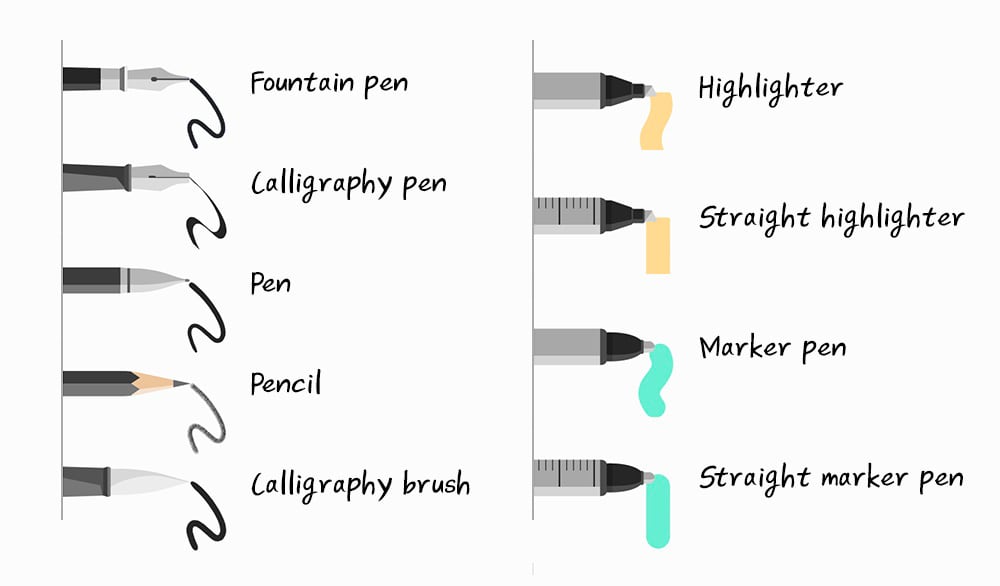
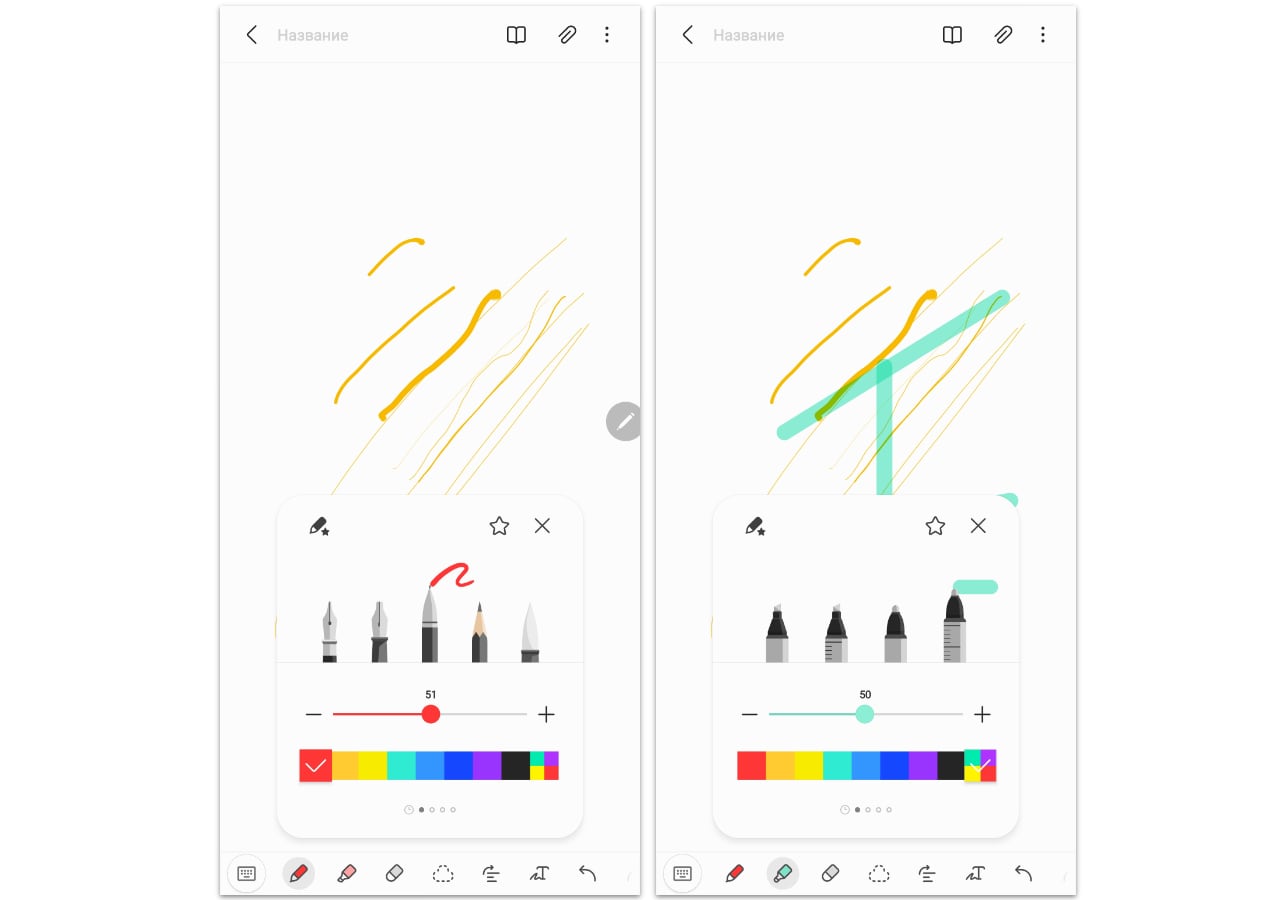
It is worth saying that the S Pen has seriously evolvedfrom the moment of its appearance and now there are five types for writing and drawing, as well as 4 types of felt-tip pens. For ease of understanding, here is the diagram below. This is a pen, a pencil (distinguished by the imitation of a mark from a graphite rod), a fountain pen, a calligraphy pen (a science that was once taught to our parents and grandparents - there are interesting forgotten rules, for example, the thickness of the line differs depending on what you write handle from bottom to top or vice versa). There is also a calligraphy brush (in Asian countries, where calligraphy is still held in high esteem, people often master it using a brush - there it is a real art). Felt-tip pens differ in the type of use: straight (straight) draw only straight lines, automatically aligning them. And according to the type of dot: for the highlighter it is square, for the marker it is round. In principle, their icons are made in a clear way: with a ruler, it means drawing exactly as if it were a ruler. A round tip means a dot, a cut tip means a square. The calligraphy pen icon has a smooth bevel that simulates its operation.
</ img>
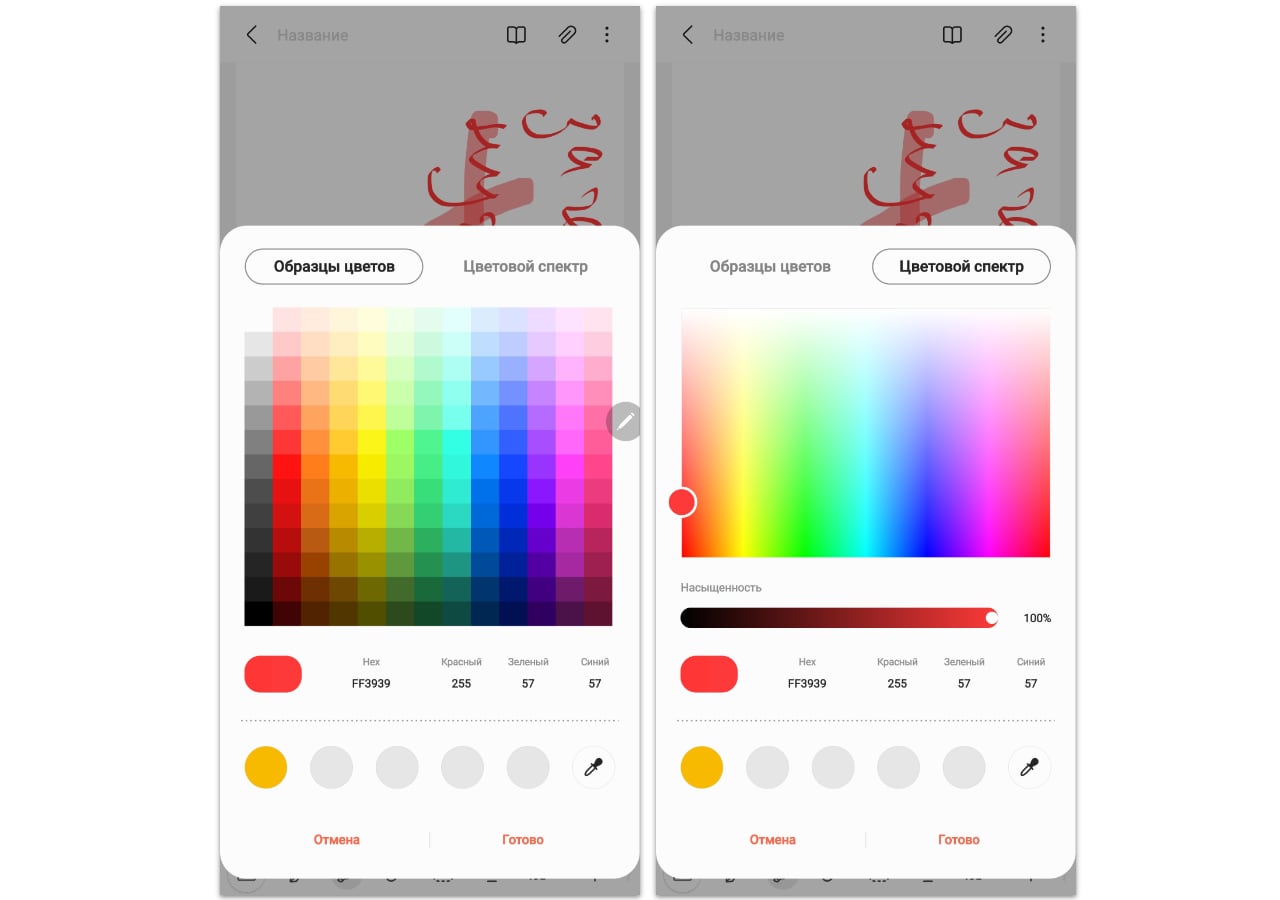
For each pen or felt-tip pen, you can select the thickness (from 1 to 100) of the line and color from the palette (you can specify the exact color in the HEX or RGB palette).
</ img>
</ img>
How to use the S Pen on the Galaxy S21 Ultra
Everything here is the same as in the Galaxy Note series smartphones. Just bring the S Pen to the screen and the Air Command menu icon will appear. The set of its elements can be edited, leaving those used.

</ img>
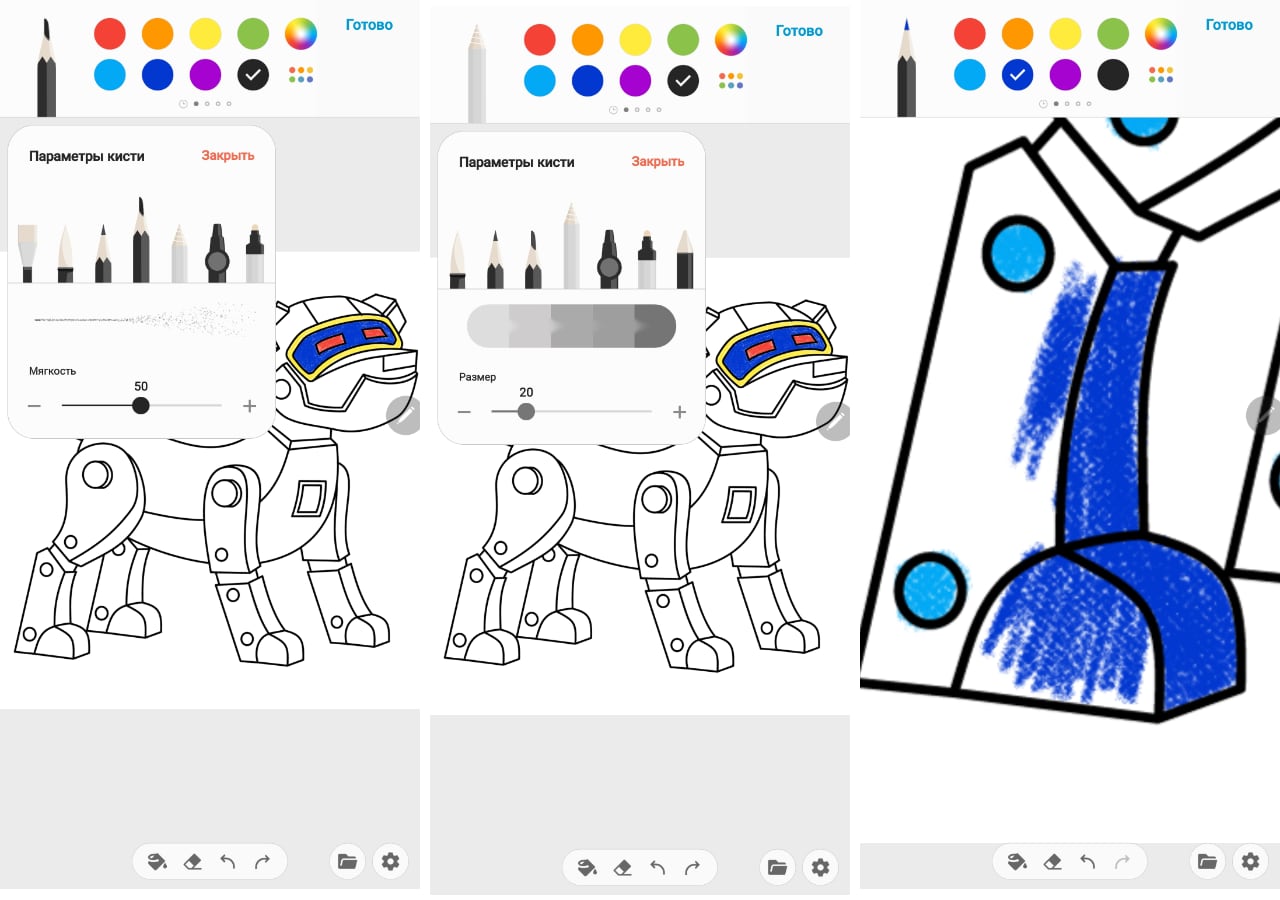
The single S Pen button is used likebefore: if you hold it down, the pen works like an eraser, not a pen. It is very easy to delete everything unnecessary without switching to the eraser in the menu. The button is also used to highlight the desired text. I have already written about how to use the S Pen for translating or capturing screenshots, so I will focus on what I haven’t talked about yet. For example, as the father of a young child, I love the coloring app. And although it is still too early for my daughter to paint pictures, older children will be interested in this opportunity. Accordingly, parents will always have something to do with their offspring in addition to cartoons and games on a smartphone. The coloring looks like this
</ img>
You can choose the color and size of the brush, for somebrushes also softness of lines. The picture can be scaled with standard multitouch gestures. Interestingly, different brushes mimic different kinds of painting tools. For example, the brush I have chosen resembles colored crayons for painting. I just returned to my childhood! The finished drawing can be saved as a file, published in the Samsung cloud service and see examples of works by other artists with the same template. I realized that I was far from them, alas.

</ img>
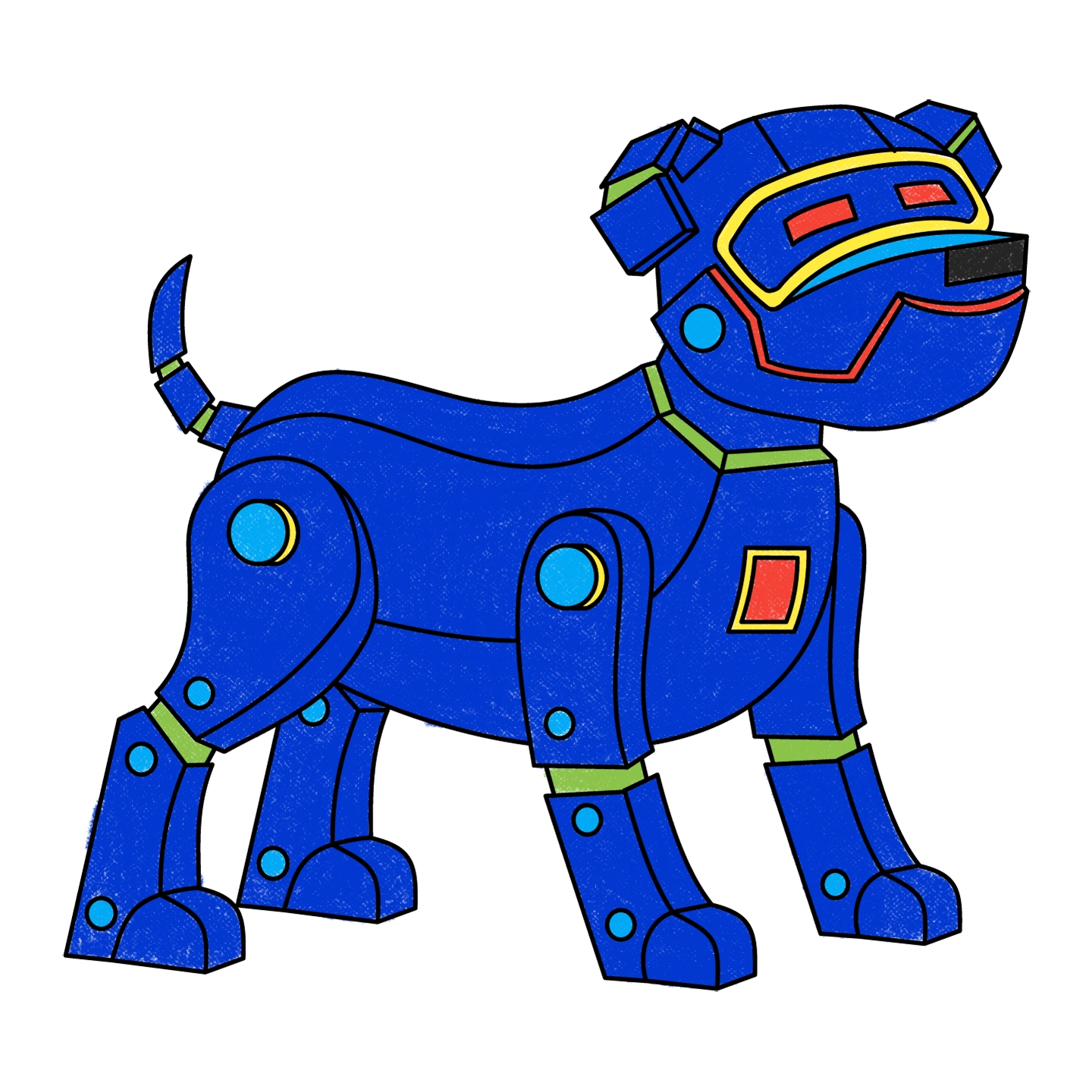
The final picture has a resolution of 1440x1440 pixels:
</ img>
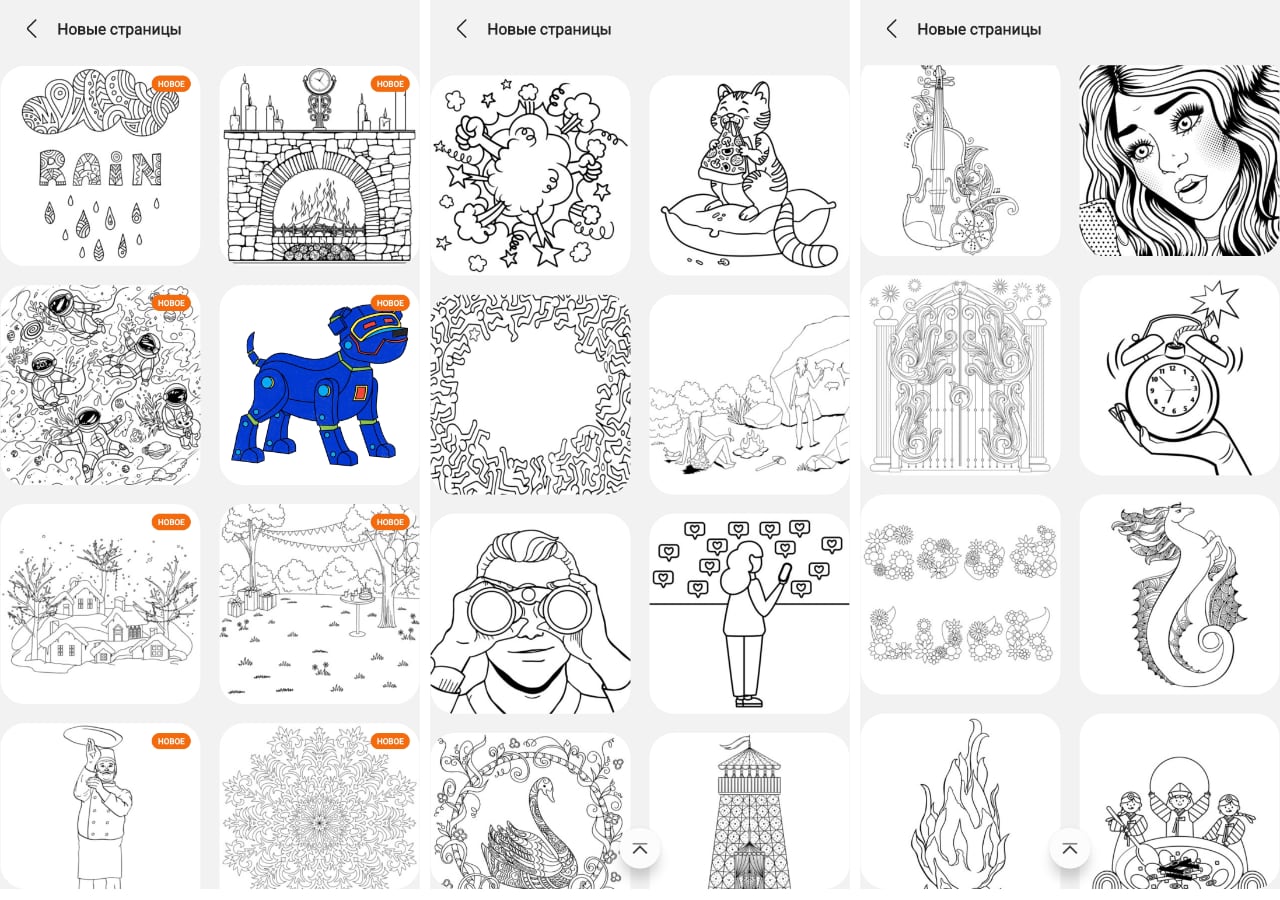
There are not just many templates for coloring, butlots of. Some of them look difficult for children. I suspect they are great for adults too. Especially for those who like (for example, during boring meetings, meetings) to draw some bizarre shapes and patterns. Surely, there are people for whom such a process helps to concentrate or, conversely, to relax. Most importantly, there are cats among the templates!
</ img>
Learn to draw with the S Pen
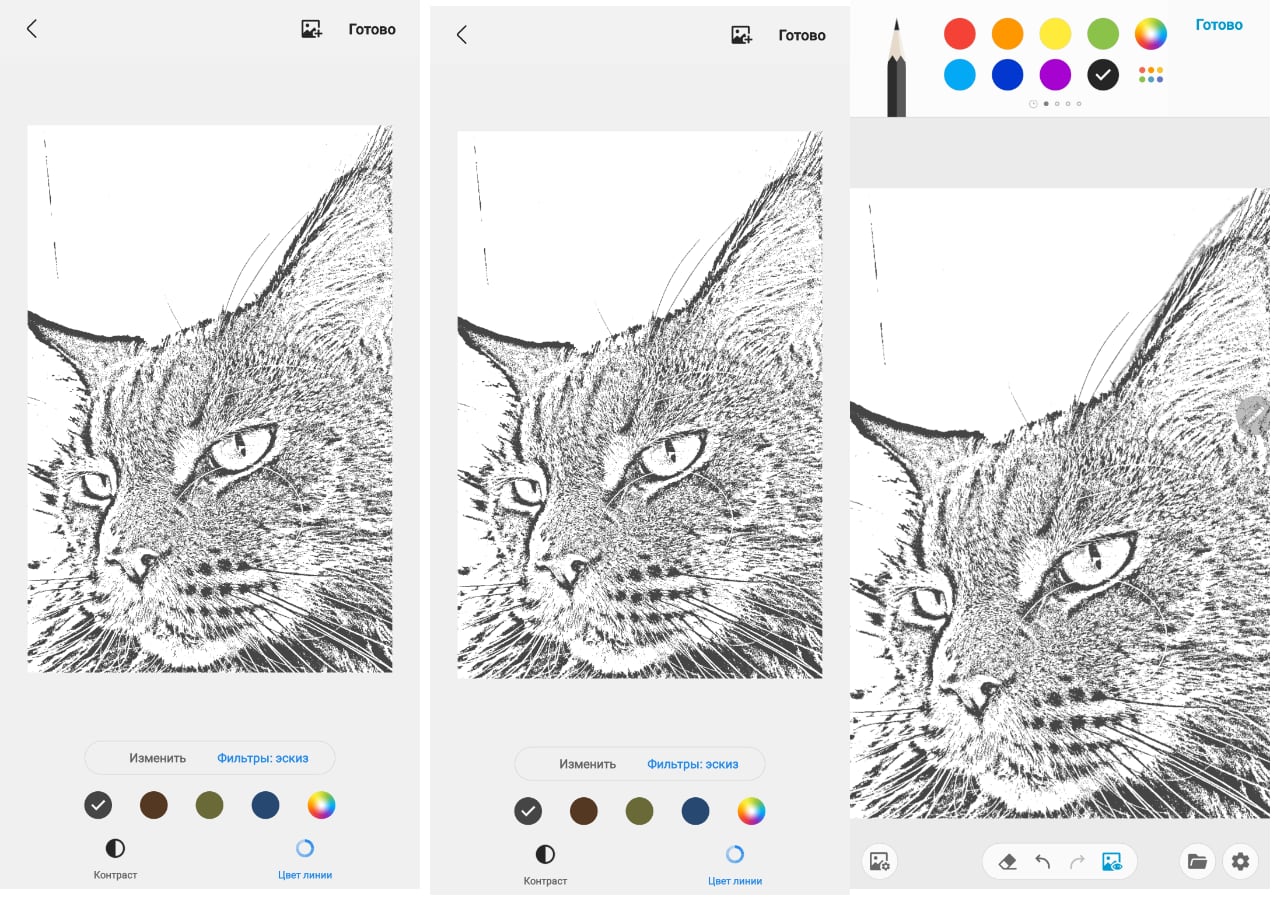
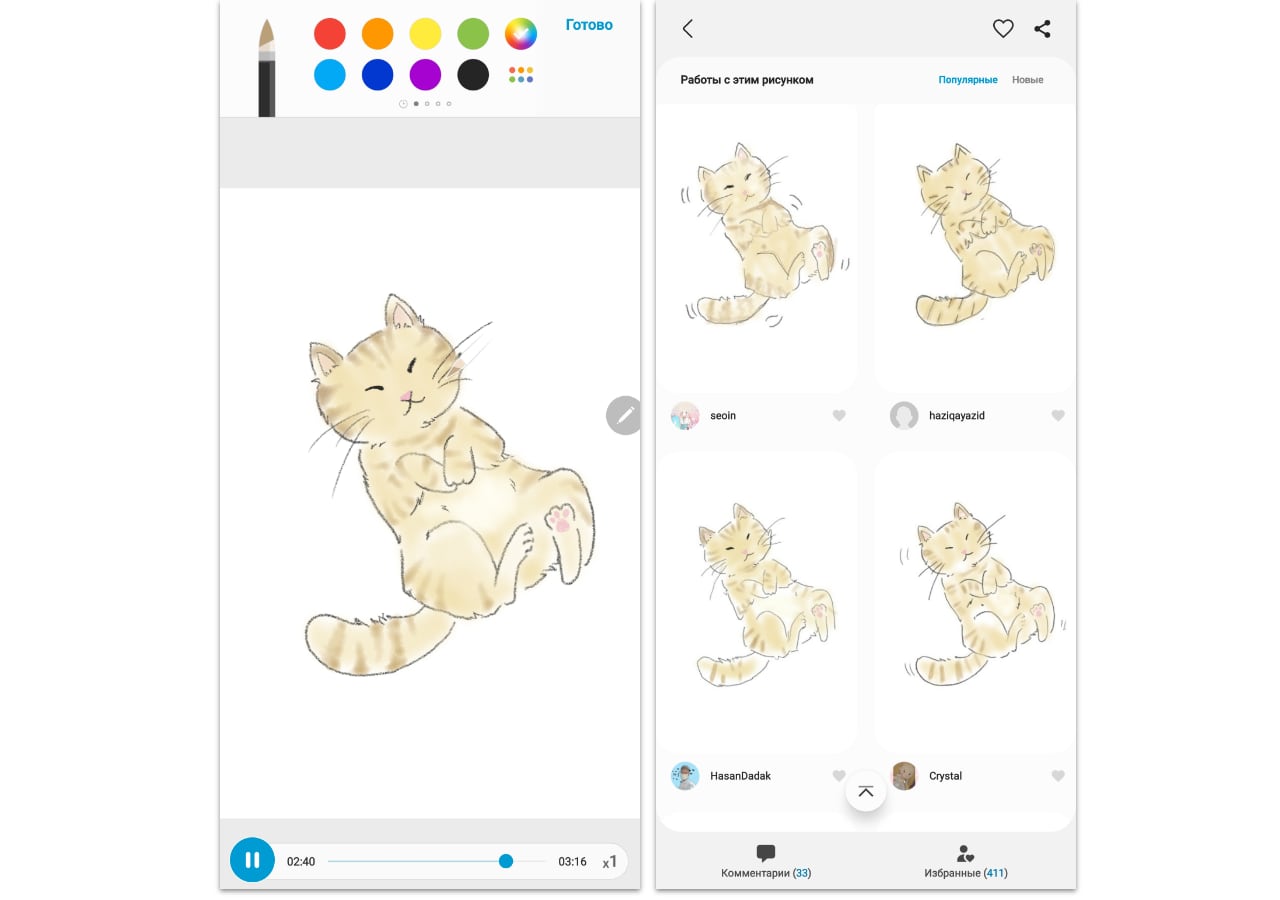
Finally, the S Pen lets you organize for yourself,beloved, drawing lessons. Everything is done simply: in the PENUP application, select a photo of your beloved cat from the Camera Gallery (or take a ready-made template in the application), by pressing one button, convert it to a monochrome sketch and start tracing the lines, from time to time turning off the filter with the sketch to see the result. Their artist is still me, I don’t have enough patience, I don’t have free time from the word at all, so I physically cannot brag about my drawings. But the tool looks convincing to anyone interested in drawing. I tend to put letters into words more, drawing is not my element.
</ img>
Here are, for example, picture templates with real pictures drawn by PENUP users. They look pretty convincing.
</ img>

</ img>

As a result, we have another interesting opportunity for Galaxy S21 Ultra owners, which they can take advantage of if they wish.
Three things you need to know about the S Pen capabilities of the Samsung Galaxy S21 Ultra
- This is not a copy of the functionality of the Galaxy Note series - they are wider there.
- The most important thing is available to the user - the ability to draw and keep handwritten notes (as well as recognize and translate texts)
- The special PENUP application allows you to spend time usefully for yourself and your child