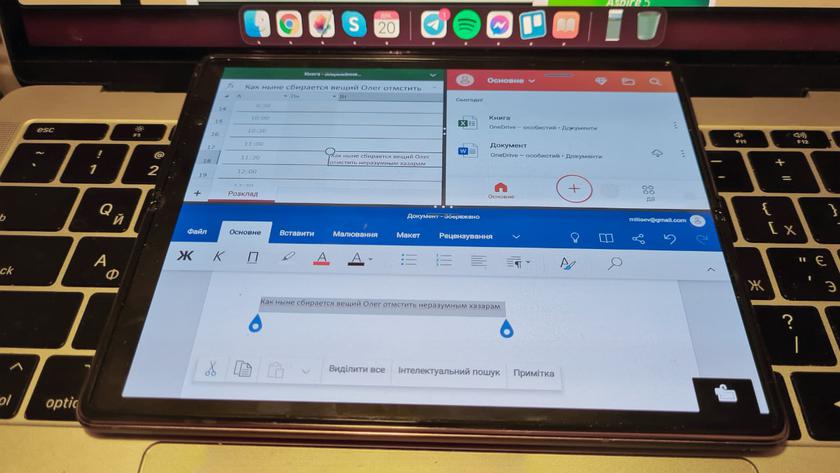
As you know, the Samsung Galaxy Z Fold2 has two screens and two operating modes - it is both a smartphone and a tablet. Respectively,
About displaying applications on a smartphone andI have already written the tablet view using the examples of a browser and Facebook. Now I want to dwell on this point again using the example of the common application of New Mail. In the smartphone version, on the external display, it looks like on a regular smartphone and allows you to conveniently use everything you need:

</ img>
If you open your smartphone at this moment, it will look different on the main screen - the image will simply stretch:

</ img>
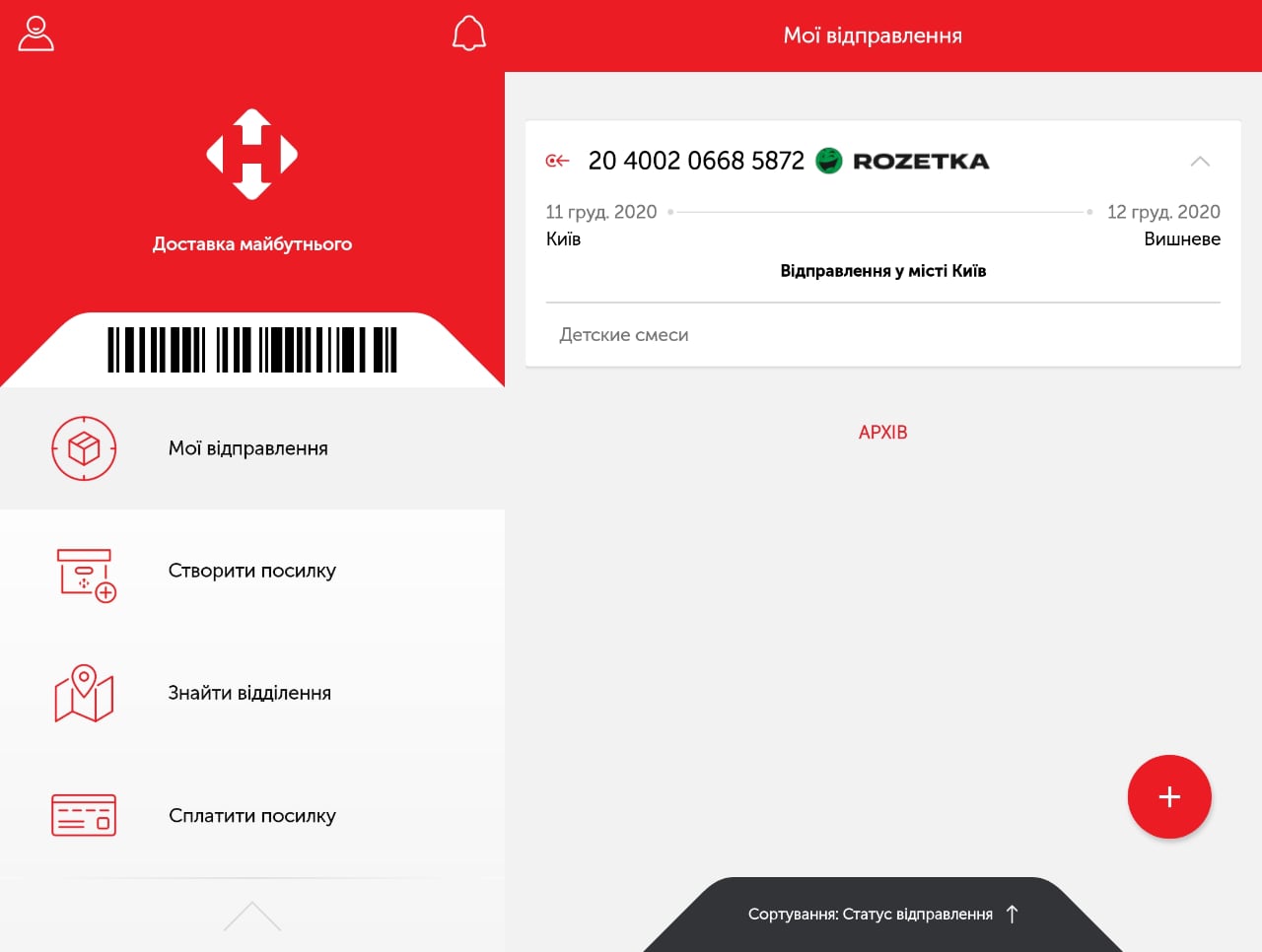
But if you run it in horizontal orientation(just rotating the screen will not be enough), then the application will start in a beautiful tablet mode, where more useful information is placed on the screen:
</ img>
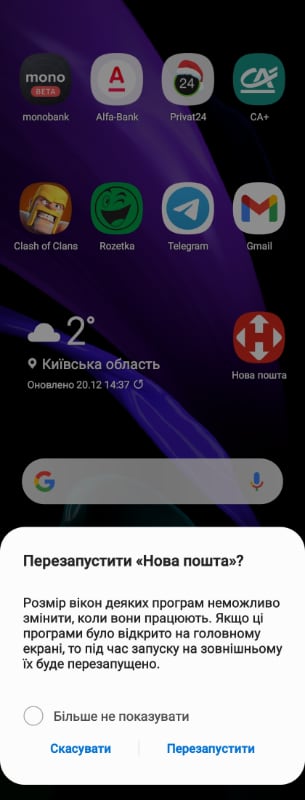
Moreover, if the application runs on an externaldisplay, then when you open the smartphone, it will immediately work in full-screen mode, but on the contrary, in the case of Nova Poshta, unfortunately, this does not work: the smartphone will offer to restart it on the external screen:
</ img>
At the same time, some applications (the same Facebook orsystem applications) perfectly transfer the transition from one screen to another and back, without restarting. That is, while it is still difficult and individual, but in the not too distant future, when folding smartphones will be truly massive, everything will happen seamlessly on any applications. So far, it all depends on the developers of a particular application. And it is clear that Samsung will put its applications in order faster, some global services, like Facebook, will also quickly adopt new rules of the game, but with the rest, everything will be in the hands of their creators.
Multi-window mode Samsung Galaxy Z Fold2
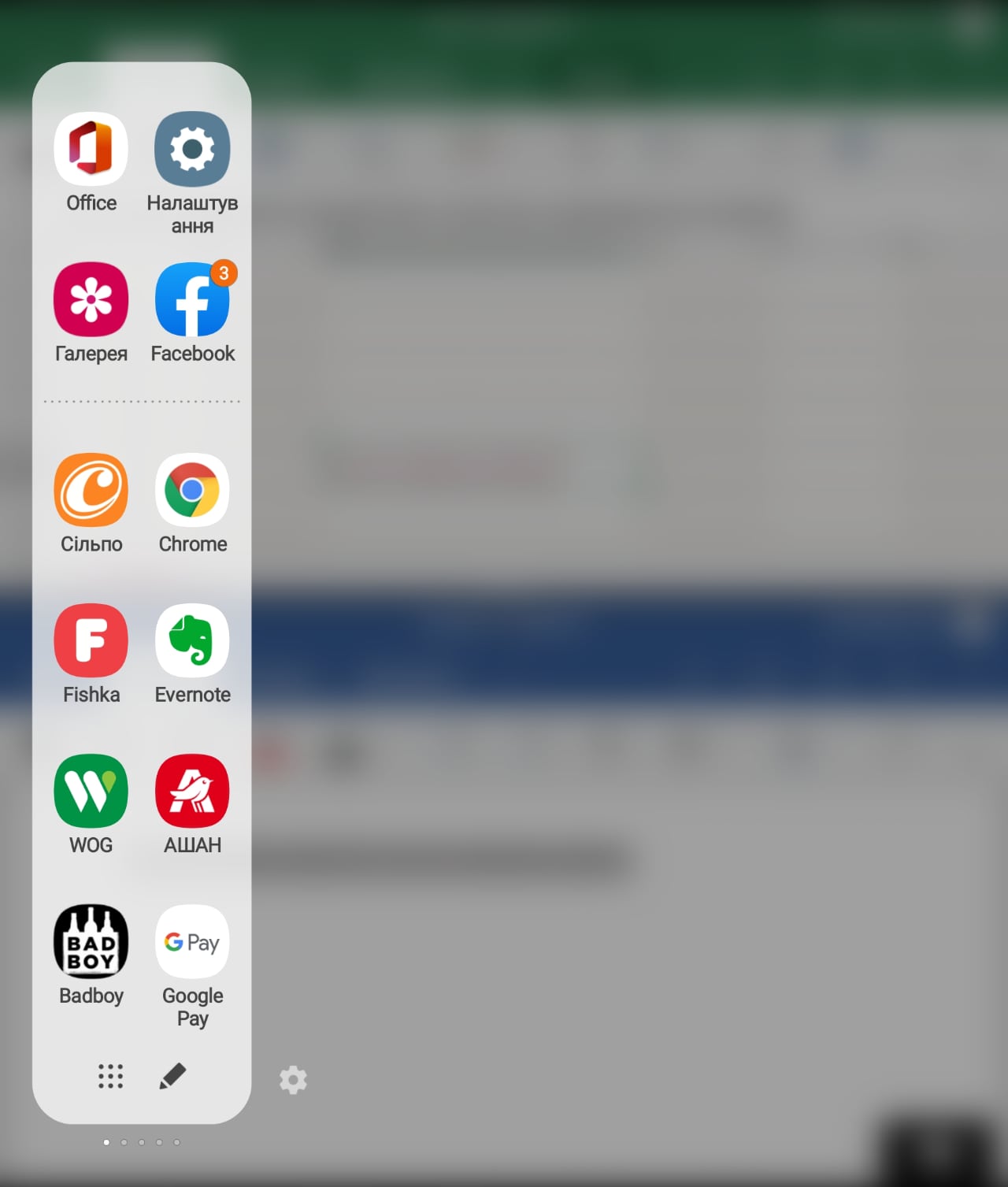
The undoubted advantages of the Samsung Galaxy ZFold2 includes the ability to work with applications in two or even three windows simultaneously. To activate the second window, you can use Edge’s proprietary quick launch panel, which greatly simplifies the user’s daily life and is useful in many cases when using a smartphone (I wrote more about it in the Samsung Galaxy Note 20 Ultra diary).
</ img>
Then the screen is divided into two equal parts. And this is also true for the external screen:
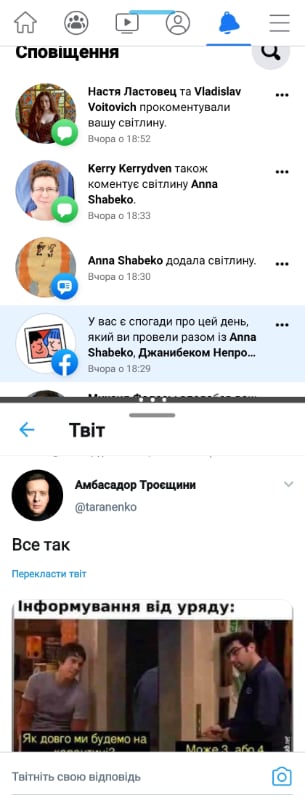
</ img>
You can wrap text between running windowsor file icons. You just need to press and hold the desired fragment or icon, then drag and drop it and release it in the right place:
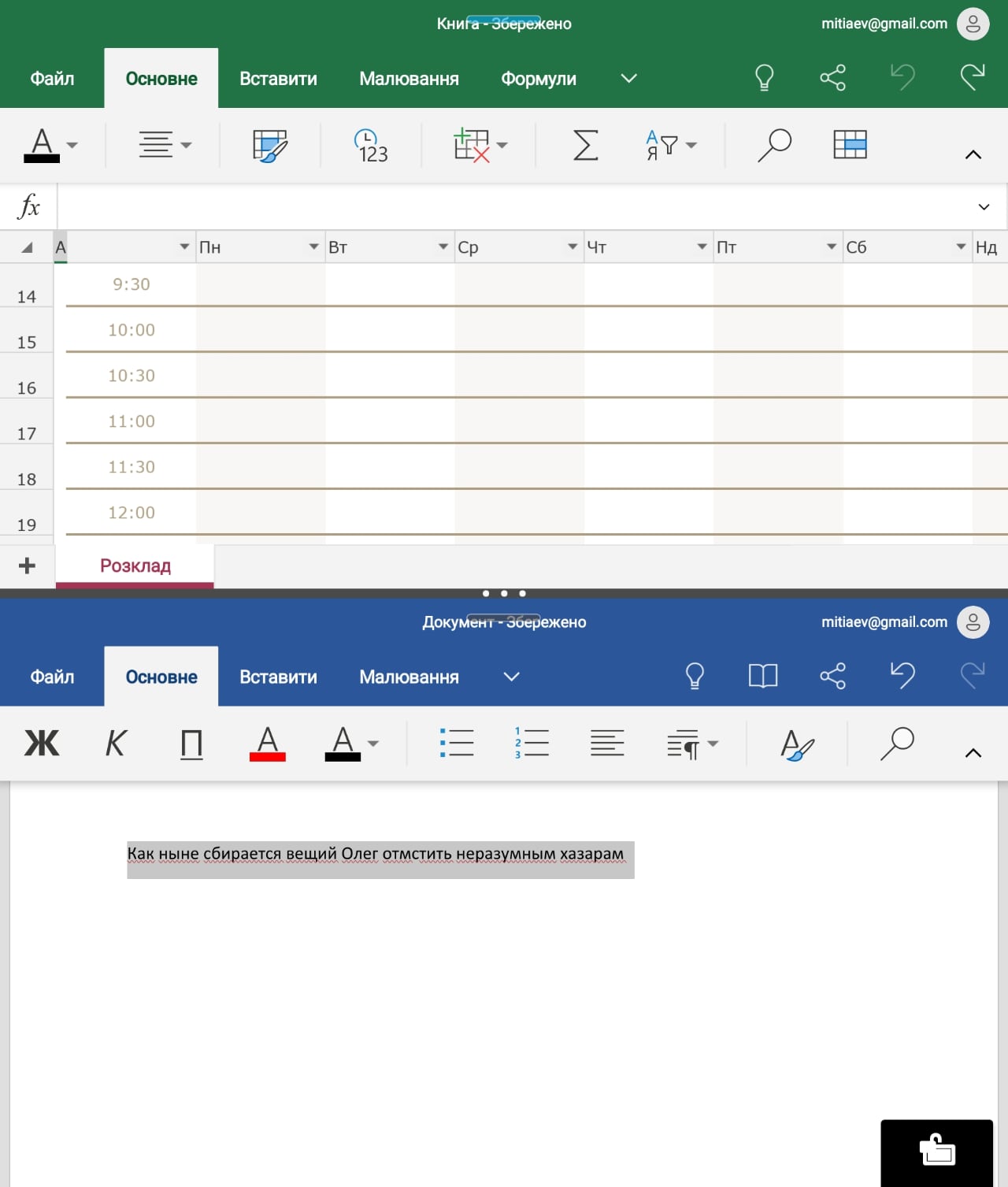
</ img>

</ img>

</ img>

The screen in the three-window mode looks like this. You can change the proportions of windows using two sliders - vertical and horizontal.
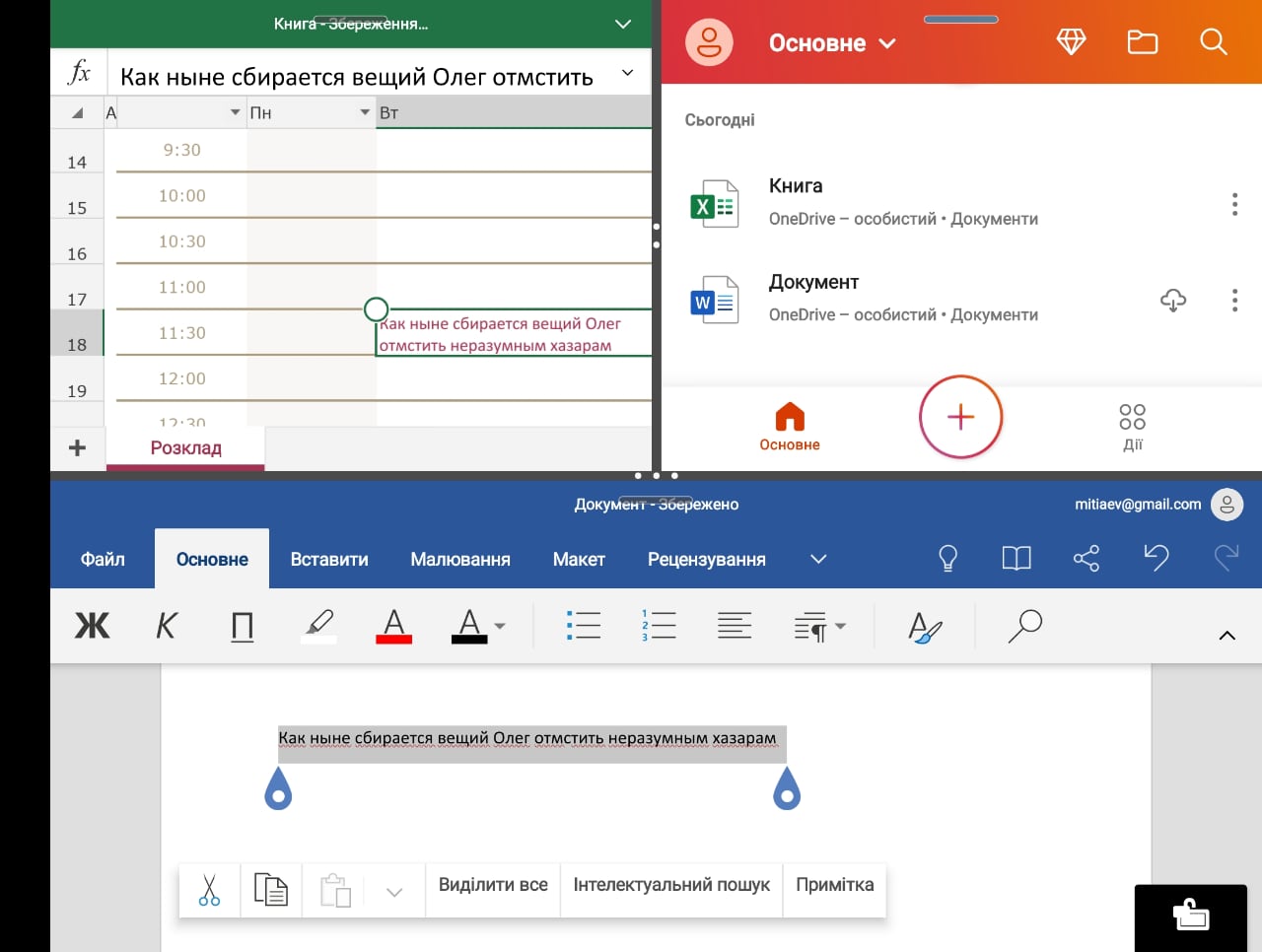
</ img>
All of this definitely does not work withdocuments are more convenient than on a computer, but it definitely increases the level of our mobility, allowing us to edit documents literally on the go, simply by taking a smartphone out of a pocket or bag. Even a laptop takes time to get it out, open it and at the same time sit down - working while standing with a laptop is possible only in some exceptional and force majeure circumstances. While for any smartphone, working while standing (and even on the move) is its natural environment. All in all, long live mobility! Anytime and anywhere.
Three things to know about the Samsung Galaxy Z Fold's multi-window mode
- It works on both external and internal screen.
- On the main screen, you can open not only two, but also three application windows.
- Multi-window mode supports drag and drop.