*** as advertisements ***
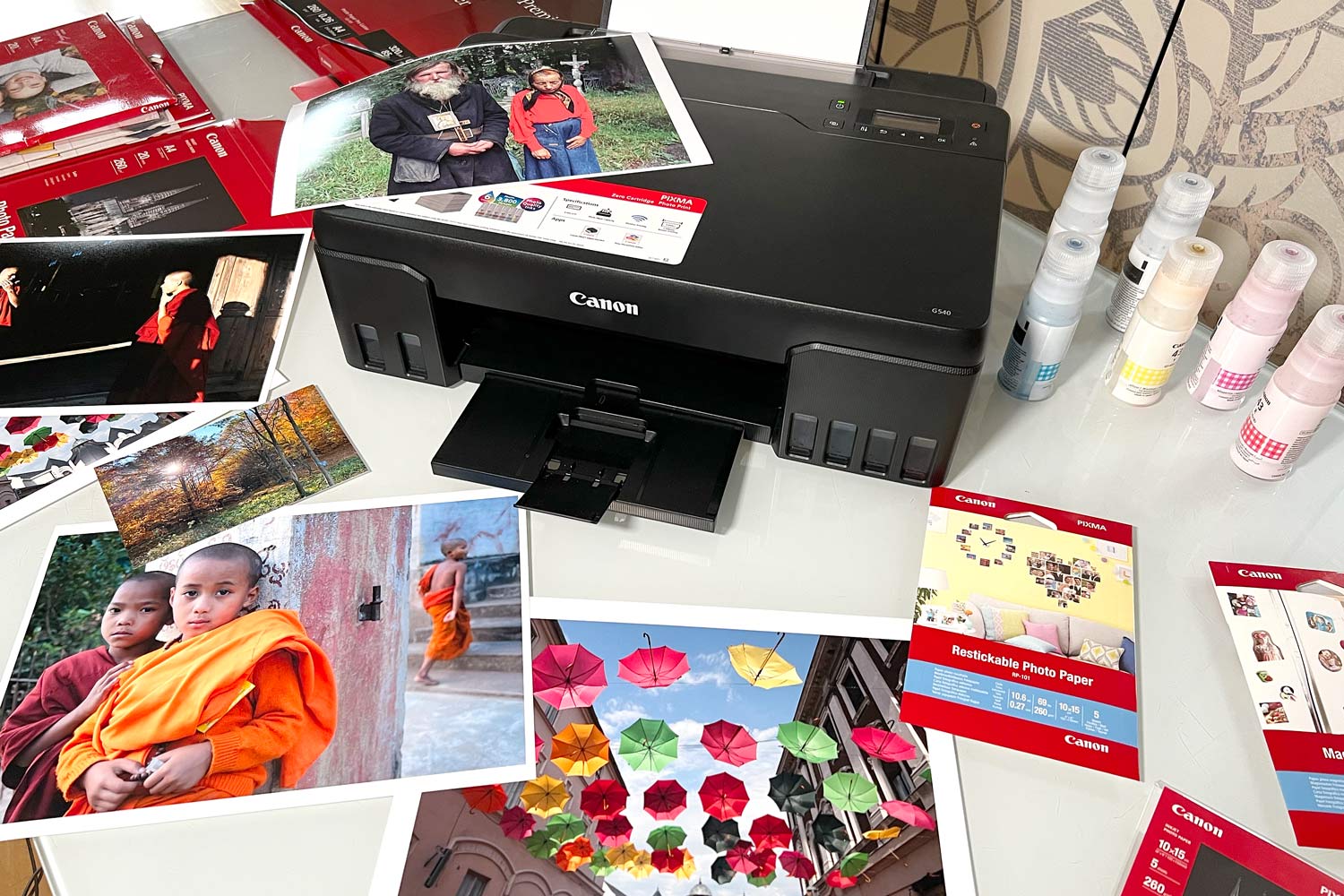
At first glance, it is no longer possible to buy a printer with high-quality photo printing today.
</ img>
Built-in uninterrupted ink supply system – convenience and compactness
Let's start with the fact that if you are looking for yourselfprinter exclusively with CISS, keep in mind – the system must be built into the case and nothing else. A system placed on the side of the printer, for example, like the Epson L805 – this is, at the very least, not practical, especially if you need to move the printer or, moreover, – its transportation. In addition, the system on the side will also take up additional useful space on the table.
</ img>
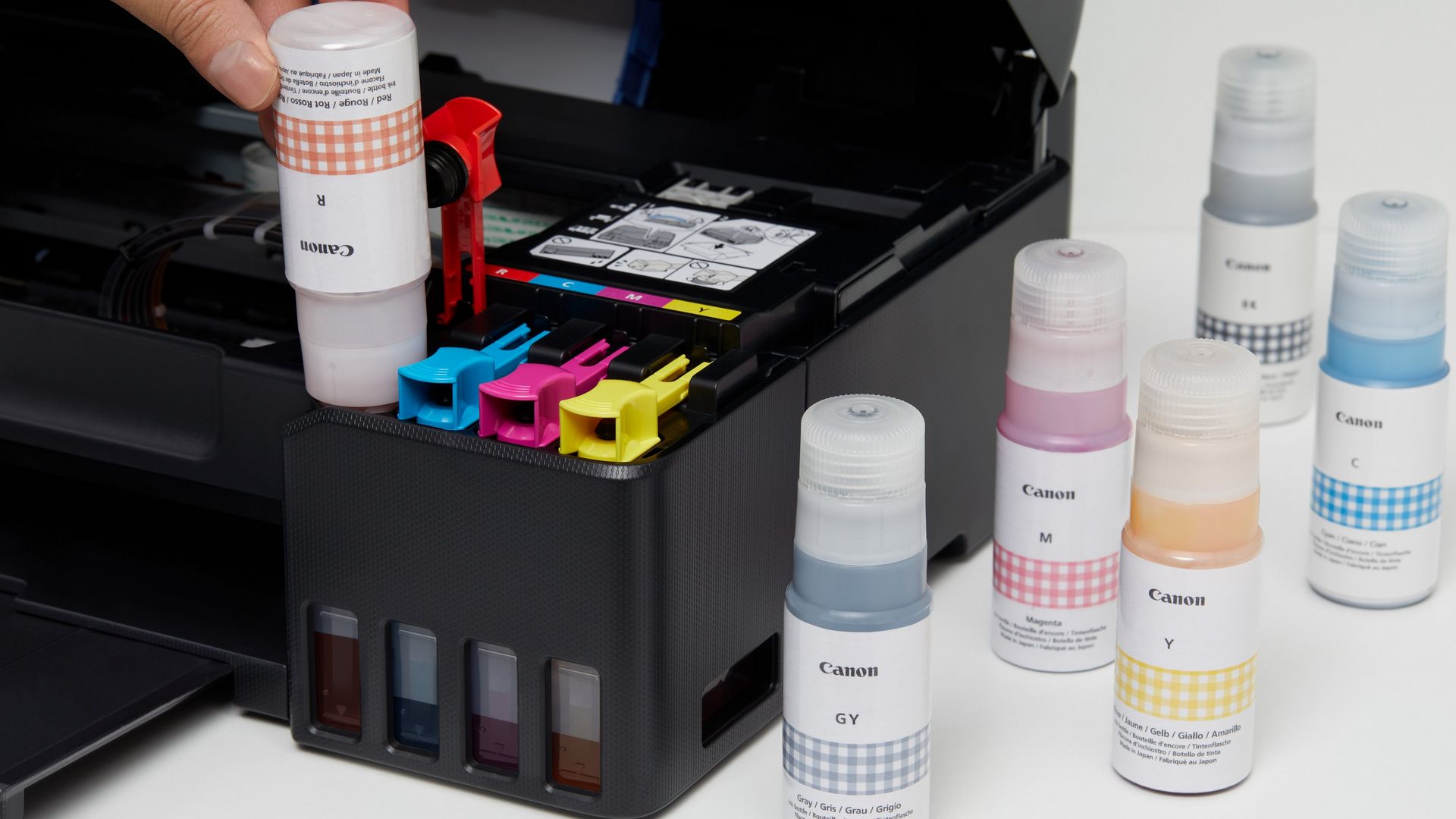
Refilling ink tanks.Even if you are a very attentive user, you are still not 100% protected from refilling errors and sooner or later you may end up with ink of the wrong color. Canon understands this, and therefore from the very beginning they made sure that there were no errors in this regard. How exactly? Very simple – special notches were applied to the neck of each bottle. Thus, the error is completely eliminated – you simply won’t be able to fit a bottle that doesn’t fit the right shape.
Regarding the first settings, in the Canon Pixma G540everything is automated as much as possible; very little user participation is required. Settings happen automatically in 7 minutes, and all that is required from you – Insert several sheets of paper into the appropriate compartment for a test print.
Printing formats and costs – versatility and economy
You can print any photo on the Canon Pixma G540popular format – 10x15cm, 13x18cm or 20x25cm. In addition, color printing is also available for 127x127cm, 89x89cm and non-standard formats such as 55x216mm, 89x1200mm and 91x55mm. You can also print on cardboard, envelopes, various kinds of labels and much more.

</ img>
Now about how much one refill will be enough for you?3800 photo prints of maximum quality in 10x15 format. We counted – the cost of one print, including the cost of paper, ink and the device itself – 3.7-3.8 UAH. However, consider that this is not all – Subsequently, the cost of the printer is deducted, because it is always included in the cost of a print – it is irrational; All that remains is the cost of periodic modernization, but there are also pleasant “bonuses” – more about that below.

</ img>
Black and white printing on one refill –about 3,700 prints, and color – as much as 8000, which you will agree – very cool. By the way, regarding the cost in this case, we are talking about 2.5 and 1.2 UAH, respectively.
6-color printing – greater detail in the picture and smooth color transitions
Today, the optimal solution for reallyHigh-quality photo printing is precisely 6-color printers, which add red and gray ink to the classic CMYK scheme (Cyan, Magenta, Yellow, Key or Black). In practice, the former increase the saturation of color prints, while the grays similarly enrich black and white photographs.
In addition to the color gamut, the quality of photo printingresolution is also affected. It depends on him the detail (clarity) of the picture, as well as the smoothness of the transition of colors. A really high-quality result in this regard is provided by models with a resolution of 4800x1200 dpi.

</ img>
Extensive remote printing capabilities – flexibility and comfort
In this regard, the model is interesting for many things:Wi-Fi with support for Wi-Fi Direct, as well as Air Print for direct printing from a smartphone or other gadgets running iOS or Android. In addition to the above, the manufacturer claims support for a variety of utilities, in particular Mopia. A separate topic for conversation – implementation of flexible printing capabilities from the “cloud”. Interesting features can also be obtained from the proprietary Canon PRINT Inkjet program. The latter, for example, allows you to print directly not only from cloud storage, but also remotely perform some service checks, such as ink levels.
Another interesting functional featureThe printer supports Google Assistant and Amazon Alexa voice assistants. So, if you have smart speakers, you can interact with the printer by voice. Agree – this is really interesting.
DIY service – control and calm
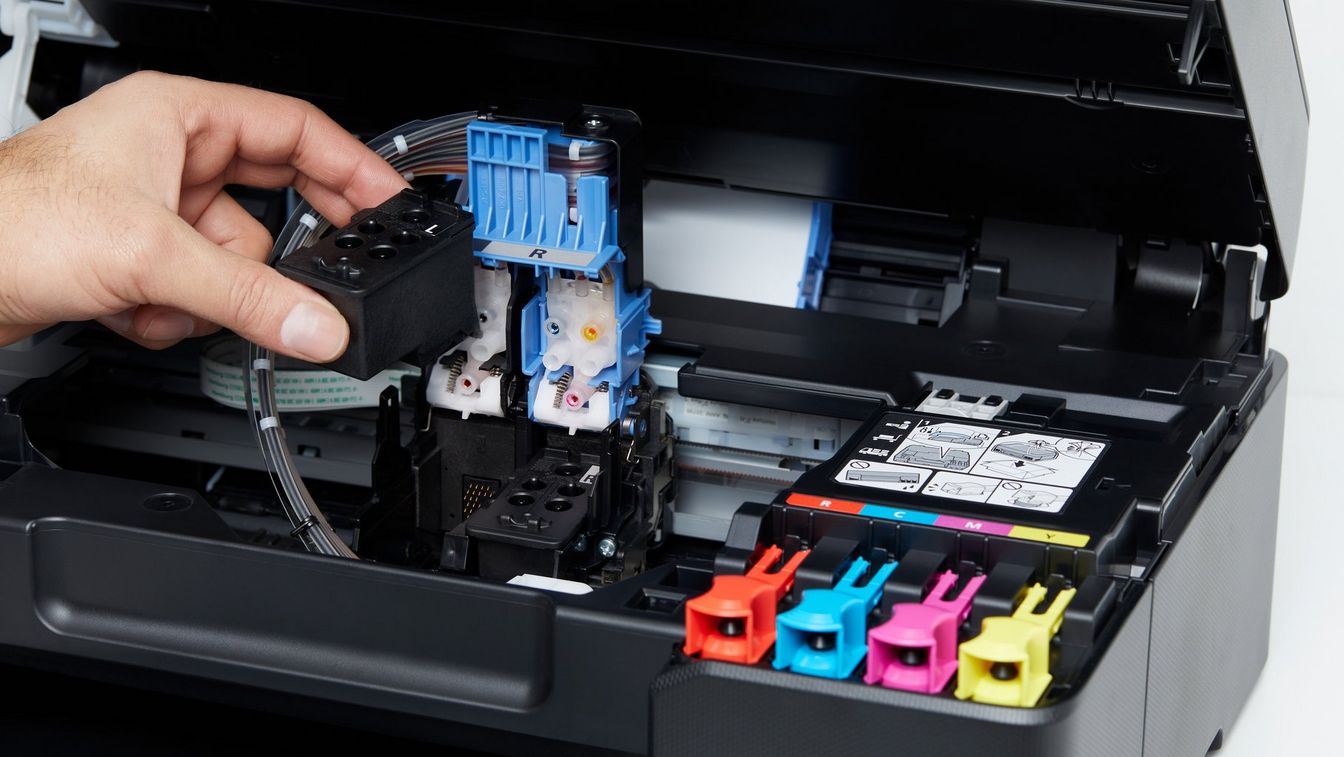
Now about a point that is often overlooked fromusers, and the neglect of which may ultimately result in additional expenses for you. It is clear that you are unlikely to be able to fully service the Canon Pixma G540, but at the same time, in this model, the manufacturer has provided for the possibility of self-replacing the print head and maintenance cartridges. This eliminates the need for a trip to the service, and therefore additional hassle + money.
It will not be superfluous to mention the switch during transportation. By activating it, you will automatically no longer need to drain the remaining ink.
</ img>
In the dry residue
What's the price?With all the capabilities of the model, its cost is below 8,000 thousand hryvnia, and this makes the G540 perhaps the most interesting photo printer among its closest competitors. Yes, the latter can also offer high quality printing, but their cost is not comparably higher. In addition, do not forget about the wide possibilities of remote printing, the convenience of the built-in uninterrupted ink supply system, which is implemented in the Pixma G540, as well as independent service – all this is additional comfort for a business that needs quality and values its time, for a large family that prints a lot and often photographs of various moments of its life, for operational printing and many other users.