The Clock application on iOS allows you to find out the time in different cities and time zones. Unfortunately, this program
In fact, iOS 10 has a convenientA feature that allows stocks and third-party applications to add widgets to the lock screen. It is annoying that the Clock application is not equipped with such an option for displaying world time on a locked screen. Third-party applications with this function have already been developed, but if you jailbreak your phone, we recommend that you pay attention exclusively to a tweak called Temporal.
This new jailbreak tweak makes it easyReceive time information in various cities directly from the locked screen. Moreover, you do not even need to open the widget page - the tweak is available directly from the main lock screen.
If you have this tweak installed, you can at any time find out what time it is in different time zones by swiping the lock screen left or right.
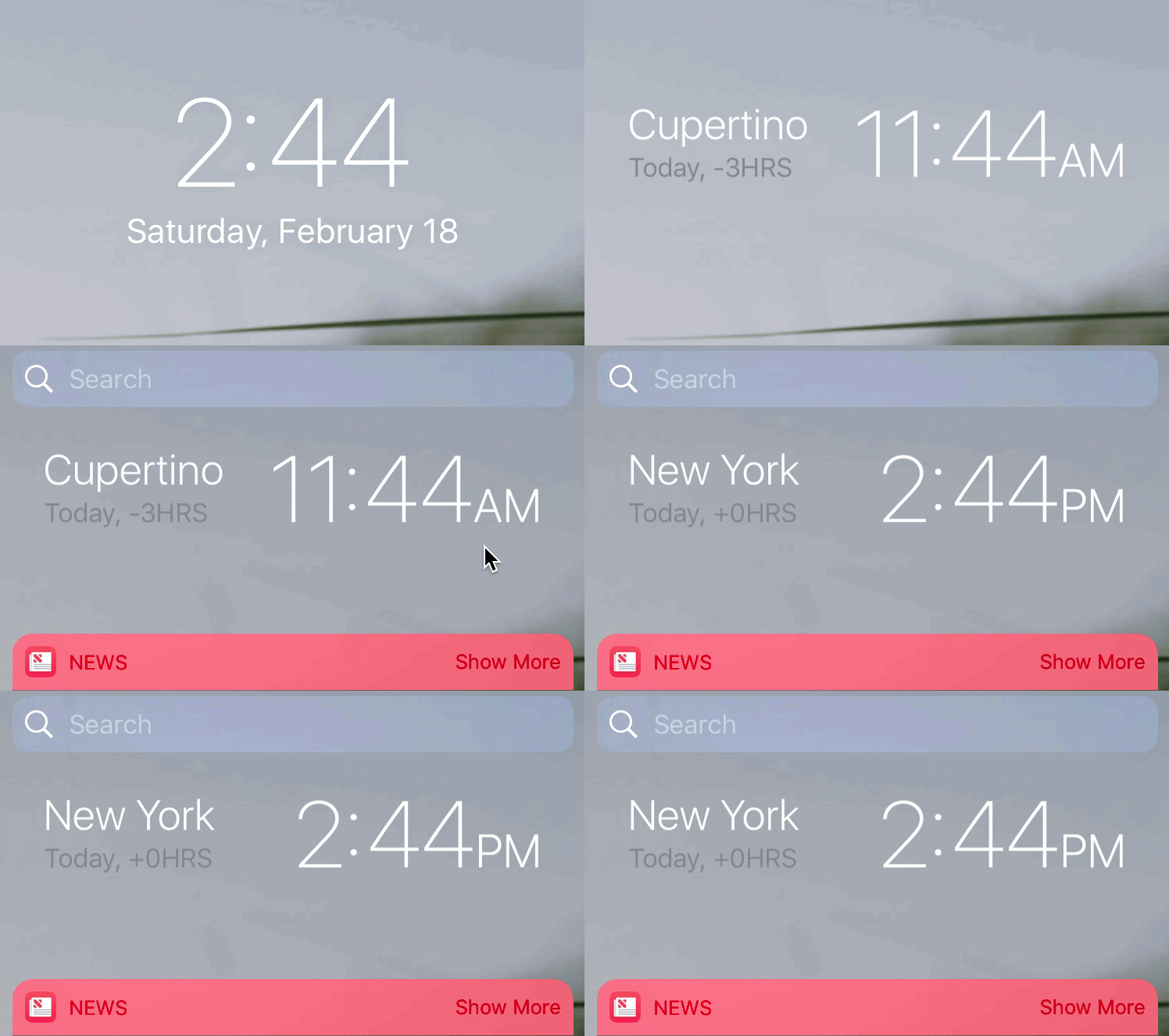

By default, tweak displays time in cities,added to the standard Clock application. If you want to add another city, you just need to add it to the “Clock” application - and the time in the new paragraph will automatically be displayed on the lock screen.
Temporal does not require any settings, it works immediately after the installation.
View world time on lockedThe screen is incredibly convenient, but the tweak is not without a couple of flaws. Firstly, it does not support the Notification Center, so every time you want to know the world time, you will have to lock the iPhone screen. Secondly, in addition to swiping the lock screen to switch between cities, it would be convenient to have an alternative ability to view cities in a list.
Despite the minor flaws described, in general, Temporal is an excellent tweak. If you want to install it, visit the Cydia BigBoss repository. The price of the program is $ 1.15.
Share your experience on installing the Temporal jailbreak tweak in the comments!