</ img>
There are already a decent number of SSD drives with the new PCI Express 4.0 interface on the market, but they are not yet widespread
- What is interesting about the Goodram PX500?
- What is included?
- What does the Goodram PX500 look like?
- How does the Goodram PX500 work?
- What can proprietary software do?
- In the dry residue
What is interesting about the Goodram PX500?
</ img>
Goodram PX500 is an SSD drive in the form factorM.2 2280 with PCIe Gen 3 x4 interface and support for NVMe 1.3 protocol. 3D TLC NAND memory chips are used, and the operation of the drive is controlled by a not-so-recent four-channel Silicon Motion SM2263XT controller without a separate memory buffer. PC RAM is used (Host Memory Buffer, HBM) technology. The maximum read speed is claimed to be 2050 MB/s and the maximum write speed is 1650 MB/s. Not the fastest performance, but compared to SATA models the increase is very noticeable. For acceleration, the aforementioned HMB (Host Memory Buffer) technology and SLC caching are used. One of the interesting features is that the drive has a very thin heat-dissipating plate, which does not increase the thickness of the drive (unlike radiators), while they promise that it copes well with heating.
</ p>What is included?
</ img>
</ img>

</ img>

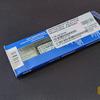
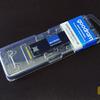
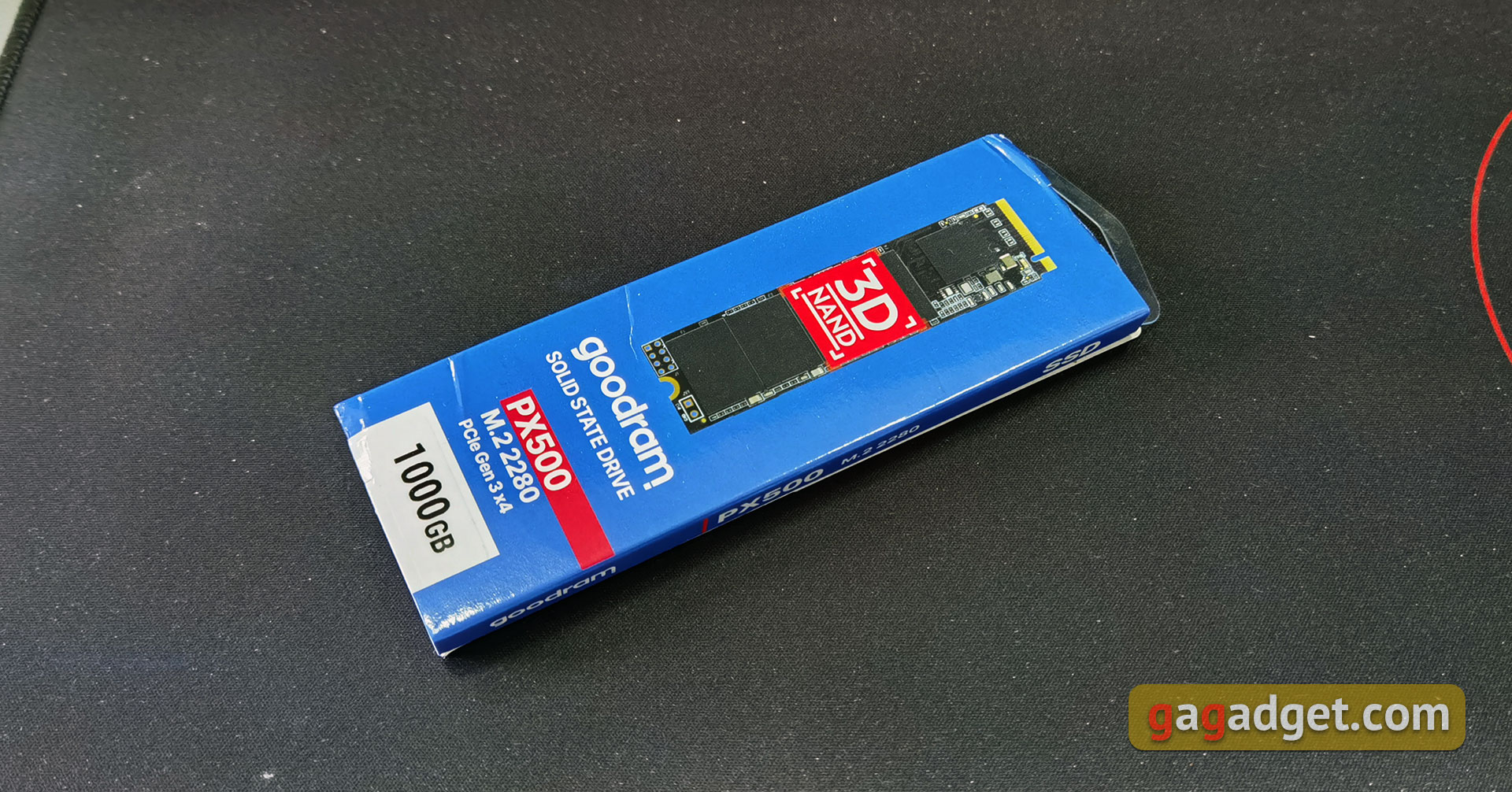
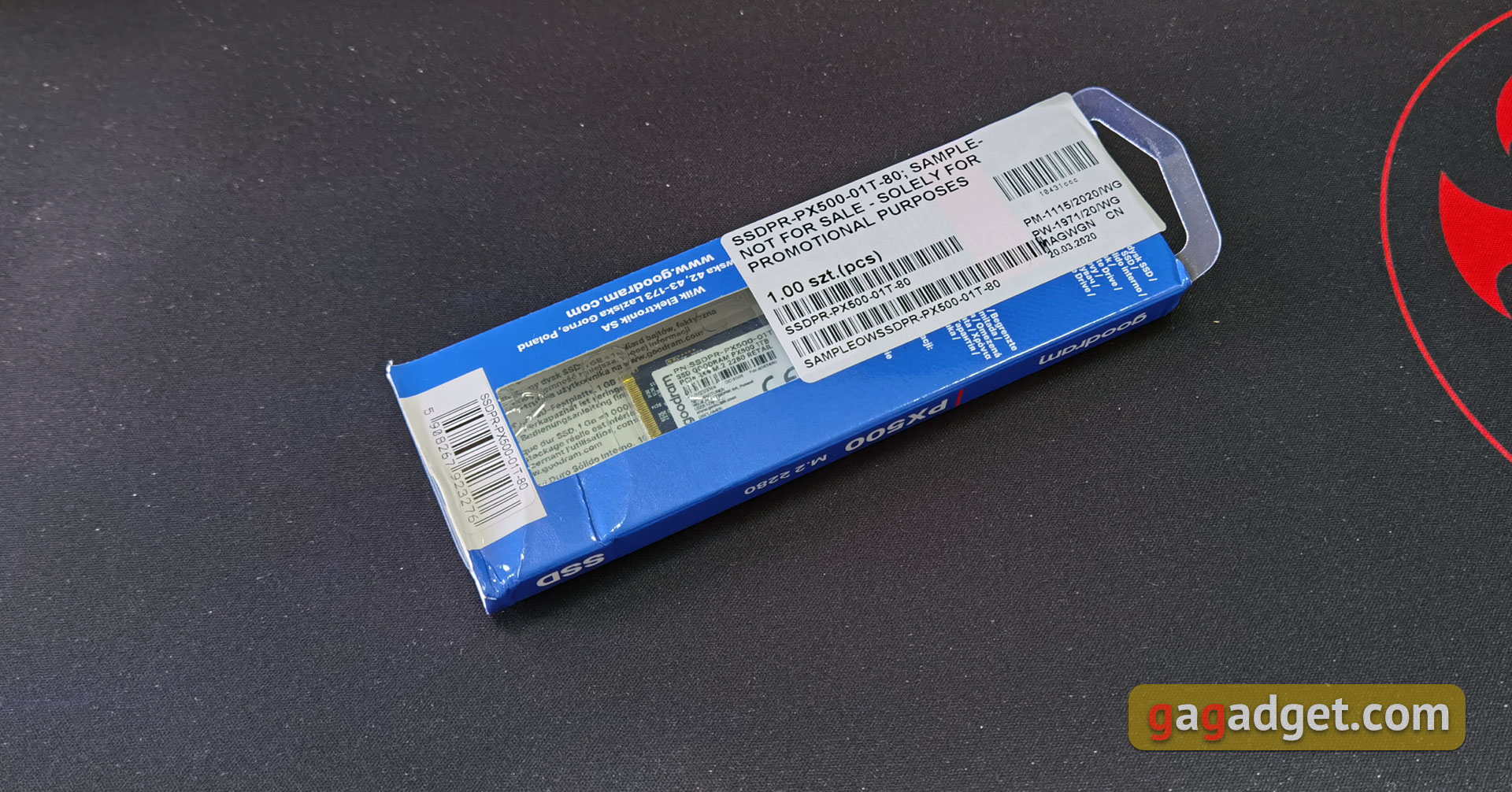
Goodram PX500 comes in a very compacta cardboard box in a branded blue color with a picture of the drive and brief technical information. On the back there is a sticker with the necessary service information and a transparent “window” in which the drive itself is visible. Under the cardboard there is a regular transparent plastic blister in which the SSD is fixed. There are no additional accessories included. Although in this case it is difficult to come up with something.
</ p>What does the Goodram PX500 look like?

</ img>
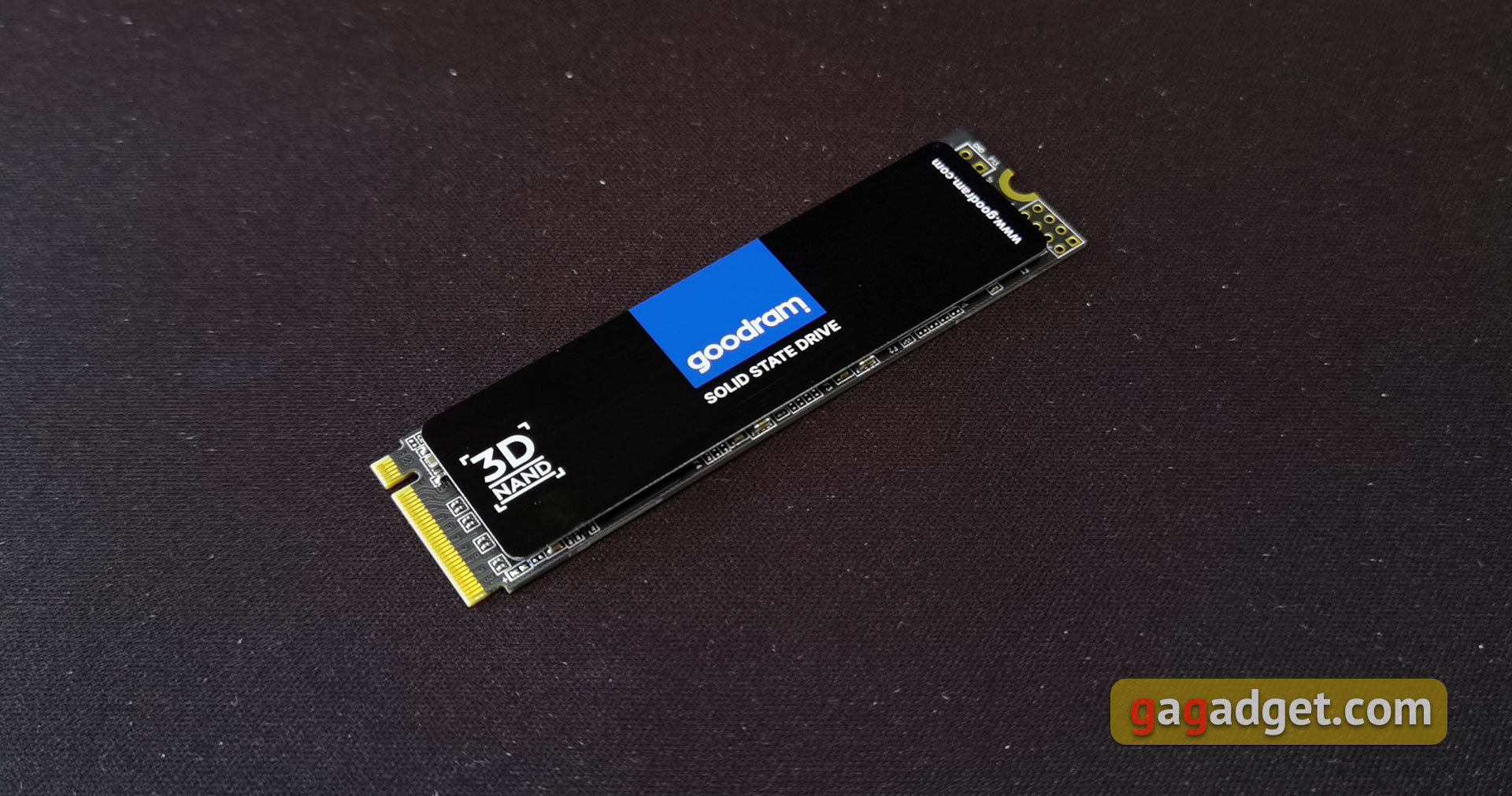
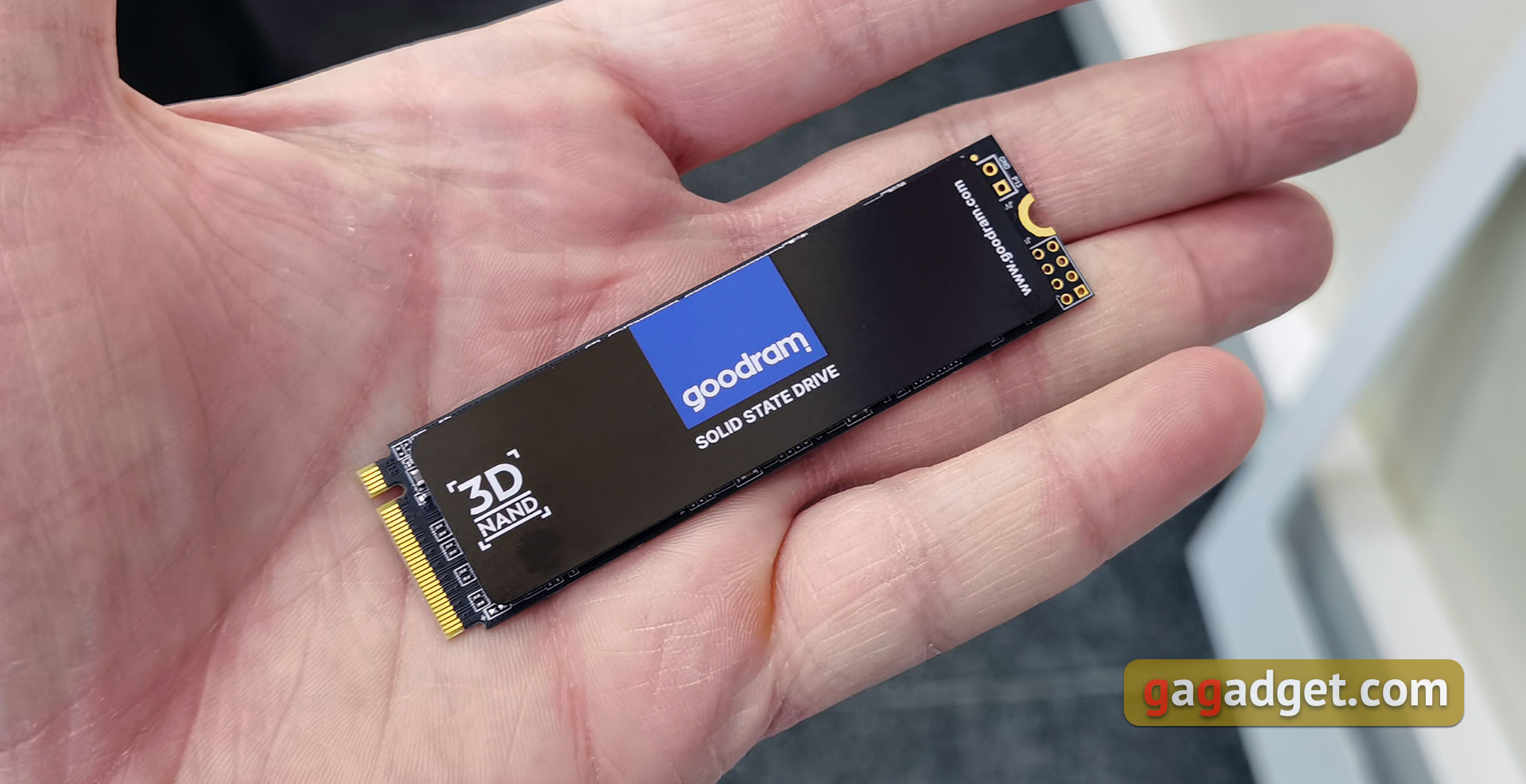
Goodram PX500 has absolutely standardsuch drives appearance and design. This is M.2 in the 2280 form factor with a PCI Express 3.0 x4 interface. The drive uses the usual black printed circuit board. All the necessary elements are arranged on one side: memory chips and a controller. This is all covered with a common heat-dissipating plate. It is also black, with a blue Goodram logo and the designation of the 3D NAND memory used.
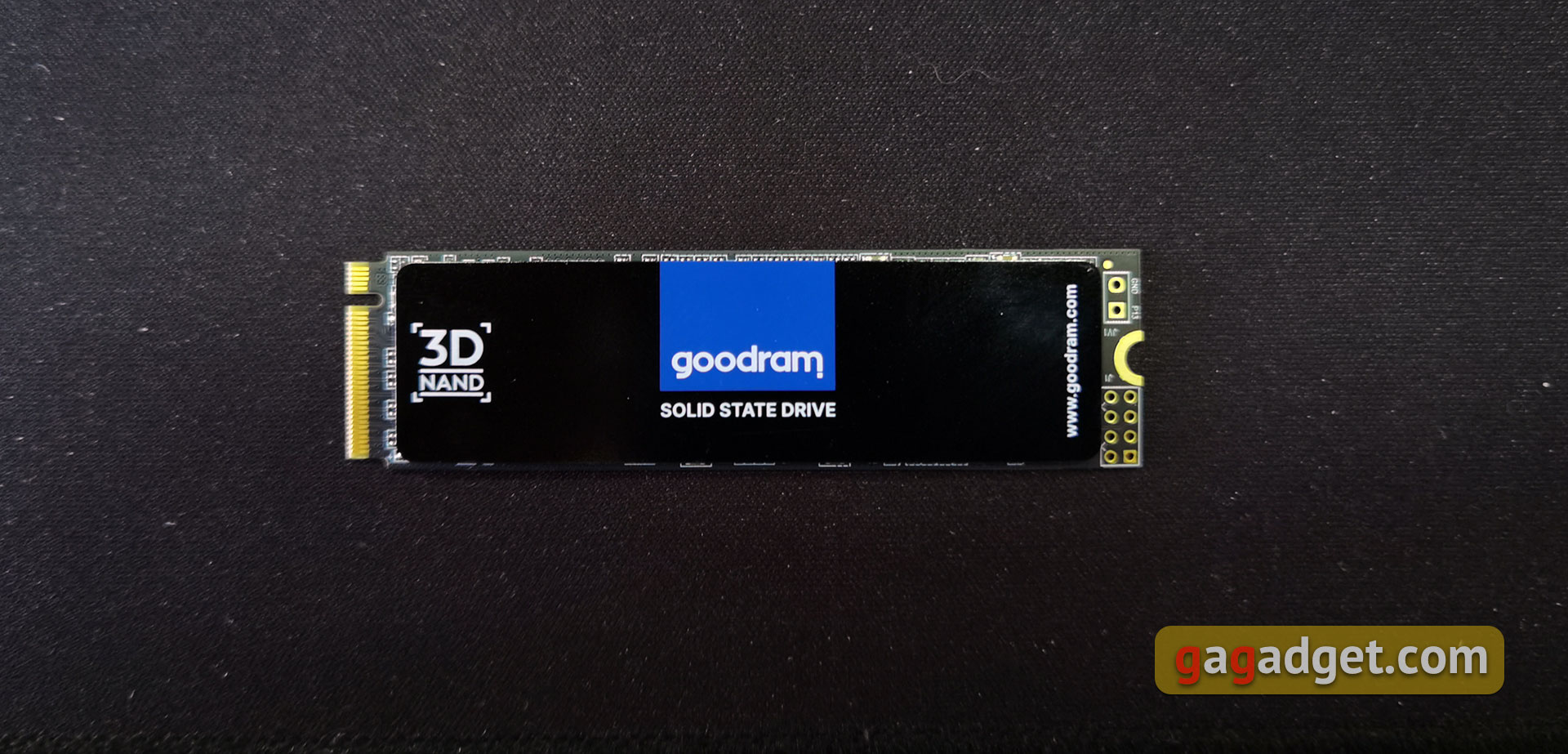
</ img>
There is nothing interesting on the back of the drive. Service sticker only:
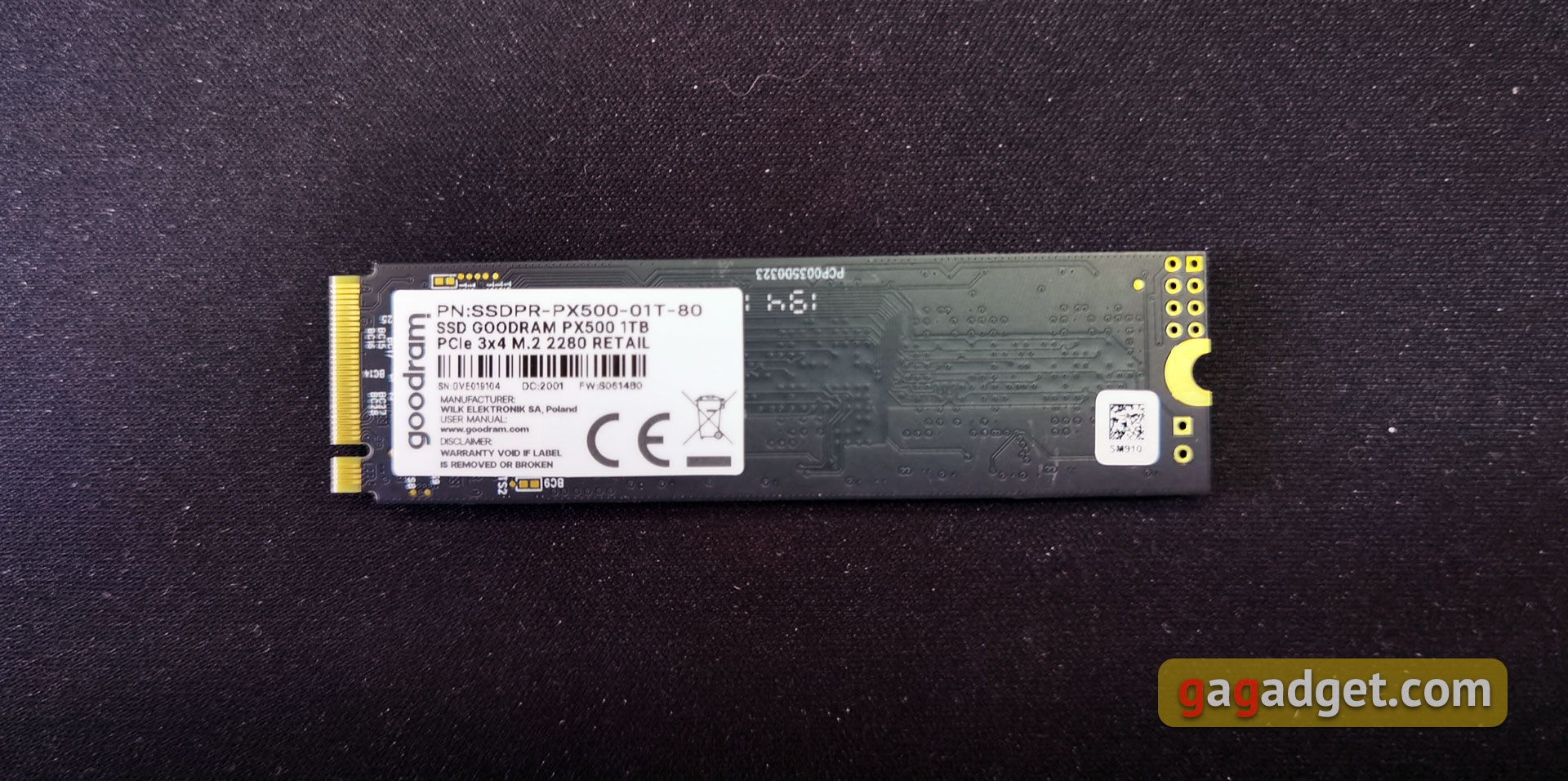
</ img>
The upper black plate is responsible for heat dissipation. It is non-removable (in any case, using regular methods without additional equipment), so we will not pick it up. The plate is very thin, due to which the drive is standard in thickness and can fit into any system without problems, including the aforementioned ultrabooks.

</ img>
How does the Goodram PX500 work?

</ img>
Solid State Drives Goodram PX500Available in 256, 512 GB, 1 TB, M.2 (2280) form factor. The drives use 3D NAND TLC memory chips. They promise that the mean time between failures (MTBF) is 1,500,000 hours; unfortunately, the manufacturer does not indicate TBW indicators. The SSD uses a four-channel Silicon Motion SM2263XT controller. This is not the newest or most productive solution. It has been produced since 2017 and is designed for read/write speeds of up to 2400 and 1700 MB/s, respectively.
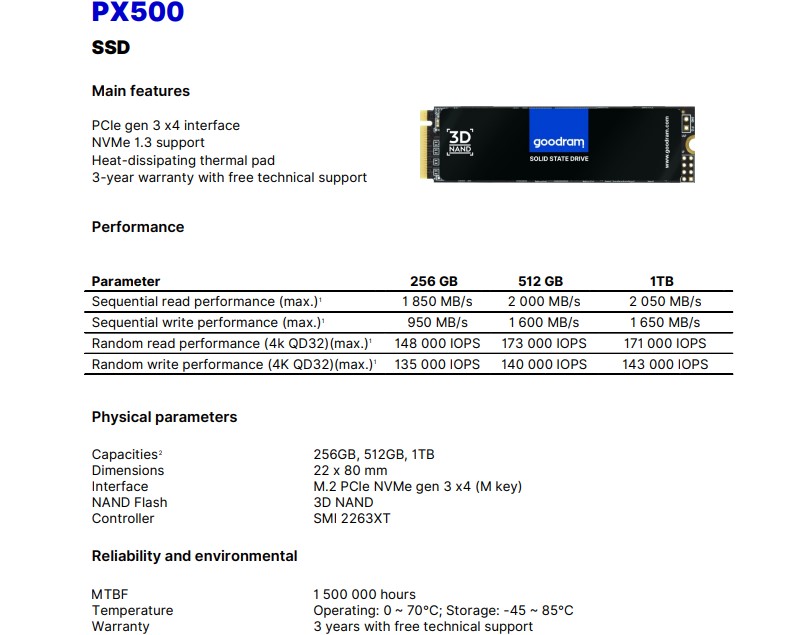
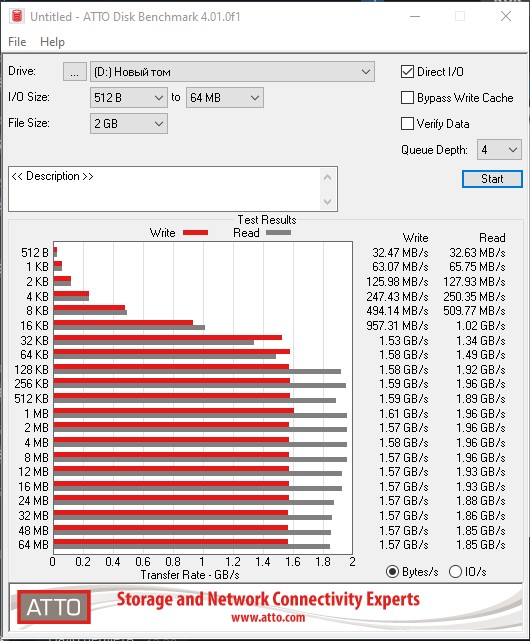
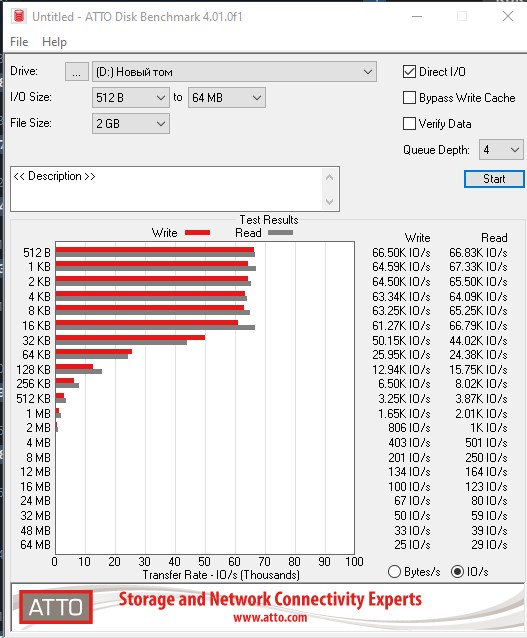
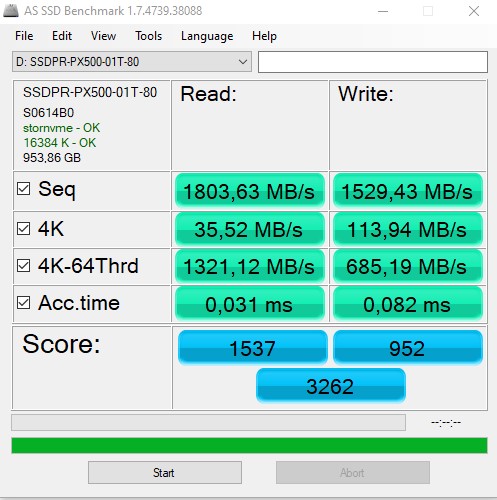
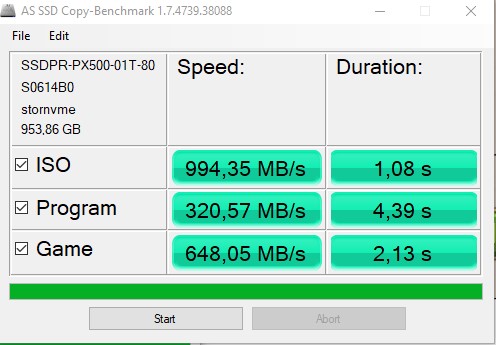
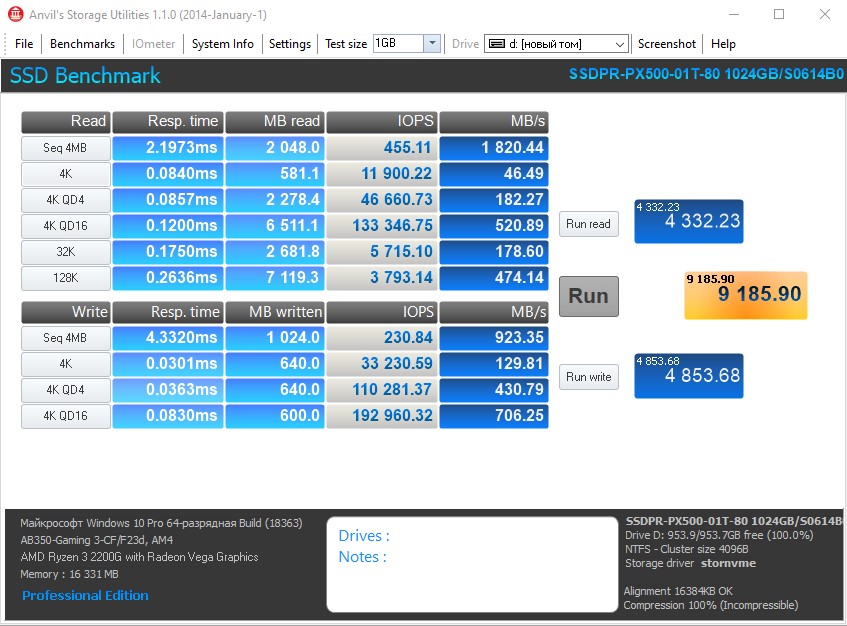
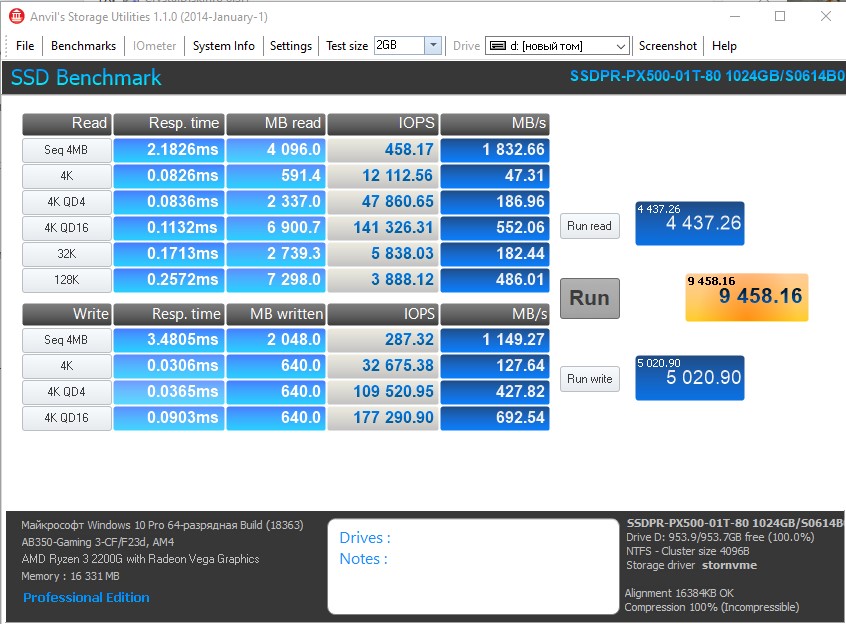
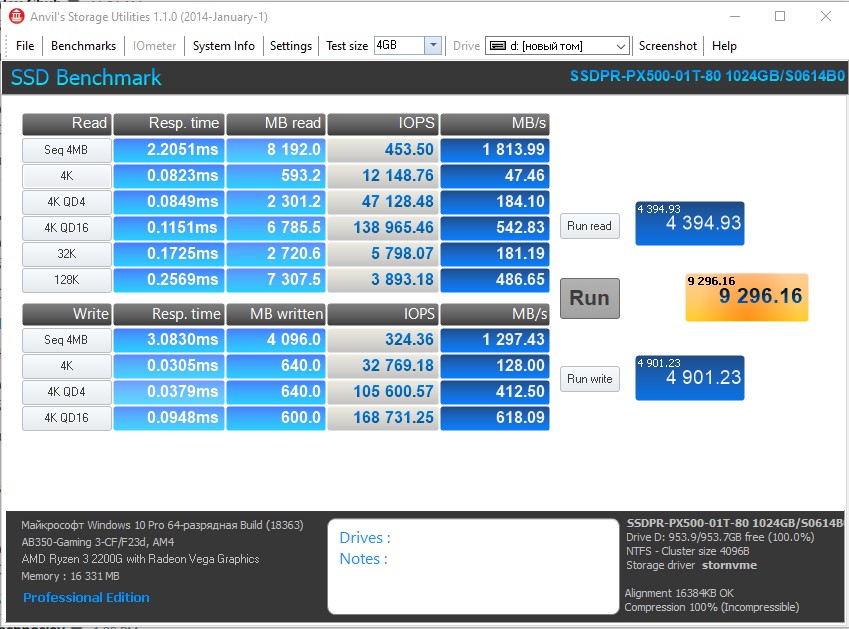
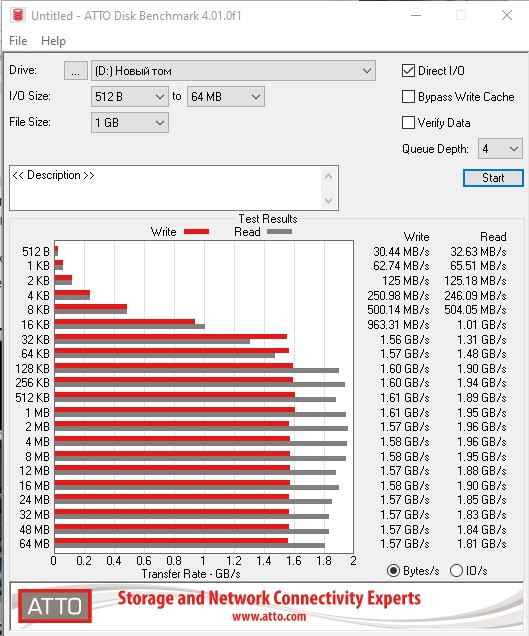
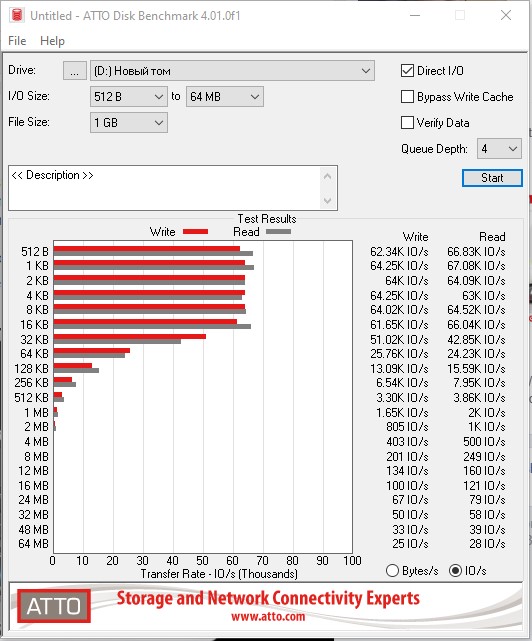
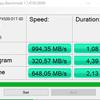
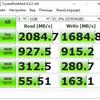
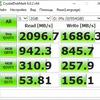
Instead of a DRAM cache, the controller uses technologyHMB (Host Memory Buffer): The PC processor and RAM are responsible for caching. This solution allows you to reduce the cost of the controller (and, accordingly, the drive). SLC caching is also used, in which part of the storage capacity is used in SLC mode for recording and the SSD will demonstrate maximum speed. Once the cache is full, the write speed will drop significantly. This solution is now actively used in high-speed SSDs, only the size of that same SLC cache is significantly different. The manufacturer promises read speeds of up to 2050 MB/s and write speeds of up to 1650 MB/s, and the number of random read and write operations for 4KB files up to 171,000 IOPS and up to 143,000 IOPS, respectively, based on Crystal Disk Mark tests. A stationary PC was used as a test bench, the configuration of which can be viewed in our article. As shown by synthetic tests, the drive mostly demonstrates the stated performance. CrystalDiskMark showed a maximum read speed of just under 2100 MB/s, and a write speed of about 1680 MB/s. In ATTO Disk Benchmark, the maximum read speed reached 1960 MB/s and write speed reached 1610 MB/s.

</ img>
</ img>
</ img>
</ img>

</ img>
</ img>

</ img>

</ img>
</ img>
</ img>
</ img>
</ img>
</ img>







As for the operation of HMB (Host Memory Buffer) andSLC caching in Goodram PX500, then the situation is as follows. The manufacturer does not mention the cache size, but as the AIDA64 test showed, it is about 130 GB. When the drive is approximately 13% full, the speed drops and fluctuates between 200 and 300 MB/s. The last 15% speed dropped just below 200 MB and stayed like that until the available 1 TB of space was completely filled. Yes, there are models whose speed drop after filling the cache is not so dramatic, but for the most part these are more expensive flagship models.

</ img>
In terms of heating, everything very much depends oncooling system of the system in which the drive is installed. In our case, it was tested on the desktop, the link to which was already above. Everything is fine with the cooling system and when running a test with linear recording of the entire SSD volume, the temperature did not exceed 40°. At rest, the Goodram PX500 temperature averages 28°. I believe that in conditions of “close” For an ultraportable laptop, the performance will be higher, but there are no prerequisites for overheating, so everything is in perfect order with stability.

</ img>
What can proprietary software do?
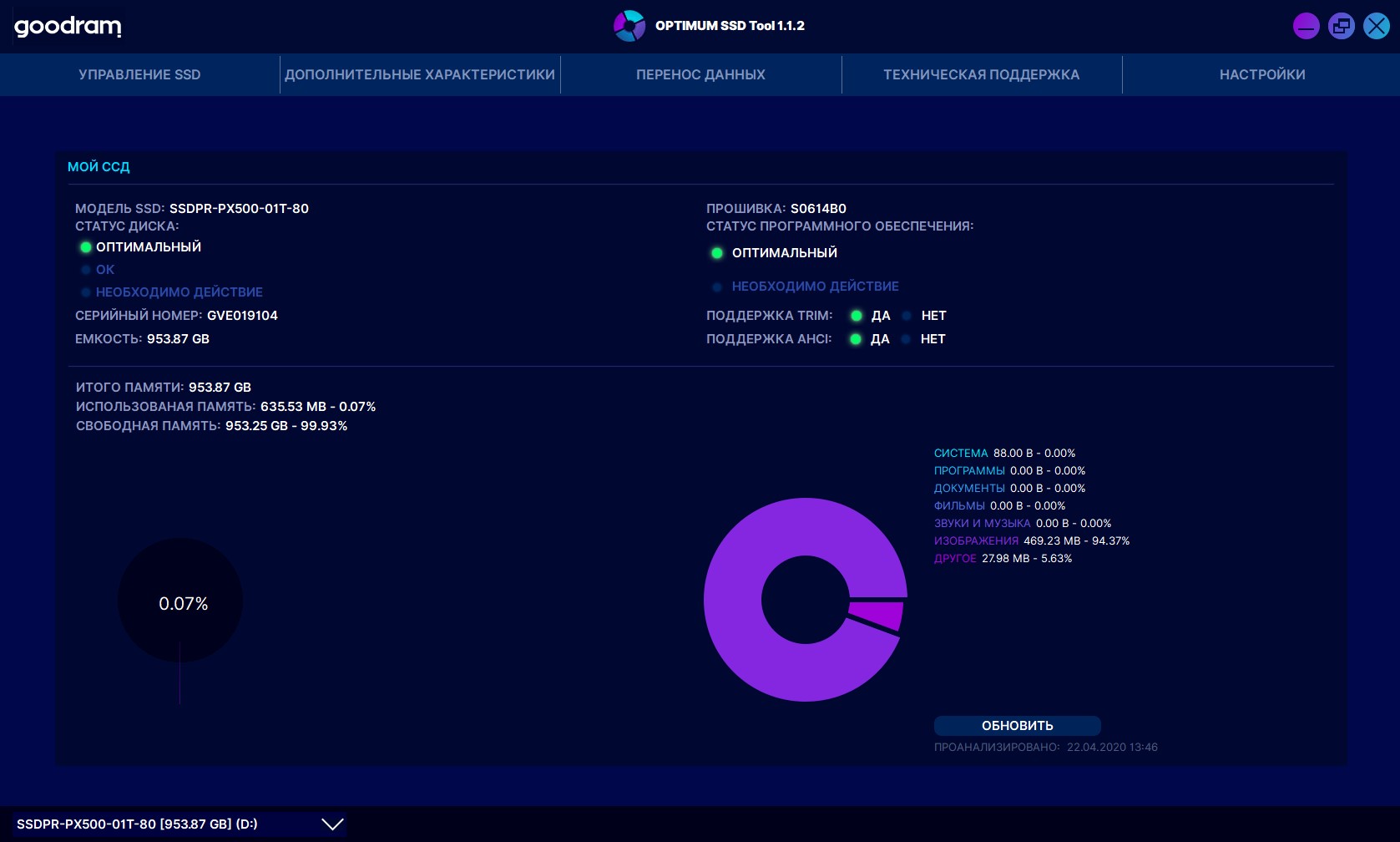
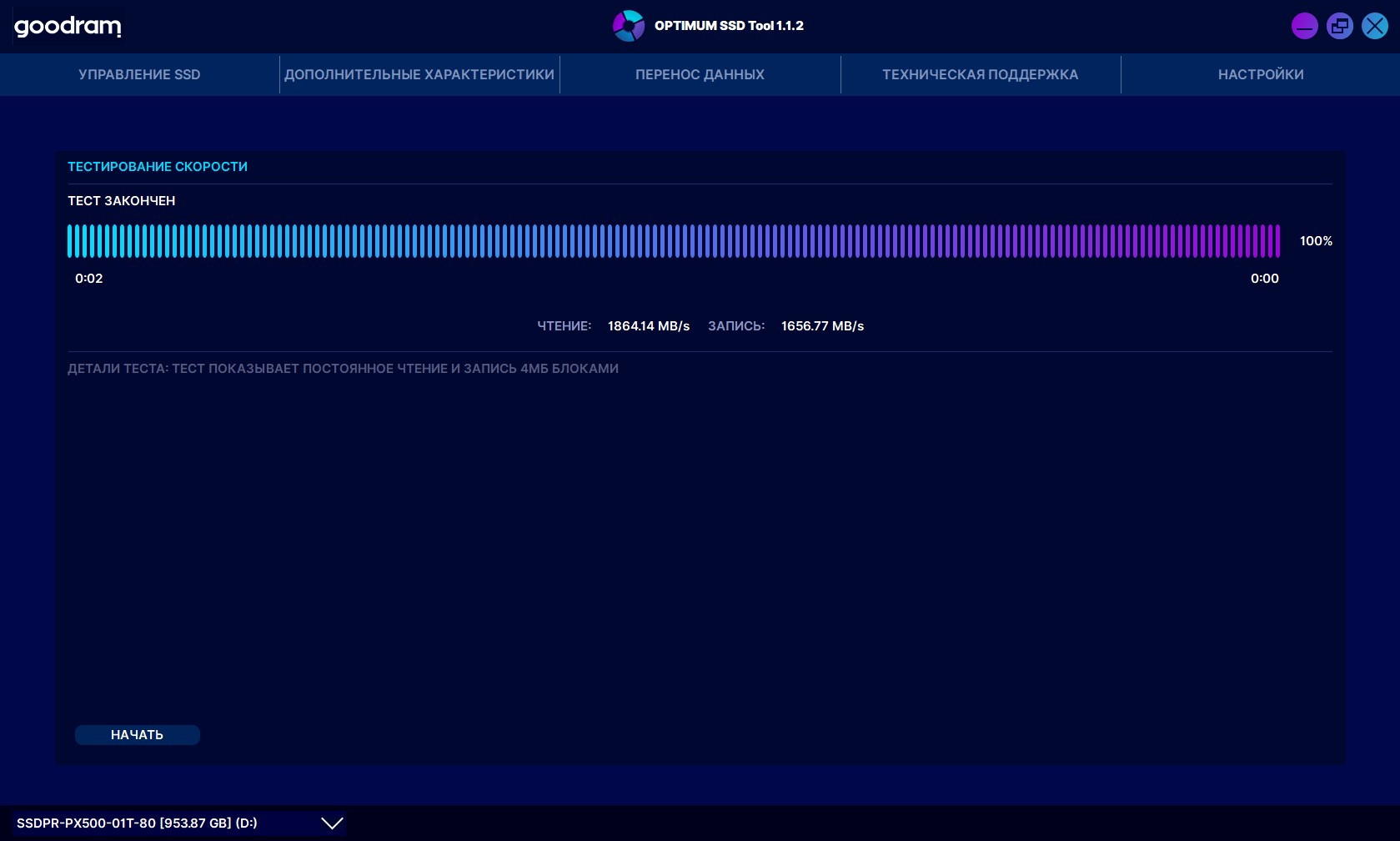
Goodram has a proprietary application OPTIMUM SSDTool for working with your SSDs. Functionally there is everything you need: general monitoring of the drive, its filling (including sorting by data type), the ability to update firmware, speed test, total working time, remaining resource, the ability to transfer data and feedback from developers:
</ img>

</ img>
</ img>

</ img>

</ img>

</ img>

</ img>







In the dry residue
Goodram PX500 - fast, relatively inexpensive andA completely balanced solid-state drive for the mass segment. It is perfect for both modern stationary PCs and not the most advanced gaming builds. The same goes for laptops, including ultraportable models, thanks to standard sizes with a thermal plate, which practically does not increase the thickness of the drive. Among the advantages, it is worth noting the high speed of operation, the absence of overheating and a pleasant bonus in the form of convenient proprietary software. One of the less pleasant moments is a very noticeable drop in speed when the SLC cache is full. Although this is critical only when constantly recording very large amounts of data. On the other hand, Goodram PX500 cannot be called the best solution in its price segment. The 1 TB model costs approx.5500 UAH. Yes, the cost is quite reasonable, but there are cheaper and faster models on sale.
4 reasons to buy Goodram PX500:
- High (and corresponding to dried indicators) speed;
- lack of an overheat and stable work;
- standard form factor and thin case with cooling plate;
- simple, clear and functional software.
2 reasons not to buy Goodram PX500:
- Significant decrease in write speed after filling the SLC cache;
- There are faster models in this price range.
Goodram PX500
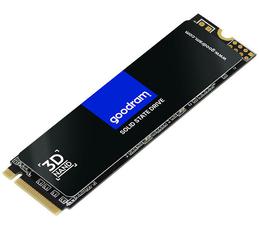
SSD in M.2 2280 form factor with PCIe Gen 3 x4 interface and support for NVMe 1.3 protocol. the maximum read speed of 2050 MB / s and the maximum write speed of 1650 MB / s.
Rozetka
NVMe PCIe SSD
Technical specifications Goodram PX500
Form factor
M.2
Interface
PCIe 3.0 x4, NVMe 1.3
Volume
1 TB (also available in 256 and 512 GB)
Memory type
3D NAND TLC
Controller
SMI 2263XT
Maximum read speed
2050 MB/s
Maximum write speed
1650 MB/s
Lifetime Warranty
1,500,000 hours, 3 years + technical support
Dimensions
22x80x3.5 mm
For those that want to know more:
- Goodram IRDM PRO Gen.2 SSD Review: Speed and Stability
- 512GB ADATA XPG Gammix S5 Review: Mid-Range NVMe SSD
- 7 reasons why it's time to switch to SSD
- Samsung SSD 970 EVO Review: What NVMe M.2 SSDs Can Do
- A Quick Review of the ADATA SP600 SSD